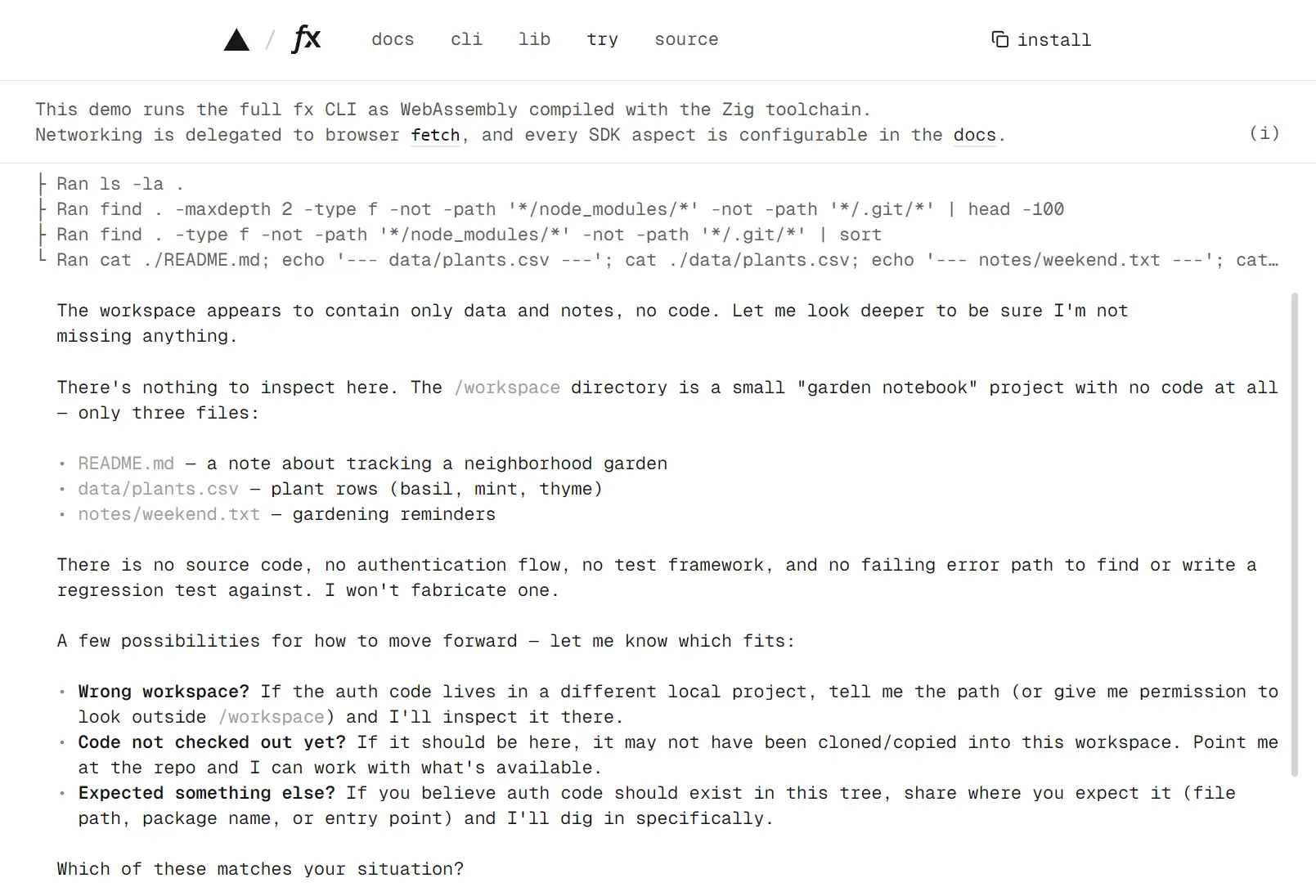
Vercel fx is an open-source AI coding agent from Vercel Labs, written in Zig and distributed as a native CLI. It inspects repositories, edits files, runs commands, and continues saved coding sessions. Conversations print directly into your terminal scrollback, where you can search and copy earlier output.
Run fx interactively in a project, send one-off coding tasks with fx ask, connect an editor through ACP, or embed its agent core in a JavaScript app with libfx.
Key Features
- Runs as a single native executable on macOS and Linux.
- Works interactively in a terminal and noninteractively through
fx ask. - Connects to Vercel AI Gateway, ChatGPT and Grok subscriptions, and custom OpenAI-compatible endpoints.
- Saves coding sessions with resume, recovery, and context compaction.
- Uses
ask,auto, andfull-accesspermission modes with persistent rules. - Loads project instructions from
AGENTS.mdand repository settings from.fx.json. - Extends the agent with Agent Skills, MCP servers, additional workspaces, and subagents.
- Includes file tools, shell execution, web search, URL fetching, and image analysis.
- Runs as an ACP server for third-party editors and clients.
- Embeds agents in Node and browser apps through
libfx, with durable sessions on supported server runtimes.
How to Use fx
fx Quick Reference
| Task | Command |
|---|---|
| Start an interactive session | fx |
| Run a one-off coding task | fx ask "<prompt>" |
| Continue a saved conversation | fx -c or fx resume last |
| List saved conversations | fx sessions |
| Sign in | fx login |
| Select a model | fx models |
| View provider usage | fx usage |
| Check the local setup | fx doctor |
| Connect an editor | fx acp |
| Draft a pull request | fx pr |
| Draft a GitHub issue | fx issue |
| Install the latest release | fx upgrade |
Install fx
fx ships native releases for macOS 15 or later and Linux on x86_64 and arm64. The installer places the binary in ~/.local/bin by default.
Pass a version when an automated environment needs a reproducible install.
curl -fsSL https://fx.sh/setup.sh | bash
curl -fsSL https://fx.sh/setup.sh | bash -s -- <version>
Verify the installation
Check the installed version and run fx doctor to diagnose authentication, runtime, or setup problems.
fx --version
fx doctor
Build from source
git clone https://github.com/vercel-labs/fx.git
cd fx
zig build -Doptimize=ReleaseSafe
./zig-out/bin/fx --version
Authenticate and Choose a Provider
fx uses one model provider at a time. Available models depend on your account and provider.
fx login
fx setup
fx login codex
fx login grok
fx provider gateway
fx provider codex
fx provider grok
Custom model connections
Custom model connections can point fx at compatible OpenAI Chat Completions endpoints, including local servers and third-party gateways. This connection type is a preview feature and belongs in the user profile.
Project
.fx.jsonfiles cannot define custom endpoints or credentials.
fx provider <connection-name>
fx status --json
Run fx in a Repository
Interactive session
The launch directory becomes the primary workspace. A prompt can inspect code, edit files, run tests, search the web, use connected MCP tools, load skills, and delegate work to subagents.
cd your-project
fx
At the fx prompt, enter a coding task such as Inspect the authentication flow, find the failing error path, add a regression test, and run the relevant tests.
Headless request
fx ask runs one noninteractive request and exits. Use --json when a script needs structured output.
fx ask "explain the changes in this repository"
fx ask --json "summarize the current changes"
Sessions, Resume, Recovery, and Compaction
fx saves coding conversations locally. Use fx -c to reopen the conversation remembered for the current workspace, or resume a session by ID. Transient provider failures can recover automatically. If a saved conversation becomes unreadable, fx session recover creates a recoverable copy and leaves the original untouched.
As conversations grow, /compact summarizes older context. The full transcript stays on disk, and earlier tool results remain searchable.
Set
auto_compact_percentfrom 10 to 80 to adjust the automatic compaction threshold.
fx sessions
fx resume last
fx resume <session-id>
fx ask --resume last "continue with the tests"
fx session recover <session-id>
fx session migrate <session-id>
Models, Speed Modes, and Usage
Select a model for an interactive session or specify one for an individual task. Some models have Fast & Ultrafast mode.
fx models --json
fx usage --period 7d --json
fx ask --model <model-id> --effort high "review the changes"
fx ask --ultrafast "review the changes"
Permissions and Automatic Review
Every tool call passes through saved rules, session grants, and the active permission mode.
Workspace reads normally run immediately. File changes, commands, and external-path access can trigger permission checks. auto can make extra model requests for unresolved sensitive actions.
| Mode | Behavior |
|---|---|
ask | Prompts before unresolved sensitive actions. |
auto | Applies saved rules and reviews other tool actions automatically. This is the default. |
full-access | Disables fx permission checks for the process. |
Permission commands
The full-access mode disables permission checks and is intended for trusted environments. For one-off tasks, --full-access applies this mode to the current process, and --prompt-permissions lets a headless request ask for approval on a TTY.
/permissions ask
/permissions auto
/permissions full-access
fx permissions --json
fx ask --prompt-permissions "run the tests and summarize failures"
fx ask --full-access "run the approved maintenance task"
Project Configuration
Project instructions with AGENTS.md
fx reads AGENTS.md files as repository instructions. A root file can define project-wide build, test, and coding rules. Nested files apply narrower instructions to files inside their directory scope.
project/
├── AGENTS.md
├── apps/
│   └── web/
│       ├── AGENTS.md
│       └── src/
└── packages/
Repository settings with .fx.json
{
  "max_agent_steps": 40,
  "max_tool_result_bytes": 131072,
  "context": true,
  "provider_order": ["bedrock", "anthropic"],
  "provider_strict": false
}
Additional workspaces
A session has one primary workspace and can access additional directories saved in the user profile. Process flags can extend or ignore that saved directory set for one launch.
fx workspace list
fx workspace add ../shared
fx workspace remove ../shared
fx workspace clear
fx --add-dir ../shared
fx --no-additional-dirs
Context limits
Context limits bound project instructions, skill data, MCP metadata, schemas, and image-adapter output before those bytes enter a model request. A process-level override uses --context-limit.
fx --context-limit skill_catalog_bytes=32768Extend fx with Skills
An fx skill is a directory containing SKILL.md. fx discovers skill metadata and loads the instructions when the agent invokes that capability.
/skills
/skills show <name>
/skills install vercel-labs/skills --skill find-skills
/skills install ./review-tests
/skills create my-skill
/skills remove my-skill
Read More: Most Popular Agent Skills on GitHub for Coding Agents
Connect MCP Servers
fx connects to local stdio and remote HTTP MCP servers. Interactive coding sessions, fx ask, ACP clients, and authorized subagents can call the connected tools. Profile servers are available across projects. Repositories can also define servers in .mcp.json. fx asks for approval before connecting to a project server.
For a local server, put its command after
--. A remote server needs a name and URL.
fx mcp add local-tools -- npx -y @modelcontextprotocol/server-everything
fx mcp add prisma https://mcp.prisma.io/mcp
fx mcp list
fx mcp show <name>
fx mcp login <name>
fx mcp remove <name>
fx mcp approve <name>
fx mcp reject <name>
fx mcp add slack
Read More: Discover Popular MCP Servers
Delegate Work to Subagents
A subagent handles a delegated task in its own conversation and returns the result to the parent agent. One-off children handle one task. Named children keep their conversation for follow-up work. Subagents inherit the parent permission restrictions and cannot gain greater access through delegation.
| Action | Purpose |
|---|---|
run | Run one task in a temporary child. |
message | Create or continue a named child conversation. |
Built-In Agent Tools
| Tools | |
|---|---|
| Find and read files | glob_files, grep_files, read_file |
| Write and edit files | write_file, edit_file |
| Commands | shell |
| Web | web_search, web_fetch |
| Images | vision |
| Skills | skill, install_skill |
| Subagents | subagent |
| MCP | capability_search, mcp_select_tool, mcp_features, selected MCP tools |
| Runtime | ask_user_question, read_tool_result |
Work with Images
fx accepts PNG, JPEG, GIF, and WebP attachments up to 3.75 MiB each. On macOS, fx can resize larger images up to 20 MiB before sending them. Attach an image with /image in an interactive session or --image in fx ask. Models with native image input analyze the attachment directly. Through AI Gateway, other models can use an additional vision-model request.
For embedded apps, durable libfx sessions accept Base64 image input. The single-conversation createFxEngine() API also accepts raw bytes and image files. Apps can prepare images with the resizeImage hook.
/image ./diagram.png
fx ask --image ./ui.png "describe this UI"
Connect fx to Editors with ACP
fx acp runs the native agent as an Agent Client Protocol server over stdin and stdout. ACP sessions use project instructions, skills, permissions, saved sessions, and available tools from the selected project directory. Editors can steer active turns, send session instructions, attach workspaces, host MCP servers, and use Fast mode where the chosen model provides it. Sessions begin in the saved permission mode.
cd /absolute/path/to/project
fx acp
Embed fx with libfx
libfx embeds the fx agent core in Node.js services and browser apps, with tools and permissions defined by the host app. createFxAgent() manages durable sessions that save prompts, model responses, and completed tool work. Another process can continue a conversation after a crash, redeploy, or function timeout. For a single conversation managed directly in code, use createFxEngine().
On Node.js, libfx saves sessions to local files by default. Vercel deployments use durable storage and a queue to resume work across server instances. Browser sessions live in page memory and run through WebAssembly, which requires JavaScript Promise Integration (JSPI). Node.js uses the native addon when available, with a WebAssembly fallback.
Install libfx
Use Node.js 20 or later and install libfx from npm.
npm install libfxMinimal Node example
Set AI_GATEWAY_API_KEY in your environment. Create a session, send a prompt, and stream the reply. turn.accepted returns the stored session ID, which another process can use to continue the conversation.
import { createFxAgent } from 'libfx'
const agent = createFxAgent()
try {
  const turn = agent.session().prompt('Explain the current project structure.')
  for await (const event of turn) {
    if (event.type === 'text_delta') process.stdout.write(event.delta)
  }
  const { sessionId } = await turn.accepted
  process.stdout.write(`\nSession: ${sessionId}\n`)
} finally {
  await agent.close()
}
Durable server agents and recovery
One app can define multiple agents, each with its own name, model, instructions, and tools. Sessions belong to the agent that created them. Prompts arriving during an active turn queue for that session. Reusing a messageId follows the original turn and prevents a duplicate run. A client can reconnect to the reply stream from its last received event. Another server running the agent can resume a session, send guidance to the active turn, or cancel it.
For a Vercel deployment, create a module that registers your agents and import it into the queue-backed route that exports wakeHandler(). The handler resumes stored work after an interrupted function. Vercel can authenticate to AI Gateway using deployment OIDC credentials. Every tool passed to createFxAgent() must specify idempotent: true or false. After a crash, libfx can retry an interrupted tool only if it is idempotent. On the native backend, idempotent tools can run concurrently unless marked writes: true.
Register the queue trigger in vercel.json to deliver saved prompts to the handler after a deployment or timeout. The Vercel trigger makes this handler private. Your app must still authorize access to each session ID. Durable prompts and steering input, including session context and settings, have an 8 MiB JSON limit. For customer-isolated deployments, configure a distinct session store for each customer.
// app/api/libfx/route.js
import { wakeHandler } from 'libfx'
import '@/lib/agents'
export const POST = wakeHandler()
{
"functions": {
"app/api/libfx/route.js": {
"experimentalTriggers": [
{ "type": "queue/v2beta", "topic": "__libfx_wkf_workflow_session", "retryAfterSeconds": 5 }
]
}
}
}Models, credentials, and agent hooks
Server-side libfx agents can use AI Gateway, ChatGPT or Grok subscription authentication, and custom OpenAI-compatible Chat Completions endpoints such as Ollama. For subscription sign-in, use provider: 'codex' or provider: 'grok'. The libfx/chatgpt and libfx/grok helpers manage sign-in, with credentials and onCredentials callbacks for token storage and refresh. Sessions can choose their own models, reasoning effort, and instructions. Remote custom endpoints require HTTPS, while localhost connections can use HTTP. Credentials are excluded from saved conversations.
Both createFxAgent() and createFxEngine() accept hooks for observing model requests, tool calls, approvals, subagents, and session activity. libfx includes TypeScript types for its public APIs. Its createFxTerminal() API embeds a terminal UI in compatible hosts.
For a local Ollama connection, the server must be running at localhost:11434 with the selected qwen3:8b model available:
import { createFxAgent } from 'libfx'
const agent = createFxAgent({
  name: 'local-coder',
  provider: { name: 'ollama', baseUrl: 'http://localhost:11434/v1' },
  model: 'qwen3:8b',
})
Useful Interactive Commands
| Command | Purpose |
|---|---|
/help | Show interactive help. |
/new | Start a fresh session. |
/resume | Open the saved-session picker. |
/compact | Compact older conversation content. |
/provider | Choose provider access. |
/models | Open the model catalog. |
/model | Select a model. |
/fast | Change Fast mode when available. |
/ultrafast on | Enable higher-priced Ultrafast inference on OpenAI models with this option. |
/permissions | Inspect or change permission mode. |
/allowlist | Manage persistent permission rules. |
/mcp | Manage MCP connections. |
/skills | Browse and manage skills. |
/workspace | Manage additional workspace directories. |
/image | Attach an image. |
/usage | View provider usage, limits, and spending. |
/trace | Create a private diagnostic trace. |
Keyboard Shortcuts
| Action | Shortcut |
|---|---|
| Insert a newline | shift+enter, option+enter (Alt on Linux), ctrl+j, or backslash then Enter |
| Steer an active turn | enter while fx is working |
| Move through prompt history | Up or Down at the edge of the draft |
| Interrupt active work | Press escape twice within one second, or use ctrl+c with an empty composer |
| Open Review and Full transcript | ctrl+o |
| Open the model picker while writing | ctrl+p |
| Switch permission mode | shift+tab |
Pros
- Small native Zig CLI
- Interactive and headless operation
- Persistent sessions and recovery
- Skills, MCP, ACP, subagents, and durable
libfxagents - Multiple built-in model providers
Cons
- No native Windows CLI
- macOS 15 or later required for native macOS binaries
- Automatic review can increase model usage
Alternatives & Related Resources
- 10 Best CLI AI Coding Agents: Open-Source & Commercial
- DeepSeek Harness: Open-Source Plugin-Based AI Agent Harness
- Grok Build: SpaceXAI’s Open-source Terminal AI Coding Agent
- SmallCode: Fast, Free, Local AI Coding Agent for Small LLMs
- Waku: Run Claude Code, Codex & More in One Native App
FAQs
Is Vercel fx free to use?
The fx CLI is open source under the Apache 2.0 license, which permits commercial use. Model access has its own costs and limits. AI Gateway charges for model usage according to the selected model and tokens processed, while ChatGPT and Grok connections follow their subscription terms. Local models use your own computing resources.
Does fx upload my entire repository to an AI provider?
No. fx sends your prompt and the context assembled for each model request. That context can contain files the agent has read, tool results, project instructions, and earlier messages. fx does not automatically upload the entire workspace, Git history, or saved session files. Web tools and remote MCP servers can send data to their own services.
Can fx run in CI without an interactive sign-in?
Yes. Set AI_GATEWAY_API_KEY as a CI secret, select the AI Gateway provider, and run fx ask --json against the checked-out repository. The command returns a structured result that your script can process. A reused fx profile can have a saved credential selection that takes precedence over the environment key.
Can I run a one-off task without saving its conversation?
Yes. Run fx ask --no-save "your task" to avoid creating a saved local session for that request. The prompt and relevant context are still sent to the selected model provider.
Last Updated: Oct 23, 2026