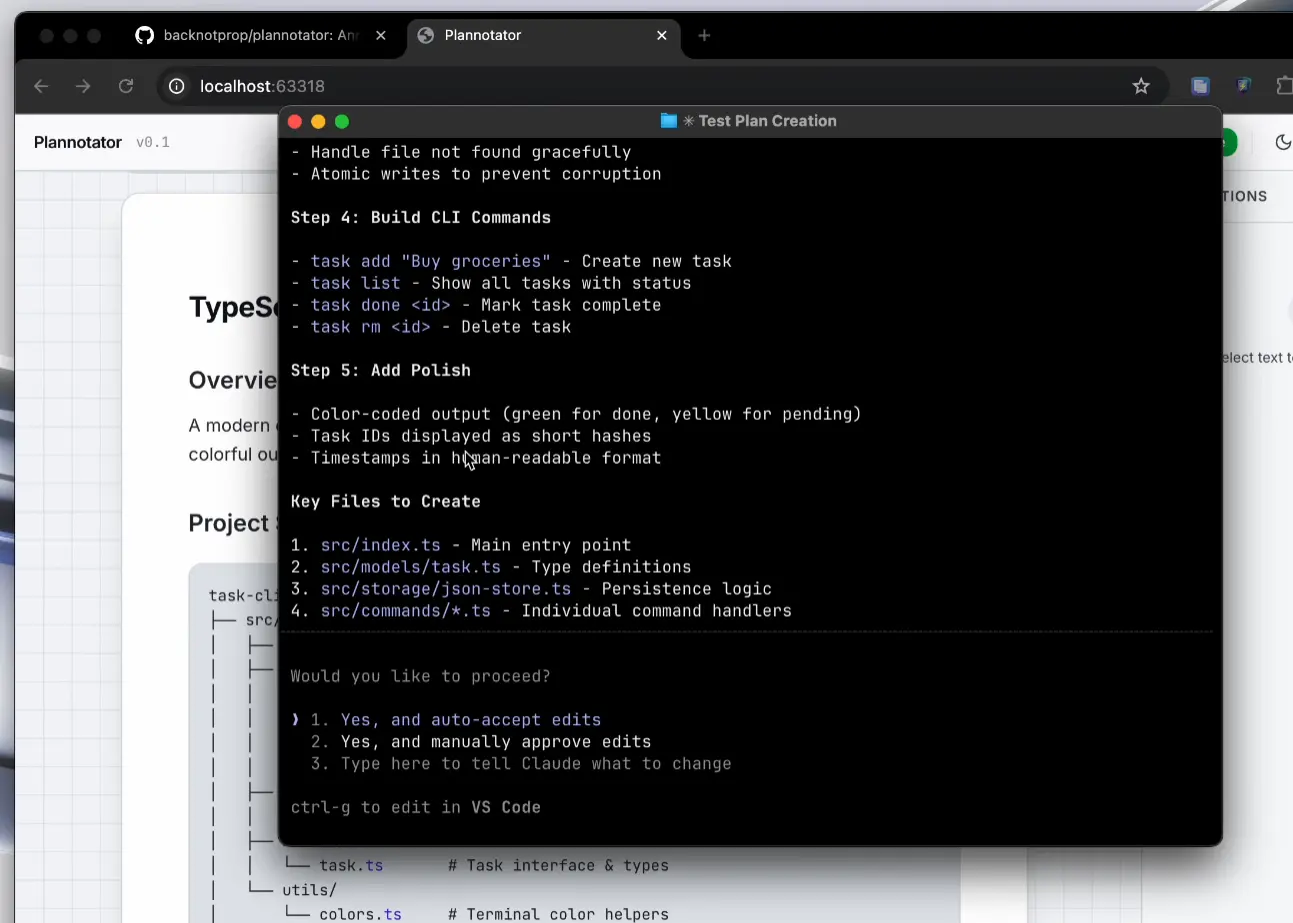
Plannotator is a free, open-source, local browser-based review tool for AI coding agents.
It opens agent plans, code diffs, files, URLs, and rendered documents in a review UI where you can annotate exact content and return structured feedback to the active agent session.
The project started with visual plan review for Claude Code and OpenCode. It now also handles code review, document annotation, and plan revision history, and it works with Codex, Copilot CLI, Gemini CLI, Kiro CLI, Pi, Amp, Droid, and Mistral Vibe.
Features
- Open coding-agent plans at the approval step and return structured approval or revision feedback.
- Compare revised plans with earlier versions and browse saved review history.
- Review local code changes and GitHub, GitLab, or Bitbucket Cloud pull and merge requests.
- Annotate files, folders, URLs, HTML, images, diagrams, and the agent’s latest reply.
- Add line comments and suggested edits across unified or side-by-side code diffs.
- Ask AI about selected code or run configured review agents against the current diff.
- Save approved plans to Obsidian or Bear, or open reviews inside VS Code.
- Share small Markdown reviews through URL fragments or encrypted short links for larger content.
- Save plans, annotations, drafts, history, and configuration on your device by default.
Supported Coding Agents
| Coding Agent | Integration |
|---|---|
| Claude Code | Plugin and automatic plan-review hook |
| OpenCode | NPM plugin with plan review and review commands |
| Codex | Installer-configured hook and Plannotator skills |
| GitHub Copilot CLI | Plugin with plan and review commands |
| Gemini CLI | Installer-configured hook, policy, and commands |
| Kiro CLI | Installer-added skills and example agent |
| Pi | NPM extension with Plannotator plan mode |
| Amp | Plugin with review actions in the command palette |
| Droid | Plugin commands with manual review actions |
| Mistral Vibe | Plan-review hook and skills on macOS and Linux |
Claude Code Demo
Use Cases
- Review an agent plan, mark exact changes, and compare the revised version before implementation.
- Review local changes or remote pull and merge request diffs with line comments and suggested edits.
- Annotate specs, folders, URLs, rendered HTML, or the agent’s latest response.
- Share a plan review link with teammates and import their annotations into your active review.
How to Install and Use Plannotator
Install the Plannotator CLI
macOS, Linux, or WSL
curl -fsSL https://plannotator.ai/install.sh | bashWindows PowerShell
irm https://plannotator.ai/install.ps1 | iexBinary-only installation
curl -fsSL https://plannotator.ai/install.sh | bash -s -- --minimalOptional Plannotator Visual Explainer Skill
plannotator-visual-explainer is an optional skill for generating self-contained HTML presentations of implementation plans, PR changes, architecture diagrams, data tables, slide decks, and other technical concepts. Extra skills are off by default on the first interactive install. Rerun the installer with --reconfigure to change that selection.
curl -fsSL https://plannotator.ai/install.sh | bash -s -- --reconfigureClaude Code Setup
After the CLI is installed, add the Plannotator marketplace and plugin inside Claude Code, then restart Claude Code. Automatic plan review uses the PermissionRequest hook for ExitPlanMode.
/plugin marketplace add backnotprop/plannotator
/plugin install plannotator@plannotator
OpenCode Setup
OpenCode 2 uses the plugins field, and OpenCode 1 uses plugin. Restart OpenCode after updating opencode.json.
OpenCode 2
{
  "$schema": "https://opencode.ai/config.json",
  "plugins": [
    {
      "package": "@plannotator/opencode@latest",
      "options": {
        "workflow": "plan-agent",
        "planningAgents": ["plan"]
      }
    }
  ]
}
OpenCode 1
{
  "$schema": "https://opencode.ai/config.json",
  "plugin": ["@plannotator/opencode@latest"]
}
Useful Plannotator Commands
/plannotator-review [PR_URL]: Review local changes or a remote pull or merge request./plannotator-annotate <file|dir|url>: Annotate a file, folder, or URL and return feedback to the agent./plannotator-last: Annotate the agent’s latest rendered reply.
Basic Plan Review
- Ask a compatible coding agent to create a plan.
- Open the Plannotator review UI when the agent reaches its plan-review step.
- Select the exact text you want to change and add the appropriate annotation.
- Approve the plan or request changes to return your annotations to the agent.
- Inspect Plan Diff when the agent submits a revised plan.
Update or Uninstall
Run the installer again to update the Plannotator binary and managed integrations. Claude Code can update the plugin from /plugin.
curl -fsSL https://plannotator.ai/install.sh | bashRefresh the OpenCode package cache
Clear the cached package when an OpenCode update does not load the installed Plannotator version.
rm -rf ~/.bun/install/cache/@plannotatorUninstall Plannotator
plannotator uninstall removes recognized installer-managed components and keeps local Plannotator data. --purge also removes recognized local plans, history, drafts, guides, settings, and other managed data.
plannotator uninstall
plannotator uninstall --purge
Pros
- Free and open-source
- Local review data by default
- Plan, code, document, and remote repository review
- Integrations across major coding-agent CLIs
- Inline annotations and revision diffs
Cons
- Extra host setup for some integrations
- Automatic plan interception is unavailable on some hosts
- URL, remote-review, AI, sharing, and Workspaces features use network services
Related Resources
- The Ultimate Claude Code Resource List: Agents, Skills, Plugins & More
- OpenCode Cheat Sheet: CLI Commands, Shortcuts & Config
- The Ultimate Codex Resource List: Skills, Plugins, MCP, SDKs & More
FAQs
Q: Does Plannotator send review data to a remote server?
A: Local plan, code, and document review data stays on your machine by default. Each app load checks GitHub for the latest release. That request contains no plan content. URL annotation, remote repository review, AI features, sharing, and Workspaces use network services when you invoke them. Small Markdown share links contain compressed, unencrypted content in the URL fragment. Larger Markdown and raw HTML shares use AES-256-GCM encrypted short links.
Q: Do I need an AI provider to use Plannotator?
A: No. Plan review, code review, and document annotation work as manual review tools. Ask AI, Guided Review, and review agents use an installed or configured agent or provider.
Q: Can Plannotator work over SSH or in a devcontainer?
A: Yes. Remote mode uses a fixed port, and VS Code devcontainers can forward that port automatically. Raw SSH sessions can forward the configured Plannotator port to your local machine.
Last Updated Oct 04, 2026