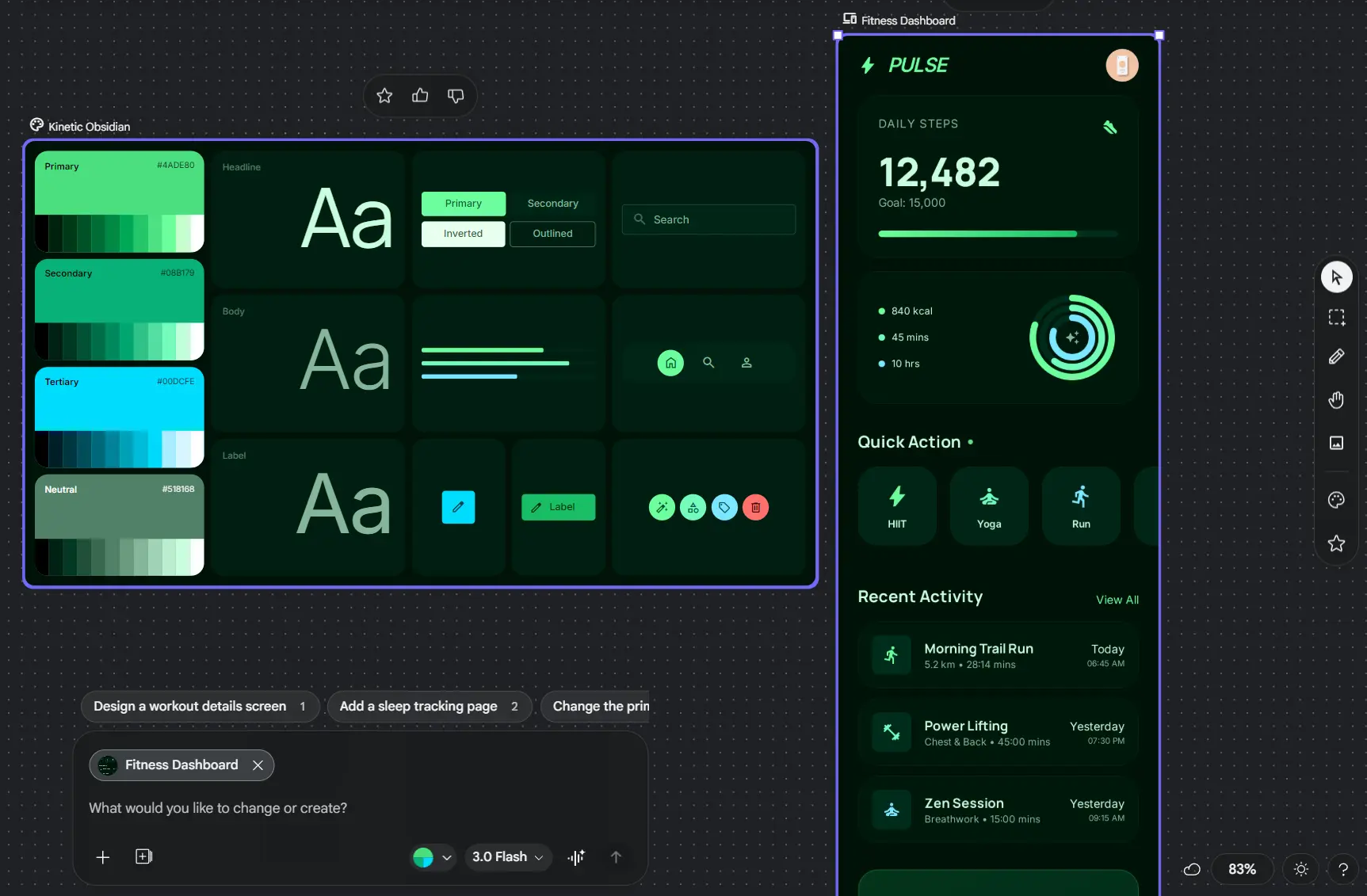
Google Stitch is a free AI UI design tool from Google Labs that turns natural language prompts, sketches, screenshots, design files, and code context into high-fidelity mobile and web UI, interactive prototypes, and frontend code.
The vibe design tool works on an AI-native infinite canvas where Stitch Agent can generate and reflow screens in real time, respond to text or voice, use existing design and code context, and manage multiple design directions inside one project.
Generated screens can be connected into prototypes, moved into Figma, exported as frontend code, shared through Google AI Studio, continued in Google Antigravity, or published to the web with Netlify.
Features
- Generates high-fidelity mobile and web UI from natural language descriptions.
- Uses sketches, screenshots, images, text, and code as design context.
- Streams generated work onto an AI-native infinite canvas through Stitch Agent.
- Reflows layouts and accepts text or voice changes while you refine a design.
- Creates multiple design directions and keeps parallel explorations organized with Agent Manager.
- Connects screens into interactive prototypes and can generate logical next screens from a click.
- Uses DESIGN.md to export, import, and reuse design-system rules across projects and coding tools.
- Pastes generated designs into Figma and exports frontend code for continued development.
- Creates shareable project links through Google AI Studio and exports screens to Google Antigravity.
- Publishes projects to a live web URL with Netlify.
Use Cases
- Turn a product brief into a first set of mobile or web UI screens.
- Convert a sketch, wireframe, or screenshot into an editable design direction.
- Explore several layout and style directions before committing to one design.
- Build clickable prototypes to review a user flow before production development.
- Bring an existing design or codebase into Stitch and use project context for a redesign.
- Move an approved UI into Figma, frontend code, AI Studio, Antigravity, or a live Netlify preview.
How to Use Google Stitch
1. Go to stitch.withgoogle.com and sign in with your Google account.
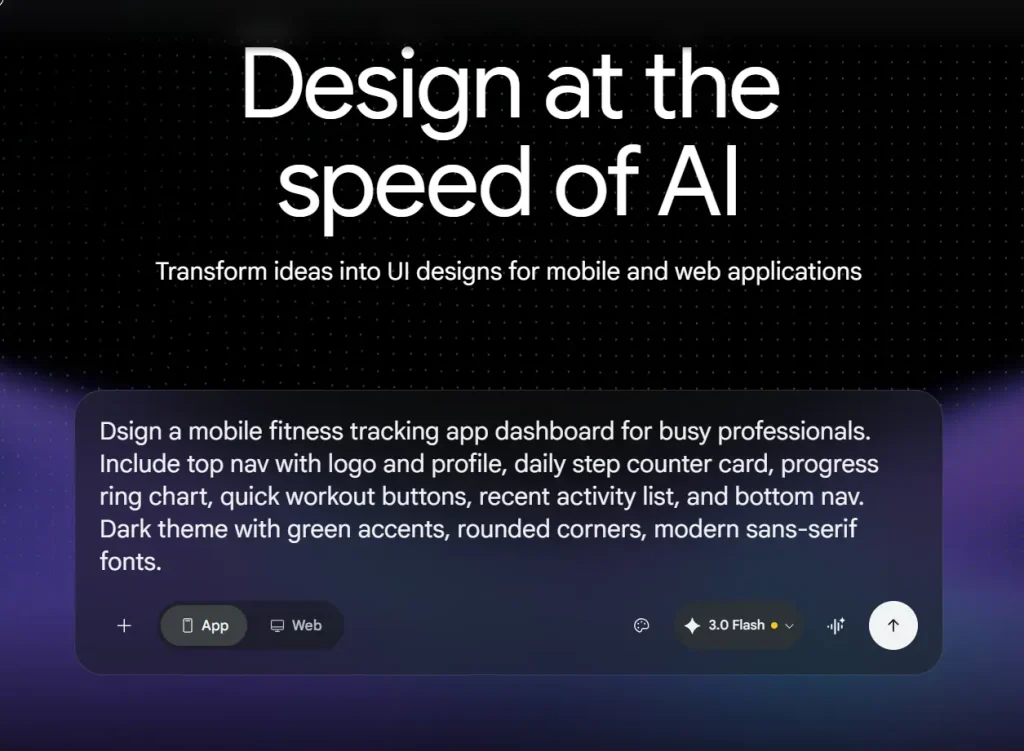
2. Choose a mobile or web project and describe the screen or product you want to create. A useful prompt includes:
- Platform and context, such as a mobile fitness app or web analytics dashboard
- Core components, such as navigation, cards, charts, filters, forms, or settings
- Design direction, such as a dark theme, compact dashboard layout, or editorial typography
- Interaction or accessibility requirements that affect the screen
Example prompt: “Design a mobile dashboard for a crypto tracking app. Include a top navigation bar with a logo and notification button, a portfolio summary card with total value and percentage change, a pie chart for asset distribution, a horizontal section for trending coins, a two-column grid for top movers, and bottom navigation. Use a dark theme with green accents and rounded cards.”
3. Add reference material when the design needs more context. Stitch can work with sketches, screenshots, images, existing design files, and codebase context.
4. Generate the design and refine it on the canvas. Stitch Agent can stream changes in real time, reflow layouts, and respond to follow-up instructions before the final direction is locked.
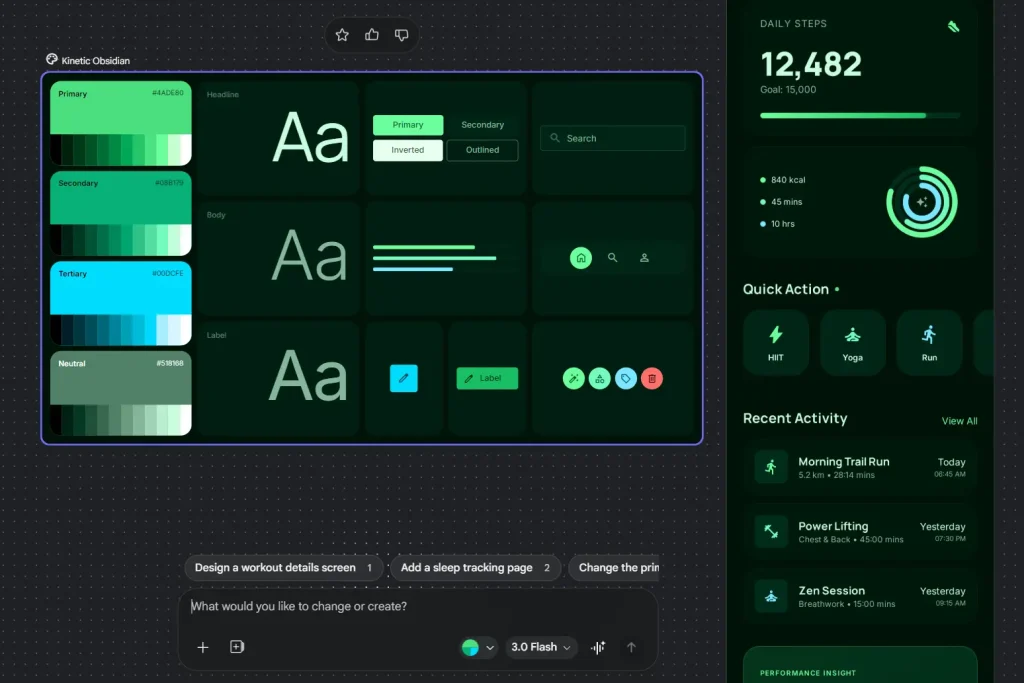
5. Use the canvas to refine the project. You can work across multiple screens, adjust layout and styling, create additional directions, connect screens into a prototype, and use voice instructions for design critiques or revisions.
6. Export, share, or publish the result:
- Figma: Paste the generated design into Figma for further refinement and collaboration.
- Frontend code: Export the generated frontend code and continue development in your codebase.
- Google AI Studio: Create a shareable link and continue work in Google’s AI development environment.
- Google Antigravity: Export screens into Google’s agent-first development environment when the project needs backend logic or deeper implementation work.
- Netlify: Publish the project to a live web URL.
- MCP: Connect Stitch to compatible coding agents and developer tools through the Stitch MCP server.
Developer Integrations
Stitch also exposes its design capabilities to coding agents and custom development workflows.
- Stitch MCP server: Lets compatible agents call Stitch tools for design generation and project work.
- Stitch SDK: Provides programmatic access for custom integrations around Stitch projects and screens.
- Stitch Skills: Adds reusable agent skills for tasks such as code-to-design, design generation, DESIGN.md creation, and React or React Native conversion.
Pros
- Free browser-based access with a Google account.
- Accepts prompts, images, design files, and code context.
- Real-time Stitch Agent supports iterative UI design on the canvas.
- Interactive prototypes connect generated screens into user flows.
- Figma, frontend code, AI Studio, Antigravity, and Netlify integration.
- MCP, SDK, and agent skills.
Cons
- A Google Labs experiment.
- No desktop app.
- Backend logic and full application behavior require a development environment.
- Generated frontend code needs review and adaptation.
Related Resources
- Stitch Documentation: Set up the Stitch MCP server and review developer documentation.
- Google Stitch Official Website: Open Stitch and create a design project.
- Stitch SDK on GitHub: Build programmatic integrations around Stitch.
- Stitch Skills Library: Reusable skills for Stitch design and development tasks.
Related AI Design & Frontend Resources
- 10 Best Free AI Tools for Frontend Developers
- Free AI Tool Extracts Design System (Design.md) from Any Website
- Free AI-Native Design Editor (Figma Alternative) – OpenPencil
More Free AI Tools from Google
- Code Wiki: Google’s AI-Powered Solution for Code Understanding.
- NotebookLM: AI Research Assistant for Students and Professionals.
- Antigravity: Agent-First Dev Platform with multi-agent teams, scheduled tasks, native voice input, and more.
- Mixboard: Free AI Moodboard Tool from Google Labs.
- Pomelli 2.0: Google’s Free AI Tool for SMB Marketing Campaigns.
- Producer.ai: Free AI Studio-Quality Music Generator by Google.
- Dreambeans: Google Apps Turned Into Daily AI Stories.
FAQs
Q: Is Google Stitch free, and do I need to download it?
A: Google Stitch is free to use with a Google account at stitch.withgoogle.com.
Q: What is Stitch Agent?
A: Stitch Agent is the design agent inside Stitch. It can reason across project context, stream work onto the canvas, respond to text or voice instructions, reflow layouts, and help manage multiple design directions.
Q: What is DESIGN.md?
A: DESIGN.md is an agent-friendly Markdown format for design-system rules. Stitch can export or import these rules across projects.
Q: What is the Stitch MCP server?
A: The Stitch MCP server exposes Stitch tools to MCP-compatible coding agents and developer environments. It is useful when you want an agent to generate or work with Stitch designs as part of a coding workflow.
Last Edited: Sep 24, 2026