AI tools have moved well beyond code autocomplete in frontend development.
They can draft React components, trace bugs across a codebase, turn Figma designs into frontend code, generate UI from screenshots or prompts, and build working web apps in the browser.
A screenshot can become a React page. A Figma file can become editable code. An agent can work through several files to fix a bug or build a feature.
These are 10 free AI tools worth knowing if you work on the frontend.
At a Glance
| Tool | Main frontend task |
|---|---|
| GitHub Copilot | Code completion, chat, and editor-based coding |
| Google Stitch + AI Studio | UI design and design-to-code |
| Windsurf / Devin Desktop | IDE coding with local and cloud agents |
| Cursor | Codebase-aware editing and multi-file changes |
| OpenAI Codex | Repository tasks from CLI, IDE, ChatGPT, and cloud |
| Vercel v0 | React and Next.js UI generation |
| Bolt.new | Browser-based full-stack prototyping |
| Builder.io Visual Copilot | Figma-to-code |
| Replit Agent | Browser-based app building and publishing |
| Lovable.dev | Full-stack React app generation |
The 10 Best Free AI Tools for Frontend Developers
GitHub Copilot: mainstream AI pair programming
Use it for: Code completion, editor chat, and small multi-file changes in VS Code, JetBrains, or Neovim.
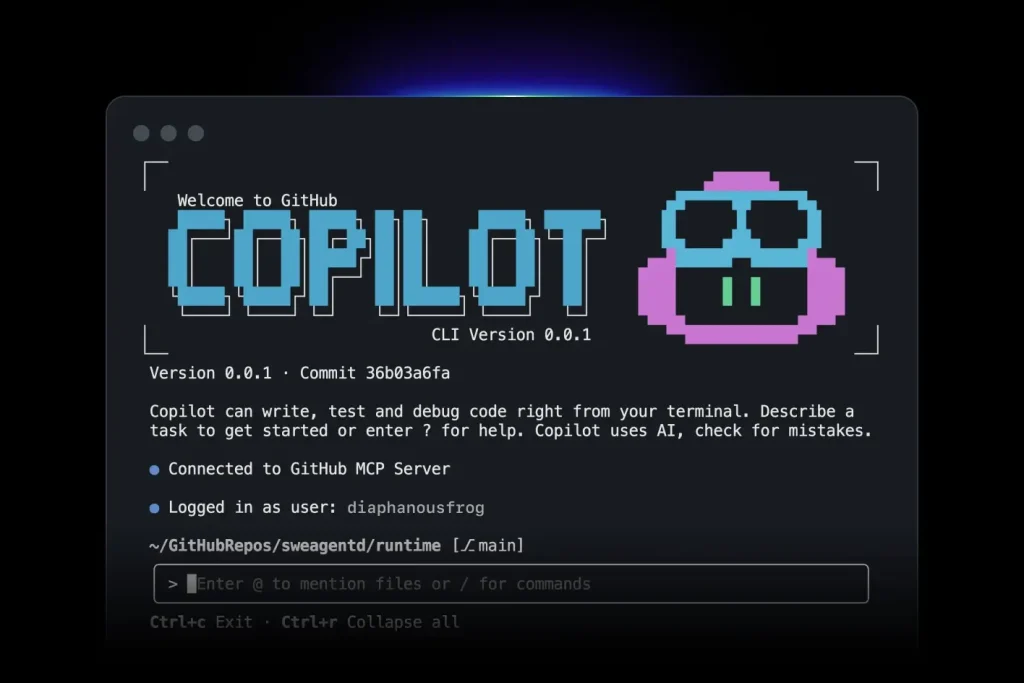
GitHub Copilot has a free individual plan with inline code completions, Copilot Chat, Copilot CLI, and limited agent usage in compatible editors.
Features
- Inline code completion for JavaScript, TypeScript, React, Vue, and CSS
- Chat sidebar for code explanation, refactoring, and component generation
- Agent mode for multi-file edits
- VS Code, JetBrains, and Neovim support
Free Access
- 2,000 code completions per month
- No credit card required
- Limited monthly AI credits for chat and agent features
Frontend Uses
- Generate React components from JSX comments
- Convert CSS modules to Tailwind
- Identify bugs in a useEffect hook through chat
Pros
- High-quality JS/TS completions
- Tight GitHub and VS Code integration
- Multiple models through automatic model selection
Cons
- Monthly caps limit heavy daily users
- No manual model selection on the free plan
Website: https://github.com/features/copilot
Google Stitch + AI Studio: prompt-to-UI with a full design-to-code pipeline
Use it for: Generating and refining web or mobile UI from prompts, voice, screenshots, sketches, code, or design files.
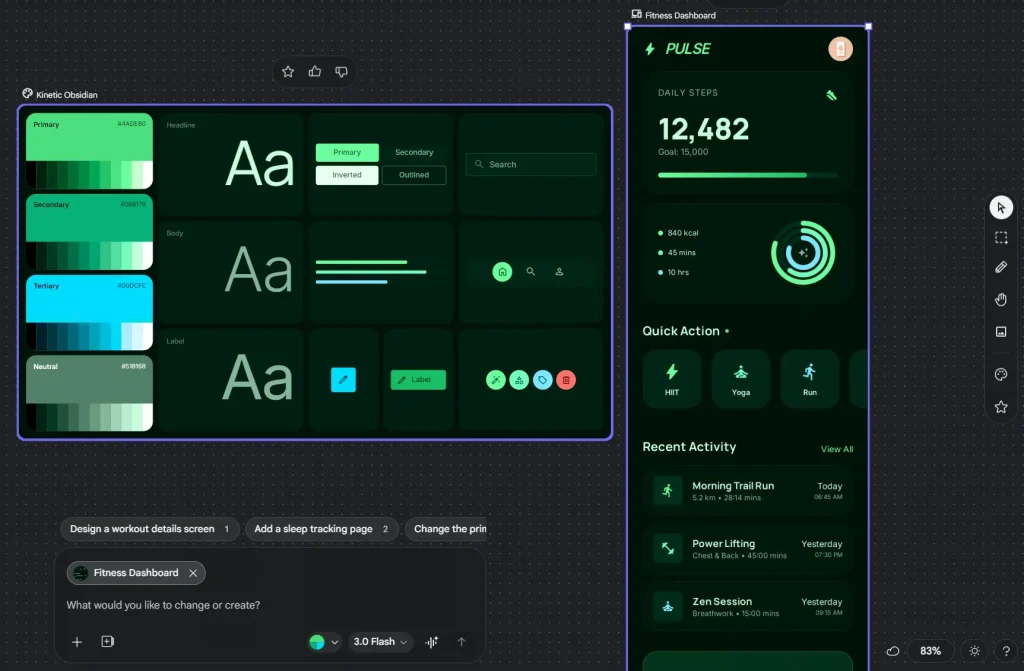
Google Stitch is a Google Labs UI design product built around a live canvas and Stitch Agent. It accepts text, voice, screenshots, sketches, code context, and design files, then creates editable web or mobile UI. Projects can move into Figma, Google AI Studio, Google Antigravity, frontend code, or a Netlify deployment.
Features
- Text, voice, image, code, and design-file input
- Live canvas with Stitch Agent for iterative UI work
- Interactive prototypes and connected screen flows
- DESIGN.md for reusable design-system context
- Export options for Figma, frontend code, Google AI Studio, Google Antigravity, and Netlify
Free Access
- Free access through Google Labs
- Generation limits can change during Google Labs development
- Google account required
Frontend Uses
- Turn a product brief into a set of web or mobile UI screens
- Convert a sketch or screenshot into an editable design direction
- Move a design into Figma or a coding environment for implementation
Pros
- Free Google Labs access
- Figma, code, AI Studio, Antigravity, and Netlify export options
- Voice and live-canvas editing for rapid UI iteration
Cons
- Generation limits can change during Google Labs development
- Generated frontend code needs project-specific integration and review
Website: https://stitch.withgoogle.com
Related: Google Stitch: Free AI Vibe Design Tool with Agent and Web Export
Windsurf (now Devin Desktop): AI-native IDE with project-level awareness
Use it for: Coding with local and cloud agents inside a full desktop IDE.
Windsurf is now called Devin Desktop. The product keeps the Windsurf IDE foundation and adds an Agent Command Center for local and cloud agents. Existing Windsurf plans, extensions, settings, and project work carry over to Devin Desktop.
Features
- Full IDE with autocomplete, syntax highlighting, and debugging
- Local and cloud agent management from the editor
- Fast Context for codebase-aware agent work
- Agent Client Protocol support for multiple coding agents
Free Access
- Free plan at $0
- Unlimited access to the SWE-1.7 coding model
- Existing Windsurf plans carry over to Devin Desktop
Frontend Uses
- Trace a frontend bug across components and related files
- Delegate a multi-file refactor to an agent and review the diff inside the IDE
- Use autocomplete for React, TypeScript, CSS, and routine component work
Pros
- Free coding model with unlimited access
- Agent management and a full IDE in one desktop app
- Existing Windsurf settings and extensions carry over
Cons
- Requires a dedicated desktop editor
- Higher agent and model allowances require a paid plan
Website: https://windsurf.com/editor
Cursor: deep context AI IDE for complex frontend projects
Use it for: Editing existing codebases with repository context and multi-file Agent changes.
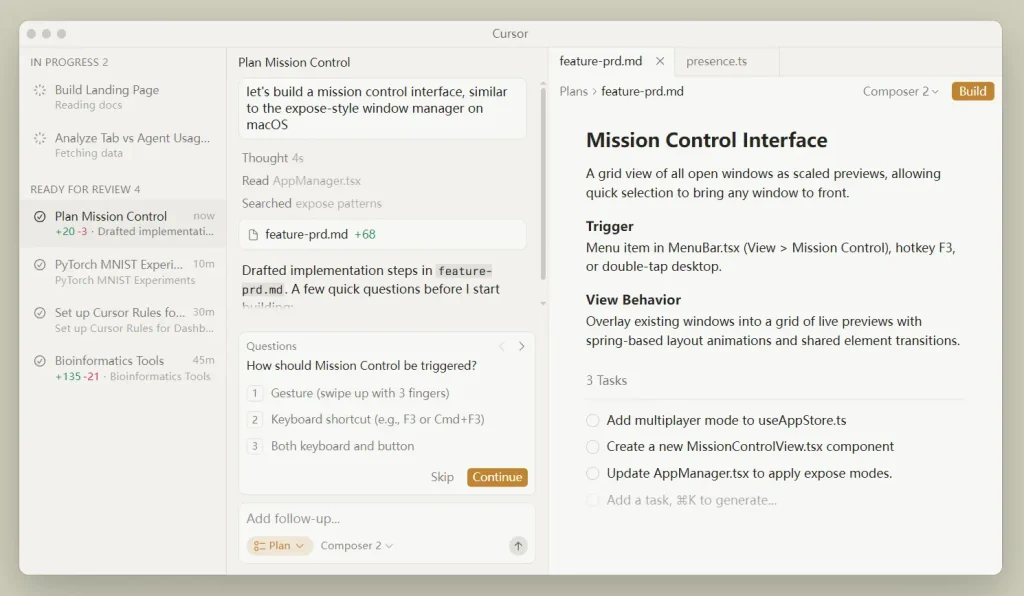
Cursor is an AI code editor based on VS Code. Agent and Composer work across multiple files, and codebase indexing supplies project context for edits, questions, and refactoring.
Features
- Agent and Composer for multi-file edits
- Codebase indexing for project context
- AI chat tied to repository files
- VS Code-based editing experience
Free Access
- Hobby plan is free
- No credit card required
- Limited Agent requests with access to Composer
Frontend Uses
- Refactor a React feature across components, hooks, and tests
- Trace state bugs across several files in an existing project
- Generate or revise frontend code with repository context
Pros
- VS Code-based editor
- Codebase-aware multi-file editing
- Composer is available on the free Hobby plan
Cons
- Free Agent usage is limited
- Requires installing a dedicated editor
Website: https://cursor.com
OpenAI Codex: agentic coding from CLI and cloud
Use it for: Repository work that involves inspecting files, editing code, running commands, and reviewing changes.
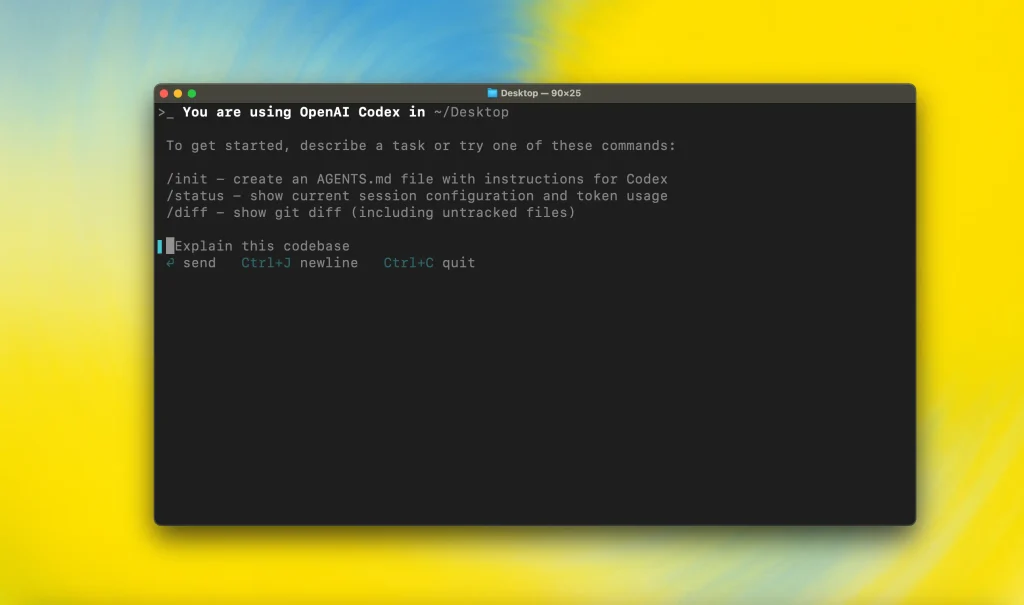
OpenAI Codex is a coding agent available through the CLI, editor integrations, ChatGPT, and cloud workflows. The local client can read and edit repository files, run commands under configurable sandbox and approval settings, and follow AGENTS.md project instructions.
Features
- Open-source Codex CLI for repository work
- IDE integrations for editor-based coding
- AGENTS.md support for project instructions
- Sandbox and approval controls for command execution
- Cloud tasks and code review workflows
Free Access
- Included across ChatGPT plans, including Free and Go
- Usage limits vary by ChatGPT plan
- ChatGPT sign-in can be used with Codex clients
Frontend Uses
- Refactor API calls across a Next.js project
- Review a pull request and inspect related repository files
- Use AGENTS.md to apply project conventions during generated changes
Pros
- CLI, IDE, ChatGPT, and cloud access
- Repository instructions through AGENTS.md
- Sandbox and approval controls for local command execution
Cons
- Free usage is lower than paid-plan allowances
- Exact usage allowance varies by plan
Website: https://openai.com/codex
Related: The Ultimate Codex Resource List 2026: Skills, Plugins, MCP, SDKs & More · OpenAI Codex Commands Cheat Sheet (2026 Update)
Vercel v0: prompt-to-React UI generation
Use it for: Generating and iterating on React and Next.js UI from prompts, screenshots, mockups, or Figma designs.
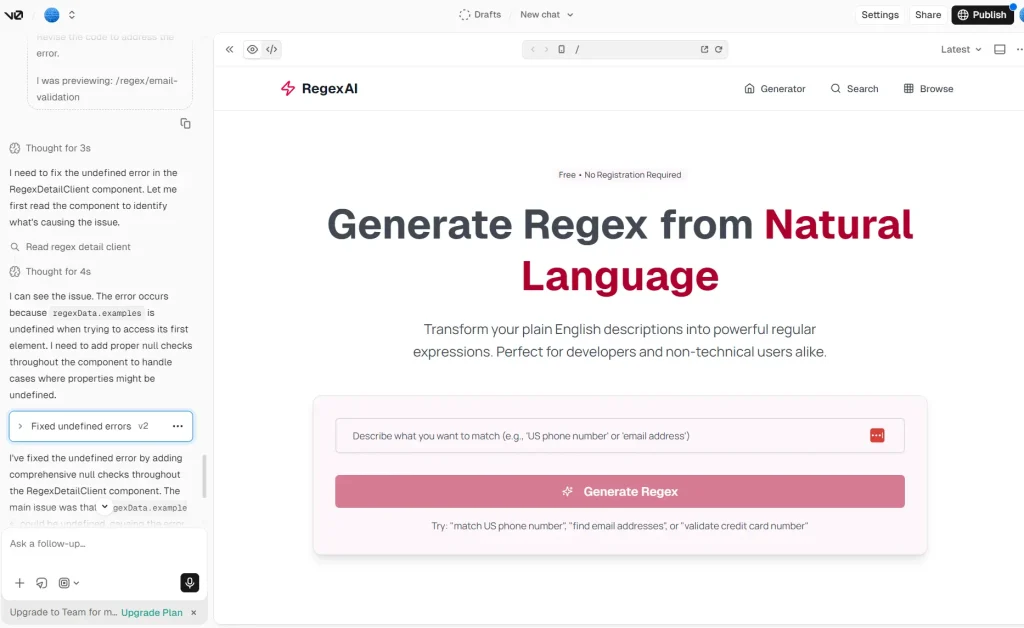
v0 generates React components styled with Tailwind CSS from natural language prompts or uploaded screenshots. The output uses functional components, Shadcn UI, and Next.js-compatible structure. Code exports directly to a project or repo.
Features
- Text prompt to React/Tailwind component
- Screenshot or image input to code
- Visual editor for iterating on generated designs
- Vercel project integration and CLI export
Free Access
- Free plan includes $5 in monthly credits
- 7 messages per day
- Design Mode, GitHub sync, and Vercel deployment are included
Frontend Uses
- Generate an admin dashboard shell with navigation, data tables, and filters
- Turn a screenshot of a hero section into editable React/Tailwind code
- Iterate on a multi-step form layout through prompt refinements
Pros
- Fast UI prototyping with React/Tailwind component patterns
- Next.js, React, Tailwind CSS, and shadcn/ui are core strengths
- Accepts screenshots, mockups, and Figma designs as input
Cons
- Built around Vercel, Next.js, React, Tailwind CSS, and shadcn/ui
- Generated components often need manual accessibility corrections
Website: https://v0.app
Bolt.new: full-stack AI agent with in-browser development
Use it for: Building and previewing full-stack web apps entirely in the browser.
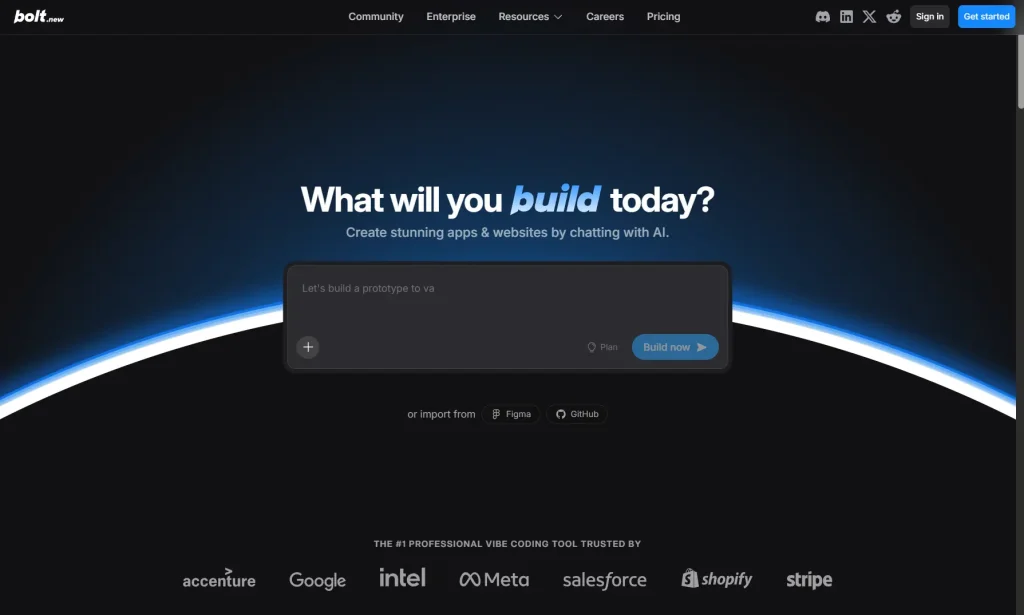
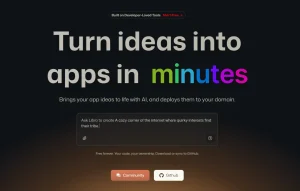
Bolt.new runs a full Node.js environment inside the browser using WebContainers. It generates React and Node.js code, shows a live preview as the AI builds, and deploys directly to Netlify or Vercel. Frontend prototyping, component debugging, and layout work all run entirely in the browser. The browser workspace contains the development runtime.
Features
- In-browser Node.js runtime via WebContainers
- React/Vite frontend and Node/Express backend generation
- Live development preview
- One-click deployment to Netlify or Vercel
Free Access
- Free tier includes 1M tokens per month with a 300K daily limit
- Public and private projects are available on the free plan
- No local setup required
Frontend Uses
- Build a task management UI with a Kanban board and dark mode
- Debug state management bugs through interactive prompts with a live preview
- Generate a landing page with animations and export to Vercel
Pros
- Browser-based development runtime
- Handles multi-file tasks with a live dev server
- Fast from prompt to a working, shareable preview
Cons
- Browser-based runtime has limits for large or complex projects
- Free sites include Bolt branding
Website: https://bolt.new
Builder.io Visual Copilot: Figma-to-code for design-development teams
Use it for: Turning Figma frames into responsive React, Vue, Angular, or HTML/Tailwind code.
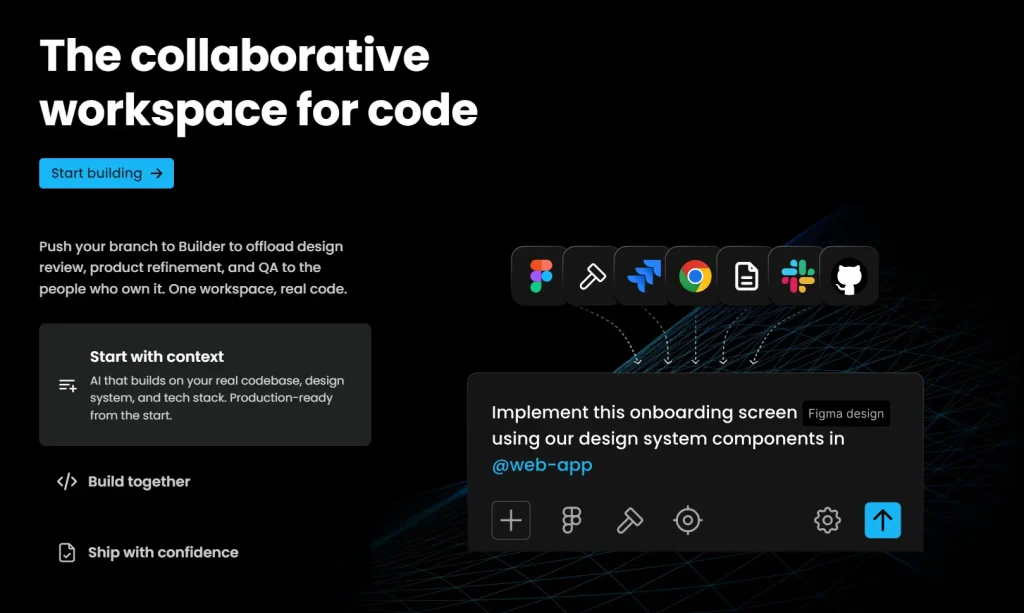
Visual Copilot is a Figma plugin from Builder.io. It converts selected frames into responsive code for multiple frameworks using the Mitosis pipeline. Output options include React, Vue, Angular, and HTML/Tailwind from one Figma source.
Features
- Convert Figma designs to responsive code across multiple frameworks
- React, Vue, Angular, and HTML/Tailwind output from a single Figma source
- Website-to-Figma import for reverse design extraction
- GitHub and VS Code integration via the Builder platform
Free Access
- $0 Free plan
- 60 Agent Credits per month with a 15-credit daily limit
- Figma plugin and VS Code extension are included
Frontend Uses
- Export a Figma marketing page to React/Tailwind and refine in code
- Convert a design system into reusable component code across frameworks
- Import an existing website into Figma, revise with designers, and re-export as HTML/CSS
Pros
- Multi-framework output from a single Figma design is a meaningful time saver for design-dev teams
- Reduces manual translation between design and implementation code
Cons
- Free Agent usage is capped at 15 credits per day and 60 per month
- Requires designers to adopt the Figma plugin workflow
Website: https://www.builder.io
Replit Agent: browser-based app building with built-in hosting
Use it for: Generating, editing, running, and publishing web apps from a browser workspace.

Replit Agent builds websites and apps from natural-language instructions inside Replit’s browser development environment. The Starter plan includes free daily Agent usage, a built-in database, one live published project, and one background task at a time.
Features
- Natural-language app generation with Replit Agent
- Browser code editor and live app preview
- Built-in database and hosting
- App publishing from the Replit workspace
Free Access
- Starter plan costs $0
- Free daily Agent usage
- Publish 1 live project
- Run 1 background task at a time
Frontend Uses
- Build and publish a small web app from a prompt
- Create a dashboard backed by Replit’s built-in database
- Iterate on frontend code and preview changes in the browser
Pros
- Agent, code editor, database, and hosting are available in one browser workspace
- Free daily Agent usage
- Browser workspace for basic prototypes
Cons
- Starter uses limited Agent intelligence
- Free publishing is limited to one live project
Website: https://replit.com
Lovable.dev: AI-powered full-stack app builder
Use it for: Building full-stack React apps with backend services, a database, GitHub sync, and deployment.
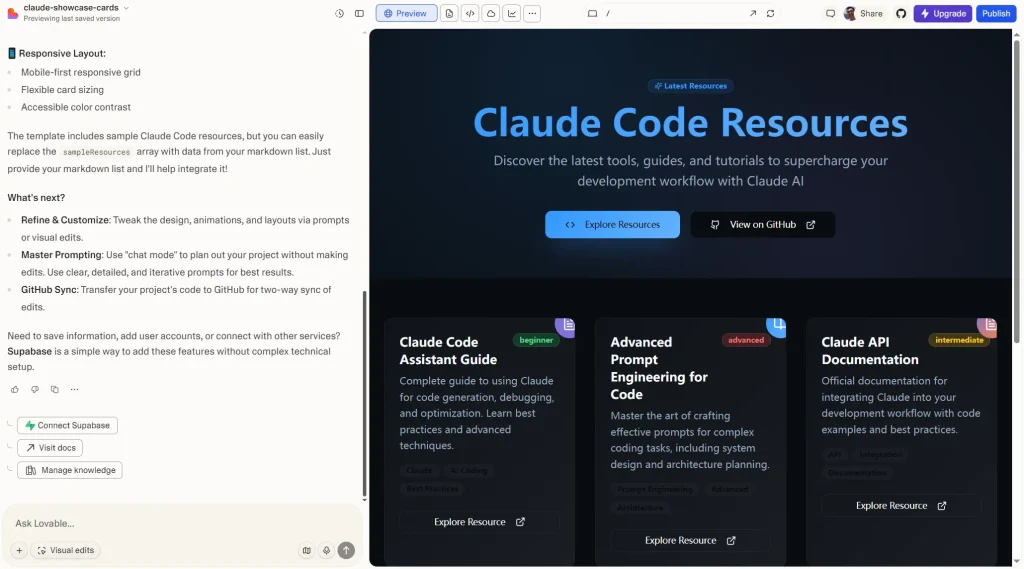
Lovable generates full-stack web applications from natural-language prompts. It creates React frontends, connects to backend and database services, supports GitHub sync, and includes Agent Mode and direct UI editing for iterative development.
Features
- Natural language to full-stack React/Tailwind application
- Native Supabase integration for authentication, PostgreSQL database, and file storage
- GitHub sync for full code ownership and export
- Agent Mode for autonomous debugging and iterative development
- Visual Edits for clicking directly on UI elements to modify them
Free Access
- 5 build credits per day, capped at 30 per month
- 20 Cloud credits per month
- 4 monthly credits for AI features built into your apps
Frontend Uses
- Build a CRM dashboard connected to Supabase that displays customer data and supports CSV export
- Generate a multi-page marketing site with contact forms and Stripe payment flows
- Use Agent Mode to debug a broken authentication flow across multiple components
Pros
- Full-stack output including backend, authentication, and database in one prompt
- GitHub sync for code ownership and external development
- React and Tailwind output with modern component conventions
Cons
- Build credits are capped at 30 per month on the free plan
- Custom domains require a paid plan
- Paid plans are required for larger monthly build-credit allowances
Website: https://lovable.dev
FAQs
Q: Are all 10 tools free to use?
A: Yes. All ten have a free plan or free access route. Usage is capped through completions, Agent requests, messages, tokens, credits, or other product limits, depending on the tool.
Q: Can these tools be used together in one frontend project?
A: Yes. They handle different parts of frontend work. A project can begin with Stitch or Builder.io for design, move into Copilot, Cursor, Devin Desktop, or Codex for code changes, and use Bolt, Replit, or Lovable for browser-based prototyping and deployment.
Q: Can AI-generated frontend code be shipped to production as-is?
A: Generated code needs normal engineering review before production. Check accessibility, responsive behavior, state handling, validation, security, framework conventions, and integration with the rest of the application.
Related Resources
- Google Stitch: Free AI Vibe Design Tool with Agent and Web Export
- The Ultimate Codex Resource List: Skills, Plugins, MCP, SDKs & More
- OpenAI Codex Commands Cheat Sheet
- 10 Best CLI AI Coding Agents
Last Edited: Sep 29, 2026