OpenClaw now does a lot. It can stay online across messaging apps, work with local files, control a browser, run shell commands, use skills, and handle scheduled automation. That full setup also means more services to run, more permissions to manage, and more decisions during deployment.
Not everyone needs the whole stack. You may want a local agent that runs inside a container, something light enough for a Raspberry Pi, easier local-model support, or a desktop app that needs very little terminal work. In those cases, an OpenClaw alternative can make more sense.
Start with the comparison below to see which OpenClaw alternatives are actually worth considering for container isolation, local models, low-resource hardware, or desktop use.
Last Updated: Sep 17, 2026
TL;DR – Quick Comparison
| Tool | Setup / UI | Best For |
|---|---|---|
| Hermes Agent | CLI/TUI + messaging gateway | Persistent memory, skills, and recurring workflows |
| ZeroClaw | CLI + web dashboard | Security controls, local deployment, and edge hardware |
| NanoClaw | Guided script + chat channels | Per-agent container isolation and custom forks |
| nanobot | WebUI, TUI, CLI, chat apps | Python customization, local models, and automation |
| QwenPaw | Console, TUI, desktop app, chat channels | Local models, security controls, and multi-agent work |
| IronClaw | WebUI + CLI/REPL | WASM tool isolation and encrypted local credentials |
| Moltis | Single binary + Web UI | Persistent self-hosting and OpenClaw migration |
Isolation and OpenClaw Migration
| Tool | Isolation / Permission Model | OpenClaw Migration |
|---|---|---|
| Hermes Agent | Approvals + selectable terminal backends | Dedicated hermes claw migrate command |
| ZeroClaw | Supervised risk policy + OS sandbox options | Manual migration |
| NanoClaw | Per-agent Docker containers | Dedicated migration skill |
| nanobot | Workspace and access controls | Manual migration |
| QwenPaw | Kernel sandbox + Tool Guard + File Guard | Manual migration |
| IronClaw | Capability-based WASM + Docker jobs | Manual migration |
| Moltis | Container sandbox + tool policies + vault | Built-in OpenClaw importer |
Best OpenClaw Alternatives
Hermes Agent: Self-Improving Personal AI Agent with Persistent Memory
Best for: Individual developers, researchers, and power users who want persistent memory, reusable skills, scheduled work, and an agent that can delegate tasks to subagents.
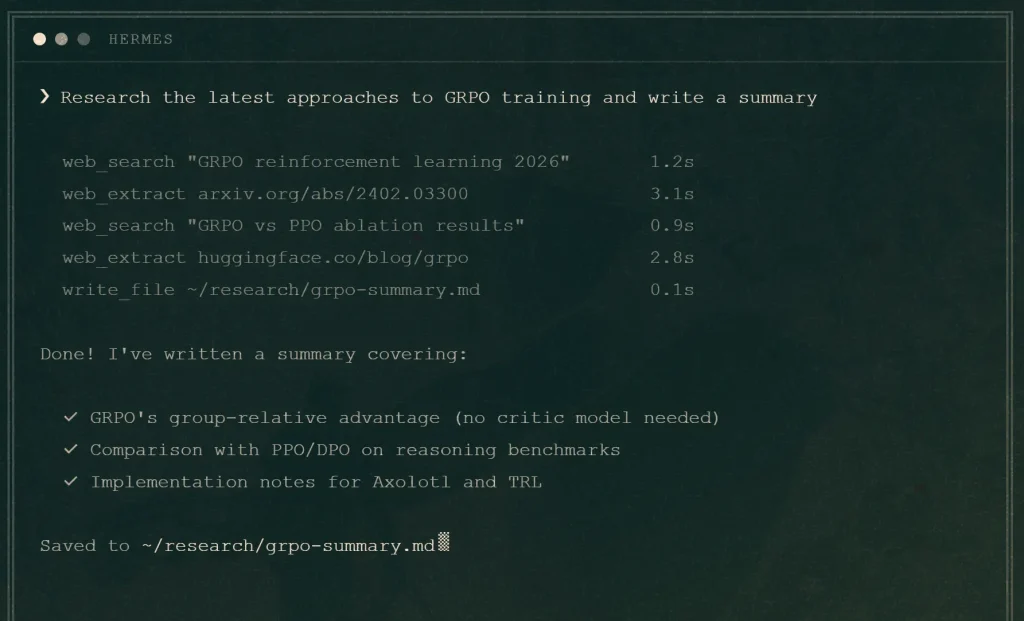
Hermes Agent is an open-source personal agent from Nous Research. Its defining feature is a closed learning loop that can turn completed work into reusable skills, refine those skills during later use, search prior sessions, and maintain persistent user context across conversations.
Features
- Closed learning loop with autonomous skill creation and skill refinement.
- Persistent memory, session search, user-profile context, and cross-session recall.
- 40+ tools for terminal work, files, web search, browser automation, vision, and other agent tasks.
- Messaging through Telegram, Discord, Slack, WhatsApp, Signal, and the terminal.
- Subagents for parallel workstreams and delegated tasks.
- MCP integration and scheduled automations.
- Multiple terminal backends, including local execution, Docker, SSH, Singularity, Modal, Daytona, and Vercel Sandbox.
Deployment & Requirements
- Runs on Linux, macOS, WSL2, native Windows, and Termux through the documented install paths.
- The installer can provision the required Python environment and other dependencies.
- Works with Nous Portal, OpenRouter, OpenAI, and other model providers or compatible endpoints.
- Can run locally, on a VPS, or through remote and serverless terminal backends.
- Includes
hermes claw migratefor importing OpenClaw settings, memories, skills, messaging configuration, and selected credentials.
Safety & Permission Model
Hermes includes command approvals, DM pairing, tool configuration, and optional container or remote execution backends. The local terminal backend executes commands on the host. Docker and remote backends run commands in isolated or remote environments.
Pros
- Persistent memory and reusable skills
- Subagents and scheduled automation
- Built-in OpenClaw migration
Cons
- Larger runtime than minimal agent projects
- Security varies by execution backend
- External providers receive required request data
Repository
https://github.com/NousResearch/hermes-agent
ZeroClaw: Rust Agent Runtime with Supervised Security Controls
Best for: Developers who want a self-hosted Rust agent with explicit risk controls, optional OS-level sandboxing, many chat channels, and low-resource deployment.
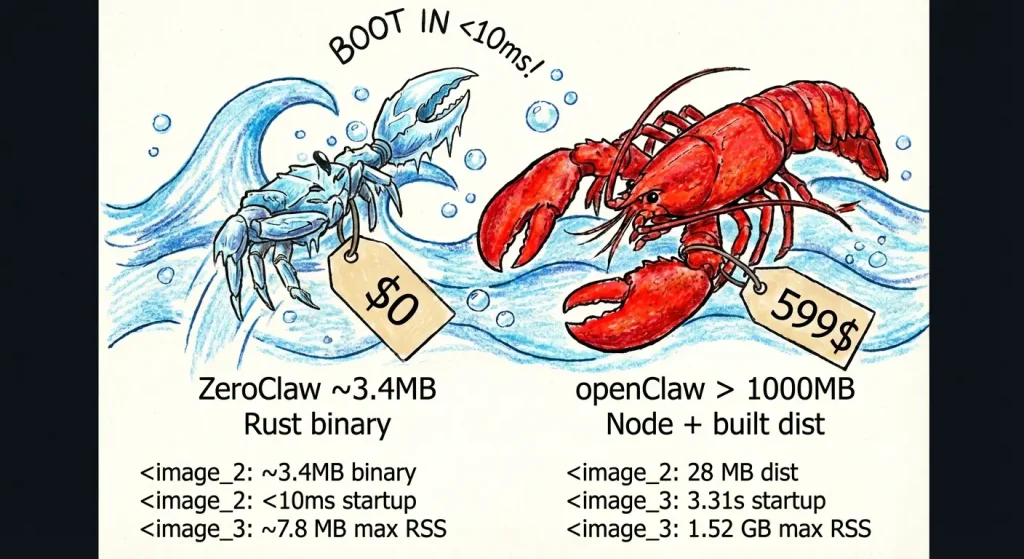
ZeroClaw is a single Rust agent runtime that connects model providers, messaging channels, tools, memory, hardware integrations, and a local web dashboard. The runtime uses a supervised autonomy mode by default, with approval requirements for medium-risk operations and blocks for higher-risk actions.
Features
- Roughly 20 model providers plus OpenAI-compatible endpoints and local Ollama models.
- 30+ messaging and client channels, including Discord, Telegram, Matrix, email, webhooks, CLI, and ACP integrations.
- OS-level sandbox options through Landlock, Bubblewrap, Seatbelt, and Docker.
- Workspace boundaries, command policy, and cryptographic tool receipts.
- Web dashboard for chat, memory, configuration, cron jobs, and tool inspection.
- Event-driven SOP engine for cron, MQTT, webhook, and peripheral automation.
- GPIO, I2C, SPI, USB, and other hardware integrations for compatible boards.
Deployment & Requirements
- Prebuilt installers are available for macOS, Linux, Windows, and other documented platforms.
- Rust is required for source builds.
- Docker is optional when the Docker sandbox backend is selected.
- Provider configuration works with Anthropic, OpenAI, Ollama, and OpenAI-compatible endpoints.
Safety & Permission Model
The default supervised risk profile approval-gates medium-risk operations and blocks higher-risk actions. Sandboxing, workspace restrictions, command policies, and tool receipts can be configured around that policy.
Pros
- Supervised security controls in the runtime
- Prebuilt binaries for normal installation
- Local models, hardware I/O, dashboard, and automation
Cons
- Sandbox behavior depends on the selected backend
- YOLO mode disables normal safety gates
Repository
https://github.com/zeroclaw-labs/zeroclaw
NanoClaw: Container-Isolated Personal AI Assistant
Best for: People who want a personal AI assistant built around per-agent Docker isolation and a codebase intended to be customized as a personal fork.
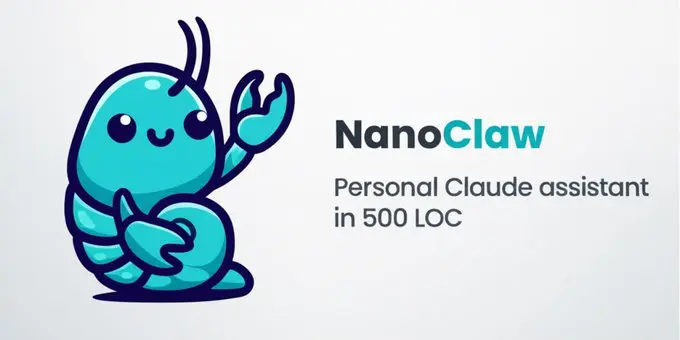
NanoClaw runs each agent group in its own Linux container with its own workspace, memory, and explicitly mounted files. NanoClaw v2 can attach many messaging channels to one or more agent groups and can use Claude Code, Codex, OpenCode, Ollama, and other provider options through installable skills.
Features
- Per-agent Docker containers with explicit filesystem mounts.
- On-demand channels for WhatsApp, Telegram, Discord, Slack, Teams, iMessage, Matrix, and more.
- Flexible channel-to-agent wiring for isolated agents, shared agents, or shared sessions.
- Scheduled tasks and web access.
- Provider skills for Codex, OpenCode, Ollama, and other agent backends.
- Agent templates that package instructions, MCP tools, and skills.
- OneCLI Agent Vault injects credentials under per-agent policies.
Deployment & Requirements
- macOS or Linux, with Windows available through WSL2.
- Node.js 22+ and pnpm 10+. The setup script can install them when missing.
- Docker Desktop or Docker Engine is the standard container runtime.
- Claude Code handles customization, debugging, setup recovery, and skill-based channel or provider installation.
- A
migrate-from-openclawskill imports identity, channels, scheduled tasks, and other OpenClaw configuration.
Safety & Permission Model
Agent execution occurs inside Linux containers. Each agent group receives only the mounts assigned to it. The host process handles routing and delivery. OneCLI Agent Vault injects credentials into outbound requests under per-agent policies.
Pros
- Per-agent Docker isolation by default
- On-demand channel and provider modules
- Dedicated OpenClaw migration
Cons
- Docker required for standard agent isolation
- Claude Code drives customization and skill installation
- Personal-fork model requires hands-on code ownership
Repository
https://github.com/nanocoai/nanoclaw
nanobot: Lightweight Python Agent with WebUI and Local Models
Best for: Python developers and self-hosters who want a readable agent core with a browser UI, terminal access, local models, MCP, memory, and scheduled automation.
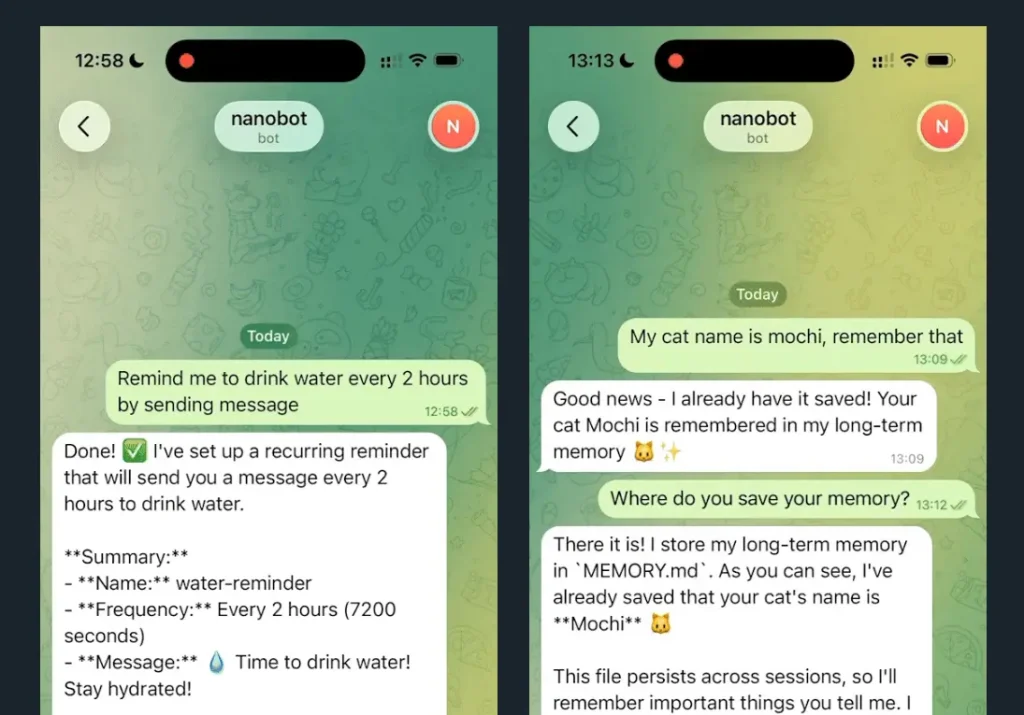
nanobot has expanded well beyond its early minimal assistant design. It now runs through a WebUI, terminal UI, CLI, chat apps, or an OpenAI-compatible API and includes long-term memory, model routing, MCP integrations, subagent delegation, and persistent automation.
Features
- Browser WebUI, terminal UI, CLI, Python SDK, and OpenAI-compatible API.
- Chat integrations for Telegram, Discord, Slack, WeChat, email, Mattermost, and other channels.
- Files, shell, web search, web fetch, MCP, cron, image generation, and subagent tools.
- Long-term memory through Dream plus session history.
- Local and OpenAI-compatible model endpoints with provider fallback and routing.
- Long-running goals, scheduled tasks, and background gateway operation.
Deployment & Requirements
- Python 3.11 or newer.
- Stable installation through the project installer,
uv, pip, or pipx; source installs require additional development dependencies. - WebUI is included with packaged releases.
- Local endpoints can run through Ollama, LM Studio, vLLM, or another OpenAI-compatible server.
Safety & Permission Model
A fresh WebUI installation binds to localhost by default. Workspace and access settings determine which files an agent can use. Model requests stay local only when a local inference endpoint is selected; cloud providers receive the data needed to answer a request.
Pros
- Readable Python core
- WebUI, terminal UI, and packaged installers
- Local models, MCP, memory, subagents, and automation
Cons
- Higher runtime overhead than compiled agent runtimes
- Self-hosted channels need credential and network administration
Repository
https://github.com/HKUDS/nanobot
QwenPaw: Local Personal AI Agent with Multi-Agent Workflows
Best for: People who want local models, a desktop app, multi-agent workflows, messaging channels, and explicit controls around tool and file access.
QwenPaw is an open-source personal AI agent from the AgentScope team. QwenPaw 2.x runs locally or in the cloud and includes long-term memory, local-model options, Skills, plugins, MCP, scheduled work, subagents, a file workspace, a browser Console, a terminal UI, and a desktop app.
Features
- QwenPaw Local, Ollama, LM Studio, and cloud model providers.
- Three-layer memory with searchable Markdown knowledge and session history.
- Independent agents with their own memory, skills, and model routing.
- Skills, plugins, MCP connections, scheduled tasks, and browser work.
- Console, TUI, desktop app, and multiple messaging channels.
- Unified files workspace for previews, edits, diffs, uploads, and downloads.
Deployment & Requirements
- Official installers are available for macOS, Linux, and Windows.
- The Python installation uses Python 3.11 through 3.13.
- Docker and desktop-app deployment paths are also available.
- Local inference can use QwenPaw Local, Ollama, or LM Studio.
Safety & Permission Model
QwenPaw includes a kernel-level sandbox, Tool Guard, File Guard, Skill Scanner, and access policies. Agent workspaces also expose governance rules for allow, deny, approval, and sandbox behavior before tools act on local resources.
Pros
- Local and cloud model options
- Desktop, TUI, Console, and chat access
- Built-in sandbox and file controls
Cons
- Local models need capable hardware
- Advanced Skills and plugins need permission review
Repository
https://github.com/agentscope-ai/QwenPaw
IronClaw: Rust Agent OS with WASM Tool Isolation
Best for: Self-hosted deployments that prioritize capability-based tool isolation, encrypted credentials, local storage, and a browser-based agent.
IronClaw is an open-source Rust personal AI assistant from NEAR AI with a WebUI, terminal access, persistent workspace memory, scheduled routines, subagents, MCP connections, first-party extensions, and cloud or local-model options.
Features
- WebUI, interactive terminal, one-turn CLI, webhooks, Slack, and Telegram.
- Capability-based WASM tools with explicit network and secret permissions.
- Encrypted local credential storage with host-side secret injection.
- Persistent memory with full-text and vector retrieval.
- Scheduled routines, event triggers, heartbeats, and parallel jobs.
- MCP connections and first-party extensions for common services.
- Cloud providers, Ollama, and OpenAI-compatible model endpoints.
Deployment & Requirements
- Prebuilt installers are available for macOS, Linux, and Windows.
- Guided onboarding configures the model, credentials, and WebUI token.
- Standard local storage uses file-backed libSQL.
- Source builds require Rust 1.96+ and Node.js 22+.
Safety & Permission Model
Untrusted IronClaw tools run in WebAssembly sandboxes with capability-based permissions. The host controls secrets, approved HTTP destinations, rate limits, memory, CPU, and execution time. Docker job isolation is available for work that needs a container boundary.
Pros
- Capability-based WASM isolation
- Encrypted local credential storage
- Native installers and built-in WebUI
Cons
- Limited first-party channel selection
- Windows service setup differs from macOS and Linux
- Source builds need Rust and Node.js
Repository
https://github.com/nearai/ironclaw
Moltis: Single-Binary Rust Agent with Sandboxed Execution
Best for: People who want a persistent self-hosted personal agent with a Web UI, local models, sandboxed commands, messaging channels, and an OpenClaw importer.
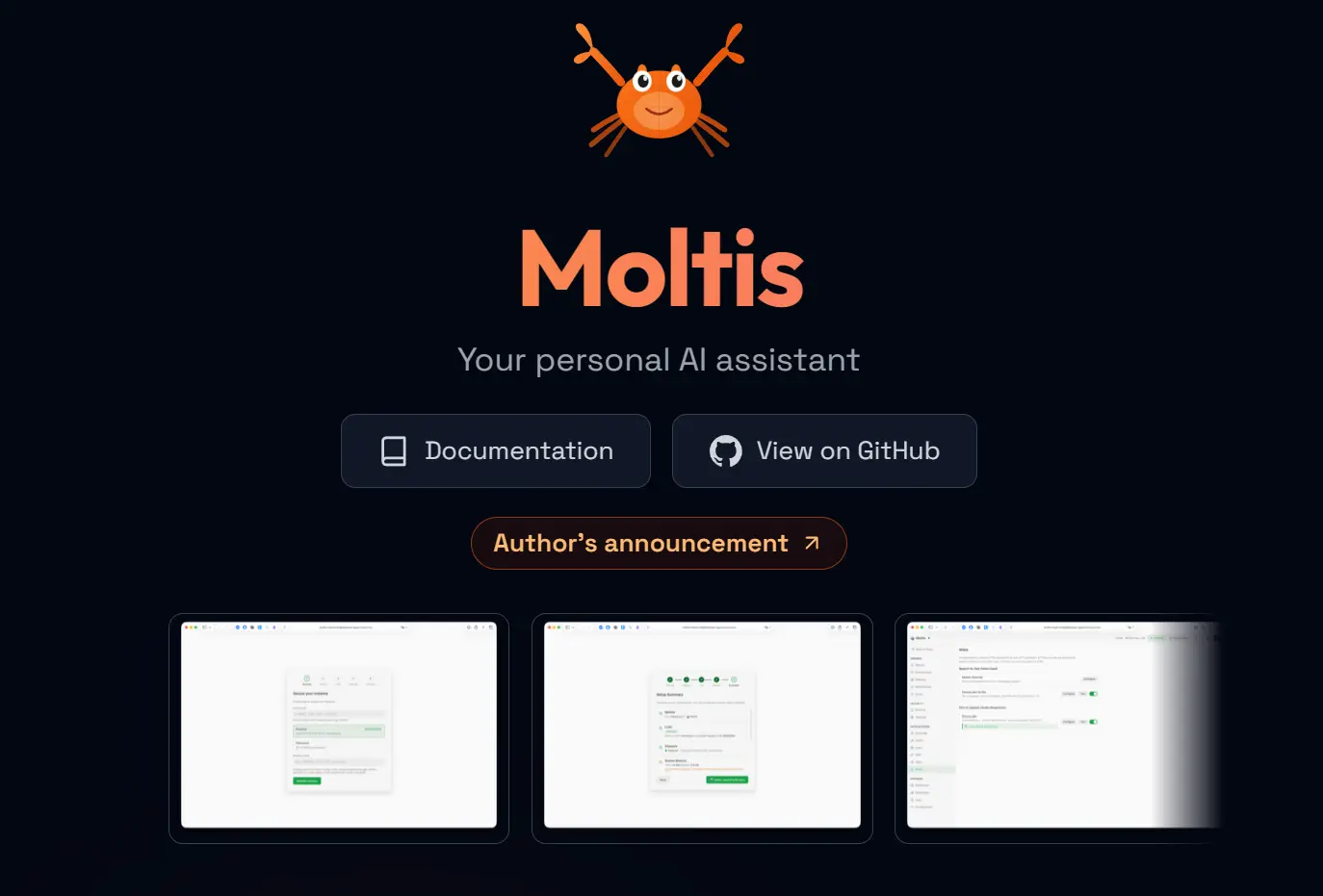
Moltis is an open-source personal agent server written in Rust. A single binary runs the gateway, Web UI, sessions, memory, channels, scheduling, voice, browser automation, MCP, skills, remote execution, and local or cloud model access.
Features
- Single Rust binary with a built-in authenticated Web UI.
- Local and cloud models with multi-provider routing.
- Persistent sessions, long-term memory, and cross-session recall.
- Telegram, WhatsApp, Signal, Discord, Slack, Teams, Matrix, and Nostr.
- MCP servers, skills, hooks, cron jobs, voice, and browser automation.
- OpenClaw importer for settings, skills, memory, sessions, and channels.
- ACP connections for external coding agents and compatible clients.
Deployment & Requirements
- Installer and Homebrew paths are available for macOS and Linux.
- Docker images are available for amd64 and arm64 deployments.
- A lightweight feature set is available for constrained hardware.
- Local inference works through available local-model providers.
Safety & Permission Model
Moltis can run command work in Docker, Podman, or Apple Container sandboxes with per-session isolation. It also includes password and passkey authentication, encrypted secrets, network filtering, tool hooks, destructive-command guards, and release verification.
Pros
- Single Rust binary
- Built-in OpenClaw importer
- Sandboxed command execution
Cons
- Self-hosting needs backups and access controls
- External skills and MCP servers need security review
Repository
https://github.com/moltis-org/moltis
What Makes a Good OpenClaw Alternative?
Isolation: Match host execution, approval gates, containers, or OS sandboxes to the access you plan to grant.
Setup model: AionUi starts from a desktop app with a built-in agent. NanoClaw uses per-agent containers and a customizable local checkout.
Local models: Check for Ollama, LM Studio, vLLM, or OpenAI-compatible local endpoints.
Migration: Hermes Agent, NanoClaw, and NullClaw include dedicated OpenClaw migration paths.
Resource use: Compare measured RAM, binary size, and startup requirements on your intended hardware.
Agent topology: Match persistent personal-agent workflows or coordinated multi-agent teams to your task.
Best OpenClaw Alternatives by Use Case
| Need | Recommended Options | Why |
|---|---|---|
| No Docker required | Hermes Agent, ZeroClaw, nanobot, QwenPaw, IronClaw, Moltis | Each has a standard installation that runs the main agent outside Docker. |
| Desktop GUI / no CLI onboarding | QwenPaw, AionUi | QwenPaw has a desktop app and AionUi is built around a desktop workspace. |
| Container isolation | NanoClaw, Moltis | NanoClaw isolates agents in containers; Moltis can sandbox command work per session. |
| Local models | ZeroClaw, nanobot, QwenPaw, IronClaw, Moltis, NanoClaw | Each has a documented local-model or compatible-endpoint option. |
| OpenClaw migration | Hermes Agent, NanoClaw, Moltis, NullClaw | Each includes a dedicated OpenClaw migration command, skill, or importer. |
| Very low-resource hardware | ZeroClaw, PicoClaw, NullClaw | These compiled runtimes are designed for small machines and edge deployments. |
| Long-running personal workflows | Hermes Agent, QwenPaw, Moltis | Memory, scheduling, reusable capabilities, and persistent agent state are core features. |
| Multi-agent work | QwenPaw, AionUi | QwenPaw runs independent agents and subagents; AionUi coordinates agents in Team Mode. |
Other OpenClaw Alternatives Worth Checking
AionUi
AionUi is a desktop Cowork app that can run OpenClaw, Hermes Agent, Claude Code, Codex, Gemini CLI, and other agents from one workspace. Its built-in agent, local-model options, scheduled tasks, previews, and Team Mode make it useful for people who want a graphical agent workspace.
PicoClaw
PicoClaw is a Go-based personal AI assistant for low-cost Linux and edge hardware. It includes MCP, a Web UI launcher, multiple channels and providers, model routing, and Android availability. PicoClaw is pre-1.0 software with unresolved security issues and is not recommended for production deployment before v1.0.
NullClaw
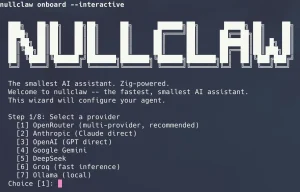
NullClaw is a compact Zig personal AI assistant with a 678 KB static binary, local-model access, multiple channels, MCP, memory engines, sandbox backends, and an OpenClaw migration command. Its latest code push was July 19, 2026.
TinyAGI (formerly TinyClaw)
TinyClaw moved to the TinyAGI project in March 2026. TinyAGI focuses on multi-agent teams, task handoffs, the TinyOffice web portal, provider credentials, plugins, and a SQLite-backed queue. TinyAGI is experimental. Its latest code commit was March 30, 2026.
FAQs
Q: Is OpenClaw safe to use?
A: OpenClaw uses conservative Gateway and messaging defaults. Sandboxing is off by default. Review tool permissions, installed skills, and remote access before granting sensitive system access.
Q: Does using a local model keep all agent data local?
A: Local inference keeps model requests on your own endpoint. Messaging channels, web search, MCP servers, and cloud services can transmit data outside the machine.
Q: Is AionUi a direct OpenClaw replacement?
A: AionUi includes a built-in desktop agent and can also run an installed OpenClaw agent. External agents keep their own runtime and security model.
Q: What is the difference between permission control and sandboxing?
A: Permission control decides whether an action is allowed. Sandboxing limits the files, processes, and network resources available when that action runs.
Related Resources
- QwenPaw 2.0: Free, Open-source Personal AI Agent
- IronClaw: A Free Open-Source Rust Alternative to OpenClaw
- Moltis: Personal AI Agent for Secure Local Automation
- Hermes Agent: Self-Improving Personal AI Agent
- NanoClaw: Lightweight OpenClaw Alternative for Safer Local AI Agents
- OpenClaw CLI Cheat Sheet: Commands, Config & Skills
Changelog
Sep 17, 2026
- Reselected the main seven alternatives for the OpenClaw 2.x ecosystem.
- Added QwenPaw, IronClaw, and Moltis to the main comparison.
- Moved AionUi, PicoClaw, NullClaw, and TinyAGI to the additional alternatives section.
- Updated setup, isolation, local-model, migration, and use-case comparisons.
- Revised the OpenClaw security section for Gateway, pairing, and sandbox defaults.
Apr 11, 2026
- Replaced OpenWork with Hermes Agent.