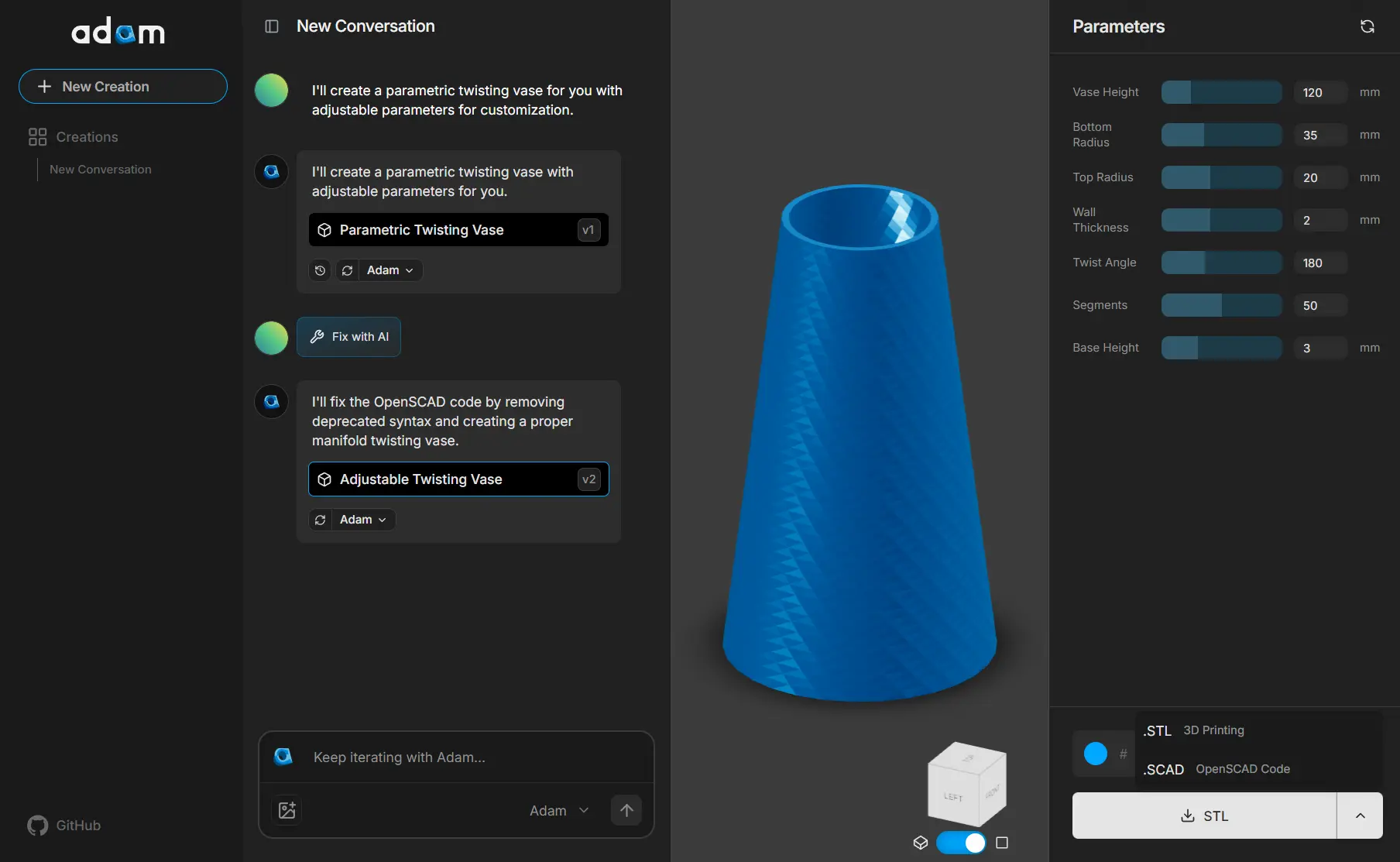
CADAM is Adam’s open-source AI text-to-CAD web app for generating parametric 3D models from plain language prompts and image references.
It can help you create OpenSCAD-based geometry, extract adjustable dimensions, preview the model in the browser, and export STL, SCAD, or DXF files.
The app is ideal for 3D-printable parts, hardware prototypes, product concepts, and other designs that benefit from editable dimensions.
CADAM at a Glance
| Tool type | Open-source AI text-to-CAD web app |
| Inputs | Natural-language prompts and image references |
| Core output | Parametric OpenSCAD geometry with adjustable dimensions |
| Exports | STL, SCAD, and DXF |
| Source license | GNU GPL v3.0 |
| Self-hosting | Available from the public GitHub repository |
| Best for | 3D-printable parts, parametric concepts, hardware prototypes, and fast geometry exploration |
Features
- Turns natural-language descriptions and image references into AI-generated 3D CAD models.
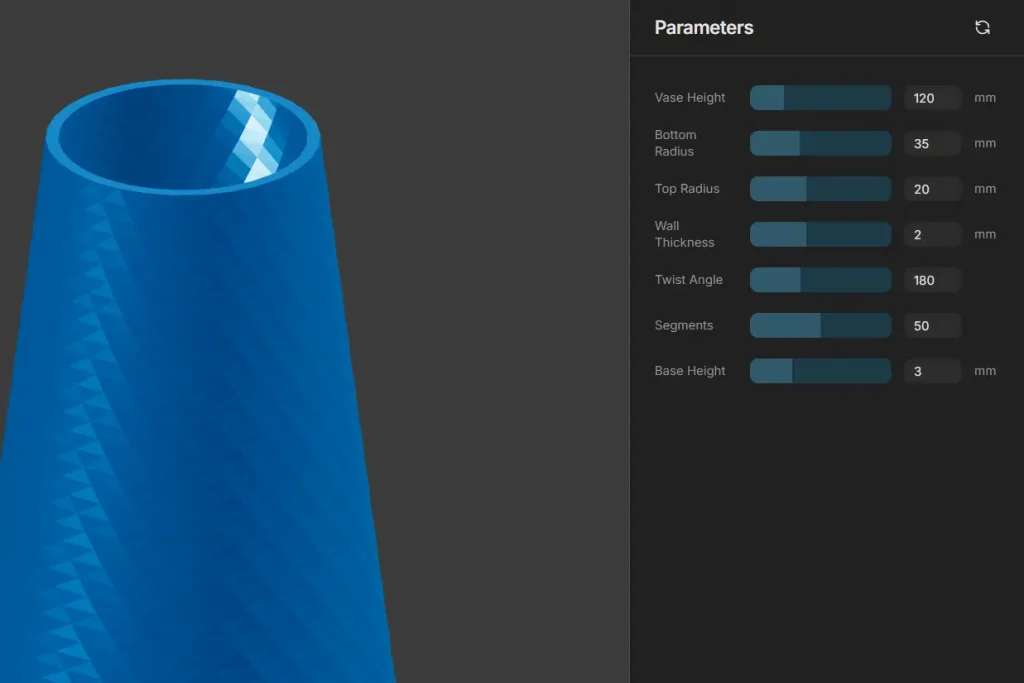
- Extracts adjustable dimensions and exposes them as interactive controls for quick revisions.
- Updates supported parameters without a full AI regeneration for every dimensional change.
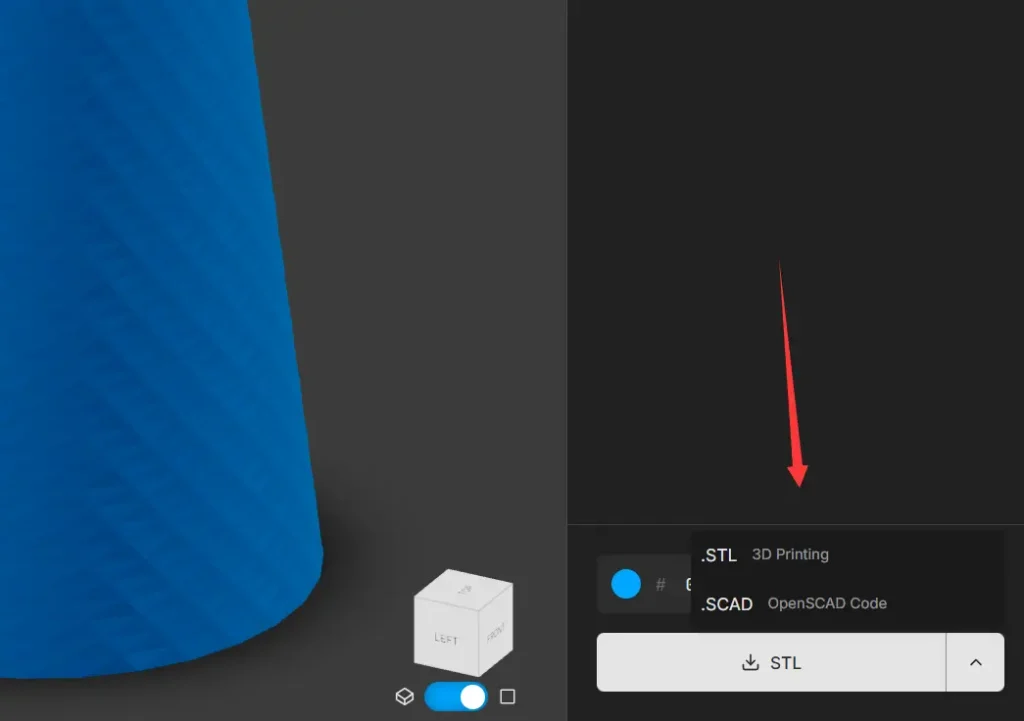
- Exports STL files for 3D printing, SCAD files for OpenSCAD editing, and DXF files for compatible CAD workflows.
- Runs OpenSCAD in the browser through WebAssembly.
- Uses Three.js and React Three Fiber for interactive 3D previews.
- Includes BOSL, BOSL2, and MCAD libraries for reusable OpenSCAD modeling functions.
- Includes Geist font support for generated text elements.
How CADAM Differs from Image-to-3D Tools
Image-to-3D generators generally produce a visual mesh, splat, or scene asset. CADAM generates parametric OpenSCAD geometry with dimensions that can be adjusted after generation. This approach fits dimension-driven objects such as brackets, holders, enclosures, adapters, containers, and other printable parts.
Use Cases
- Create 3D-printable concepts such as brackets, stands, containers, adapters, knobs, and simple mechanical parts.
- Explore hardware concepts before moving a selected design into a full engineering CAD workflow.
- Generate OpenSCAD starting points for code-driven parametric modeling.
- Create dimensional variants of the same generated model through extracted parameters.
- Use an image reference when a text description does not communicate the intended shape clearly enough.
How to Use CADAM
1. Open the CADAM web app at adam.new/cadam.
2. Describe the object you want to create, upload a reference image, or use both. Include useful geometric details such as dimensions, wall thickness, hole size, symmetry, taper, or repeated features when they matter. For example, “Create a cylindrical vase with a narrow neck, a flared base, 2 mm walls, and a closed bottom” gives the model clear geometric constraints.
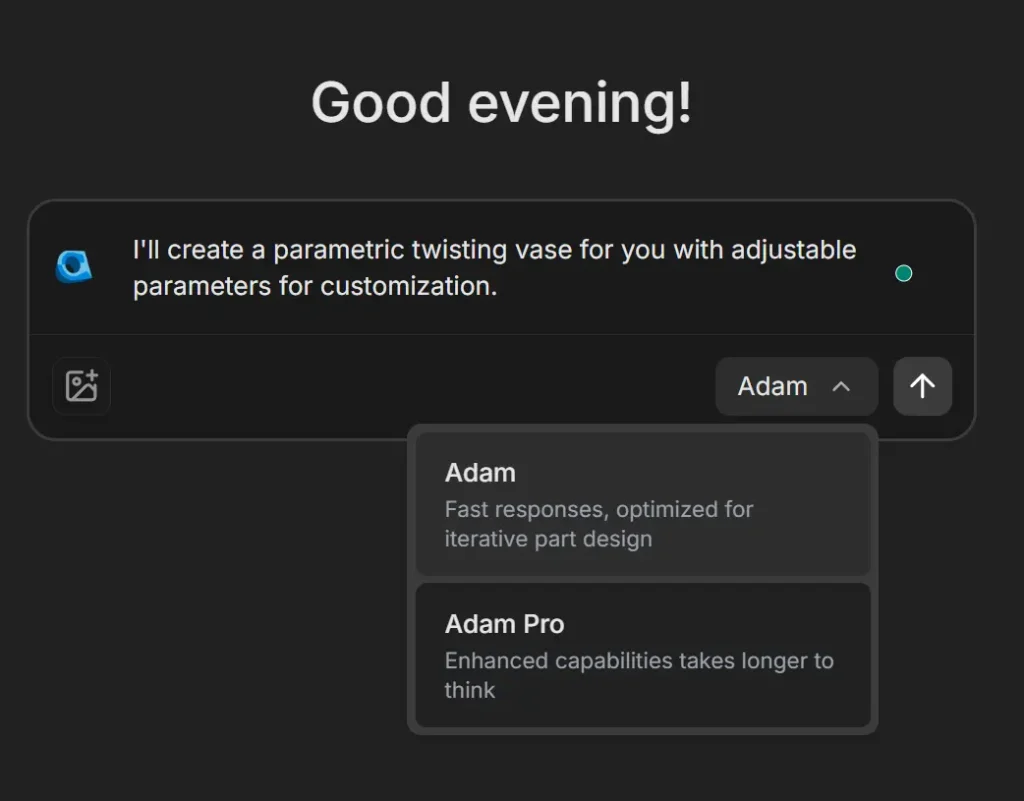
3. Run the generation. CADAM interprets the request and creates parametric OpenSCAD geometry for the model.
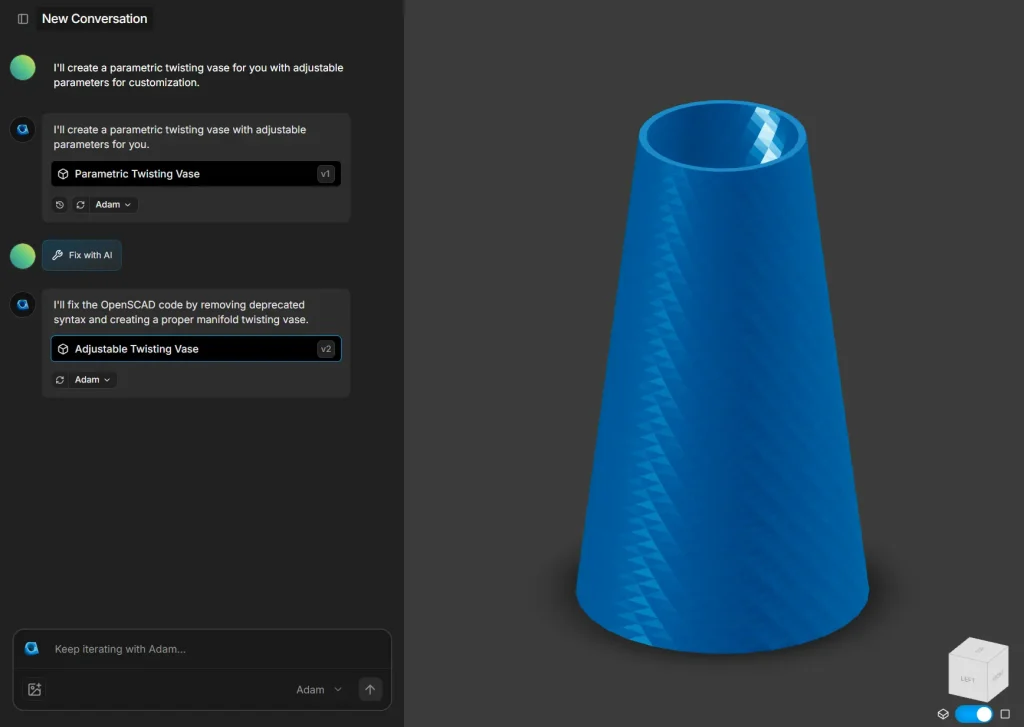
4. Inspect the 3D preview and adjust the extracted parameters. Available controls depend on the generated design and can include dimensions, wall thickness, counts, angles, or other values defined by the OpenSCAD model.
5. Export the result for the next step in your workflow. Use STL for many slicers and 3D-printing workflows, SCAD for continued OpenSCAD editing, or DXF for compatible CAD workflows.
Is CADAM Free?
CADAM’s GitHub source is free to download under the GNU GPL v3.0 license. The hosted app is available at adam.new/cadam. Adam’s main service currently offers a Free plan and paid plans.
Self-hosting can still create API or infrastructure costs. The repository includes configuration for external model providers and supporting services, and those services can have their own pricing.
CADAM vs Adam Copilot
CADAM starts from prompts and image references to generate new 3D geometry. Adam Copilot works inside CAD workflows that use existing design context in Onshape and Autodesk Fusion.
Self-Host CADAM
The project requires Node.js ^20.19.0 or >=22.12.0, npm 10+, the Supabase CLI, and ngrok for local webhook development.
1. Clone the repository and install the dependencies.
git clone https://github.com/Adam-CAD/CADAM.git
cd CADAM
npm install
2. Copy the environment template. The template contains local Supabase values and server-side variables for model providers, billing, callbacks, and optional tunnels. Configure the values required by your setup and keep private keys out of client-side code and version control.
cp .env.local.template .env.local3. Start the local Supabase services.
npx supabase start4. Serve the Supabase functions.
npx supabase functions serve --no-verify-jwt5. Start the development server.
npm run dev6. Set up ngrok when the local workflow needs public callbacks. The repository uses a tunnel to the development server on port 3000 for WEBHOOK_BASE_URL.
ngrok http 3000Use a second tunnel for local Supabase Storage only when a provider must fetch signed storage URLs. The repository uses NGROK_URL for that case.
Pros
- Prompt and image inputs.
- Extracted parameters support dimensional revisions.
- STL, SCAD, and DXF exports.
Cons
- Requires inspection before fabrication
- Self-hosting requires command-line setup, Supabase configuration, environment variables, and external service credentials
Alternatives and Related Resources
- Modly turns a single image into a local 3D mesh and exports GLB, OBJ, STL, and PLY files.
- TripoSplat generates a 3D Gaussian splat from an image for visual reconstruction workflows.
- TRELLIS targets broader text- and image-to-3D asset generation.
- Vibe Draw starts from a sketch when the goal is rapid visual 3D creation.
- OpenSCAD Documentation explains the language and modeling concepts behind CADAM’s editable SCAD output.
- BOSL2 documents one of the OpenSCAD libraries included in CADAM.
FAQs
Do I need CAD experience to use CADAM?
No deep CAD experience is required to start from a prompt or image reference. OpenSCAD knowledge becomes useful when you want to edit the exported SCAD code directly or troubleshoot generated geometry.
Can CADAM generate complex mechanical models?
Yes, the repository benchmarks include multi-part examples such as a V8 engine and a planetary gear stage. These examples demonstrate generation complexity, not verified engineering accuracy. Check dimensions, interfaces, clearances, and manufacturability before using a generated design for fabrication.
Does self-hosting keep prompts and images fully local?
No. Self-hosting gives you control over the CADAM application and its deployment, yet the current configuration can connect to external AI model providers and other services. Review the provider keys and data path in your environment before sending sensitive design data.
Can CADAM-generated models be used commercially?
The GPLv3 license applies to the CADAM software distribution; it does not define a general commercial-use license for every generated model. Adam’s current Terms of Service describe service use for personal or internal business purposes and do not publish a separate generated-output license. Review the current service terms and the terms of any connected model provider before distributing generated output commercially.