A product ad may need the same item to remain recognizable across five camera angles. A short film may need a character to stay consistent across several shots. A talking-head video needs lip sync that still works after translation. Those tasks place very different demands on the AI video generator behind them.
Generation cost becomes part of the problem as soon as you start iterating. Free credits can disappear after a few higher-quality renders, and paid plans differ sharply in how much usable video they buy. Clip length, native audio, reference control, resolution, watermark rules, and commercial rights all affect whether a service works for repeated production.
The ten picks below are the current shortlist worth comparing in 2026. Veo 3.1 and Kling 3.0 focus on high-end generation, Seedance 2.5 on longer multi-shot scenes, Runway on iterative production and editing, and HeyGen on avatar-led video. Free access and entry pricing provide a useful first filter before the individual capabilities and limits start to matter.
Last updated: October 4, 2026.
Quick Comparison
| Product | Best For | Free Access | Paid From |
|---|---|---|---|
| Google Veo 3.1 | Cinematic video + native audio | 50 Flow credits/day | $19.99/mo |
| Runway | Filmmaking + editing | 125 one-time credits | $15/mo |
| Kling AI | Motion + reference control | Daily credits | $8.80/mo |
| Seedance 2.5 | 30-second multimodal scenes | BytePlus trial access | Usage-based |
| Hailuo AI | References + stereo audio | One-time welcome credits | $9.99/mo |
| Luma Dream Machine | Generation + video modification | Ray3.14 Draft Mode | $9.99/mo |
| Adobe Firefly | Adobe production | Limited daily generations | $9.99/mo |
| PixVerse | Social + multi-shot video | 30 credits/day | $10/mo |
| Pika | Creative apps + model access | Account only, 0 monthly credits | $10/mo |
| HeyGen | Avatars + localization | Up to 3 videos/mo | $29/mo |
10 Best AI Video Generators in 2026
1. Google Veo 3.1

Google Veo 3.1 is a good first choice for cinematic text-to-video and image-to-video work that needs synchronized dialogue, ambience, or sound effects. Google Flow exposes Veo generation alongside reference-image controls, extensions, editing tools, and higher-resolution upscaling.
Best For: Cinematic clips, product shots, narrative scenes, and video that needs generated audio.
Free Access: A Google account receives 50 Flow credits per day. Veo 3.1 Lite costs 10 credits per generation and Fast costs 20. Quality costs 100 credits per generation, which places it outside a single day’s free balance. Free generation can be unavailable during peak hours.
Paid Plans: Google AI Pro costs $19.99 per month and adds 1,000 Flow credits each month. Pro also unlocks 1080p upscaling. 4K upscaling requires Google AI Ultra and costs 50 credits per upscale.
Video Limits: Veo 3.1 Lite and Fast generate 4-, 6-, or 8-second clips. Quality generates 8-second clips. Text-to-video, image-to-video, extensions, vertical video, and native audio are available through Flow.
2. Runway

Runway is built around generation, iteration, and editing in one production workspace. Gen-4.5 handles text-to-video and image-to-video, and completed clips can move into Runway’s editing tools for further changes, upscaling, sound, or export.
Best For: Filmmakers, VFX work, advertising, shot iteration, and projects that need editing after generation.
Free Access: The Free plan includes 125 one-time credits and access to a selection of generative models for testing. The balance does not renew each month.
Paid Plans: Standard costs $15 per month or $12 per month with annual billing and includes 625 credits each month. Gen-4.5 uses 12 credits per second, which equals 60 credits for a 5-second clip. Standard also removes watermarks and unlocks 4K upscaling.
Video Limits: Gen-4.5 creates 2- to 10-second text-to-video or image-to-video clips. Audio is handled through Runway’s separate music, voice, sound-effects, and dubbing tools.
3. Kling AI
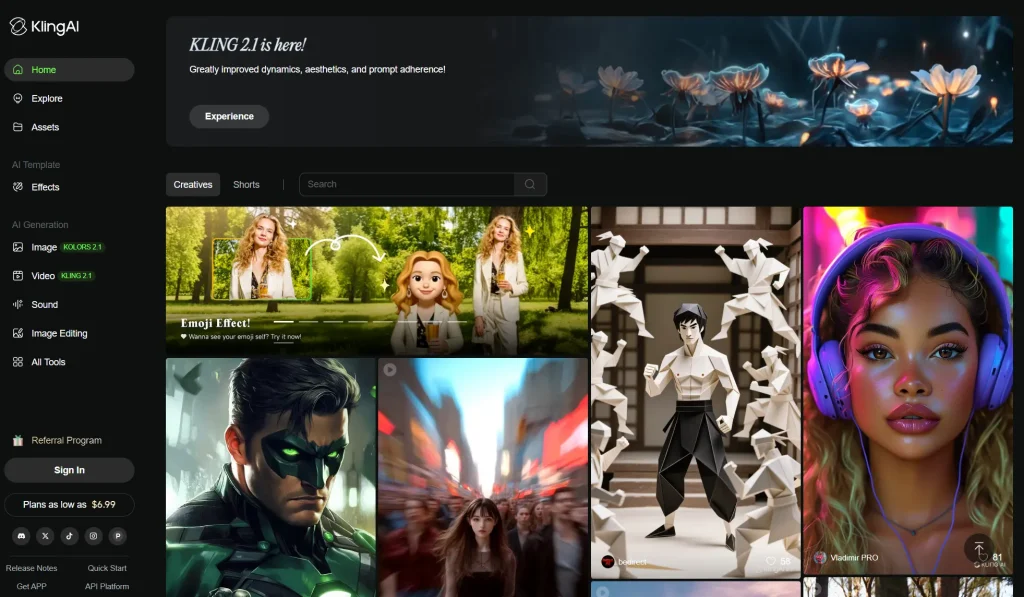
Kling AI 3.0 handles text, images, video references, native audio, multi-shot generation, and detailed motion control. It is especially useful when a clip depends on a recurring person, product, object, or camera movement that needs to stay recognizable across the scene.
Best For: Character and product consistency, motion-heavy scenes, multilingual dialogue, ads, and image-to-video.
Free Access: Basic accounts receive 66 credits per day, and those credits expire after 24 hours. Free output is limited, carries Kling branding, and is not licensed for commercial use.
Paid Plans: Standard includes 660 credits per month. The first month is currently $6.99 and the renewal price is $8.80 per month. Paid plans unlock commercial use, watermark removal, faster generation, higher resolutions, and additional creation features.
Video Limits: Kling 3.0 generates clips up to 15 seconds with native audio. The 3.0 series also includes 4K generation options, multi-shot control, reference-based creation, and video editing.
4. Seedance 2.5
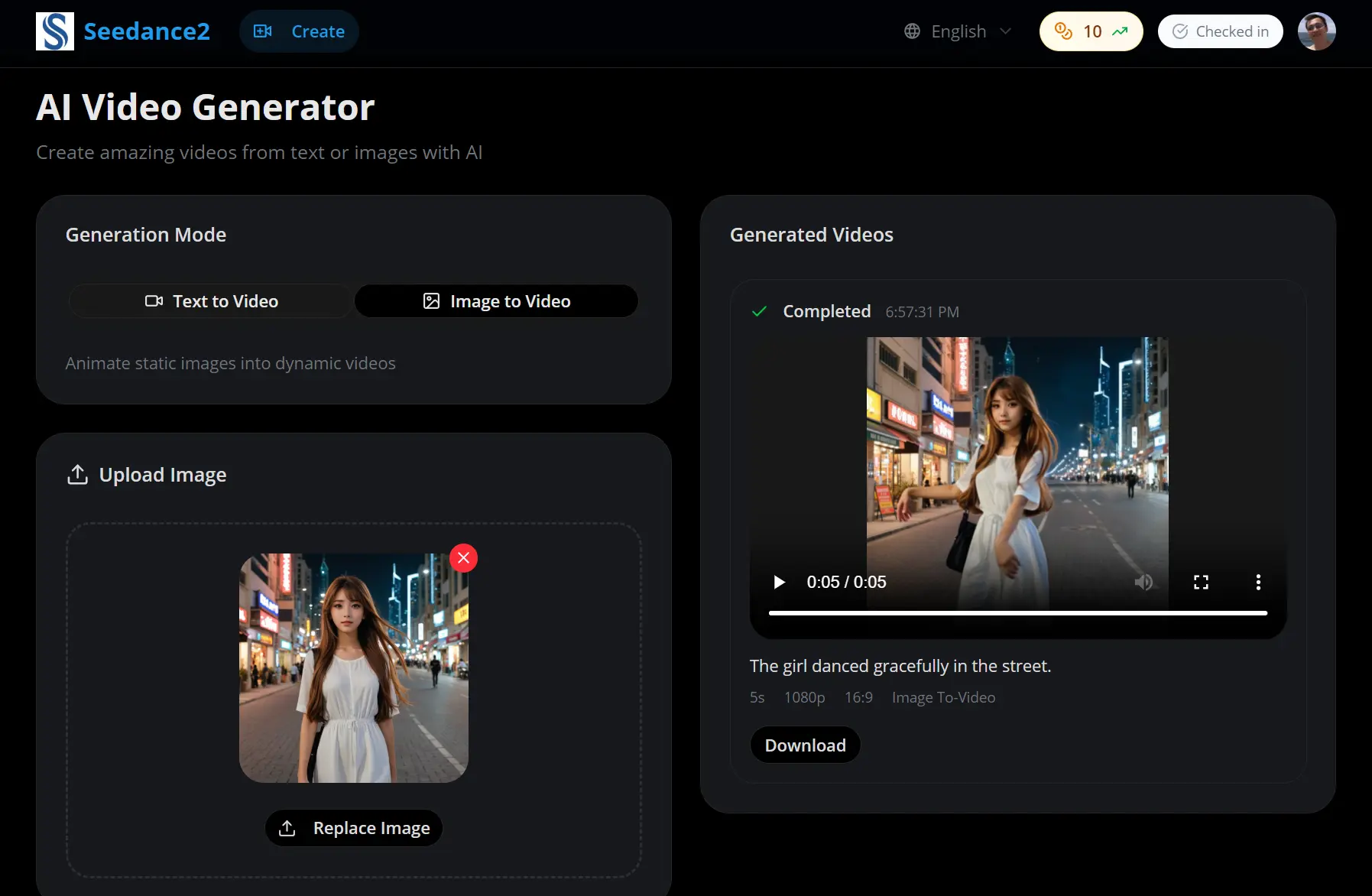
ByteDance Seedance 2.5 focuses on longer audio-video scenes and dense reference input. It can use images, video, and audio as creative references, generate up to 30 seconds in one pass, and extend a result across additional generations.
Best For: Multi-shot storytelling, longer ads, recurring characters, reference-heavy scenes, and native audio.
Free Access: BytePlus has a free tier for trying its AI models. Seedance 2.5 does not have a fixed recurring consumer quota expressed as a set number of free videos. Direct access is designed around model credits and usage billing.
Paid Plans: BytePlus bills Seedance 2.5 by token usage. A 5-million-token resource pack costs $32 and remains valid for 90 days. Pay-as-you-go billing takes over after a resource pack is exhausted.
Video Limits: Seedance 2.5 generates up to 30 seconds of audio and video in one pass and accepts up to 50 total reference assets through BytePlus. Resolution and final cost depend on the generation settings and reference inputs.
5. Hailuo AI

Hailuo AI gives browser access to MiniMax video models, including MiniMax H3. H3 accepts text, images, video, and audio as context, generates native stereo sound, and handles video-to-video motion transfer and reference-driven editing.
Best For: Multimodal references, product and brand work, motion transfer, image-to-video, and clips with generated stereo audio.
Free Access: New Hailuo accounts receive a one-time welcome package of free credits that expires after three days. Free accounts use the standard queue and downloaded videos include a watermark.
Paid Plans: Hailuo advertises memberships from $9.99 per month. Its Standard plan has a $14.99 list price with 1,000 monthly credits, and promotional checkout prices can be lower. Paid accounts receive watermark-free downloads and faster generation queues.
Video Limits: MiniMax H3 generates 4- to 15-second video with native 32 kHz stereo audio and resolution up to 2K. It can use image, video, and audio references in one generation.
6. Luma Dream Machine
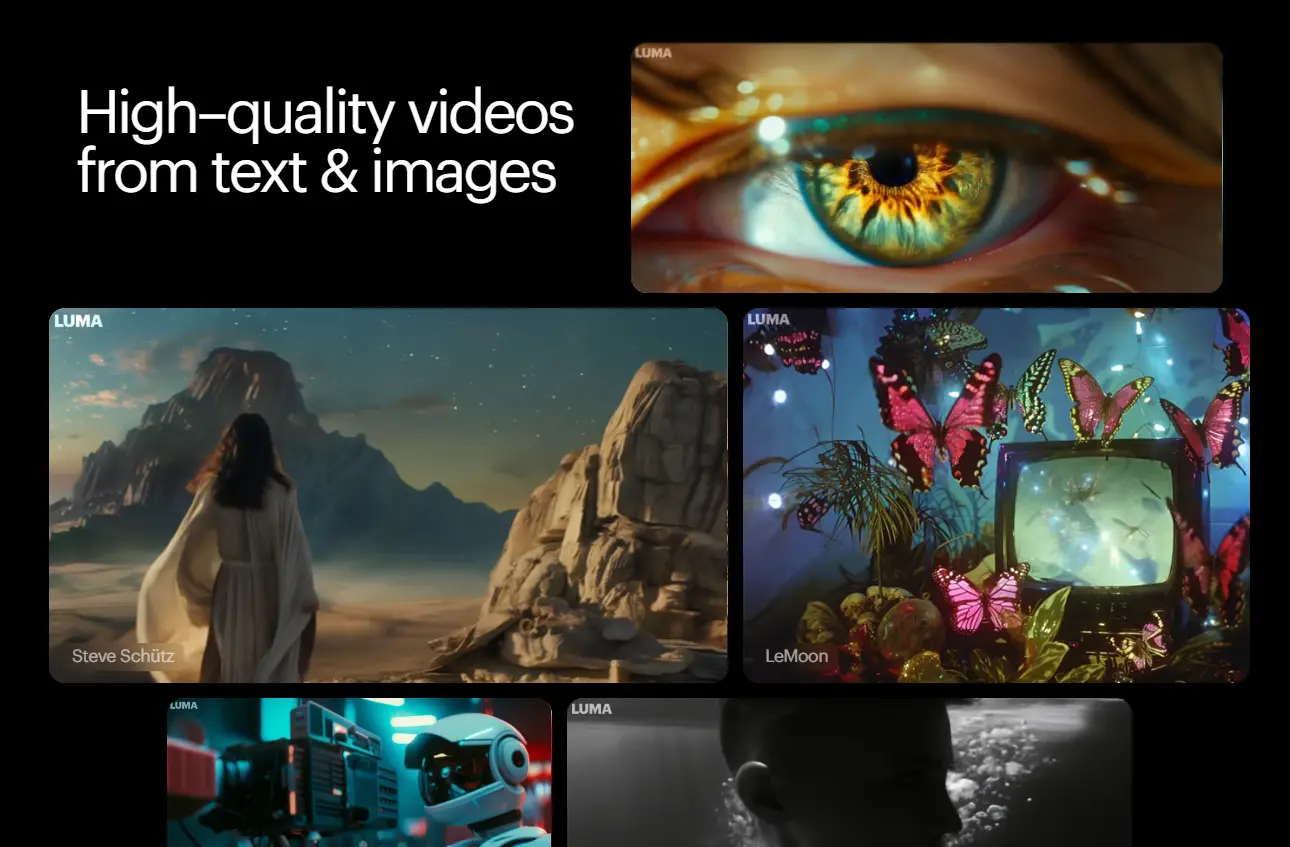
Luma Dream Machine is useful when generation and modification need to stay in one app. Ray3.14 handles text-to-video and image-to-video, and Luma can extend, reframe, upscale, add audio, or transform existing footage through its editing tools.
Best For: Image animation, cinematic clips, video restyling, source-footage transformation, and iterative creative work.
Free Access: Free accounts can test Ray3.14 through Draft Mode. Free-plan work is limited to personal projects.
Paid Plans: Dream Machine Lite costs $9.99 per month on the web and includes 3,200 credits, watermarked output, and personal-use rights. Plus costs $29.99 per month with 10,000 credits, watermark-free exports, and commercial rights.
Video Limits: Ray3.14 creates 5- or 10-second text-to-video clips and 5-second image-to-video clips. The model does not generate native audio. Dream Machine can create or attach audio through separate audio tools and can upscale eligible generations to 4K.
7. Adobe Firefly
Adobe Firefly combines video generation with an editing timeline and access to Adobe and partner models. It works well for designers and marketing teams that already use Adobe apps and want generated clips, sound, images, and editing assets in one account.
Best For: Adobe workflows, brand content, marketing assets, short generated clips, and projects that continue into Adobe editing apps.
Free Access: Firefly gives free daily generations across image, video, and audio features. The exact daily count depends on the feature and model used.
Paid Plans: Firefly Standard costs $9.99 per month with 2,000 generative credits, enough for up to 20 five-second Firefly Video generations at the listed allowance. Pro costs $19.99 per month with 4,000 credits.
Video Limits: Firefly Video handles text-to-video and image-to-video. Firefly also gives access to selected partner models, including Google, Kling, Runway, and Luma options depending on the plan. Audio generation uses separate Firefly sound and speech features.
8. PixVerse

PixVerse V6 focuses on short creative video with multi-shot generation, camera movement, native audio, extensions, and reference-driven creation. Its consumer pricing also makes the difference between free testing and paid output easy to understand.
Best For: Social video, multi-shot clips, fast image animation, character-led scenes, and short videos with native audio.
Free Access: Basic accounts receive 30 daily credits and can generate video up to 540p. Watermark-free export starts with a paid plan.
Paid Plans: Standard costs $10 per month or $8 per month with annual billing and includes 1,200 monthly credits plus 60 daily credits. Pro costs $30 per month or $24 with annual billing and includes 6,000 monthly credits, 60 daily credits, and output up to 4K.
Video Limits: PixVerse V6 generates 1- to 15-second clips at up to 1080p through the PixVerse model API. Native audio, multi-shot generation, extensions, first-and-last-frame control, and reference fusion are available.
9. Pika

Pika was rebuilt in September 2026 as a multi-model creative platform with video, image, and audio apps. Video Studio can create a single clip or a multi-shot video up to 30 seconds with sound, and projects can reuse characters, products, settings, and styles as references.
Best For: Social content, ads, concept videos, product creative, and creators who want task-focused apps plus access to multiple video models.
Free Access: The Free plan costs $0 and includes all models, no watermark, and two parallel video generations, yet it carries 0 monthly credits. Video generation requires a purchased credit pack. The Free plan has no commercial license.
Paid Plans: Starter costs $10 per month or $8 with annual billing and includes 900 credits, no watermark, and no commercial license. Creator costs $35 per month or $28 with annual billing and includes 3,150 credits plus commercial use.
Video Limits: Video Studio can build multi-shot videos up to 30 seconds with sound and accepts up to 50 reusable references. Pika also exposes video models including Seedance 2.5, MiniMax H3, Wan 3.0, and Pika 2.5.
10. HeyGen

HeyGen serves a different part of AI video creation from cinematic generation models. It focuses on digital presenters, reusable video avatars, localization, dubbing, and business videos that need a consistent speaker across many scripts and languages.
Best For: Training, sales, product explainers, localized marketing, digital presenters, and multilingual business video.
Free Access: Free accounts can create up to three videos per month, with regional variation. Videos can be up to one minute, and the plan includes stock avatars, one custom video avatar, and access to core creation features.
Paid Plans: Creator costs $29 per month or $24 per month with annual billing and includes 600 credits each month, 1080p export, watermark removal, voice cloning, and videos up to 30 minutes. Pro starts at $49 per month with 1,000 credits.
Video Limits: HeyGen focuses on presenter-led video and longer scripted content. Avatar V can build a reusable digital identity from a short reference recording, and the platform includes translation and lip-sync features for localized video.
FAQs
What is the best free AI video generator in 2026?
Google Flow has one of the clearest recurring free allowances at 50 credits per day, which can be used on Veo 3.1 Lite or Fast. Kling AI also refreshes free credits daily. Runway gives 125 credits once, Adobe Firefly gives limited daily generations, and PixVerse gives 30 credits per day. Pika has a free account tier with no recurring generation credits.
Which AI video generators create native audio?
Google Veo 3.1, Kling AI 3.0, Seedance 2.5, MiniMax H3 through Hailuo AI, and PixVerse V6 can generate audio with the video. Pika Video Studio can also create multi-shot video with sound. Runway, Luma, and Adobe Firefly handle audio through separate creation or editing features.
Which AI video generator is best for image-to-video?
Kling AI is a good choice when character or product consistency matters. Seedance 2.5 accepts dense multimodal references for longer scenes. Luma Dream Machine is useful when the source video or image needs further modification. Runway is well suited to projects that continue into editing after the first generated clip.
Which AI video generators can make longer videos?
Seedance 2.5 generates up to 30 seconds in one pass, and Pika Video Studio can build multi-shot videos up to 30 seconds with sound. HeyGen can create much longer presenter-led videos, including videos up to 30 minutes on Creator, because its avatar workflow serves a different production format from cinematic generation models.
Can AI-generated videos be used commercially?
Commercial rights depend on the service, plan, model, and source assets. Kling’s free output is not licensed for commercial use. Luma requires Plus or a higher eligible plan for commercial rights. Pika requires Creator or higher. Paid Runway, HeyGen, Adobe Firefly, and other services have their own terms for commercial work.
Related Resources
- Free AI Video Generators and Editors
- 20+ Best & Free AI Text To Video Generators
- Best & Free AI Image To Video Tools
- 10 Best AI Video Editors for Quick Professional Videos
Changelog
10/04/2026
- Rebuilt the shortlist around active AI video generators after the Sora shutdown.
- Added current free-access limits, paid pricing, generation limits, audio behavior, and commercial-use conditions.
- Added Google Veo 3.1, Seedance 2.5, Luma Dream Machine, Adobe Firefly, and Pika.
- Updated Runway, Kling AI, Hailuo AI, PixVerse, and HeyGen.
12/09/2025
- Updated for 2026.
03/13/2024
- Updated the list.
01/20/2024
- Expanded the original ranking and added pricing and traffic data.