Scribus, the open-source desktop publishing application, released new stable 1.6.7 version today along with 1.7.4 development version.
The new 1.6.7 is a bug-fix release that includes fixes for seven memory-safety vulnerabilities when reading PSD, PICT, TIFF, DRW, and SVM files.
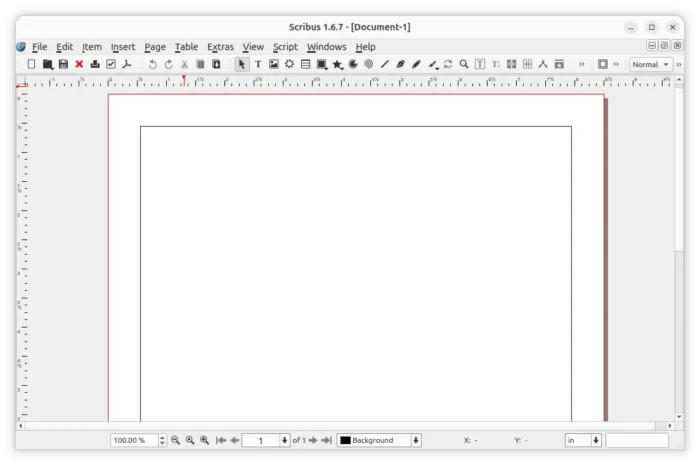
The release also includes several fixes for stability issues, including app freezes when attempting to import “custom shapes”, crash with graphicsmagick exception, as well as crashes caused by “Helsinki” font and deleting a non existent mark.
There are as well several performance and other fixes. They include:
- Rendering of drop shadows is slow.
- Incorrectly positions the outline around superscript text when an outline style is applied.
- Property changes do not affect the text imported from an odt file.
- Preview mode does not hide guides/margins when editing a master page.
- Fail to preserve the existing text formatting when user continues typing after a formatted word.
For those who are interested in Scribus 1.7.4, the new development release also includes the fixes for memory-safety vulnerabilities.
It as well introduces new first start wizard guides users through initial setup, document-level LTR/RTL switch in preferences, document setup and creation dialog.
Tables have been overhauled with more predictable border editing, spreadsheet-style cell, row and column selection, keyboard navigation, and various other improvements.
Page size system has been redesigned with automatic format detection. And, users can now create and delete their own page templates in the New Document dialog.
For more, see the official release note, or see HERE for Scribus 1.6.7.
Download Scribus 1.6.7
The source tarball, as well as installer packages for Linux, Windows, and macOS are available to download in sourceforge via the link below:
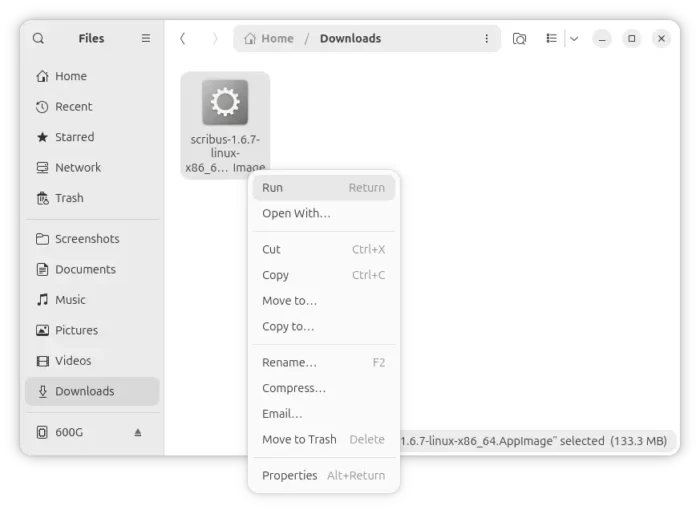
For Linux, simply download the AppImage, add executable permission, finally run to launch the desktop publishing software.
For Ubuntu and Linux Mint users who prefer native .deb package, I’ve built the new version into this unofficial PPA for Ubuntu 22.04, Ubuntu 24.04, Ubuntu 26.04 and 26.10.
Simply press Ctrl+Alt+T to launch terminal, and run commands below one by one to add the PPA and install the package.
sudo add-apt-repository ppa:ubuntuhandbook1/scribus
sudo apt update
sudo apt install scribus
(Optional) For any issue, remove the package by running command:
sudo apt remove scribus scribus-data
And, remove the PPA via command:
sudo add-apt-repository --remove ppa:ubuntuhandbook1/scribus
While Linux Mint user may need to run sudo apt update manually to refresh cache.