Best Formstack Alternatives for 2026
The best Formstack alternative for most teams is Paperform, because Formstack takes payment through three processors with only basic commerce behind them, while Paperform runs five gateways with products, subscriptions, coupons, tax and refunds native, no transaction fee of its own, and no per-seat charge. Paperform Pro is $49/month billed annually.
Formstack is a capable enterprise platform with a bill that is metered at almost every joint. The Forms plan is $99/month, or $83/month billed annually, and that buys one builder user, 25 forms and 1,000 submissions per form. Want eSignatures and document generation on the same account and you are on Suite at $299/month, or $250/month annually, for three builder users and a 250-document-per-month delivery cap. Want HIPAA and it is a paid add-on with no published price. There is no free plan and the trial runs 14 days.
Two of those meters do most of the damage, and they tend to be what sends people looking. The first is the seat count: one builder user on the entry plan means the ops lead builds everybody else's forms, becomes the bottleneck, and the organisation quietly pays for that in weeks rather than dollars. The second is the submission cap, which charges you for the campaign that worked.
The third problem is quieter and more expensive once you hit it. Formstack collects money through Stripe, PayPal and Authorize.net, with product fields, recurring billing and discount codes, and stops there. No Square, no Braintree, no native Google Pay, and no commerce logic beyond a calculated total. If the form is an order form, a ticket sale, a deposit against a quote or a productised service, the commerce logic lands on you or on a second tool, and you become the integration between them. That is the gap this page is mostly about.
| Feature | Formstack | Paperform | Jotform | Cognito Forms | Typeform | SurveyMonkey | Google Forms |
|---|---|---|---|---|---|---|---|
| Form Building | |||||||
| Templates . The number of ready-made form templates in the tool’s template gallery. | Yes forms | 30,000+ | 20,000+ (starter) | Yes | 3,000+ | 500+ (Individual Standard) | 20+ |
| Field types . How many kinds of question or input field the form builder offers, such as text, dropdown, date, file upload and signature. | 20+ (forms) | 26+ | 30+ (starter) | 20+ | 20+ | 20+ | 12 |
| Calculations . Compute totals, scores, prices or dates from answers while the form is being filled in. | Yes forms | Yes pro | Yes starter | Yes | Yes | No | No |
| E-signatures . Collect a signature, either with a signature field on the form or by sending a document out to be signed. | Yes forms | Yes | Yes starter | Yes pro | Yes growth flow | No | Yes Business Standard |
| Appointment booking . Let respondents pick and book a time slot directly in the form, with availability managed by the tool. | Not recorded | Yes | Yes starter | Yes team | Yes business | No | Yes |
| Payments | |||||||
| Payment gateways . The number of payment processors a form can take payments through. Where a vendor’s full count isn’t recorded, the cell lists the gateways we confirmed. | 3 (forms) Stripe, Authorize.net, PayPal | 5 Stripe, PayPal, Square, Braintree, Google Pay | 34 (starter) options in its builder, incl. Stripe, PayPal, Square, Braintree | 5 Cognito Pay, Stripe, PayPal, Square, Google Pay | 2 (basic) Stripe, PayPal | 2 (Individual Advantage) Stripe, PayPal | No |
| Subscriptions and recurring payments . Charge respondents on a repeating schedule, such as monthly or annually, from a form. | Yes forms | Yes pro | Yes starter | No | Yes basic | No | No |
| Product sales . Sell products from a form, with product listings, quantities and an order total. | Yes forms | Yes pro | Yes starter | Yes | Yes basic | No | No |
| Conditional pricing . Change the price or add fees automatically based on the answers given in the form. | Yes forms | Yes pro | Yes starter | Yes | Yes basic | Yes Individual Advantage | No |
| Coupons and discounts . Offer discount codes that respondents can apply to a payment or subscription on the form. | Yes forms | Yes pro | Yes starter | Yes | Yes basic | No | No |
| Design & Customization | |||||||
| Custom themes . Set your own logo, colours and fonts on forms and save them as reusable themes. | Yes forms | Yes pro | Yes starter | Yes pro | Yes basic | Yes Individual Standard | Yes |
| Custom CSS . Add your own CSS (and in some tools HTML) for styling beyond the built-in theme options. | Yes forms | Yes pro | Yes starter | Yes pro | No | Yes enterprise | No |
| Remove vendor branding . Remove the form builder’s own logo or badge so forms carry only your branding. | Yes forms | Yes pro | Yes bronze | Yes pro | Yes plus | Yes Individual Premier | No |
| Custom domain . Host forms on your own domain, such as forms.yourcompany.com, instead of the vendor’s. | Yes | Yes business | Yes enterprise | No | Yes enterprise | No | No |
| Custom form URL . Choose a readable link for a form instead of a random string. | Yes forms | Yes pro | Yes starter | Yes | Yes plus | Yes Individual Standard | No |
| Analytics | |||||||
| Response reports . Built-in summaries and charts of the answers a form has collected. | Yes forms | Yes | Yes starter | Yes | Yes | Yes | Yes |
| Form analytics (views and drop-off) . Track how many people view, start and finish a form, and where they abandon it. | Yes forms | Yes pro | Yes starter | Not recorded | Yes business | Not recorded | No |
| Partial submissions . See the answers people entered before leaving a form without submitting it. | No | Yes pro | No | Not recorded | Yes basic | Yes Individual Advantage | No |
| Google Analytics and Meta Pixel . Connect a form to Google Analytics or the Meta (Facebook) Pixel to track visits and conversions. | No | Yes pro | Yes starter | Yes pro | Yes business | Not recorded | Not recorded |
| Custom tracking scripts . Add your own analytics or conversion-tracking scripts to a form. | Not recorded | Yes pro | No | No | Yes business | Not recorded | Not recorded |
| Collaboration | |||||||
| Team members . Invite colleagues into the same account to build forms and work with responses together. | Yes forms | Unlimited | Yes enterprise | Yes pro | Yes plus | Yes Team Advantage | Yes |
| Roles and permissions . Give team members different levels of access, such as admin, editor or viewer. | Yes forms | Yes business | Yes enterprise | Yes pro | Yes plus | Yes Team Advantage | Yes |
| Advanced permissions and admin controls . Fine-grained, organisation-wide controls over who can access what, usually on enterprise plans. | Yes enterprise | Yes enterprise | Yes enterprise | Yes business | Yes enterprise | Yes enterprise | Yes Business Starter |
| Workspaces . Separate spaces or folders for organising forms by team, client or project. | Yes forms | Yes | Yes enterprise | Yes pro | Yes | Yes | Yes |
| Security | |||||||
| Two-factor authentication . Users can protect their login with a second step, such as a code from an authenticator app. | Yes forms | Yes | Yes starter | Yes | Yes | Yes | Yes |
| SSO (SAML) . Team members sign in through your company’s identity provider, such as Okta or Microsoft Entra ID, using SAML single sign-on. | Yes enterprise | Yes business | Yes enterprise | Yes enterprise | Yes enterprise | Yes enterprise | Yes Business Starter |
| HIPAA compliance . Whether the vendor supports collecting US protected health information under HIPAA, typically by signing a business associate agreement on an eligible plan. | Yes enterprise | No | Yes gold | Yes enterprise | Yes enterprise | Yes enterprise | Yes Business Starter |
| Data residency . Choose the region, such as the EU, where your form data is stored. | No | Yes enterprise | Yes starter | No | Yes enterprise | Yes enterprise | Yes Business Standard |
| Store files in your own S3 bucket . Send uploaded files and exports to your own Amazon S3 storage instead of the vendor’s. | Yes forms | Yes business | Not recorded | No | Not recorded | Not recorded | No |
| Integrations & API | |||||||
| Native integrations . Apps the tool connects to directly, without going through a third-party connector such as Zapier or Make. | Not recorded | 500+ | 150+ (starter) | 28 | 300+ | 200+ | Yes |
| Zapier . Connect forms to thousands of other apps through Zapier. | Yes forms | Yes | Yes starter | Yes pro | Yes | Yes | Yes |
| Webhooks . Send each new submission to a URL of your choice as soon as it arrives. | Yes forms | Yes pro | Yes starter | Yes pro | Yes basic | Yes enterprise | No |
| API access . A developer API for reading forms and submissions, or managing them, from your own code. | Yes enterprise | Yes pro | Yes starter | Yes pro | Yes | Yes enterprise | Yes |
| WordPress plugin . A plugin for adding forms to a WordPress site. | Yes forms | Yes | Yes starter | Yes | No | No | No |
— means we haven't recorded it for that tool.
The Five Dimensions That Decide a Formstack Replacement
Formstack wins one of these clearly, ties on one, and gives ground on three. Here is where it lands against every alternative on this page.
Payments
Formstack supports 3 payment processors, Stripe, PayPal and Authorize.net, with product fields, recurring billing and discount codes but no commerce logic beyond a calculated total. Paperform supports 5 (Stripe, PayPal, Square, Braintree and Google Pay) with products and inventory, recurring billing, coupons, custom pricing rules, tax and refunds native, and takes no transaction fee of its own. Jotform supports 30+ processors on every plan including free. Cognito Forms runs Cognito Pay and Stripe, with PayPal and Square from the $99/month annual Business tier. Typeform and SurveyMonkey take Stripe and PayPal with no real eCommerce layer, and Google Forms takes no payments at all.
Pricing model
Formstack Forms is $83/month billed annually ($99 monthly) for 1 builder user, 25 forms and 1,000 submissions per form; Suite is $250/month annually ($299 monthly) for 3 users and 100 forms. Paperform Pro is $59/month, or $49/month billed annually, with unlimited submissions and unlimited seats, and Business is $149/month, or $124/month annually. Cognito Forms Pro is $19/month annually for 2,000 entries and 1 user, Jotform Bronze is $34/month annually for 1,000 submissions, Typeform Basic is $28/month annually for 100 responses, and Google Workspace starts at $7 per user per month. Paperform's floor is higher than Cognito's or Typeform's; what it removes is the meter above the floor.
Integrations & API
Formstack advertises 300+ integrations, with REST API access added through sales on Enterprise and no Make connector. Its Salesforce depth is genuinely best in class here. Paperform counts 9,800+ integrations across native connectors, Zapier, Make, webhooks and its REST API, with Stepper handling multi-step routing inside the same subscription. SurveyMonkey lists 200+, Jotform 150+ natives, Typeform 300+, Cognito Forms 28 of its own, and Google Forms roughly 20 confined to Workspace. Stepper's automation credits are metered at 20,000 a month on Pro, so high-volume routing is worth sizing before you commit.
Conditional logic
Formstack includes conditional logic and calculating fields on every plan, including the $83/month Forms tier, with no AI assistant for writing formulas. That covers show-and-hide rules and working out a total. Paperform's calculations are Excel-style and reach further than the number: they drive question and page visibility, which conditional email fires, what the integration payload contains and which success page the respondent sees, with an AI assistant that writes the formula. Cognito Forms handles repeating sections and line-item tables that most builders strain against. Typeform gates advanced logic and calculations to Plus at $56/month annually, and Google Forms has nothing worth the name.
Compliance (HIPAA / GDPR / SOC 2)
Formstack is HIPAA, GDPR, CCPA and SOC 2 Type II compliant, with PCI DSS attestations, TX-RAMP Level 2 and a WCAG 2.2 VPAT, though HIPAA is a paid add-on on Forms and Suite and ISO 27001 is not certified. This is Formstack's strongest card. Jotform, Typeform, Google Forms, SurveyMonkey and Cognito Forms are all HIPAA, GDPR and SOC 2 compliant as well. Paperform is SOC 2 Type II, GDPR and CCPA compliant with SAML SSO and enforced 2FA, and is not HIPAA compliant and signs no BAAs. If protected health information is in scope, Paperform is out and the shortlist is Cognito Forms, Jotform or staying with Formstack.
 #1 Paperform — Best When the Form Has to Take Money
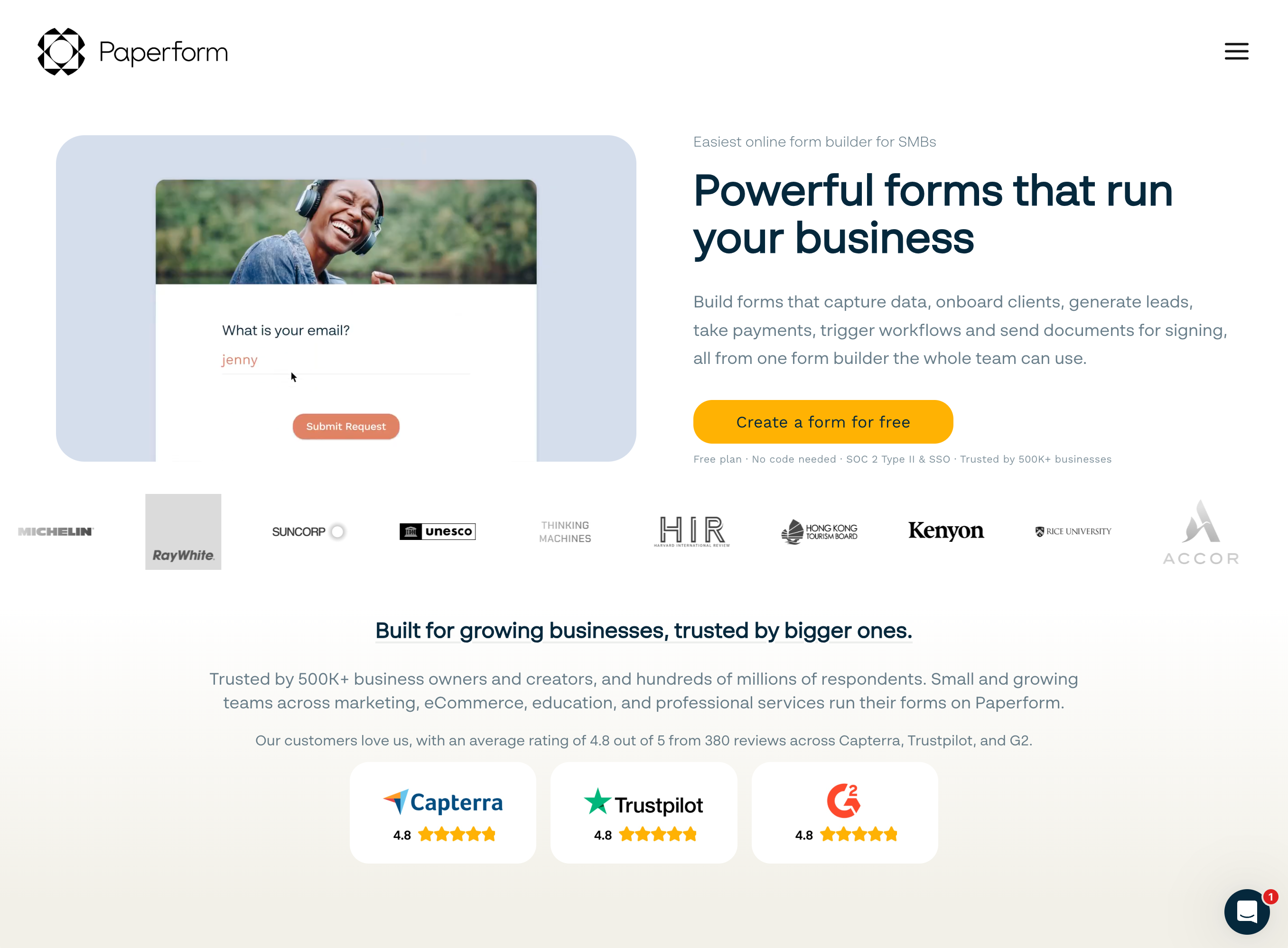
Paperform is the alternative that closes Formstack's payments gap outright. Where Formstack gives you three processors and a product field, Paperform gives you a storefront: five gateways, products with variations and stock levels, recurring billing, discount codes, pricing rules, region-based tax and refunds issued from the submission record. More than $173M has been processed through it, and Paperform adds no transaction fee of its own, so the only cut taken is the processor's. Excel-style calculations price the order as the respondent fills it in, then decide what they see next, which confirmation email sends and what lands in the CRM. An order form, a ticket sale and a deposit against a quote stay one submission rather than three systems reconciled on Friday.
The second argument is the one Formstack's price sheet makes for us. Formstack charges per builder user, one on the $83/month plan and three on the $250/month plan, so involving your colleagues is a billing event and the ops lead ends up building everyone's forms to keep the seat count down. Paperform has no per-seat pricing at any tier. Seats are unlimited on every plan, one seat covers all three products, and submissions are unlimited on paid plans within fair use, so growth is not a line item. One subscription also covers Papersign for eSignatures and Stepper for workflow automation, which is the $250/month Suite bundle reproduced at $49/month with no delivery cap at 250. Paperform has been bootstrapped and profitable since 2016 with one product line, against Formstack's private-equity ownership and a roadmap moving into a separate stack.
- Strengths over Formstack: 5 payment gateways with a full eCommerce engine and no transaction fees, no per-seat pricing at any tier, unlimited submissions and forms, Papersign and Stepper in the same subscription, document-style editor, AI-assisted Excel-style calculations that drive logic across the whole form, appointment booking and scoring fields, 9,800+ integrations, 30,000+ templates
- Limitations: Not HIPAA compliant and signs no BAAs, no mobile editor, no tier below $49/month billed annually, Stepper automation credits are metered at 20,000/month on Pro, no native Salesforce product to match Formstack's, a much smaller review footprint
- Best for: Teams whose forms collect money and then start a process, with more than one person building them
 #2 Jotform — Best for Maximum Payment Processor Coverage
If the reason you are leaving Formstack is that your customers pay through something other than Stripe, PayPal or Authorize.net, Jotform ends the search quickly. It connects to more than 30 processors, including regional gateways that matter outside the US, and they are available on every plan rather than gated behind a tier. It carries HIPAA with a signed BAA on Gold at $99/month annually, plus SOC 2, ISO 27001, PCI DSS Level 1, FERPA and StateRAMP, so nothing in Formstack's compliance column is out of reach. Founded in 2006, the same year as Formstack, and still bootstrapped.
The trade is that you swap one meter for more of them. Jotform counts submissions, forms, form views, submission storage, fields per form and signed documents, and every self-serve tier from Starter to Gold is single-user, which is no better than Formstack's one builder seat. Twenty years of accumulated features also show in the interface, which reviewers regularly describe as cluttered with settings buried in nested menus. Bronze at $34/month annually buys 1,000 submissions, so the cap you disliked on Formstack is still there at a lower price. Our Jotform alternatives page goes through the quota structure in detail.
- Strengths over Formstack: 30+ payment processors on every plan, HIPAA included in the Gold price rather than quoted as an add-on, ISO 27001 and PCI DSS Level 1, 150+ native integrations, native mobile apps with a mobile form editor, far cheaper entry at $34/month annually
- Limitations: Single-user on every self-serve tier, submissions, forms, views and storage all metered, cluttered editor, no eCommerce layer behind the processors, quality varies across an enormous feature surface
- Best for: Businesses taking payments through gateways Formstack does not support, especially outside the US
 #3 Cognito Forms — Best for Heavy Calculations and Published HIPAA Pricing
Cognito Forms undercuts Formstack on the two things Formstack charges most for. HIPAA compliance with a BAA is included on Enterprise at a published $149/month billed annually, against Formstack's unpublished add-on on top of $83, and the calculation engine handles repeating sections and line-item order tables that Formstack's calculating fields handle awkwardly. Payments are stronger too: Cognito Pay processes cards natively alongside Stripe, with PayPal and Square from the $99/month annual Business tier, and Apple Pay and Google Pay in the mix. It is SOC 2 and GDPR compliant and hosted on Azure.
Two things to weigh. The first is that Cognito meters four separate ways, on entries, users, storage and guest collaborators, each with its own overage, so Pro stops at 2,000 entries and 1 user with extra people at $5 each per month. That is a different shape of meter from Formstack's, not the absence of one. The second is design: forms built here look like forms from a decade ago unless someone writes CSS, which is a real step down if you were using Formstack's themes to keep things on-brand. See our Cognito Forms alternatives breakdown for the full picture.
- Strengths over Formstack: HIPAA and a BAA on Enterprise at a published $149/month annually with no add-on quote, deeper calculations with repeating sections and line items, native card processing plus Apple Pay and Google Pay, far lower entry price, a genuinely free tier
- Limitations: Dated visual design, metered on entries, users, storage, guests and API requests, small company at 11 to 50 people with private-equity backing, no standalone eSignature product
- Best for: Regulated teams whose forms are really pricing calculators and who cannot justify Formstack's HIPAA add-on
 #4 Typeform — Best If the Problem Was How Formstack Looks
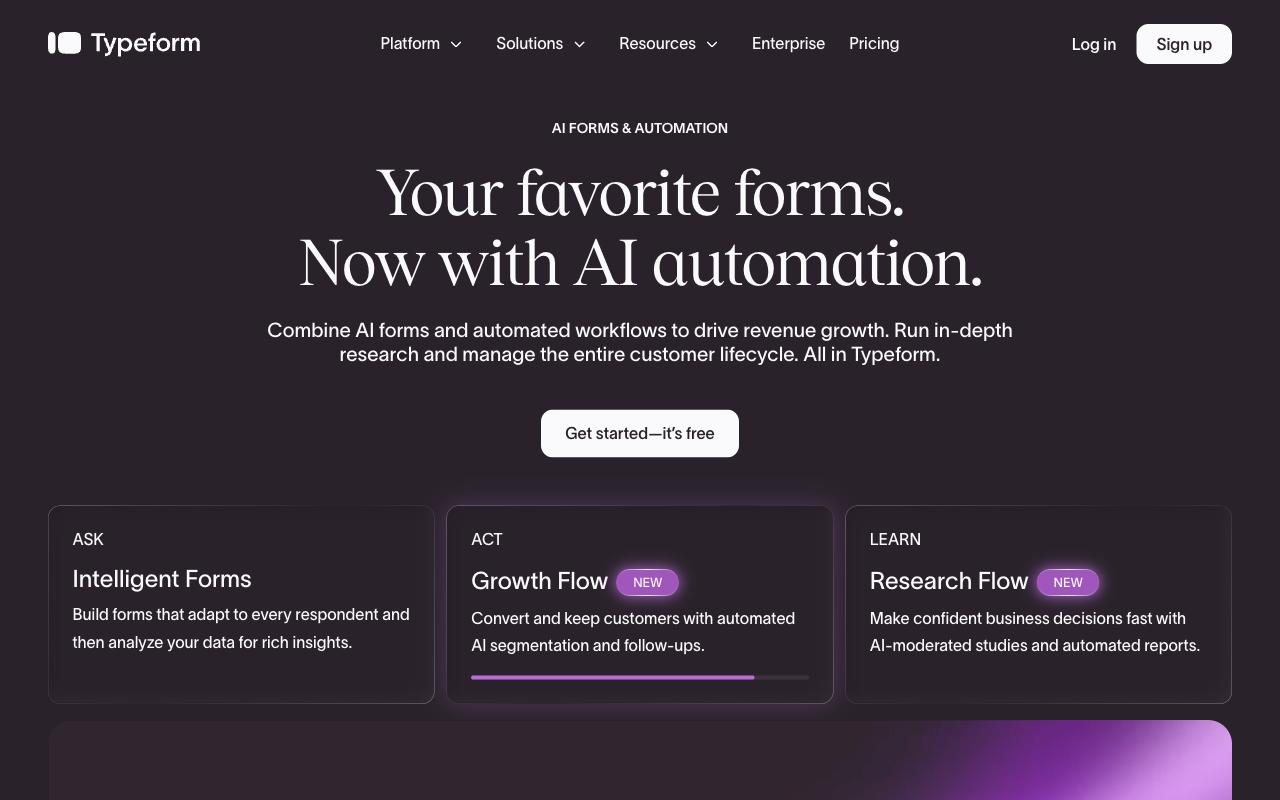
A recurring complaint about Formstack is that the builder and the forms it produces feel dated, with reviewers describing the interface as stuck in 2017. Typeform is the direct answer to that specific grievance. Its guided, one-question-at-a-time format is the reference implementation, the defaults look good without design work, and it carries ISO 27001, 27017, 27018 and ISO/IEC 42001 alongside HIPAA on its custom-priced Enterprise plan. It is also the most reviewed product here by a wide margin, which helps when someone internal asks whether anyone else uses it.
Then the meter, which is harsher than Formstack's rather than lighter. Basic is $28/month annually for 100 responses and 1 user, Plus gives 1,000 responses and 3 users, and Business at $91/month annually gives 10,000 and 5. Growth Flow at $266/month annually raises neither. Payments run through Stripe and PayPal with native subscriptions added in August 2026, but no product catalogue and coupons only as a manual calculation workaround, which is a step backwards from Formstack's position. Logic and calculations are on every plan, including Free. Our Paperform vs Typeform comparison covers that cap structure in detail.
- Strengths over Formstack: Modern conversational respondent experience, strong defaults with no design work, ISO 27001 and ISO/IEC 42001 certification, much larger review base, cheaper entry at $28/month annually
- Limitations: Responses and seats capped on every plan, Stripe and PayPal only, no eCommerce layer, Series C funded with investors to answer to
- Best for: Marketing teams running short, high-value forms where presentation drives completion and volume is low
 #5 SurveyMonkey — Best If the Forms Are Really Research
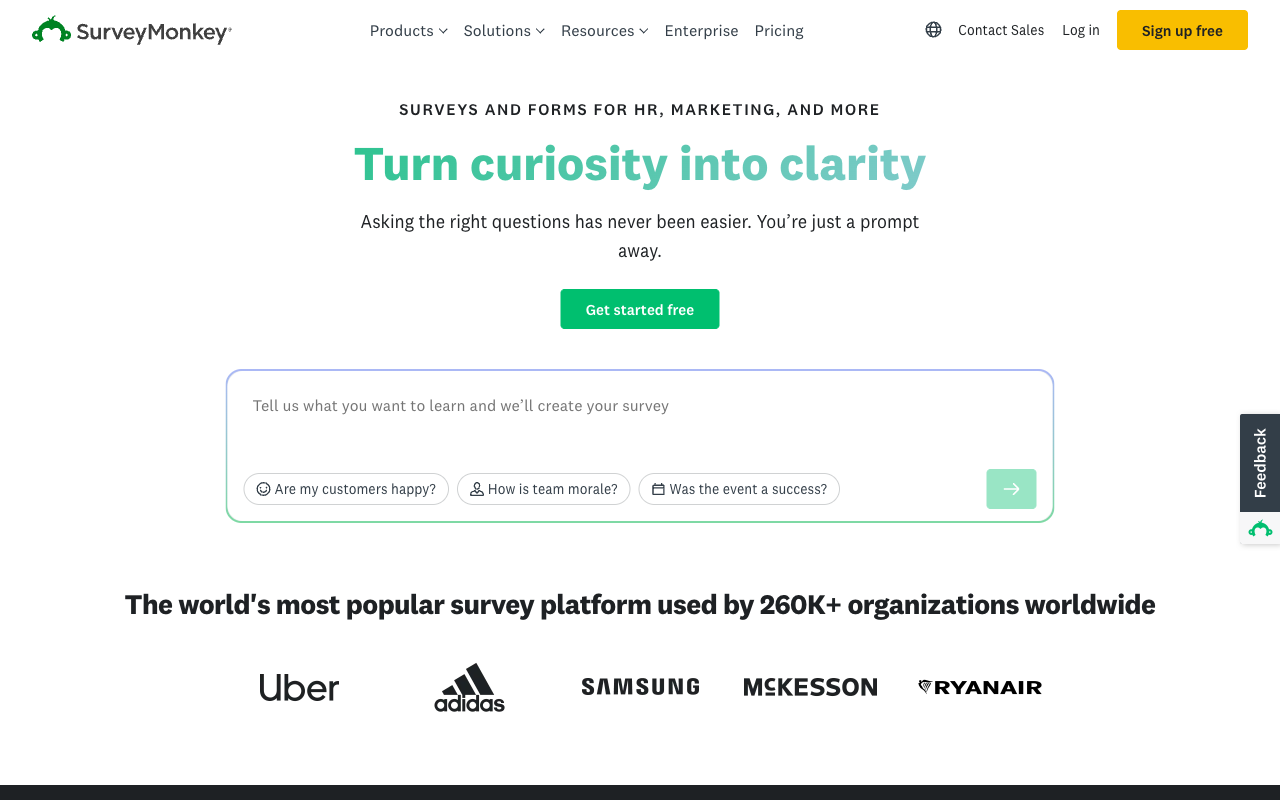
Some Formstack accounts are not really running forms at all, they are running surveys with a form builder attached. If that is you, SurveyMonkey is the better instrument: question banks built by methodologists, cross-tabulation and significance testing, AI-assisted analysis, and a 335-million-person panel you can buy responses from. It is HIPAA, GDPR, SOC 2, ISO 27001 and PCI DSS 4.0 compliant, founded in 1999, and carries more reviews than every other product on this page combined.
It is a poor swap for transactional work. Payments run through Stripe and PayPal with no Square, no Braintree, no subscriptions, no coupons and no tax, which is weaker than Formstack's position rather than an improvement on it. Responses are capped on every plan with a $0.15 charge for each one over, team plans start at three paid users and Enterprise at five, and every paid plan except the $149/month Standard Monthly is an annual commitment. It is owned by private equity firm Symphony Technology Group. Choose it for research, not for collecting orders.
- Strengths over Formstack: Genuine survey methodology and statistical analysis, AI-driven insights, a buyable respondent panel, ISO 27001, the largest review base in the category
- Limitations: Two payment processors with no eCommerce, $0.15 per response over the cap, seats sold in blocks of three or more, annual commitment on every paid plan but the $149/month Standard Monthly, weak as a general-purpose form builder
- Best for: Insight and research teams who need defensible survey data rather than an intake and payment workflow
 #6 Google Forms — Best for Internal Intake You Should Never Have Paid For
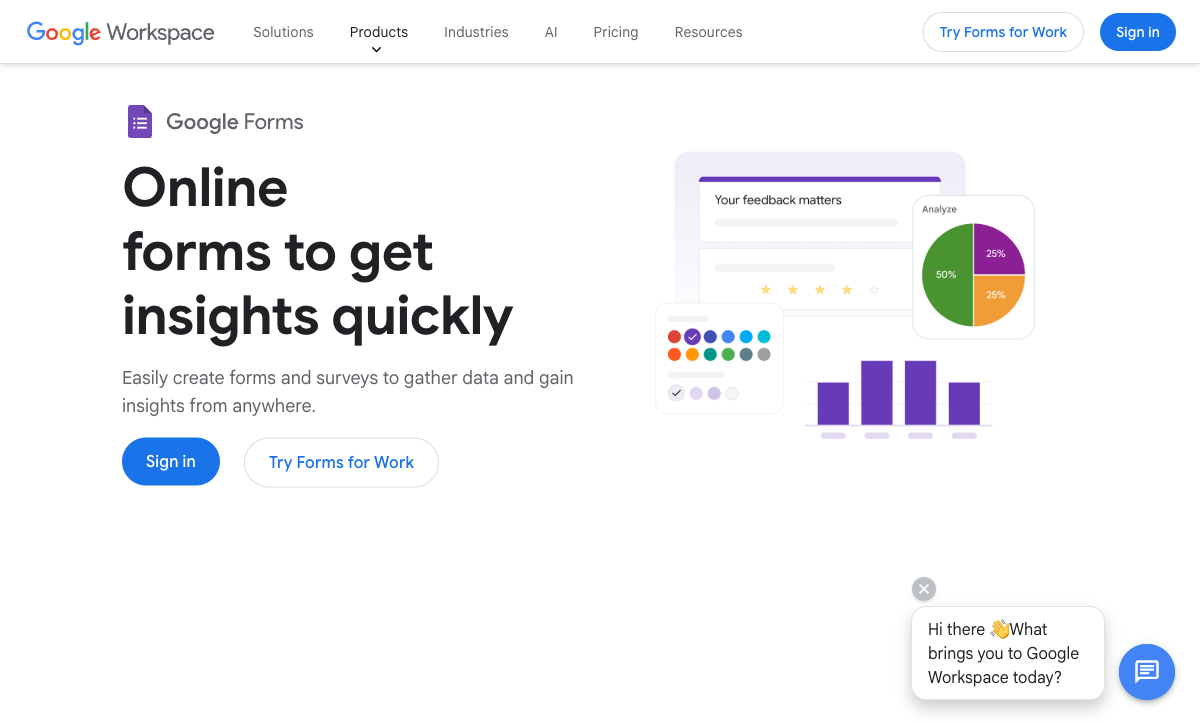
A meaningful share of Formstack's 25-form allowance in most accounts is internal: leave requests, IT tickets, event sign-ups, feedback after a training session. None of that needs an $83/month platform. Google Forms allows unlimited forms with up to 500,000 responses each, is included with Workspace from $7 per user per month, HIPAA-eligible under a BAA, and covered by SOC 2, ISO 27001 and FedRAMP through Google Cloud, with SSO and admin controls already configured by your IT team. Moving the internal half of the portfolio there can pay for the replacement of the other half.
For anything customer-facing it is not a contender. There are no payments of any kind, roughly 20 integrations confined to the Google ecosystem, no calculations worth the name, no custom domains, no branding control and a respondent experience nobody mistakes for your website. Our Google Forms alternatives page covers where that ceiling sits.
- Strengths over Formstack: Unlimited forms with up to 500,000 responses each, no incremental cost inside Workspace, HIPAA-eligible under a BAA, FedRAMP and ISO 27001 through Google Cloud, SSO already in place, nothing to learn
- Limitations: No payments at all, no meaningful calculations or workflow, about 20 integrations, no design control or custom domains, no document generation, and eSignature only through Docs on Business Standard and up
- Best for: The internal forms currently eating your Formstack quota for no good reason
See Them in Action
Two independent videos worth watching before you decide. The first shows how Formstack joins forms to document generation, which is the part of the suite people rate most highly. The second reviews Formstack Sign, the product you reach at $250/month.
Full Feature Comparison
Every feature across Formstack and its alternatives, grouped by category. The payments rows are where the gap is widest, and the pricing-model rows are where it compounds.
| Feature | Formstack | Paperform | Jotform | Cognito Forms | Typeform | SurveyMonkey | Google Forms |
|---|---|---|---|---|---|---|---|
| Form Building | |||||||
| AI form builder . Describe the form you need in plain language and the tool drafts the questions for you. | Yes forms | Yes | Yes starter | Yes | Yes | Yes | Yes Business Standard |
| Templates . The number of ready-made form templates in the tool’s template gallery. | Yes forms | 30,000+ | 20,000+ (starter) | Yes | 3,000+ | 500+ (Individual Standard) | 20+ |
| Field types . How many kinds of question or input field the form builder offers, such as text, dropdown, date, file upload and signature. | 20+ (forms) | 26+ | 30+ (starter) | 20+ | 20+ | 20+ | 12 |
| Conditional logic . Show, hide or skip questions and pages based on how someone has answered earlier questions. | Yes forms | Yes | Yes starter | Yes | Yes | Yes Individual Standard | Yes |
| Calculations . Compute totals, scores, prices or dates from answers while the form is being filled in. | Yes forms | Yes pro | Yes starter | Yes | Yes | No | No |
| Multi-page forms . Split a long form across several pages that respondents move through in order. | Yes forms | Yes | Yes starter | Yes | Yes | Yes | Yes |
| One question at a time . A conversational layout that shows a single question per screen, popular for surveys on mobile. | Yes forms | Yes | Yes starter | Yes | Yes | Yes | Not recorded |
| Answer piping . Insert a respondent’s earlier answer, such as their name, into later questions or text on the form. | Yes forms | Yes | Yes starter | Yes | Yes | Yes Individual Advantage | Not recorded |
| Pre-filling and hidden fields . Fill in answers ahead of time from a link or existing data, and pass along values the respondent never sees. | Yes forms | Yes | Yes starter | Yes | Yes | Yes Individual Advantage | Yes |
| File uploads . Let respondents attach files such as documents and photos to their submission. | Yes forms | Yes | Yes starter | Yes | Yes basic | Yes Individual Advantage | Yes |
| E-signatures . Collect a signature, either with a signature field on the form or by sending a document out to be signed. | Yes forms | Yes | Yes starter | Yes pro | Yes growth flow | No | Yes Business Standard |
| Appointment booking . Let respondents pick and book a time slot directly in the form, with availability managed by the tool. | Not recorded | Yes | Yes starter | Yes team | Yes business | No | Yes |
| Quiz scoring . Give answers point values so the form can score quizzes and assessments automatically. | Yes forms | Yes pro | Yes starter | Yes | Yes | Yes | Yes |
| Save and resume . Respondents can leave a form part-way through and come back later to finish it. | Yes forms | Yes | Yes starter | Yes pro | Yes | Yes Individual Advantage | Yes |
| Close forms by date or response limit . Stop accepting submissions automatically on a set date or once a set number of responses has arrived. | Yes forms | Yes pro | Yes starter | Yes | Yes business | Yes Individual Advantage | Yes |
| Payments | |||||||
| Payment gateways . The number of payment processors a form can take payments through. Where a vendor’s full count isn’t recorded, the cell lists the gateways we confirmed. | 3 (forms) Stripe, Authorize.net, PayPal | 5 Stripe, PayPal, Square, Braintree, Google Pay | 34 (starter) options in its builder, incl. Stripe, PayPal, Square, Braintree | 5 Cognito Pay, Stripe, PayPal, Square, Google Pay | 2 (basic) Stripe, PayPal | 2 (Individual Advantage) Stripe, PayPal | No |
| Subscriptions and recurring payments . Charge respondents on a repeating schedule, such as monthly or annually, from a form. | Yes forms | Yes pro | Yes starter | No | Yes basic | No | No |
| Product sales . Sell products from a form, with product listings, quantities and an order total. | Yes forms | Yes pro | Yes starter | Yes | Yes basic | No | No |
| Conditional pricing . Change the price or add fees automatically based on the answers given in the form. | Yes forms | Yes pro | Yes starter | Yes | Yes basic | Yes Individual Advantage | No |
| Coupons and discounts . Offer discount codes that respondents can apply to a payment or subscription on the form. | Yes forms | Yes pro | Yes starter | Yes | Yes basic | No | No |
| Tax calculations . Add sales tax to payments on the form automatically. | Not recorded | Yes | Yes starter | Yes | Not recorded | No | No |
| Refunds . Refund a payment from inside the form tool rather than going to the payment processor. | Not recorded | Yes | No | Yes | No | No | No |
| Design & Customization | |||||||
| Custom themes . Set your own logo, colours and fonts on forms and save them as reusable themes. | Yes forms | Yes pro | Yes starter | Yes pro | Yes basic | Yes Individual Standard | Yes |
| Custom CSS . Add your own CSS (and in some tools HTML) for styling beyond the built-in theme options. | Yes forms | Yes pro | Yes starter | Yes pro | No | Yes enterprise | No |
| Remove vendor branding . Remove the form builder’s own logo or badge so forms carry only your branding. | Yes forms | Yes pro | Yes bronze | Yes pro | Yes plus | Yes Individual Premier | No |
| Custom domain . Host forms on your own domain, such as forms.yourcompany.com, instead of the vendor’s. | Yes | Yes business | Yes enterprise | No | Yes enterprise | No | No |
| Custom form URL . Choose a readable link for a form instead of a random string. | Yes forms | Yes pro | Yes starter | Yes | Yes plus | Yes Individual Standard | No |
| Emails from your own domain . Send notification and confirmation emails from your own email domain instead of the vendor’s. | Yes | Yes business | Yes starter | Yes team | Yes plus | Yes enterprise | Yes Business Starter |
| Multi-language forms . Show a form’s questions, buttons and messages in languages other than English. | Yes forms | Yes | Yes starter | Yes pro | Yes business | Yes Individual Premier | Not recorded |
| Analytics | |||||||
| Response reports . Built-in summaries and charts of the answers a form has collected. | Yes forms | Yes | Yes starter | Yes | Yes | Yes | Yes |
| Form analytics (views and drop-off) . Track how many people view, start and finish a form, and where they abandon it. | Yes forms | Yes pro | Yes starter | Not recorded | Yes business | Not recorded | No |
| Partial submissions . See the answers people entered before leaving a form without submitting it. | No | Yes pro | No | Not recorded | Yes basic | Yes Individual Advantage | No |
| Google Analytics and Meta Pixel . Connect a form to Google Analytics or the Meta (Facebook) Pixel to track visits and conversions. | No | Yes pro | Yes starter | Yes pro | Yes business | Not recorded | Not recorded |
| Custom tracking scripts . Add your own analytics or conversion-tracking scripts to a form. | Not recorded | Yes pro | No | No | Yes business | Not recorded | Not recorded |
| AI response insights . AI-written summaries and insights generated from the responses a form has collected. | Not recorded | Yes pro | Yes starter | Not recorded | Yes growth flow | Yes Individual Advantage | Yes Business Standard |
| Collaboration | |||||||
| Team members . Invite colleagues into the same account to build forms and work with responses together. | Yes forms | Unlimited | Yes enterprise | Yes pro | Yes plus | Yes Team Advantage | Yes |
| Roles and permissions . Give team members different levels of access, such as admin, editor or viewer. | Yes forms | Yes business | Yes enterprise | Yes pro | Yes plus | Yes Team Advantage | Yes |
| Advanced permissions and admin controls . Fine-grained, organisation-wide controls over who can access what, usually on enterprise plans. | Yes enterprise | Yes enterprise | Yes enterprise | Yes business | Yes enterprise | Yes enterprise | Yes Business Starter |
| Workspaces . Separate spaces or folders for organising forms by team, client or project. | Yes forms | Yes | Yes enterprise | Yes pro | Yes | Yes | Yes |
| Security | |||||||
| Two-factor authentication . Users can protect their login with a second step, such as a code from an authenticator app. | Yes forms | Yes | Yes starter | Yes | Yes | Yes | Yes |
| Require 2FA for the whole team . Admins can make two-factor authentication mandatory for everyone in the account. | Yes forms | Yes business | Yes enterprise | Yes enterprise | Not recorded | Yes enterprise | Yes Business Starter |
| SSO (SAML) . Team members sign in through your company’s identity provider, such as Okta or Microsoft Entra ID, using SAML single sign-on. | Yes enterprise | Yes business | Yes enterprise | Yes enterprise | Yes enterprise | Yes enterprise | Yes Business Starter |
| HIPAA compliance . Whether the vendor supports collecting US protected health information under HIPAA, typically by signing a business associate agreement on an eligible plan. | Yes enterprise | No | Yes gold | Yes enterprise | Yes enterprise | Yes enterprise | Yes Business Starter |
| SOC 2 . Whether the vendor holds a SOC 2 audit report covering its security controls. | Yes | Yes | Yes enterprise | Yes | Yes | Yes | Yes Business Starter |
| GDPR . Whether the vendor states that it complies with the EU General Data Protection Regulation. | Yes forms | Yes | Yes starter | Yes | Yes | Yes | Yes Business Starter |
| Data residency . Choose the region, such as the EU, where your form data is stored. | No | Yes enterprise | Yes starter | No | Yes enterprise | Yes enterprise | Yes Business Standard |
| Store files in your own S3 bucket . Send uploaded files and exports to your own Amazon S3 storage instead of the vendor’s. | Yes forms | Yes business | Not recorded | No | Not recorded | Not recorded | No |
| Spam protection (CAPTCHA) . Block bot and spam submissions with reCAPTCHA or a similar challenge. | Yes forms | Yes | Yes starter | Yes | Yes plus | Yes | Not recorded |
| Integrations & API | |||||||
| Native integrations . Apps the tool connects to directly, without going through a third-party connector such as Zapier or Make. | Not recorded | 500+ | 150+ (starter) | 28 | 300+ | 200+ | Yes |
| Zapier . Connect forms to thousands of other apps through Zapier. | Yes forms | Yes | Yes starter | Yes pro | Yes | Yes | Yes |
| Make . Connect forms to other apps through Make (formerly Integromat). | Not recorded | Yes | Yes starter | Yes pro | Yes | Yes | Yes |
| Workflow automation . A built-in builder for multi-step automations that act on submissions, such as approvals, routing and syncing data to other systems. | Yes suite | Yes | Yes starter | Yes team | Yes growth flow | Not recorded | Yes Business Starter |
| Webhooks . Send each new submission to a URL of your choice as soon as it arrives. | Yes forms | Yes pro | Yes starter | Yes pro | Yes basic | Yes enterprise | No |
| API access . A developer API for reading forms and submissions, or managing them, from your own code. | Yes enterprise | Yes pro | Yes starter | Yes pro | Yes | Yes enterprise | Yes |
| MCP server / AI assistant connector . An official connector, such as an MCP server, that lets AI assistants like Claude or ChatGPT work with your forms and responses. | Not recorded | Yes | Yes starter | Yes pro | Yes | Yes | Not recorded |
| WordPress plugin . A plugin for adding forms to a WordPress site. | Yes forms | Yes | Yes starter | Yes | No | No | No |
— means we haven't recorded it for that tool.
Pricing Comparison
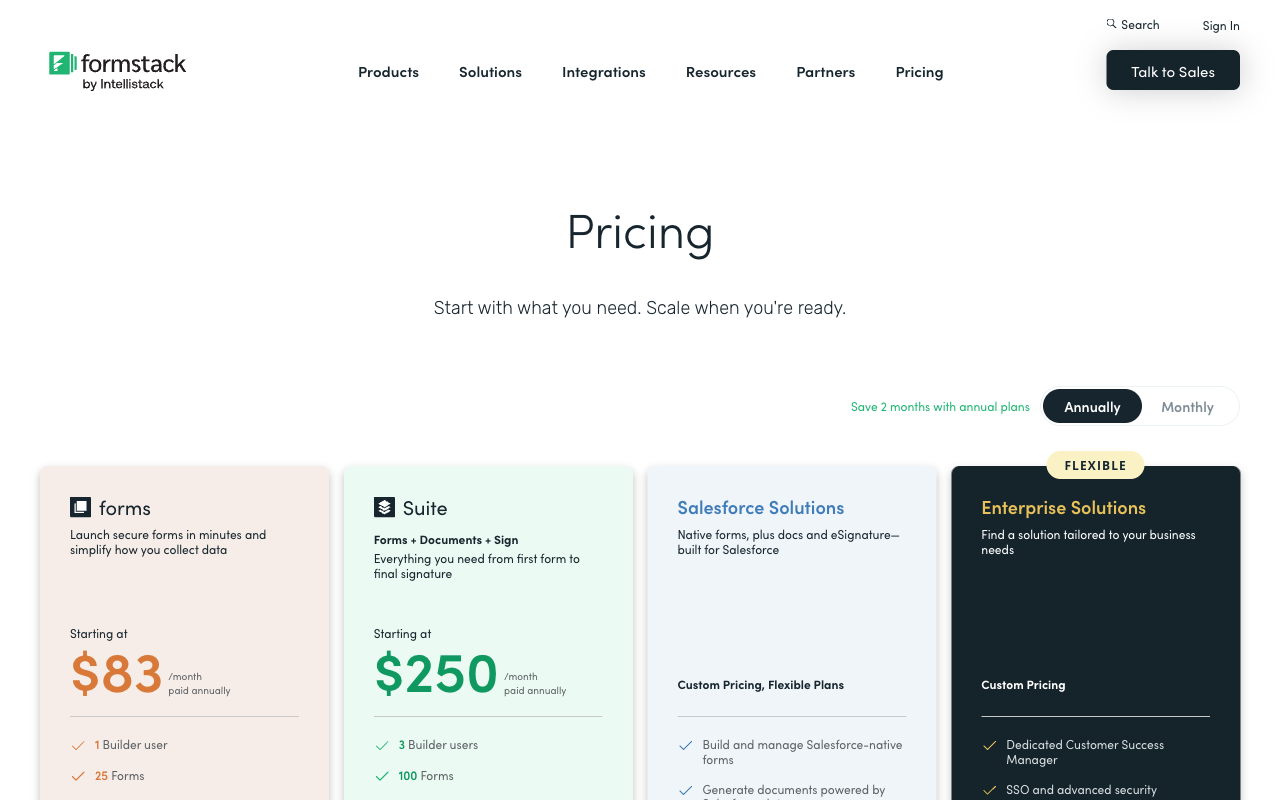
Formstack has no free plan and no tier below $83/month billed annually, and that plan includes one builder user. Read the table for what each step buys in seats and submissions rather than for the headline figure.
What will it cost you?
Paperform plans
- FreeFreeForms Unlimited, Submissions 30/month, Team Unlimited, Storage Unlimited
- ProMatches$49/moForms Unlimited, Submissions Unlimited, Team Unlimited, Storage Unlimited
- Business$124/moForms Unlimited, Submissions Unlimited, Team Unlimited, Storage Unlimited
| Plan | Price | Forms | Submissions | Team | Storage |
|---|---|---|---|---|---|
| Free | Free | Unlimited | 30/month | Unlimited | Unlimited |
| ProMatches | $49/mo | Unlimited | Unlimited | Unlimited | Unlimited |
| Business | $124/mo | Unlimited | Unlimited | Unlimited | Unlimited |
Formstack plans
- Forms$83/moForms 25, Submissions 1,000/form, Team 1, Storage 2 GB
- SuiteCheck limits$250/moForms 100, Submissions 5,000/form, Team 3, Storage 10 GB
| Plan | Price | Forms | Submissions | Team | Storage |
|---|---|---|---|---|---|
| Forms | $83/mo | 25 | 1,000/form | 1 | 2 GB |
| SuiteCheck limits | $250/mo | 100 | 5,000/form | 3 | 10 GB |
| Product | Plan | Monthly Price | Annual Price (per month) | Free Plan | Free Trial | Limits |
|---|---|---|---|---|---|---|
| Formstack | Forms | $99/mo | $83/mo billed annually | No | 14 days | forms: 25, submissions: 1,000/form, storage: 2 GB, users: 1, file uploads: 2 GB |
| Formstack | Suite | $299/mo | $250/mo billed annually | forms: 100, submissions: 5,000/form, storage: 10 GB, users: 3, file uploads: 10 GB | ||
| Paperform | Free | Free | Free | Yes | 7 days | forms: Unlimited, submissions: 30/month, storage: Unlimited, users: Unlimited, file uploads: 100 MB |
| Paperform | Pro | $59/mo | $49/mo billed annually | forms: Unlimited, submissions: Unlimited, storage: Unlimited, users: Unlimited, file uploads: 10 GB | ||
| Paperform | Business | $149/mo | $124/mo billed annually | forms: Unlimited, submissions: Unlimited, storage: Unlimited, users: Unlimited, file uploads: 100 GB | ||
| Jotform | Starter | Free | Free | Yes | No | forms: 5, submissions: 100/month, storage: 100 MB, users: 1 |
| Jotform | Bronze | $39/mo | $34/mo billed annually | forms: 25, submissions: 1,000/month, storage: 1 GB, users: 1 | ||
| Jotform | Silver | $49/mo | $39/mo billed annually | forms: 50, submissions: 2,500/month, storage: 10 GB, users: 1 | ||
| Jotform | Gold | $129/mo | $99/mo billed annually | forms: 100, submissions: 10,000/month, storage: 100 GB, users: 1 | ||
| Cognito Forms | Individual (Free) | Free | Free | Yes | 14 days | forms: Unlimited, submissions: 100 entries/month, storage: 100 MB, users: 1 |
| Cognito Forms | Pro | $24/mo | $19/mo billed annually | forms: Unlimited, submissions: 2,000 entries/month, storage: 1 GB, users: 1 | ||
| Cognito Forms | Team | $62/mo | $49/mo billed annually | forms: Unlimited, submissions: 10,000 entries/month, storage: 10 GB, users: 5 | ||
| Cognito Forms | Business | $129/mo | $99/mo billed annually | forms: Unlimited, submissions: 25,000 entries/month, storage: 50 GB, users: 10 | ||
| Cognito Forms | Enterprise | $199/mo | $149/mo billed annually | forms: Unlimited, submissions: Unlimited, storage: 100 GB, users: 20 | ||
| Typeform | Free | Free | Free | Yes | 14 days | forms: Unlimited, submissions: 10/month, users: 1 |
| Typeform | Basic | $39/mo | $28/mo billed annually | forms: Unlimited, submissions: 100/month, storage: 1 GB, users: 1 | ||
| Typeform | Plus | $79/mo | $56/mo billed annually | forms: Unlimited, submissions: 1,000/month, storage: 2 GB, users: 3 | ||
| Typeform | Business | $129/mo | $91/mo billed annually | forms: Unlimited, submissions: 10,000/month, storage: 4 GB, users: 5 | ||
| Typeform | Growth Flow | $379/mo | $266/mo billed annually | forms: Unlimited, submissions: 10,000/month, storage: 4 GB, users: 5 | ||
| Typeform | Talent | $169/mo | $119/mo billed annually | forms: Unlimited, submissions: 3,000/month, users: 3 | ||
| SurveyMonkey | Basic (Free) | Free | Free | Yes | No | forms: Unlimited, submissions: Limited per survey (exact number now only shown after sign-up/login), storage: N/A, users: 1 |
| SurveyMonkey | Individual Standard | $149/mo | Not listed | forms: Unlimited, submissions: 1,000/month, storage: N/A, users: 1 | ||
| SurveyMonkey | Individual Advantage | Annual billing only | $39/mo billed annually | forms: Unlimited, submissions: 15,000 per year, storage: N/A, users: 1 | ||
| SurveyMonkey | Individual Premier | Annual billing only | $139/mo billed annually | forms: Unlimited, submissions: 40,000 per year, storage: N/A, users: 1 | ||
| SurveyMonkey | Team Advantage | Annual billing only | $30/mo billed annually | forms: Unlimited, submissions: 50,000 per year (shared), storage: N/A, users: 3 minimum | ||
| SurveyMonkey | Team Premier | Annual billing only | $92/mo billed annually | forms: Unlimited, submissions: 100,000 per year (shared), storage: N/A, users: 3 minimum | ||
| Google Forms | Free (Personal) | Free | Free | Yes | 14 days | forms: Unlimited, submissions: 500,000 per form, storage: 15 GB (shared across Google Drive), users: 1, file uploads: Count against the owner's 15 GB Google Account storage |
| Google Forms | Business Starter | $8.4/mo | $7/mo billed annually | forms: Unlimited, submissions: 500,000 per form, storage: 30 GB per user, users: Up to 300, file uploads: Count against the owner's pooled Drive storage | ||
| Google Forms | Business Standard | $16.8/mo | $14/mo billed annually | forms: Unlimited, submissions: 500,000 per form, storage: 2 TB per user, users: Up to 300, file uploads: Count against the owner's pooled Drive storage | ||
| Google Forms | Business Plus | $26.4/mo | $22/mo billed annually | forms: Unlimited, submissions: 500,000 per form, storage: 5 TB per user, users: Up to 300, file uploads: Count against the owner's pooled Drive storage |
Review Ratings Across Platforms
Formstack Forms rates 4.3 on G2 across 471 reviews and 4.0 on Capterra across roughly 126, where value for money sits at 3.7 and customer support at 3.6. Its Trustpilot score of 1.6 from 24 reviews is low volume and not statistically strong, but the complaints cluster around billing and cancellation rather than the product.
Verdict: Which Formstack Alternative Should You Choose?
Start by naming which meter is hurting. Formstack bills per builder user, per form, per submission on that form and per document delivered, and different teams run into different walls first.
If the wall is money moving through the form, Paperform is the recommendation. Five gateways against three, a real eCommerce engine behind them with subscriptions, coupons, tax and refunds, no transaction fee of Paperform's own, and calculations that price the order live and then drive everything downstream of it. The pricing model is the other half of the case: no per-seat charge at any tier, unlimited submissions, and Papersign plus Stepper in the $49/month annual subscription rather than a $250/month bundle with a 250-document cap. It costs more than Cognito Forms or Typeform at the door and it is not HIPAA compliant, so say so plainly if that is your constraint.
If the wall is narrower, take the tool that removes it. Jotform when your customers pay through a gateway Formstack has never heard of. Cognito Forms when you need heavy line-item calculations on a small budget, or HIPAA at a published price. Typeform when the builder's age was the actual complaint and volumes are low. SurveyMonkey when the work is research rather than intake. Google Forms for the internal forms that should never have been on a paid plan.
And if Salesforce is the centre of everything and HIPAA is non-negotiable, stay on Formstack. Its native Salesforce products are the deepest here and nothing on this page replaces them. For everyone else, the honest test is to rebuild your highest-value form somewhere else and see what the commerce logic costs you. Paperform's 7-day trial needs no card, and there are 30,000+ templates to start from. If you want the wider field first, our best form builders roundup ranks the whole category.
Frequently Asked Questions
Which Formstack alternative can take payments through more than Stripe, PayPal and Authorize.net?
Formstack processes card payments through Stripe, PayPal and Authorize.net, with no Square, no Braintree and no native Google Pay. It handles product fields, recurring billing and discount codes, but its commerce logic stops at a calculated total. Paperform runs five gateways natively (Stripe, PayPal, Square, Braintree and Google Pay) with products, subscriptions, coupons, custom pricing rules, tax and refunds behind them, and charges no transaction fee of its own on top of the processor's. Jotform is the other serious answer, with 30+ processors including regional gateways on every plan. Cognito Forms has its own Cognito Pay card processing plus Stripe, adding PayPal and Square from the Business tier at $99/month annually.
Can I sell products or run subscription billing from a Formstack form?
Within limits. Formstack's Event and Product fields carry a price and a limited quantity with sold-out handling, recurring billing runs through Stripe, PayPal or Authorize.net, and discount codes work on payment forms. Calculating fields can work out a total, but everything after the total lands in a second system. Paperform treats the form as the storefront: a product field with variations and stock, subscriptions, discount codes, region-based tax and refunds issued from the submission record, with Excel-style calculations pricing the order live and then deciding which confirmation fires, which page the buyer lands on and what reaches the CRM. For order forms, event ticketing and productised services, that is the difference between one tool and three.
Does Formstack charge per user, and which alternatives do not?
Formstack sells builder seats: the $83/month annual Forms plan includes one, and the $250/month annual Suite plan includes three. Adding the ops lead, the designer and the person who signs off means moving up the price sheet or negotiating an Enterprise quote. Paperform has no per-seat pricing at any tier. Users are unlimited on Pro and Business, and one seat covers forms, Papersign eSignatures and Stepper workflow automation, so a person who uses all three counts once. Business at $124/month annually adds admin and user roles with per-member, per-product access. Among the other options here, Typeform caps seats on every plan, Jotform is single-user on every self-serve tier, Cognito Forms charges $5 per extra user per month, and SurveyMonkey team plans start at three paid users.
Is there a HIPAA-compliant form builder cheaper than Formstack?
Yes, several. Formstack supports HIPAA, but as a paid add-on on the Forms and Suite plans with an unpublished price, included by default only on its Salesforce and Enterprise solutions, so the real HIPAA number starts above $83/month and requires a sales conversation. Jotform includes HIPAA with a signed BAA on Gold at $99/month annually. Cognito Forms includes HIPAA with a BAA on Enterprise at $149/month annually ($199 monthly), a published price rather than a quote. Typeform offers HIPAA on its custom-priced Enterprise plan, and Google Forms is HIPAA-eligible under a Workspace BAA. Be clear about Paperform: it is SOC 2 Type II, GDPR and CCPA compliant, but it is not HIPAA compliant and signs no BAAs, so protected health information rules it out.
What happens when a Formstack form passes 1,000 submissions?
The Forms plan meters submissions per form, at 1,000 each, across a maximum of 25 forms, and Suite raises that to 5,000 per form across 100 forms. The practical effect is that your best-performing form is the one that forces the upgrade: the campaign lands, the cap arrives mid-month, and the invoice grows because the work went well. Paperform does not meter submissions or forms at all on paid plans. Fair use means a conversation about plan fit if volume gets genuinely extreme, not a shutdown and not an overage line. If you would rather stay on a metered model, Jotform Bronze is $34/month annually for 1,000 submissions and Typeform Basic is $28/month annually for 100 responses.
Do I have to buy Formstack Suite at $250/month to get eSignatures?
For sending documents out for signature, yes, if you want it on the same account. The Forms plan has a signature field respondents can draw or type in, but Formstack Sign is bundled into Suite at $250/month billed annually ($299 monthly), which also caps document deliveries at 250 a month, or it can be bought as a separate product with its own contract. Paperform includes Papersign in every subscription: 25 signed documents a month on Pro at $49/month annually, 100 on Business at $124/month annually, with the Papersign API, bulk sending and signer verification from Pro up. Contracts are generated from the submission data and link back to the original form, so the audit trail is one record rather than two systems reconciled afterwards.
Is Formstack still worth it for Salesforce teams?
If Salesforce is the centre of the business, Formstack remains the strongest option on this page and we would not argue otherwise. Formstack for Salesforce is a native product with Experience Cloud integration and Salesforce Shield compatibility, and nothing here matches that depth. The caveat is price and scope: Salesforce Solutions is custom-quoted, HIPAA is included there rather than added on, and you are buying into a stack whose newer engineering is going into the separate Intellistack Streamline line. For teams that need Salesforce as one destination among many rather than the system everything orbits, Paperform reaches 9,800+ destinations through native connectors, Zapier, Make and Stepper on one subscription.
Who owns Formstack now, and does that affect the product?
Formstack was founded in 2006 in Indiana, is private-equity backed and now trades under the Intellistack brand after a June 2025 rebrand, alongside a separate contract lifecycle management stack. Document generation and eSignature arrived largely through acquisition, which is why they feel like adjacent products rather than one platform. The 2026 release notes are dominated by Streamline workflow items with little new capability in Formstack Forms itself. Paperform is ten years old, founded in 2016, bootstrapped and profitable, with one product line and no investor clock deciding where the engineering goes. That matters when the form becomes the front door to a process you will still be running in five years.
Why is Formstack rated 1.6 on Trustpilot but 4.3 on G2?
The two audiences are different and the volumes are small. Formstack Forms rates 4.3 from 471 reviews on G2 and 4.0 from roughly 126 on Capterra, where value for money sits at 3.7 and support at 3.6. Trustpilot shows 1.6 from 24 reviews with 88% one-star, and only three of those arrived in the last twelve months, so it is not statistically strong. What it does show is the shape of the complaints: billing disputes, cancellation friction and slow email-only support. Paperform rates 4.7 to 4.9 for support across platforms, with live chat in the seat price rather than an enablement fee produced at signing, though its total review count is far smaller than Formstack's.
How hard is it to move off Formstack, and what do I lose?
Getting the data out is easy: Formstack exports submissions to CSV, PDF, Word and Excel, and has a REST API. Forms themselves do not transfer, so the practical route is to export responses and rebuild. What you should check before committing is the list of fields you rely on, because Formstack lacks native appointment booking, a colour picker and Google address autocomplete, and teams often discover they had bolted a scheduler alongside the form. Paperform ships 26+ field types including appointment booking with Google Calendar sync and scoring, plus 30,000+ templates and a 7-day trial with no card, so a real workflow can be rebuilt and tested before any money moves. For a wider view of the market, see our best form builders roundup.
Sources & References
- Formstack Review 2026: Features, Pricing, Pros, and Cons — Signeasy, 2026
- Formstack Review 2025: Could It Be Right for You? — Website Planet, 2025
- Formstack Review: Pros, Cons, Features, and Pricing — The CX Lead, 2026
- Formstack Forms reviews and ratings — G2, 2026
Last updated November 17, 2026
Ready to try Paperform?
Create beautiful forms, payment pages, and workflows — no code required.
