
HTML
Living Standard — Last Updated 1 September 2026
Living Standard — Last Updated 1 September 2026
aおよびarea要素によって作成されるリンクaおよびarea要素に対するAPIalternate"author"bookmark"canonical"dns-prefetch"expect"external"help"icon"license"manifest"modulepreload"nofollow"noopener"noreferrer"opener"pingback"preconnect"prefetch"preload"privacy-policy"search"stylesheet"tag"terms-of-service"リンクは、a、area、formおよびlink要素で作成される概念的な構造で、2つのリソース(このうち1つは現在のDocument)の関係を表す。HTMLには3種類のリンクがある:
これは、現在の文書を補足する他のリソースへのリンクであり、多くの場合、ユーザーエージェントによって自動的に処理される。すべての外部リソースリンクは、リソースがどのように取得されるかを記述するフェッチして処理するリンクされたリソースアルゴリズムを持つ。
これは、通常ユーザーエージェントによってユーザーに向けて示されるリンクである。これによりユーザーは、たとえばブラウザーでのアクセスやダウンロードのような、ユーザーエージェントにリンクのリソースをナビゲートさせることができる。
これは、現在の文書内のリソースへのリンクであり、リソースに特別な意味や動作を与えるために使用される。
href属性とrel属性を同時に持つlink要素に対しては、リンクタイプの節における定義に従って、rel属性のキーワードが示す関係に見合ったリンクが作られなければならない。
href属性とrel属性を同時に持つa要素、area要素に対しても同様に、リンクタイプの節における定義に従って、rel属性のキーワードが示す関係に見合ったリンクが作られなければならない。ただし、link要素と異なり、rel属性を持たず、rel属性がハイパーリンクを生成すると定義される値も持たない、href属性を持つa要素やarea要素もまた、ハイパーリンクを作成しなければならない。このように暗黙の内に生成されるハイパーリンクは、リンク元の文書をhref属性によって示されるノード文書と結びつけること以上の意味を持たない(リンクタイプを持たない)。
同様に、rel属性を持つform要素の場合、リンクタイプの節でキーワードに対して定義されているとおりに、 rel属性のキーワードに対してリンクは作成されなければならない。rel属性を持たない、rel属性にハイパーリンクの指定として定義されているキーワードを持たないform要素も、ハイパーリンクを作成しなければならない。
ハイパーリンクは、そのハイパーリンクのセマンティックスの処理を修正するハイパーリンク注釈を1つ以上つけることができる。
aおよびarea要素によって作成されるリンクaおよびarea要素のhref属性は、潜在的にスペースで囲まれた妥当なURLである値でなければならない。
aおよびarea要素のhrefは必要としない。要素がhref属性を持たない場合、ハイパーリンクを作成しない。
target属性が存在する場合、その値は妥当なナビゲート可能ターゲット名またはキーワードでなければならない。これは、使用されるナビゲート可能の名前を表す。ハイパーリンクをたどるときにユーザーエージェントはこの名前を使用する。
download属性が存在する場合、著者はリソースをダウンロードするために使用されるハイパーリンクを意図することを示す。属性は値を持ってもよい。値が存在する場合、ローカルファイルシステムでリソースの標識付けに使用するための著者に推奨されるデフォルトのファイル名を指定する。許可される値に制限はないが、ほとんどのファイルシステムが句読点をファイル名にサポートするものに関して制限があるため、ユーザーエージェントはそれに応じてファイル名を調整する可能性を著者に警告する。
Support in all current engines.
ping属性が存在する場合は、ユーザーがハイパーリンクをたどる場合に、通知されることに興味を持つリソースのURLを与える。値は、空白区切りトークンの集合でなければならず、それぞれは、schemeがHTTP(S) スキーマとなる妥当な空でないURLでなければならない。値は、ハイパーリンク監査に対してユーザーエージェントによって使用される。
a要素およびarea要素が作成するリンクタイプはrel属性値によって決定される。その属性値は、順不同の一意な空白区切りトークンの集合でなければならない。使用できるキーワードと値が持つ意味は後述する。
relのサポートトークンは、aおよびarea要素で許可されるHTMLリンクタイプで定義されるキーワードであり、処理モデルに影響を与え、ユーザーエージェントによってサポートされる。可能なサポートトークンは、noreferrer、noopener、openerである。relのサポートされるトークンは、ユーザーエージェントが処理モデルを実装する、このリスト由来のトークンのみを含めなければならない。
rel属性は初期値を持たない。そのため、rel属性が省略される、またはrel属性がユーザーエージェントに認識される属性値を持たない場合、文書は、リンク先リソースとの間にハイパーリンクが存在すること以外に特別な関係を持たない。
referrerpolicy属性は、リファラーポリシー属性である。その目的は、ハイパーリンクをたどるときに使用されるリファラーポリシーを設定することにある。[REFERRERPOLICY]
aまたはarea要素のアクティブ化動作が呼び出される場合、ユーザーエージェントは、ユーザーにハイパーリンクがナビゲーションに対して使用されるかどうか、または要素が指定するリソースをダウンロードするかどうかについての好みを示すことを可能にする。
ユーザー設定が存在しない限り、デフォルトは、要素がdownload属性を持たない場合、ナビゲーションであるべきであり、属性を持つ場合、指定されたリソースをダウンロードするべきである。
The activation behavior of an a or area element element given an event event is:
If element has no href attribute, then return.
Let hyperlinkSuffix be null.
If element is an a element, and event's target is an img with an ismap attribute specified:
Let x and y be 0.
If event's isTrusted attribute is initialized to true, then set x to the distance in CSS pixels from the left edge of the image to the location of the click, and set y to the distance in CSS pixels from the top edge of the image to the location of the click.
If x is negative, set x to 0.
If y is negative, set y to 0.
Set hyperlinkSuffix to the concatenation of U+003F (?), the value of x expressed as a base-ten integer using ASCII digits, U+002C (,), and the value of y expressed as a base-ten integer using ASCII digits.
Let userInvolvement be event's user navigation involvement.
If the user has expressed a preference to download the hyperlink, then set userInvolvement to "browser UI".
That is, if the user has expressed a specific preference for downloading, this no longer counts as merely "activation".
If element has a download attribute, or if the user has expressed a preference to download the hyperlink, then download the hyperlink created by element with hyperlinkSuffix set to hyperlinkSuffix and userInvolvement set to userInvolvement.
Otherwise, follow the hyperlink created by element with hyperlinkSuffix set to hyperlinkSuffix and userInvolvement set to userInvolvement.
interface mixin HyperlinkElementUtils {
readonly attribute USVString origin ;
[CEReactions ] attribute USVString protocol ;
[CEReactions ] attribute USVString username ;
[CEReactions ] attribute USVString password ;
[CEReactions ] attribute USVString host ;
[CEReactions ] attribute USVString hostname ;
[CEReactions ] attribute USVString port ;
[CEReactions ] attribute USVString pathname ;
[CEReactions ] attribute USVString search ;
[CEReactions ] attribute USVString hash ;
[CEReactions , Reflect ] attribute DOMString hreflang ;
[CEReactions , Reflect ] attribute DOMString type ;
};hyperlink.originSupport in all current engines.
Support in all current engines.
ハイパーリンクのURLの生成元を返す。
hyperlink.protocolSupport in all current engines.
Support in all current engines.
ハイパーリンクのURLのスキームを返す。
URLのスキームを変更する設定が可能である。
hyperlink.usernameSupport in all current engines.
Support in all current engines.
ハイパーリンクのURLのユーザー名を返す。
URLのユーザー名を変更する設定が可能である。
hyperlink.passwordSupport in all current engines.
Support in all current engines.
ハイパーリンクのパスワードのユーザー名を返す。
URLのパスワードを変更する設定が可能である。
hyperlink.hostSupport in all current engines.
Support in all current engines.
ハイパーリンクのURLのホストおよびポート(スキームに対するデフォルトのポートと異なる場合)を返す。
URLのホストおよびポートを変更する設定が可能である。
hyperlink.hostnameSupport in all current engines.
Support in all current engines.
ハイパーリンクのURLのホストを返す。
URLのホストを変更する設定が可能である。
hyperlink.portSupport in all current engines.
Support in all current engines.
ハイパーリンクのURLのポートを返す。
URLのポートを変更する設定が可能である。
hyperlink.pathnameSupport in all current engines.
Support in all current engines.
ハイパーリンクのURLのパスを返す。
URLのパスを変更する設定が可能である。
hyperlink.searchSupport in all current engines.
Support in all current engines.
ハイパーリンクのURLのクエリー(空でない場合先頭の"?"を含む)を返す。
URLのクエリー(先頭の"?"を無視する)を変更する設定が可能である。
hyperlink.hashSupport in all current engines.
Support in all current engines.
ハイパーリンクのURLのフラグメント(空でない場合先頭の"#"を含む)を返す。
URLのフラグメント(先頭の"?"を無視する)を変更する設定が可能である。
An element implementing the HyperlinkElementUtils mixin is a hyperlink element.
A hyperlink element has an associated url (null or a URL). 最初はnullである。
A hyperlink element has the following extract an origin steps:
A hyperlink element must have an associated set the url algorithm.
When hyperlink elements are created, the user agent must set the url.
A hyperlink element has an associated reinitialize url algorithm, which runs these steps:
If the element's url is non-null, its scheme is "blob", and it has an opaque path, then terminate these steps.
A hyperlink element must have an associated update href algorithm.
存在する場合、ハイパーリンクを作成するハイパーリンク要素のhreflang属性は、リンク先リソースの言語を与える。これは単なる助言である。値は、妥当なBCP 47言語タグでなければならない。[BCP47] User agents must not consider this attribute authoritative — upon fetching the resource, user agents must use only language information associated with the resource to determine its language, not metadata included in the link to the resource.
存在する場合、ハイパーリンク要素のtype属性は、リンク先のリソースのMIMEタイプを表す。これは単なる助言である。値は妥当なMIMEタイプ文字列でなければならない。User agents must not consider the type attribute authoritative — upon fetching the resource, user agents must not use metadata included in the link to the resource to determine its type.
The origin getter steps are:
Return the serialization of this's url's origin.
The protocol getter steps are:
The protocol setter steps are:
Basic URL parse the given value, followed by ":", with this's url as url and scheme start state as state override.
Because the URL parser ignores multiple consecutive colons, providing a value of "https:" (or even "https::::") is the same as providing a value of "https".
The username getter steps are:
The username setter steps are:
If url is null or url cannot have a username/password/port, then return.
Set the username, given url and the given value.
The password getter steps are:
If url is null, then return the empty string.
Return url's password.
The password setter steps are:
If url is null or url cannot have a username/password/port, then return.
Set the password, given url and the given value.
The host getter steps are:
If url or url's host is null, return the empty string.
If url's port is null, return url's host, serialized.
Return url's host, serialized, followed by ":" and url's port, serialized.
The host setter steps are:
If url is null or url has an opaque path, then return.
Basic URL parse the given value, with url as url and host state as state override.
The hostname getter steps are:
If url or url's host is null, return the empty string.
Return url's host, serialized.
The hostname setter steps are:
If url is null or url has an opaque path, then return.
Basic URL parse the given value, with url as url and hostname state as state override.
The port getter steps are:
If url or url's port is null, return the empty string.
Return url's port, serialized.
The port setter steps are:
If url is null or url cannot have a username/password/port, then return.
If the given value is the empty string, then set url's port to null.
Otherwise, basic URL parse the given value, with url as url and port state as state override.
The pathname getter steps are:
If url is null, then return the empty string.
Return the result of URL path serializing url.
The pathname setter steps are:
If url is null or url has an opaque path, then return.
Set url's path to the empty list.
Basic URL parse the given value, with url as url and path start state as state override.
The search getter steps are:
The search setter steps are:
If url is null, terminate these steps.
If the given value is the empty string, set url's query to null.
Otherwise:
Let input be the given value with a single leading "?" removed, if any.
Set url's query to the empty string.
Basic URL parse input, with url as url and query state as state override.
The hash getter steps are:
The hash setter steps are:
If url is null, then return.
If the given value is the empty string, set url's fragment to null.
Otherwise:
Let input be the given value with a single leading "#" removed, if any.
Set url's fragment to the empty string.
Basic URL parse input, with url as url and fragment state as state override.
aおよびarea要素に対するAPIinterface mixin HTMLHyperlinkElementUtils {
[CEReactions , ReflectSetter ] stringifier attribute USVString href ;
[CEReactions , Reflect ] attribute DOMString target ;
};hyperlink.toString()hyperlink.hrefSupport in all current engines.
Support in all current engines.
Support in all current engines.
Support in all current engines.
ハイパーリンクのURLを返す。
URLを変更する設定が可能である。
The href getter steps are:
If url is null and this has no href content attribute, return the empty string.
Otherwise, if url is null, return this's href content attribute's value.
Return url, serialized.
The HTML element insertion steps for a and area elements, given insertedNode, are:
If insertedNode is not connected, then return.
Consider speculative loads given insertedNode's node document.
The HTML element removing steps for a and area elements, given removedNode, isSubtreeRoot, and oldAncestor are:
If oldAncestor is not connected, then return.
Consider speculative loads given oldAncestor's node document.
The HTML element moving steps for a and area elements, given movedNode, are:
Consider speculative loads given movedNode's node document.
The following attribute change steps, given element, localName, oldValue, value, and namespace, are used for all a and area elements:
If namespace is not null, then return.
If oldValue equals value, then return.
If localName is href, then set the url given element.
This is only observable for blob: URLs as parsing them involves a Blob URL Store lookup.
If localName is href, referrerpolicy, or rel, then consider speculative loads given element's node document.
To update href for an HTMLAnchorElement or HTMLAreaElement element, set the element's href content attribute's value to the element's url, serialized.
The set the url algorithm for HTMLAnchorElement and HTMLAreaElement elements is as follows:
Set this element's url to null.
If this element's href content attribute is absent, then return.
Let url be the result of encoding-parsing a URL given this element's href content attribute's value, relative to this element's node document.
If url is not failure, then set this element's url to url.
An element element cannot navigate if any of the following are true:
element's node document is not fully active; or
This is also used by form submission for the form element. The exception for a elements is for compatibility with web content.
To get an element's noopener, given an a, area, or form element element, a URL record url, and a string target, perform the following steps. They return a boolean.
If element's link types include the noopener or noreferrer keyword, then return true.
If element's link types do not include the opener keyword and target is an ASCII case-insensitive match for "_blank", then return true.
If url's blob URL entry is not null:
Let blobOrigin be url's blob URL entry's environment's origin.
Let topLevelOrigin be element's relevant settings object's top-level origin.
If blobOrigin is not same site with topLevelOrigin, then return true.
falseを返す。
To follow the hyperlink created by an element subject, given an optional hyperlinkSuffix (default null) and an optional userInvolvement (default "none"):
If subject cannot navigate, then return.
Let targetAttributeValue be the empty string.
If subject is an a or area element, then set targetAttributeValue to the result of getting an element's target given subject.
Let urlRecord be the result of encoding-parsing a URL given subject's href attribute value, relative to subject's node document.
If urlRecord is failure, then return.
Let noopener be the result of getting an element's noopener with subject, urlRecord, and targetAttributeValue.
Let targetNavigable be the first return value of applying the rules for choosing a navigable given targetAttributeValue, subject's node navigable, and noopener.
If targetNavigable is null, then return.
Let urlString be the result of applying the URL serializer to urlRecord.
If hyperlinkSuffix is non-null, then append it to urlString.
Navigate targetNavigable to urlString using subject's node document, with referrerPolicy set to subject's hyperlink referrer policy, userInvolvement set to userInvolvement, and sourceElement set to subject.
Unlike many other types of navigations, following hyperlinks does not have special "replace" behavior for when documents are not completely loaded. This is true for both user-initiated instances of following hyperlinks, as well as script-triggered ones via, e.g., aElement.click().
The hyperlink referrer policy for an element subject is the value returned by the following steps:
If subject's link types includes the noreferrer keyword, then return "no-referrer".
Return the current state of subject's referrerpolicy content attribute.
Support in all current engines.
リソースには、すぐに閲覧されるのではなく、後に使用されることが意図されているものもある。そのような意図を示すために、問題のリソースへのハイパーリンクを作成するa要素やarea要素にdownload属性を指定できる。
また、この属性は、ユーザーエージェントがファイルシステムにリソースを保存するときに用いるファイル名を値として持つことができる。この値は`Content-Disposition` HTTPヘッダーのfilenameパラメーターによって上書きされることがある。[RFC6266]
生成元をまたいだ場合、ユーザーに悪意があるだろう挙動の警告を回避するために、download属性は`Content-Disposition` HTTPヘッダー(具体的にはattachmentディスポジションタイプ)と組み合わせる必要がある。(これは、重要な個人情報や機密情報の意図しないダウンロードからユーザーを保護するものである。)
To download the hyperlink created by an element subject, given an optional hyperlinkSuffix (default null) and an optional userInvolvement (default "none"):
If subject cannot navigate, then return.
If subject's node document's active sandboxing flag set has the sandboxed downloads browsing context flag set, then return.
Let urlString be the result of encoding-parsing-and-serializing a URL given subject's href attribute value, relative to subject's node document.
If urlString is failure, then return.
If hyperlinkSuffix is non-null, then append it to urlString.
If userInvolvement is not "browser UI":
Let navigation be subject's relevant global object's navigation API.
Let filename be the value of subject's download attribute.
Let continue be the result of firing a download request navigate event at navigation with destinationURL set to urlString, userInvolvement set to userInvolvement, sourceElement set to subject, and filename set to filename.
If continue is false, then return.
Inform the navigation API about aborting navigation given subject's node navigable.
Run these steps in parallel:
Optionally, the user agent may abort these steps, if it believes doing so would safeguard the user from a potentially hostile download.
Let request be a new request whose URL is urlString, client is entry settings object, initiator is "download", destination is the empty string, and whose synchronous flag and use-URL-credentials flag are set.
Let response be the result of fetching request.
Handle as a download response with subject's node navigable and null.
To handle as a download a response response with a navigable navigable and a navigation ID or null navigationId:
Let suggestedFilename be the result of getting the suggested filename for response.
Let download behavior be the result of WebDriver BiDi download will begin with navigable and a new WebDriver BiDi navigation status whose id is navigationId, status is "pending", url is response's URL, and suggestedFilename is suggestedFilename.
If download behavior is not null and download behavior's allowed is false:
Invoke WebDriver BiDi download end with navigable and a new WebDriver BiDi navigation status whose id is navigationId, status is "canceled", url is response's URL.
Return.
If download behavior is not null, let destinationFolder be download behavior's destinationFolder.
Run these steps in parallel:
Run implementation-defined steps to save response for later use. If destinationFolder is not null, the user agent should save the file to that path. If the user agent needs a filename, the user agent should use the suggestedFilename.
If any of the following are true:
the download is canceled by the user;
the download is canceled by the user agent;
an error occurs (for example, a network error, not enough storage, an unavailable destination folder);
then:
Invoke WebDriver BiDi download end with navigable and a new WebDriver BiDi navigation status whose id is navigationId, status is "canceled", url is response's URL.
Return.
When the download completes successfully, invoke WebDriver BiDi download end with navigable and a new WebDriver BiDi navigation status whose id is navigationId, status is "complete", downloadedFilepath is an absolute path of the downloaded file if available, otherwise null, url is response's URL.
To get the suggested filename for a response response:
このアルゴリズムは、信頼できないサイトからファイルをダウンロードすることに関与するセキュリティの危険性を軽減するために意図され、そしてユーザーエージェントはアルゴリズムに追従するように強く促される。
Let filename be the undefined value.
If response has a `Content-Disposition` header, that header specifies the attachment disposition type, and the header includes filename information, then let filename have the value specified by the header, and jump to the step labeled sanitize below. [RFC6266]
もしあれば、interface originを、開始されたダウンロードをもたらすダウンロードするまたはナビゲートする行動で、ダウンロードDocumentの生成元にする。
Let response origin be the origin of the URL of response, unless that URL's scheme component is data, in which case let response origin be the same as the interface origin, if any.
interface originがない場合、trusted operationをtrueにする。Otherwise, let trusted operation be true if response origin is the same origin as interface origin, and false otherwise.
If trusted operation is true and response has a `Content-Disposition` header and that header includes filename information, then let filename have the value specified by the header, and jump to the step labeled sanitize below. [RFC6266]
If the download was not initiated from a hyperlink created by an a or area element, or if the element of the hyperlink from which it was initiated did not have a download attribute when the download was initiated, or if there was such an attribute but its value when the download was initiated was the empty string, then jump to the step labeled no proposed filename.
proposed filenameにダウンロードが開始された時点でダウンロードを開始したハイパーリンクの要素のdownload属性の値を持たせる。
trusted operationがtrueである場合、filenameにproposed filenameの値を持たせ、かつ下記のサニタイズで標識されるステップにジャンプする。
If response has a `Content-Disposition` header and that header specifies the attachment disposition type, let filename have the value of proposed filename, and jump to the step labeled sanitize below. [RFC6266]
No proposed filename: If trusted operation is true, or if the user indicated a preference for having the response in question downloaded, let filename have a value derived from the URL of response in an implementation-defined manner, and jump to the step labeled sanitize below.
Let filename be set to the user's preferred filename or to a filename selected by the user agent, and jump to the step labeled sanitize below.
If the algorithm reaches this step, then a download was begun from a different origin than response, and the origin did not mark the file as suitable for downloading, and the download was not initiated by the user. This could be because a download attribute was used to trigger the download, or because response is not of a type that the user agent supports.
たとえば、敵対的なサーバーが、ユーザーをだまして敵対的なサーバーに由来するデータを考えさせることで、知らないうちに個人情報をダウンロードして敵対的なサーバーに再アップロードするために、ユーザーを取得しようとしている可能性があるため、これは危険であるかもしれない。
Thus, it is in the user's interests that the user be somehow notified that response comes from quite a different source, and to prevent confusion, any suggested filename from the potentially hostile interface origin should be ignored.
サニタイズ:必要に応じて、ユーザーにfilenameに影響を与えることを可能にする。For example, a user agent could prompt the user for a filename, potentially providing the value of filename as determined above as a default value.
ローカルファイルシステムに適するようにfilenameを調整する。
For example, this could involve removing characters that are not legal in filenames, or trimming leading and trailing whitespace.
If the platform conventions do not in any way use extensions to determine the types of file on the file system, then return filename as the filename.
Let claimed type be the type given by response's Content-Type metadata, if any is known. Let named type be the type given by filename's extension, if any is known. For the purposes of this step, a type is a mapping of a MIME type to an extension.
If named type is consistent with the user's preferences (e.g., because the value of filename was determined by prompting the user), then return filename as the filename.
If claimed type and named type are the same type (i.e., the type given by response's Content-Type metadata is consistent with the type given by filename's extension), then return filename as the filename.
claimed typeが既知である場合、claimed typeに対応する拡張子を追加するためにfilenameを変更する。
Otherwise, if named type is known to be potentially dangerous (e.g. it will be treated by the platform conventions as a native executable, shell script, HTML application, or executable-macro-capable document), then optionally alter filename to add a known-safe extension (e.g. ".txt").
この最後の手順は、望ましくないかもしれない、実行可能ファイルをダウンロードすることを不可能にする。As always, implementers are forced to balance security and usability in this matter.
Return filename as the filename.
For the purposes of this algorithm, a file extension consists of any part of the filename that platform conventions dictate will be used for identifying the type of the file. For example, many operating systems use the part of the filename following the last dot (".") in the filename to determine the type of the file, and from that the manner in which the file is to be opened or executed.
User agents should ignore any directory or path information provided by the response itself, its URL, and any download attribute, in deciding where to store the resulting file in the user's file system.
If a hyperlink created by an a or area element has a ping attribute, and the user follows the hyperlink, and the value of the element's href attribute can be parsed, relative to the element's node document, without failure, then the user agent must take the ping attribute's value, split that string on ASCII whitespace, parse each resulting token, relative to the element's node document, and then run these steps for each resulting URL ping URL, ignoring when parsing returns failure:
If ping URL's scheme is not an HTTP(S) scheme, then return.
Optionally, return. (For example, the user agent might wish to ignore any or all ping URLs in accordance with the user's expressed preferences.)
Let settingsObject be the element's node document's relevant settings object.
Let request be a new request whose URL is ping URL, method is `POST`, header list is « (`Content-Type`, `text/ping`) », body is `PING`, client is settingsObject, destination is the empty string, credentials mode is "include", referrer is "no-referrer", and whose use-URL-credentials flag is set, and whose initiator type is "ping".
Let target URL be the result of encoding-parsing-and-serializing a URL given the element's href attribute's value, relative to the element's node document, and then:
Document object containing the hyperlink being audited and ping URL have the same originDocument containing the hyperlink being audited is not "https"Ping-From` header with, as its value, the URL of the document containing the hyperlink, and a `Ping-To` HTTP header with, as its value, the target URL.Ping-To` HTTP header with, as its value, target URL. request does not include a `Ping-From` header.Fetch request.
This may be done in parallel with the primary fetch, and is independent of the result of that fetch.
User agents should allow the user to adjust this behavior, for example in conjunction with a setting that disables the sending of HTTP `Referer` (sic) headers. Based on the user's preferences, UAs may either ignore the ping attribute altogether, or selectively ignore URLs in the list (e.g. ignoring any third-party URLs); this is explicitly accounted for in the steps above.
User agents must ignore any entity bodies returned in the responses. User agents may close the connection prematurely once they start receiving a response body.
 An
An a or area element that creates a hyperlink and has the ping attribute is present, user agents may indicate to the user that following the hyperlink will also cause secondary requests to be sent in the background, possibly including listing the actual target URLs.
For example, a visual user agent could include the hostnames of the target ping URLs along with the hyperlink's actual URL in a status bar or tooltip.
ping属性は、オフサイトのリンクが最も人気のあるウェブページに追跡させる、または広告主にクリックスルー率を追跡させる、HTTPリダイレクトやJavaScriptなどの既存の技術と冗長である。
しかし、ping属性は、ユーザーにこれらの代替以上の利点を提供する:
Ping-From`および`Ping-To`ヘッダー`Ping-From`および`Ping-To` HTTPリクエストヘッダーは、ハイパーリンク監査リクエストに含まれる。それらの値は、シリアル化されたURLである。
Support in all current engines.
次の表は、この仕様で定義されるリンクタイプを対応するキーワード別にまとめたものである。この表は規範的なものではない。リンクタイプに対する実際の定義は、次節以降に示されている。
この節において、用語参照される文書は、リンクを表す要素によって識別されるリソースを指し、用語現在の文書は、リンクを表す文書自身のリソースを指す。
link、a、areaまたはform要素に適用するリンクタイプを決定するために、要素のrel属性は、ASCII空白文字で分割されなければならない。得られたトークンは、その要素に適用されるリンクタイプに対するキーワードである。
別に指定がない限り、キーワードはrel属性に複数指定してはならない。
下記のテーブルに続くいくつかの節では、特定のキーワードの同義語を記載している。示された同義語は、ユーザーエージェントによって指定されるように処理されるが、文書で使用されてはならない(たとえば、キーワード"copyright")。
キーワードは常にASCII大文字・小文字不区別であり、そのように比較されなければならない。
つまり、rel="next"とrel="NEXT"は同じである。
body-okであるキーワードは、link要素がbody内で許可されるかどうかに影響を与える。body-okキーワードは、dns-prefetch、modulepreload、pingback、preconnect、prefetch、preload、およびstylesheetである。
ウェブブラウザーで実装される予定の新しいリンクタイプは、この標準に追加される。残りは拡張として登録することができる。
| リンクタイプ | 効果 | body-ok | Has `Link` processing | 概要 | ||
|---|---|---|---|---|---|---|
link | aとarea | form | ||||
alternate | ハイパーリンク | 使用不可 | · | · | 現在の文書の代替表現を与える。 | |
canonical | ハイパーリンク | 使用不可 | · | · | 現在の文書の優先URLを指定する。 | |
author | ハイパーリンク | 使用不可 | · | · | 現在の文書または記事の著者へのリンクを与える。 | |
bookmark | 使用不可 | ハイパーリンク | 使用不可 | · | · | 最も近い祖先セクションへのパーマリンクを与える。 |
dns-prefetch | 外部リソース | 使用不可 | Yes | · | ユーザーエージェントがターゲットリソースの生成元のDNS解決を先制して実行するように指定する。 | |
expect | Internal Resource | 使用不可 | · | · | ターゲットIDをもつ要素が現在の文書に表示されることが期待される。 | |
external | 使用不可 | 注釈 | · | · | 参照される文書が現在の文書と同じサイトの一部でないことを示す。 | |
help | ハイパーリンク | · | · | コンテキストに応じたヘルプへのリンクを提供する。 | ||
icon | 外部リソース | 使用不可 | · | · | 現在の文書を表現するアイコンを取り込む。 | |
manifest | 外部リソース | 使用不可 | · | · | アプリケーションマニフェストをインポートまたはリンクする。[MANIFEST] | |
modulepreload | 外部リソース | 使用不可 | Yes | · | 後で評価するために、ユーザーエージェントが先制してモジュールスクリプトをフェッチして文書のモジュールマップに格納しなければならないことを指定する。オプションで、モジュールの依存関係も同様にフェッチすることができる。 | |
license | ハイパーリンク | · | · | 参照される文書で説明される著作権許諾で保護される現在の文書のメインコンテンツを示す。 | ||
next | ハイパーリンク | · | · | 現在の文書があるシリーズの一部であり、かつそのシリーズの次の文書が参照される文書であることを示す。 | ||
nofollow | 使用不可 | 注釈 | · | · | 現在の文書の原作者や発行者が参照される文書を推奨しないことを示す。 | |
noopener | 使用不可 | 注釈 | · | · | ハイパーリンクが補助的な(つまり、適切なtarget属性値を持つ)ものを別の方法で作成する場合、非補助ブラウジングコンテキストを持つトップレベルトラバーサブルを作成する。 | |
noreferrer | 使用不可 | 注釈 | · | · | `Referer`(ママ)ヘッダーは含まれない。また、noopenerと同じ効果がある。 | |
opener | 使用不可 | 注釈 | · | · | ハイパーリンクが別の方法で非補助ブラウジングコンテキストをもつトップレベルブラウジングコンテキストを作成する(すなわち、target属性値として"_blank"を持つ)場合、補助ブラウジングコンテキストを作成する。 | |
pingback | 外部リソース | 使用不可 | Yes | · | 現在の文書にpingbackを扱うpingbackサーバーのアドレスを与える。 | |
preconnect | 外部リソース | 使用不可 | Yes | Yes | ユーザーエージェントがターゲットリソースの生成元に先制して接続すべきであると指定する。 | |
prefetch | 外部リソース | 使用不可 | Yes | · | ユーザーエージェントが先制してフェッチし、フォローアップナビゲーションに必要とされる可能性があるとして、ターゲットリソースをキャッシュすべきであると指定する。 | |
preload | 外部リソース | 使用不可 | Yes | Yes | ユーザーエージェントが先制フェッチし、as属性(および対応する宛先に関連付けられた優先度)によって与えられたプリロード宛先に応じて、現在のナビゲーションに対するターゲットリソースをキャッシュすべきであると指定する。 | |
prev | ハイパーリンク | · | · | 現在の文書があるシリーズの一部であり、かつそのシリーズの前の文書が参照される文書であることを示す。 | ||
privacy-policy | ハイパーリンク | 使用不可 | · | · | 現在の文書に適用される、データ収集および使用方法に関する情報へのリンクを与える。 | |
search | ハイパーリンク | · | · | 現在の文書と関連する文書を通して検索に使用できるリソースへのリンクを与える。 | ||
stylesheet | 外部リソース | 使用不可 | Yes | · | CSSスタイルシートをインポートする | |
tag | 使用不可 | ハイパーリンク | 使用不可 | · | · | 現在の文書に適用される(与えられたアドレスにより識別される)タグを与える。 |
terms-of-service | ハイパーリンク | 使用不可 | · | · | 現在の文書のプロバイダーと、現在の文書の使用を希望するユーザーとの間の契約に関する情報へのリンクを与える。 | |
alternate"Support in one engine only.
alternateキーワードは、link、a、area要素で使用してもよい。
このキーワードの意味は、他の属性値に依存する。
linkでありrel属性がまたstylesheetキーワードを含む場合alternateキーワードはstylesheetキーワードの意味を定められた方法で書き換える。alternateキーワード自身はリンクを生成しない。
ここで、link要素の集合は、スタイルシートを提供する:
<!-- a persistent style sheet -->
< link rel = "stylesheet" href = "default.css" >
<!-- the preferred alternate style sheet -->
< link rel = "stylesheet" href = "green.css" title = "Green styles" >
<!-- some alternate style sheets -->
< link rel = "alternate stylesheet" href = "contrast.css" title = "High contrast" >
< link rel = "alternate stylesheet" href = "big.css" title = "Big fonts" >
< link rel = "alternate stylesheet" href = "wide.css" title = "Wide screen" > alternateキーワードがapplication/rss+xmlまたはapplication/atom+xmlを値に持つtype属性とともに用いられている場合配信フィードへのハイパーリンクを作成する(ただし現在のページと全く同じものが配信されるとは限らない)。
フィード自動検出の目的で、ユーザーエージェントは、alternateキーワードを使用し、かつtype属性を値application/rss+xmlまたは値application/atom+xmlに設定する、文書内のすべてのlink要素を検討すべきである。ユーザーエージェントがデフォルトのシンジケーションフィードの概念を持つ場合、(ツリー順で)そのような最初の要素はデフォルトとして使用されるべきである。
次のlink要素は、ブログにシンジケーションフィードを提供する:
< link rel = "alternate" type = "application/atom+xml" href = "posts.xml" title = "Cool Stuff Blog" >
< link rel = "alternate" type = "application/atom+xml" href = "posts.xml?category=robots" title = "Cool Stuff Blog: robots category" >
< link rel = "alternate" type = "application/atom+xml" href = "comments.xml" title = "Cool Stuff Blog: Comments" > そのようなlink要素は、(該当する場合に)最初のデフォルトであるものをもつ、フィード自動検出に従事するユーザーエージェントによって使用される。
次の例は、a要素を使用して、ユーザーにさまざまな異なるシンジケーションフィードを提案する:
< p > You can access the planets database using Atom feeds:</ p >
< ul >
< li >< a href = "recently-visited-planets.xml" rel = "alternate" type = "application/atom+xml" > Recently Visited Planets</ a ></ li >
< li >< a href = "known-bad-planets.xml" rel = "alternate" type = "application/atom+xml" > Known Bad Planets</ a ></ li >
< li >< a href = "unexplored-planets.xml" rel = "alternate" type = "application/atom+xml" > Unexplored Planets</ a ></ li >
</ ul > これらのリンクは、フィードの自動検出に使用されない。
現在の文書の代替表現を参照するハイパーリンクを作成する。
参照される文書の性質は、hreflang属性、およびtype属性で与えられる。
alternateキーワードがhreflang属性とともに用いられ、かつその属性の値が文書要素の言語と異なる場合、参照される文書が翻訳であることを示す。
alternateキーワードがtype属性とともに用いられる場合、参照される文書は現在の文書を指定されたフォーマットに変換したものであることを示す。
hreflang、およびtype属性は、alternateキーワードとともに指定される場合、組み合わせて使用できる。
次の例は、別の形式を使用する、他言語向け、他のメディアのために意図されているページのバージョンをどのように指定できるかを示す:
< link rel = alternate href = "/en/html" hreflang = en type = text/html title = "English HTML" >
< link rel = alternate href = "/fr/html" hreflang = fr type = text/html title = "French HTML" >
< link rel = alternate href = "/en/html/print" hreflang = en type = text/html media = print title = "English HTML (for printing)" >
< link rel = alternate href = "/fr/html/print" hreflang = fr type = text/html media = print title = "French HTML (for printing)" >
< link rel = alternate href = "/en/pdf" hreflang = en type = application/pdf title = "English PDF" >
< link rel = alternate href = "/fr/pdf" hreflang = fr type = application/pdf title = "French PDF" > このキーワードが示す関係は、遷移的である。つまり、ある文書が他の2つの文書にリンクタイプ"alternate"でリンクする場合、2つの文書が最初の文書の代替表現を意味することに加えて、2つの文書もまた互いに代替表現の関係にあることを示す。
author"authorキーワードはlink、a、areaの各要素で使用してもよい。このキーワードはハイパーリンクを生成する。
a、areaの各要素に対して、authorキーワードは、参照される文書が著者に関するより詳しい情報の提供を示す。ここでの著者とは、存在する場合、ハイパーリンクを定義する要素の先祖要素にあたる直近のarticle要素の著者であり、存在しない場合はその文書全体の著者である。
link要素に対して、authorキーワードは、参照される文書がページ全体の著者に関するより詳しい情報の提供を示す。
"参照される文書"には、著者のメールアドレスを指示するmailto: URLを用いることが可能である。多くの場合、この形態が用いられる。[MAILTO]
同義語:歴史的な理由により、ユーザーエージェントはまた、リンクの関係として指定されるauthorキーワードを持つものとして値を"made"を伴うrev属性を持つlink、aおよびarea要素を扱わなければならない。
bookmark"bookmarkキーワードはa、areaの各要素で使用してもよい。このキーワードはハイパーリンクを生成する。
bookmarkキーワードは、問題の要素のリンク要素の最も近い祖先article要素、または祖先article要素が存在しない場合はリンク要素が最も密接に関連付けられている節の最も近い祖先のパーマリンクを指定する。
次の例には、3つのハイパーリンクがある。ユーザーエージェントはパーマリンクが与えられている場所を見ることにより、問題のパーマリンクがどの仕様に適合するかを判断するかもしれない。
...
< body >
< h1 > Example of permalinks</ h1 >
< div id = "a" >
< h2 > First example</ h2 >
< p >< a href = "a.html" rel = "bookmark" > This permalink applies to
only the content from the first H2 to the second H2</ a > . The DIV isn't
exactly that section, but it roughly corresponds to it.</ p >
</ div >
< h2 > Second example</ h2 >
< article id = "b" >
< p >< a href = "b.html" rel = "bookmark" > This permalink applies to
the outer ARTICLE element</ a > (which could be, e.g., a blog post).</ p >
< article id = "c" >
< p >< a href = "c.html" rel = "bookmark" > This permalink applies to
the inner ARTICLE element</ a > (which could be, e.g., a blog comment).</ p >
</ article >
</ article >
</ body >
...canonical"canonicalキーワードはlink要素とともに使用してもよい。このキーワードはハイパーリンクを生成する。
canonicalキーワードは、href属性で指定されるURLが現在の文書の優先URLであることを示す。これは、検索エンジンが重複コンテンツを減らすのに役立つ。詳細については、The Canonical Link Relationを参照のこと。[RFC6596]
dns-prefetch"dns-prefetchキーワードはlink要素と共に使用してもよい。このキーワードは外部リソースへのリンクを生成する。このキーワードはbody-okである。
dns-prefetchキーワードは、ユーザーがその生成元に位置するリソースを必要とする可能性が高く、かつ、ユーザーエクスペリエンスがDNS解決に関連する待ち時間コストを先取りすることによって改善されるので、指定されたリソースの生成元のDNS解決を先制実行することが、有益である可能性が高いことを示す。
dns-prefetchキーワードによって与えられるリソースにデフォルトタイプは存在しない。
このリンクのタイプをフェッチして処理する適切な時期は次のとおり:
すでにブラウジングコンテキストに接続されているlink要素で外部リソースリンクが作成されたとき。
すでにブラウジングコンテキストに接続されている外部リソースリンクのlink要素のhref属性が変更されたとき。
The fetch and process the linked resource steps for this type of linked resource, given a link element el, are:
Let url be the result of encoding-parsing a URL given el's href attribute's value, relative to el's node document.
If url is failure, then return.
Let partitionKey be the result of determining the network partition key given el's node document's relevant settings object.
The user agent should resolve an origin given partitionKey and url's origin.
As the results of this algorithm can be cached, future fetches could be faster.
expect"expectキーワードはlink要素で使用してもよい。このキーワードは内部リソースへのリンクを生成する。
expectキーワードによって作成された内部リソースリンクは、要素が文書に接続され、完全に解析されること示すまでレンダリングをブロックするために使用できる。
expectキーワードで指定されるリソースに対するデフォルトタイプは存在しない。
Whenever any of the following conditions occur for a link element el:
the expect internal resource link is created on el that is already browsing-context connected;
an expect internal resource link has been created on el and el becomes browsing-context connected;
an expect internal resource link has been created on el, el is already browsing-context connected, and el's href attribute is set, changed, or removed; or
an expect internal resource link has been created on el, el is already browsing-context connected, and el's media attribute is set, changed, or removed,
then process el.
To process internal resource link given a link element el, run these steps:
Let doc be el's node document.
Let url be the result of encoding-parsing a URL given el's href attribute's value, relative to doc.
If this fails, or if url does not equal doc's URL with exclude fragments set to true, then unblock rendering on el and return.
Let indicatedElement be the result of selecting the indicated part given doc and url.
If all of the following are true:
doc's current document readiness is "loading";
el creates an internal resource link;
el is browsing-context connected;
el is potentially render-blocking;
el's media attribute matches the environment; and
indicatedElement is not an element, or is on a stack of open elements of an HTML parser whose associated Document is doc,
then block rendering on el.
Otherwise, unblock rendering on el.
To process internal resource links given a Document doc:
For each expect link element link in doc's render-blocking element set, process link.
The following attribute change steps, given element, localName, oldValue, value, and namespace, are used to ensure expect link elements respond to dynamic id and name changes:
If namespace is not null, then return.
If element is in a stack of open elements of an HTML parser, then return.
If any of the following is true:
then process internal resource links given element's node document.
external"externalキーワードは、a、areaおよびform要素とともに使用されてもよい。このキーワードはハイパーリンクを生成しないが、要素によって作成される他のハイパーリンク(他のキーワードがハイパーリンクを生成しない場合は暗黙のハイパーリンク)の注釈をつける。
externalキーワードは、リンクが現在の文書が一部を形成するサイトの一部ではない文書へ導くことを示す。
help"helpキーワードはlink、a、areaおよびformの各要素で使用してもよい。このキーワードはハイパーリンクを生成する。
a、areaおよびformの各要素について、helpキーワードは、参照される文書がハイパーリンクを定義する要素の親要素およびその子要素のより詳しいヘルプ情報を提供することを示す。
次の例では、フォームコントロールはこれに対応したヘルプと関連付けられている。ユーザーエージェントはこの情報を用いるかもしれない。たとえば、ユーザーが"ヘルプ"や"F1"を押す場合にいつでも参照される文書を表示できる。
< p >< label > Topic: < input name = topic > < a href = "help/topic.html" rel = "help" > (Help)</ a ></ label ></ p > link要素について、helpキーワードは参照される文書がページ全体のヘルプを提供することを示す。
a、areaの各要素について、ブラウザーはhelpキーワードがリンクに異なるカーソルを表示することがある。
icon"Support in all current engines.
iconキーワードはlink要素で使用してもよい。このキーワードは外部リソースへのリンクを生成する。
指定されるリソースは、ページまたはサイトを表すアイコンであり、かつユーザーインターフェイスにおけるページを示すときにユーザーエージェントによって使用されるべきである。
アイコンは、聴覚アイコン、視覚アイコン、または他の種類のアイコンかもしれない。複数のアイコンが提供される場合、ユーザーエージェントは type、media、およびsizes属性に応じて最も適切なアイコンを選択しなければならない。複数の均等に適切なアイコンがある場合、ユーザーエージェントは、ユーザーエージェントは、アイコンのリストを収集した時点で、ツリー順で宣言された最後のものを使用する必要がある。ユーザーエージェントがアイコンを使用しようと試みるが、綿密に検討すると、そのアイコンが実際には不適切であると判定される場合(たとえば、アイコンがサポートされない形式を使用するため)、ユーザーエージェントは属性によって決定されるように次の最も適切なアイコンを試みなければならない。
ユーザーエージェントは、アイコンのリストが変更する場合にアイコンを更新するよう要求されないが、更新することを奨励する。
iconキーワードで指定されるリソースに対するデフォルトタイプは存在しない。しかし、リソースの種類を決定するために、ユーザーエージェントは、リソースが、画像であることを期待しなければならない。
sizesキーワードは、(CSSピクセルではなく)生ピクセルのアイコンサイズを表す。
CSSピクセルあたり2デバイスピクセルのデバイス画素密度(2x, 192dpi)をもつディスプレイを意図する50 CSSピクセル幅であるアイコンは、100生ピクセルの幅を持つだろう。この機能は、異なるリソースが小さな高解像度アイコン対大きな低解像度のアイコン(たとえば50×50 2x 対100×100 1×)に対して使用されることを示すものをサポートしない。
属性値を解析して処理するために、ユーザーエージェントは、最初のASCII空白文字上の属性値を分割しなければならず、値が何を表すかを決定するためにそれぞれの得られたキーワードを解析しなければならない。
anyキーワードは、たとえばSVG画像で提供されるなど、リソースがスケーラブルなアイコンであることを表す。
キーワードが何を表すかを決定するために、次のように他のキーワードをさらに解析しなければならない:
キーワードが正確に1つのU+0078 LATIN SMALL LETTER XまたはU+0058 LATIN CAPITAL LETTER X文字を含まない場合、このキーワードは何も表さない。Return for that keyword.
width stringを"x"または"X"の前の文字列にする。
height stringを"x"または"X"の後の文字列にする。
width stringまたはheight stringのいずれかがU+0030 DIGIT ZERO(0)文字で開始するまたはASCII数字以外の文字を含む場合、このキーワードは何も表さない。Return for that keyword.
widthを取得するためにwidth stringに非負整数を解析するための規則を適用する。
heightを取得するためにheight stringに非負整数を解析するための規則を適用する。
キーワードは、リソースがwidthデバイスピクセルの幅およびheightのデバイスピクセルの高さをもつビットマップアイコンを含むことを表す。
sizes属性に指定されたキーワードは、リンクされたリソースで実際に利用可能でないアイコンのサイズを表してはならない。
The linked resource fetch setup steps for this type of linked resource, given a link element el and request request, are:
Set request's destination to "image".
Return true.
The process a link header steps for this type of linked resource are to do nothing.
In the absence of a link with the icon keyword, for Document objects whose URL's scheme is an HTTP(S) scheme, user agents may instead run these steps in parallel:
Let request be a new request whose URL is the URL record obtained by resolving the URL "/favicon.ico" against the Document object's URL, client is the Document object's relevant settings object, destination is "image", synchronous flag is set, credentials mode is "include", and whose use-URL-credentials flag is set.
Let response be the result of fetching request.
Use response's unsafe response as an icon as if it had been declared using the icon keyword.
次の例は、複数のアイコンを持つアプリケーションの冒頭部を示している。
<!DOCTYPE HTML>
< html lang = "en" >
< head >
< title > lsForums — Inbox</ title >
< link rel = icon href = favicon.png sizes = "16x16" type = "image/png" >
< link rel = icon href = windows.ico sizes = "32x32 48x48" type = "image/vnd.microsoft.icon" >
< link rel = icon href = mac.icns sizes = "128x128 512x512 8192x8192 32768x32768" >
< link rel = icon href = iphone.png sizes = "57x57" type = "image/png" >
< link rel = icon href = gnome.svg sizes = "any" type = "image/svg+xml" >
< link rel = stylesheet href = lsforums.css >
< script src = lsforums.js ></ script >
< meta name = application-name content = "lsForums" >
</ head >
< body >
...歴史的な経緯により、iconキーワードは、"shortcut"キーワードが先行してもよい。"shortcut"キーワードが存在する場合、rel属性の全体の値は、(トークンと他のASCII空白文字でないものの間に単一のU+0020 SPACE文字を伴う)文字列"shortcut icon"にASCII大文字・小文字不区別で一致しなければならない。
license"licenseキーワードはlink、a、areaおよびformの各要素で使用してもよい。このキーワードはハイパーリンクを生成する。
licenseキーワードは、参照される文書が、現在の文書のメインコンテンツを規定する著作権許諾の条項を提供することを示す。
この仕様は、主要コンテンツの一部であるとみなされない文書の主要なコンテンツとコンテンツとを区別する方法を指定しない。区別は、ユーザーにとってわかりやすいように行われるべきである。
写真共有サイトについて考えてみる。そのサイトのあるページは、写真を掲載し、その写真について説明するかもしれない。そして、そのページは、次のようにマークアップされるかもしれない:
<!DOCTYPE HTML>
< html lang = "en" >
< head >
< title > Exampl Pictures: Kissat</ title >
< link rel = "stylesheet" href = "/style/default" >
</ head >
< body >
< h1 > Kissat</ h1 >
< nav >
< a href = "../" > Return to photo index</ a >
</ nav >
< figure >
< img src = "/pix/39627052_fd8dcd98b5.jpg" >
< figcaption > Kissat</ figcaption >
</ figure >
< p > One of them has six toes!</ p >
< p >< small >< a rel = "license" href = "http://www.opensource.org/licenses/mit-license.php" > MIT Licensed</ a ></ small ></ p >
< footer >
< a href = "/" > Home</ a > | < a href = "../" > Photo index</ a >
< p >< small > © copyright 2009 Exampl Pictures. All Rights Reserved.</ small ></ p >
</ footer >
</ body >
</ html > このケースでは、licenseはこの文書のメインコンテンツである写真にのみ適用され、文書全体には適用されない。具体的には、ページのデザインそのものには適用されないということである。これらは文書の末尾に示されているとおりの著作権により保護される。これは、(たとえば、ページの下部に淡い小さなテキストでページの著作権を持つ一方、目立つ写真の近くに配置ライセンスのリンクを作成する)スタイリングでより明確に作成することができる。
同義語:歴史的な理由により、ユーザーエージェントはまた、licenseキーワードのようなキーワード"copyright"を扱わなければならない。
manifest"Support in one engine only.
manifestキーワードはlink要素で使用してもよい。このキーワードは外部リソースへのリンクを生成する。
manifestキーワードは、現在の文書に関連付けられたメタデータを提供するマニフェストファイルを示す。
There is no default type for resources given by the manifest keyword.
When a web application is not installed, the appropriate time to fetch and process the linked resource for this link type is when the user agent deems it necessary. For example, when the user chooses to install the web application.
For an installed web application, the appropriate times to fetch and process the linked resource for this link type are:
すでにブラウジングコンテキストに接続されているlink要素で外部リソースリンクが作成されたとき。
すでにブラウジングコンテキストに接続されている外部リソースリンクのlink要素のhref属性が変更されたとき。
In any case, only the first link element in tree order whose rel attribute contains the token manifest may be used.
ユーザーエージェントは、このリンクタイプのロードイベントを遅らせてはならない。
The linked resource fetch setup steps for this type of linked resource, given a link element el and request request, are:
Let navigable be el's node document's node navigable.
If navigable is null, then return false.
If navigable is not a top-level traversable, then return false.
Set request's initiator to "manifest".
Set request's destination to "manifest".
Set request's mode to "cors".
Set request's credentials mode to the CORS settings attribute credentials mode for el's crossorigin content attribute.
Return true.
To process this type of linked resource given a link element el, boolean success, response response, and byte sequence bodyBytes:
If response's Content-Type metadata is not a JSON MIME type, then set success to false.
If success is true:
Let document URL be el's node document's URL.
Let manifest URL be response's URL.
Let client be el's node document's relevant settings object.
Process the manifest given document URL, manifest URL, bodyBytes, and client. [MANIFEST]
The process a link header steps for this type of linked resource are to do nothing.
modulepreload"modulepreloadキーワードはlink要素で使用してもよい。このキーワードは外部リソースへのリンクを生成する。このキーワードはbody-okである。
modulepreloadキーワードは、プリロードするモジュールスクリプトに合わせて調整された処理モデルをもつ、preloadキーワードの専門的な代替である。具体的には、モジュールスクリプトに対する特定のフェッチ動作(たとえば、crossorigin属性の異なる解釈を含む)を使用し、後の評価のために結果を適切なモジュールマップに配置する。対照的に、preloadキーワードを使用する類似の外部リソースリンクは、文書のモジュールマップに影響を与えることなく、プリロードキャッシュに結果を配置する。
さらに、実装は、指定されたモジュールの依存関係を同様にフェッチするために、モジュールスクリプトが依存関係を宣言するという事実を活用することができる。これは最適化の機会として意図されている。ほとんど確実に、ユーザーエージェントがこれらの依存関係も後で必要になることを知っているためである。サービスワーカーやサーバーサイドの監視などの技術を使用せずに、一般に観測できない。特に、適切な loadまたはerrorは、指定されたモジュールがフェッチされた後に発生し、一切の依存関係を待たない。
ユーザーエージェントは、このリンクタイプのロードイベントを遅らせてはならない。
A module preload destination is "json", "style", "text", or a script-like destination.
このようなリンクのリンクされたリソースをフェッチして処理する適切な時期は次のとおり:
すでにブラウジングコンテキストに接続されているlink要素で外部リソースリンクが作成されたとき。
すでにブラウジングコンテキストに接続されている外部リソースリンクのlink要素のhref属性が変更されたとき。
他のリンク関係とは異なり、このようなlinkの関連属性(as、crossoriginやreferrerpolicyなど)を変更しても、新しいフェッチはトリガーされない。これは、文書のモジュールマップがすでに以前のフェッチによって作成されており、再フェッチが無意味になるためである。
The fetch and process the linked resource algorithm for modulepreload links, given a link element el, is as follows:
If el's href attribute's value is the empty string, then return.
Let destination be the current state of el's as attribute (a destination), or "script" if it is in no state.
If destination is not a module preload destination, then queue an element task on the networking task source given el to fire an event named error at el, and return.
Let url be the result of encoding-parsing a URL given el's href attribute's value, relative to el's node document.
If url is failure, then return.
Let settings object be el's node document's relevant settings object.
Let credentials mode be the CORS settings attribute credentials mode for el's crossorigin attribute.
Let cryptographic nonce be el.[[CryptographicNonce]].
Let integrity metadata be the value of el's integrity attribute, if it is specified, or the empty string otherwise.
If el does not have an integrity attribute, then set integrity metadata to the result of resolving a module integrity metadata with url and settings object.
Let referrer policy be the current state of el's referrerpolicy attribute.
Let fetch priority be the current state of el's fetchpriority attribute.
Let options be a script fetch options whose cryptographic nonce is cryptographic nonce, integrity metadata is integrity metadata, parser metadata is "not-parser-inserted", credentials mode is credentials mode, referrer policy is referrer policy, and fetch priority is fetch priority.
Fetch a modulepreload module script graph given url, destination, settings object, options, and with the following steps given result:
If result is null, then fire an event named error at el, and return.
Fire an event named load at el.
The process a link header steps for this type of linked resource are to do nothing.
次の断片は、複数のモジュールがプリロードされるアプリケーションの冒頭部を示する:
<!DOCTYPE html>
< html lang = "en" >
< title > IRCFog</ title >
< link rel = "modulepreload" href = "app.mjs" >
< link rel = "modulepreload" href = "helpers.mjs" >
< link rel = "modulepreload" href = "irc.mjs" >
< link rel = "modulepreload" href = "fog-machine.mjs" >
< script type = "module" src = "app.mjs" >
... アプリケーションのモジュールグラフが次のようになっていると仮定する:
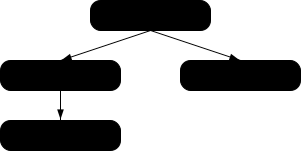
ここでは、アプリケーション開発者がmodulepreloadを使用してすべてのモジュールをモジュールグラフで宣言し、ユーザーエージェントがすべてのモジュールのフェッチを開始することを保証している。HTTP/2 Server Pushなどの技術が動作していない場合、そのようなプリロードなしでは、ユーザーエージェントはhelpers.mjsを検出する前に複数のネットワークラウンドトリップを行う必要があるだろう。このようにして、modulepreload link要素は、アプリケーションのモジュールのある種の"マニフェスト"として使用することができる。
次のコードは、import()と一緒にmodulepreloadリンクを使用して、ネットワークフェッチが確実に行われるようにする方法を示している。import()が呼び出されるとき、モジュールはモジュールマップ内で既に準備が整っている(ただし評価されない):
< link rel = "modulepreload" href = "awesome-viewer.mjs" >
< button onclick = "import('./awesome-viewer.mjs').then(m => m.view())" >
View awesome thing
</ button > nofollow"nofollowキーワードは、a、areaおよびform要素とともに使用されてもよい。このキーワードはハイパーリンクを生成しないが、要素によって作成される他のハイパーリンク(他のキーワードがハイパーリンクを生成しない場合は暗黙のハイパーリンク)の注釈をつける。
nofollowキーワードは、ページの原著者や発行者がリンクを保証しないか、2つのページに関係する人々の商業的関係のために参照される文書が主として含まれていることを示す。
noopener"Support in all current engines.
Support in all current engines.
noopenerキーワードは、a、areaおよびform要素とともに使用されてもよい。このキーワードはハイパーリンクを生成しないが、要素によって作成される他のハイパーリンク(他のキーワードがハイパーリンクを生成しない場合は暗黙のハイパーリンク)の注釈をつける。
このキーワードは、ハイパーリンクをたどることにから結果として起こる新しく作成されたトップレベルトラバース可能が補助ブラウジングコンテキストを含まないことを示す。E.g., the resulting Window's opener getter will return null.
See also the processing model.
これは典型的に、補助ブラウジングコンテキストを持つトップレベルトラバース可能を作成する(ターゲット名が"example"である既存のナビゲート可能が存在しないと仮定する):
< a href = help.html target = example > Help!</ a > これは非補助ブラウジングコンテキストをもつトップレベルトラバース可能を作成する(同じことを仮定して):
< a href = help.html target = example rel = noopener > Help!</ a > これらは同等で、親のナビゲート可能をナビゲートするだけである:
< a href = index.html target = _parent > Home</ a > < a href = index.html target = _parent rel = noopener > Home</ a > noreferrer"Support in all current engines.
Support in all current engines.
noreferrerキーワードは、a、areaおよびform要素とともに使用されてもよい。このキーワードはハイパーリンクを生成しないが、要素によって作成される他のハイパーリンク(他のキーワードがハイパーリンクを生成しない場合は暗黙のハイパーリンク)の注釈をつける。
リンクをたどるときにリファラー情報が漏洩しないことを示し、同じ条件下でのnoopenerキーワードのふるまいも暗示する。
See also the processing model where referrer is directly manipulated.
<a href="..." rel="noreferrer" target="_blank"> has the same behavior as <a href="..." rel="noreferrer noopener" target="_blank">.
opener"openerキーワードは、a、areaおよびform要素とともに使用されてもよい。このキーワードはハイパーリンクを生成しないが、要素によって作成される他のハイパーリンク(他のキーワードがハイパーリンクを生成しない場合は暗黙のハイパーリンク)の注釈をつける。
このキーワードは、ハイパーリンクをたどることから結果として起こる新しく作成されたトップレベルトラバース可能が補助ブラウジングコンテキストを含むことを示す。
See also the processing model.
次の例において、openerは、ヘルプページのポップアップがそのオープナーをナビゲートすることを可能にするために使用される(例えば、ユーザーが探しているものが他の場所で見つけられることができる場合)。 代わりに_blankではなく名前付きターゲットを使用することもできるが、これは既存の名前と衝突する可能性がある。
< a href = "..." rel = opener target = _blank > Help!</ a > pingback"stylesheetキーワードは、link要素とともに使用されてもよい。このキーワードは外部リソースへのリンクを生成する。このキーワードはbody-okである。
pingbackキーワードの意味については、Pingback 1.0を参照のこと。[PINGBACK]
preconnect"Support in all current engines.
preconnectキーワードはlink要素で使用してもよい。このキーワードは外部リソースへのリンクを生成する。このキーワードはbody-okである。
preconnectキーワードは、ユーザーがその生成元に位置するリソースを必要とする可能性が高く、かつ、ユーザーエクスペリエンスが接続を確立するとともに関連する待ち時間コストを先取りすることによって改善されるので、指定されたリソースの生成元に接続を先制初期化することが、有益である可能性が高いことを示す。
preconnectキーワードで指定されるリソースに対するデフォルトタイプは存在しない。
ユーザーエージェントは、このリンクタイプのロードイベントを遅らせてはならない。
このリンクのタイプをフェッチして処理する適切な時期は次のとおり:
すでにブラウジングコンテキストに接続されているlink要素で外部リソースリンクが作成されたとき。
すでにブラウジングコンテキストに接続されている外部リソースリンクのlink要素のhref属性が変更されたとき。
すでにブラウジングコンテキストに接続されている外部リソースリンクのlink要素のcrossorigin属性が設定、変更、または削除されたとき。
The fetch and process the linked resource steps for this type of linked resource, given a link element el, are to create link options from el and to preconnect given the result.
The process a link header step for this type of linked resource given a link processing options options are to preconnect given options.
To preconnect given a link processing options options:
If options's href is an empty string, return.
Let url be the result of encoding-parsing a URL given options's href, relative to options's base URL.
Passing the base URL instead of a document or environment is tracked by issue #9715.
If url is failure, then return.
If url's scheme is not an HTTP(S) scheme, then return.
Let partitionKey be the result of determining the network partition key given options's environment.
Let useCredentials be true.
If options's crossorigin is Anonymous and options's origin does not have the same origin as url's origin, then set useCredentials to false.
The user agent should obtain a connection given partitionKey, url's origin, and useCredentials.
この接続は取得されるが、直接使用されない。後で使用するために接続プールに残る。
ユーザーエージェントは、可能な限りいつでも、事前接続を開始して完全接続ハンドシェイク(HTTPの場合はDNS+TCP、HTTPS生成元の場合はDNS+TCP+TLS)を実行しようとすべきであるが、部分ハンドシェイク(HTTPの場合はDNSのみ、HTTPS生成元の場合はDNSまたはDNS+TCP)を実行することを選択する、またはリソースの制約もしくはその他の理由により、完全にスキップできる。
生成元ごとの最適な接続数は、ネゴシエートされたプロトコル、ユーザーの現在の接続プロファイル、使用可能なデバイスリソース、グローバル接続制限、およびその他のコンテキスト固有の変数に依存する。その結果、開くべき接続数の決定は、ユーザーエージェントに従う。
prefetch"prefetchキーワードはlink要素と共に使用してもよい。このキーワードは外部リソースへのリンクを生成する。このキーワードはbody-okである。
prefetchキーワードは、ユーザーが指定されたリソースを必要とすることが高く見込まれるため、事前にそのリソースをフェッチしキャッシュすることが有益であることを示す。
prefetchキーワードにより与えられたリソースにデフォルトタイプは存在しない。
このリンクのタイプをフェッチして処理する適切な時期は次のとおり:
すでにブラウジングコンテキストに接続されているlink要素で外部リソースリンクが作成されたとき。
すでにブラウジングコンテキストに接続されている外部リソースリンクのlink要素のhref属性が変更されたとき。
すでにブラウジングコンテキストに接続されている外部リソースリンクのlink要素のcrossorigin属性が設定、変更、または削除されたとき。
The fetch and process the linked resource algorithm for prefetch links, given a link element el, is as follows:
If el's href attribute's value is the empty string, then return.
Let options be the result of creating link options from el.
Let request be the result of creating a link request given options.
If request is null, then return.
Set request's initiator to "prefetch".
Let processPrefetchResponse be the following steps given a response response and null, failure, or a byte sequence bytesOrNull:
If response is a network error, fire an event named error at el.
Otherwise, fire an event named load at el.
The user agent should fetch request, with processResponseConsumeBody set to processPrefetchResponse. User agents may delay the fetching of request to prioritize other requests that are necessary for the current document.
The process a link header steps for this type of linked resource are to do nothing.
preload"Support in one engine only.
preloadキーワードはlink要素で使用してもよい。このキーワードは外部リソースへのリンクを生成する。このキーワードはbody-okである。
preloadキーワードは、ユーザーが現在のナビゲーションにこのリソースを必要とする可能性が非常に高いために、ユーザーエージェントがas属性によって与えられたプリロード宛先と、fetchpriority属性によって与えられた優先度に従って、指定されたリソースを事前にフェッチしてキャッシュすることを示す。
ユーザーエージェントは、リソースがロードされたときに、先制的画像のデコードまたはスタイルシートの作成などの追加の操作を実行するかもしれない。しかし、これらの追加操作は、観察可能な影響を与えることはできない。
preloadキーワードで指定されるリソースに対するデフォルトタイプは存在しない。
ユーザーエージェントは、このリンクタイプのロードイベントを遅らせてはならない。
このようなリンクのリンクされたリソースをフェッチして処理する適切な時期は次のとおり:
すでにブラウジングコンテキストに接続されているlink要素で外部リソースリンクが作成されたとき。
すでにブラウジングコンテキストに接続されている外部リソースリンクのlink要素のhref属性が変更されたとき。
すでにブラウジングコンテキストに接続されている外部リソースリンクのlink要素のas属性が変更されたとき。
すでにブラウジングコンテキストに接続されているが、リクエストの宛先のサポートされていないタイプを指定しているtype属性のために以前に取得されなかった、外部リソースリンクのlink要素のtype属性が設定、削除、または変更されたとき。
すでにブラウジングコンテキストに接続されているが、media属性が環境と一致しないために以前に取得されなかった外部リソースリンクのlink要素のmedia属性が変更または削除されたとき。
Documentにはプリロードされたリソースのマップを持ち、これは順序付きマップで、最初は空である。
same-origin"、"cors"または"no-cors"のいずれかのリクエストモードTo consume a preloaded resource for Window window, given a URL url, a string destination, a string mode, a string credentialsMode, a string integrityMetadata, and onResponseAvailable, which is an algorithm accepting a response:
Let key be a preload key whose URL is url, destination is destination, mode is mode, and credentials mode is credentialsMode.
Let preloads be window's associated Document's map of preloaded resources.
If key does not exist in preloads, then return false.
Let entry be preloads[key].
Let consumerIntegrityMetadata be the result of parsing integrityMetadata.
Let preloadIntegrityMetadata be the result of parsing entry's integrity metadata.
If none of the following conditions apply:
consumerIntegrityMetadata is no metadata;
consumerIntegrityMetadata is equal to preloadIntegrityMetadata; or
This comparison would ignore unknown integrity options. See issue #116.
then return false.
A mismatch in integrity metadata between the preload and the consumer, even if both match the data, would lead to an additional fetch from the network.
It is important that network errors are added to the preload cache so that if a preload request results in an error, the erroneous response isn't re-requested from the network later. This also has security implications; consider the case where a developer specifies subresource integrity metadata on a preload request, but not the following resource request. If the preload request fails subresource integrity verification and is discarded, the resource request will fetch and consume a potentially-malicious response from the network without verifying its integrity. [SRI]
Remove preloads[key].
If entry's response is null, then set entry's on response available to onResponseAvailable.
Otherwise, call onResponseAvailable with entry's response.
Return true.
For the purposes of this section, a string type matches a preload destination destination if the following algorithm returns true:
If type is an empty string, then return true.
If destination is "fetch", then return true.
Let mimeTypeRecord be the result of parsing type.
If mimeTypeRecord is failure, then return false.
If mimeTypeRecord is not supported by the user agent, then return false.
If any of the following are true:
destination is "script" and mimeTypeRecord is a JavaScript MIME type;
destination is "image" and mimeTypeRecord is an image MIME type;
destination is "font" and mimeTypeRecord is a font MIME type;
destination is "style" and mimeTypeRecord's essence is text/css; or
destination is "track" and mimeTypeRecord's essence is text/vtt,
then return true.
falseを返す。
To create a preload key for a request request, return a new preload key whose URL is request's URL, destination is request's destination, mode is request's mode, and credentials mode is request's credentials mode.
A preload destination is "fetch", "font", "image", "script", "style", or "track".
To translate a preload destination given a string destination:
If destination is not a preload destination, then return null.
Return the result of translating destination.
To preload given a link processing options options and an optional processResponse, which is an algorithm accepting a response:
If options's type doesn't match options's destination, then return.
If options's destination is "image" and options's source set is not null, then set options's href to the result of selecting an image source from options's source set.
Let request be the result of creating a link request given options.
If request is null, then return.
Let unsafeEndTime be 0.
Let entry be a new preload entry whose integrity metadata is options's integrity.
Let key be the result of creating a preload key given request.
If options's document is null, then set request's initiator type to "early hint".
Let controller be null.
Let reportTiming given a Document document be to report timing for controller given document's relevant global object.
Set controller to the result of fetching request, with processResponseConsumeBody set to the following steps given a response response and null, failure, or a byte sequence bodyBytes:
If bodyBytes is a byte sequence, then set response's body to bodyBytes as a body.
By using processResponseConsumeBody, we have extracted the entire body. This is necessary to ensure the preloader loads the entire body from the network, regardless of whether the preload will be consumed (which is uncertain at this point). This step then resets the request's body to a new body containing the same bytes, so that other specifications can read from it at the time of actual consumption, despite us having already done so once.
Otherwise, set response to a network error.
Set unsafeEndTime to the unsafe shared current time.
If options's document is not null, then call reportTiming given options's document.
If entry's on response available is null, then set entry's response to response; otherwise call entry's on response available given response.
If processResponse is given, then call processResponse with response.
Let commit be the following steps given a Document document:
If entry's response is not null, then call reportTiming given document.
Set document's map of preloaded resources[key] to entry.
If options's document is null, then set options's on document ready to commit. Otherwise, call commit with options's document.
The fetch and process the linked resource steps for this type of linked resource, given a link element el, are:
Update the source set for el.
Let options be the result of creating link options from el.
Let destination be the result of translating the keyword representing the state of el's as attribute.
If destination is null, then return.
Set options's destination to destination.
Preload options, with the following steps given a response response:
If response is a network error, fire an event named error at el. Otherwise, fire an event named load at el.
The actual browsers' behavior is different from the spec here, and the feasibility of changing the behavior has not yet been investigated. See issue #1142.
The process a link header step for this type of link given a link processing options options is to preload options.
privacy-policy"privacy-policyは、link、aおよびarea要素で使用してもよい。このキーワードはハイパーリンクを生成する。
privacy-policy プライバシー ポリシー キーワードは、Additional Link Relation Typesで詳しく説明されているように、参照される文書に、現在の文書に適用されるデータ収集および使用方法に関する情報が含まれていることを示す。参照される文書は、独立したプライバシーポリシーであってもよく、または、より一般的な文書の特定のセクションであってもよい。[RFC6903]
search"searchキーワードはlink、a、areaおよびformの各要素で使用してもよい。このキーワードはハイパーリンクを生成する。
searchキーワードは、参照された文書が、現在の文書と関連するリソースを検索するためのインターフェイスを提供することを示す。
ユーザーエージェントが自動的に検索用インターフェイスを発見できるよう、OpenSearch記述文書をlink要素およびsearchリンクタイプに使用できる。[OPENSEARCH]
stylesheet"stylesheetキーワードはlink要素で使用してもよい。このキーワードは、スタイル処理モデルに寄与する外部リソースへのリンクを生成する。このキーワードはbody-okである。
指定されたリソースは、文書をどのように表示するかを記述するCSSスタイルシートである。
Support in one engine only.
alternateキーワードがlink要素で併せて指定される場合、リンクは代替スタイルシートである。この場合、空でない値とともに、link要素でtitle属性が指定されなければならない。
stylesheetキーワードで与えられるリソースのデフォルトタイプはtext/cssである。
要素がノード文書のパーサーによって作成された場合、link要素は暗黙的に潜在的にレンダリングブロックキングである。
When the disabled attribute of a link element with a stylesheet keyword is set, disable the associated CSS style sheet.
このリンクのタイプをフェッチして処理する適切な時期は次のとおり:
すでにブラウジングコンテキストに接続されているlink要素で外部リソースリンクが作成されたとき。
すでにブラウジングコンテキストに接続されている外部リソースリンクのlink要素のhref属性が変更されたとき。
When the disabled attribute of the link element of an external resource link that is already browsing-context connected is set, changed, or removed.
すでにブラウジングコンテキストに接続されている外部リソースリンクのlink要素のcrossorigin属性が設定、変更、または削除されたとき。
When the type attribute of the link element of an external resource link that is already browsing-context connected is set or changed to a value that does not or no longer matches the Content-Type metadata of the previous obtained external resource, if any.
When the type attribute of the link element of an external resource link that is already browsing-context connected, but was previously not obtained due to the type attribute specifying an unsupported type, is removed or changed.
When the external resource link that is already browsing-context connected changes from being an alternative style sheet to not being one, or vice versa.
Quirk: If the document has been set to quirks mode, has the same origin as the URL of the external resource, and the Content-Type metadata of the external resource is not a supported style sheet type, the user agent must instead assume it to be text/css.
The linked resource fetch setup steps for this type of linked resource, given a link element el and request request, are:
If el's disabled attribute is set, then return false.
If el contributes a script-blocking style sheet, append el to its node document's script-blocking style sheet set.
If el's media attribute's value matches the environment and el is potentially render-blocking, then block rendering on el.
If el is currently render-blocking, then set request's render-blocking to true.
Return true.
See issue #968 for plans to use the CSSOM fetch a CSS style sheet algorithm instead of the default fetch and process the linked resource algorithm. In the meantime, any critical subresource request should have its render-blocking set to whether or not the link element is currently render-blocking.
To process this type of linked resource given a link element el, boolean success, response response, and byte sequence bodyBytes:
If the resource's Content-Type metadata is not text/css, then set success to false.
If el no longer creates an external resource link that contributes to the styling processing model, or if, since the resource in question was fetched, it has become appropriate to fetch it again:
Remove el from el's node document's script-blocking style sheet set.
Return.
If el has an associated CSS style sheet, remove the CSS style sheet.
If success is true:
Create a CSS style sheet with the following properties:
response's URL list[0]
We provide a URL here on the assumption that w3c/csswg-drafts issue #9316 will be fixed.
el
The media attribute of el.
This is a reference to the (possibly absent at this time) attribute, rather than a copy of the attribute's current value. CSSOM defines what happens when the attribute is dynamically set, changed, or removed.
The title attribute of el, if el is in a document tree, or the empty string otherwise.
This is similarly a reference to the attribute, rather than a copy of the attribute's current value.
Set if the link is an alternative style sheet and el's explicitly enabled is false; unset otherwise.
Set if the resource is CORS-same-origin; unset otherwise.
null
Left at its default value.
Left uninitialized.
This doesn't seem right. Presumably we should be using bodyBytes? Tracked as issue #2997.
The CSS environment encoding is the result of running the following steps: [CSSSYNTAX]
If el has a charset attribute, get an encoding from that attribute's value. If that succeeds, return the resulting encoding. [ENCODING]
Otherwise, return the document's character encoding. [DOM]
Fire an event named load at el.
Otherwise, fire an event named error at el.
If el contributes a script-blocking style sheet:
Assert: el's node document's script-blocking style sheet set contains el.
Remove el from its node document's script-blocking style sheet set.
Unblock rendering on el.
The process a link header steps for this type of linked resource are to do nothing.
tag"tagキーワードはa、areaの各要素で使用してもよい。このキーワードはハイパーリンクを生成する。
tagキーワードは、参照される文書に代表されるタグが現在の文書適用されることを示す。
これはタグが現在の文書に適用されることを示すものであるから、このキーワードをタグクラウドのマークアップに用いるのは不適切である。なお、タグクラウドとは、あるページの集合に対してよく使われるタグを一覧にしたものである。
この文書は、宝石に関するページで、"https://en.wikipedia.org/wiki/Gemstone"にタグ付けされている。これにより、たとえば、アメリカの街やRubyのパッケージフォーマット、スイスの機関車種別ではなく、"宝石"の一種であるgemに明確にカテゴライズされる。
<!DOCTYPE HTML>
< html lang = "en" >
< head >
< title > My Precious</ title >
</ head >
< body >
< header >< h1 > My precious</ h1 > < p > Summer 2012</ p ></ header >
< p > Recently I managed to dispose of a red gem that had been
bothering me. I now have a much nicer blue sapphire.</ p >
< p > The red gem had been found in a bauxite stone while I was digging
out the office level, but nobody was willing to haul it away. The
same red gem stayed there for literally years.</ p >
< footer >
Tags: < a rel = tag href = "https://en.wikipedia.org/wiki/Gemstone" > Gemstone</ a >
</ footer >
</ body >
</ html > この文書には2つの記事が存在する。しかし、"tag"リンクはページ全体に適用される。(そして、どこに配置されるかに関係なく適用される。article要素内に配置する場合も同様である。)
<!DOCTYPE HTML>
< html lang = "en" >
< head >
< title > Gem 4/4</ title >
</ head >
< body >
< article >
< h1 > 801: Steinbock</ h1 >
< p > The number 801 Gem 4/4 electro-diesel has an ibex and was rebuilt in 2002.</ p >
</ article >
< article >
< h1 > 802: Murmeltier</ h1 >
< figure >
< img src = "https://upload.wikimedia.org/wikipedia/commons/b/b0/Trains_de_la_Bernina_en_hiver_2.jpg"
alt = "The 802 was red with pantographs and tall vents on the side." >
< figcaption > The 802 in the 1980s, above Lago Bianco.</ figcaption >
</ figure >
< p > The number 802 Gem 4/4 electro-diesel has a marmot and was rebuilt in 2003.</ p >
</ article >
< p class = "topic" >< a rel = tag href = "https://en.wikipedia.org/wiki/Rhaetian_Railway_Gem_4/4" > Gem 4/4</ a ></ p >
</ body >
</ html > terms-of-service"terms-of-serviceキーワードは、link、a、area要素で使用してもよい。このキーワードはハイパーリンクを生成する。
terms-of-serviceキーワードは、Additional Link Relation Types詳しく説明されているように、参照される文書に、現在の文書のプロバイダーと現在の文書の使用を希望するユーザーとの間の契約に関する情報が含まれていることを示す。[RFC6903]
文書によっては、連続する文書の一部を構成する。
連続する文書は、各文書が兄および弟を持つことができる。兄を持たない文書は文書の最初であり、弟を持たない文書は文書の末尾である。
文書は複数シーケンスの一部であってもよい。
next"nextキーワードはlink、a、areaおよびformの各要素で使用してもよい。このキーワードはハイパーリンクを生成する。
nextキーワードは、文書がシーケンスの一部であり、かつリンクがシーケンスにおいて次の論理的な文書に導くリンクであることを示す。
When the next keyword is used with a link element, user agents should process such links as if they were using one of the dns-prefetch, preconnect, or prefetch keywords. Which keyword the user agent wishes to use is implementation-dependent; for example, a user agent may wish to use the less-costly preconnect processing model when trying to conserve data, battery power, or processing power, or may wish to pick a keyword depending on heuristic analysis of past user behavior in similar scenarios.
prev"prevキーワードはlink、a、areaおよびformの各要素で使用してもよい。このキーワードはハイパーリンクを生成する。
prevキーワードは、文書がシーケンスの一部であり、かつリンクがシーケンスにおいて前の論理的な文書に導くリンクであることを示す。
同義語:歴史的な理由により、ユーザーエージェントはまた、prevキーワードのようなキーワード"previous"を扱わなければならない。
あらかじめ定義されたリンクタイプの集合に対する拡張は、microformatsのexisting rel valuesページにおいて登録してもよい。[MFREL]
microformatsiのexisting rel valuesページには、いつでも、誰でも、自由に新たなリンクタイプを追加できる。拡張されたリンクタイプは次の情報と共に定義されなければならない:
実際の値が定義される。値は、他の定義済みの名前と紛らわしいものであるべきでない(たとえば、大文字と小文字だけが異なる)。
値にU+003A COLON文字(:)を含む場合、その値は絶対URLでなければならない。
linkへの効果次のうちの1つをとる:
link要素で指定されてはならない。link要素で指定してもよい。ハイパーリンクを生成する。link要素で指定してもよい。外部リソースへのリンクを生成する。aおよびareaへの効果次のうちの1つをとる:
aおよびarea要素で指定されてはならない。aおよびarea要素で指定してもよい。ハイパーリンクを生成する。aおよびarea要素で指定してもよい。外部リソースへのリンクを生成する。aおよびarea要素で指定してもよい。要素によって作成される他のハイパーリンクを補足する。formへの効果次のうちの1つをとる:
form要素で指定されてはならない。form要素で指定してもよい。ハイパーリンクを生成する。form要素で指定してもよい。外部リソースへのリンクを生成する。form要素で指定してもよい。要素によって作成される他のハイパーリンクを補足する。キーワードが何を意味するかについての規範的でない短い説明。
キーワードのセマンティックスと要件についてのより詳細な説明へのリンク。それはwiki上の別のページかもしれないし、外部ページへのリンクかもしれない。
全く同じ処理要件を持つキーワードの一覧。著者は、同義語であると定義された値を使用すべきではなく、同義語はユーザーエージェントがレガシーコンテンツをサポートするためだけのものである。誰もが実際に使用されていない同義語を削除できる。レガシーコンテンツとの互換性のために同義語として処理する必要がある名前のみが、この方法で登録されているのである。
次のうちの1つをとる:
キーワードが既存の値とともに冗長であることが判明した場合、削除され、既存の値の同義語としてリストされているべきである。
キーワードが、使用するまたは指定することなく一月以上の期間"proposed"(提案)状態で登録されている場合、レジストリーから削除されることがある。
キーワードが"proposed"(提案)状態で追加され、既存の値とともに冗長であることが判明している場合、既存の値の同義語として削除され、リストされているべきである。キーワードは"proposed"(提案)状態で追加され、有害だと判明している場合、"discontinued"(中止)状態に変更すべきである。
誰もがいつでも状態を変更できるが、上記の定義にしたがってのみ行うべきである。
適合性チェッカーは、値が許容されるかどうかを確立するためにmicroformatsのexisting rel valuesページで指定される情報を使用しなければならない:この仕様で定義されるまたは"proposed"(提案)または"ratified"(承認)としてマークされる値は、"Effect on..."フィールドに記載されるように適用するものに対する要素上で使用される場合に受け入れなければならない。ところが、"discontinued"(中止)としてマークされる値またはこの仕様または前述のページのいずれかで記載されない値は、不正として拒否されなければならない。適合性チェッカーは、この情報をキャッシュしてもよい(たとえば、パフォーマンス上の理由から、または信頼性の低いネットワーク接続を使用することを避けるためなど)。
著者がこの仕様またはWikiページのいずれかで定義されない新しいタイプを使用する場合、適合性チェッカーは詳細は、上記で説明される詳細とともに、"proposed"(提案)状態をもつWikiに値を追加するために提供すべきである。
状態"proposed"また"ratified"とともにmicroformatsのexisting rel valuesページで拡張として定義されるリンクタイプは、"効果"の定めるところに従って、link、a、areaの各要素のrel属性とともに使用してもよい。[MFREL]