



Third-party API integration: here’s what you need to know



Jon Gitlin
As you look to build integrations through a third-party tool, you’ll likely look to leverage an API integration solution.
After all, since these solutions use APIs, their integrations are reliable, performant, and support a wide range of use cases.
We’ll give you all the context you need to evaluate your options and select a specific third-party API integration vendor—starting with the definition of third-party API integration.
What is third-party API integration?
It’s the use of a 3rd-party tool to connect applications via their APIs. These integrations can be between your internal applications or between your product and your clients’ and prospects’ applications.
To prevent any confusion let’s also clarify the difference between an API integration and a third-party API integration.
Third-party API integration vs API integration
Third-party API integration involves using a tool to build and maintain an integration, while API integration may or may not involve a tool. The latter simply refers to the process of connecting applications via their APIs.
Related: What is 3rd-party integration?
Examples of third-party API integration
To help bring our definition to life, let’s cover a couple third-party API integrations that are internal and then a few more that are customer-facing.
Deliver notifications on tickets to customer support
To help your customer support team keep up with their tickets over time, you can use a third-party API integration tool to connect your ticketing solution (e.g., Zendesk) with your business communications platform (e.g., Slack) and then build the following sync: Any time a ticket is created or updated in some way (e.g., there’s a new comment), a specific support channel receives a notification.
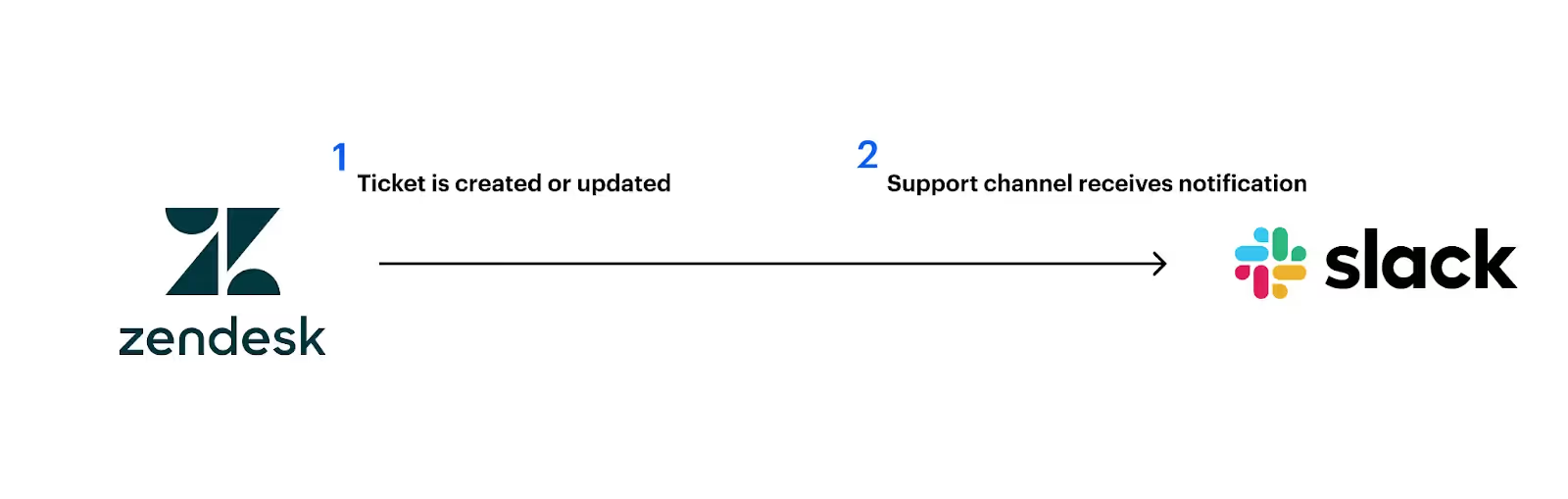
The notification can include details on the ticket, including what was potentially updated—enabling support to react quickly and appropriately.
Add leads in your marketing automation tool when contacts register for an event
As your marketing team hosts a variety of events, they’ll likely (or at least hopefully) collect a high number of high-fit leads.
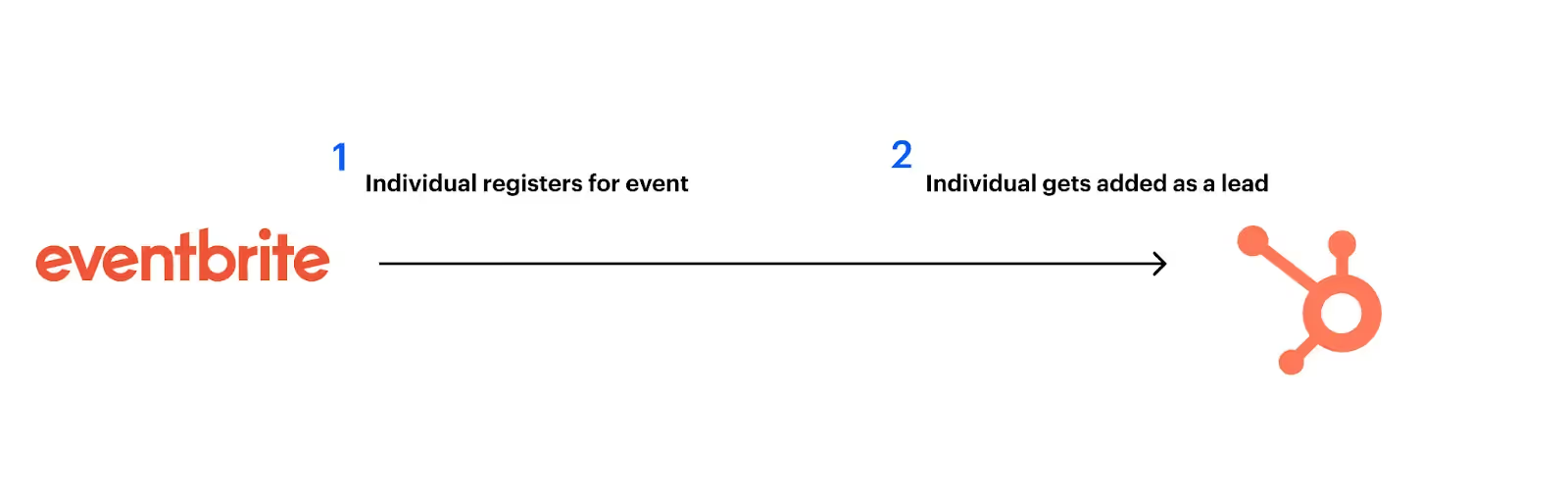
To help you identify these leads and nurture them effectively, you can use a 3rd-party integration tool to connect your event management software (e.g., Eventbrite) with your marketing automation solution (e.g., HubSpot) and build a flow where once a contact registers for an event, they’ll automatically be added as a lead in your marketing automation tool. And if the lead already exists in the latter system, they’ll only be updated (i.e., the event gets added to the account’s activities, which should increase their lead score).
Related: Common API integration use cases
Add newly-signed customers to your clients’ accounting systems
Say you provide a CRM and, as a result, your platform acts as clients’ single source of truth for customer data.
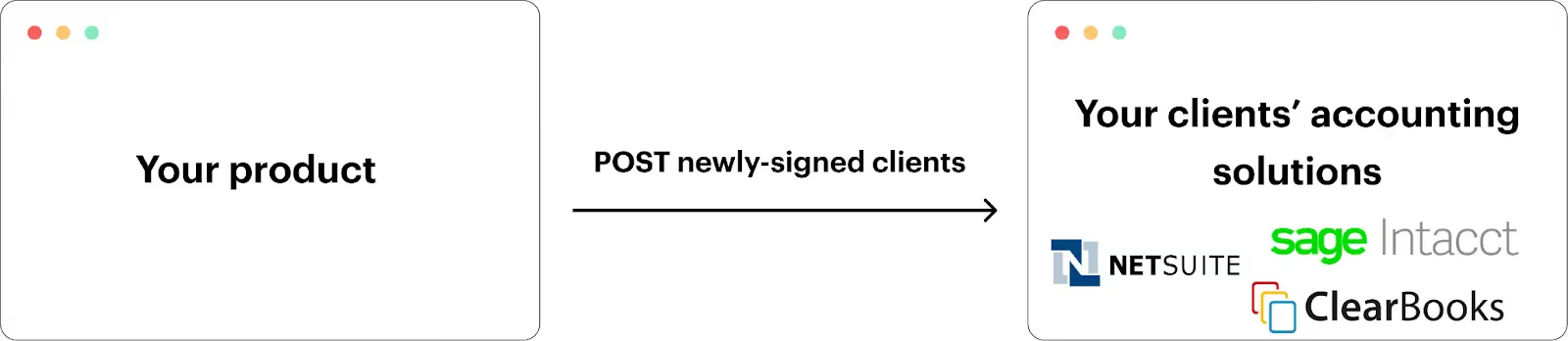
To help clients add their data in your platform to their accounting systems so that they can—among other use cases—create invoices for newly-signed customers quickly, you can use a 3rd-party tool to integrate with their accounting systems and build the following flow: Once a lead is marked as “Closed won” in your platform, it's added to the associated client’s accounting platform.
Enable clients to assign employees the appropriate courses
Let’s imagine that you provide a learning management system (LMS).
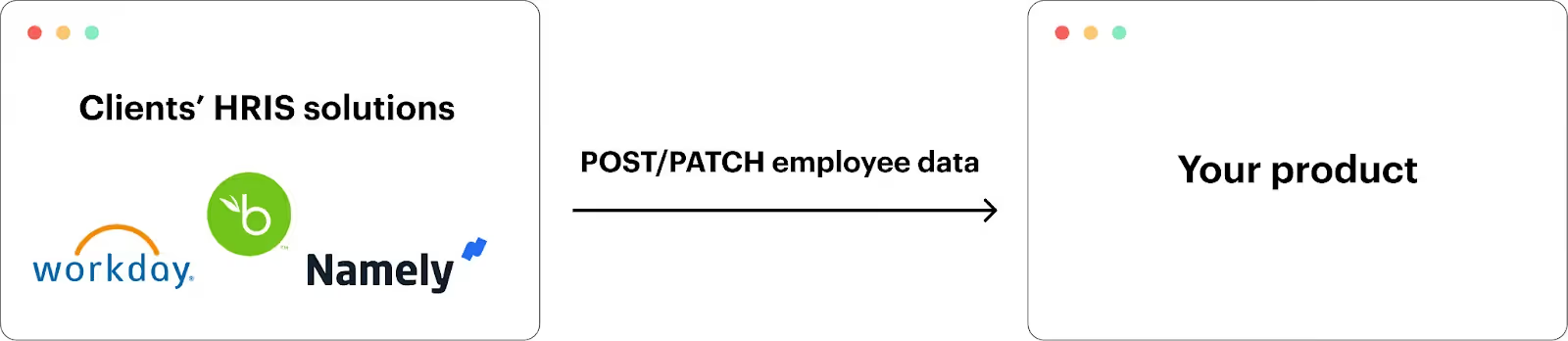
Using a third-party tool, you can offer HRIS integrations that let you collect employee data, such as employees’ names, job titles, start dates, addresses, etc. automatically.
Using this data, your product can kickstart workflows that assign specific courses (e.g., harassment training) to individual employees as soon as they need to take them.
Related: API-led integration examples
Benefits of third-party API integrations
Here are just a few benefits associated with using third-party internal and/or customer-facing API integration solutions.
Enhances developer productivity
By allowing developers to avoid building and maintaining API integrations, they’re able to save hundreds of hours every year. They can reallocate these time savings toward more critical initiatives that they’re uniquely qualified to handle.
Improves the employee experience
Building and maintaining API integrations isn’t just time and resource intensive—it’s also stressful, high pressure work.
By helping engineers avoid this responsibility, you’re making their day-to-day work lives easier and more enjoyable.
Allows you to avoid costly partnerships
Many API providers require you to enter into a formal business agreement just to access their API documentation and endpoints.
A third-party integration provider can help you avoid these partnerships—or at least most of them—saving your team tens of thousands of dollars per year and many hours.
Lets you integrate at scale
Third-party integration solutions can enable your team to implement dozens of integrations quickly. This is especially true for unified API solutions, as this type of platform lets you add hundreds of integrations through a single build.
Supports AI agents
Connecting AI agents with an integration provider’s supported endpoints lets you power countless internal and/or customer-facing agentic workflows.
AI agents can access ticketing data from a project management platform to resolve an issue; use customer data in a CRM to generate custom sales reports; leverage information in documents from a file storage tool to answer employees’ questions, and more.
Related: How to integrate with AI agents
Potential challenges of third-party API integrations
Unfortunately, using third-party API integrations isn’t always easy. Here are just some of the challenges to look out for.
Minimal public-facing information on pricing
Many integration providers fail to share details on their pricing model—forcing you to schedule time with their team.
For example, StackOne, a unified API platform, didn't offer any pricing information on their site for several years.

Insecure integrations
While most API integration platforms support secure integrations, some providers find unsafe workarounds to offer more integrations.
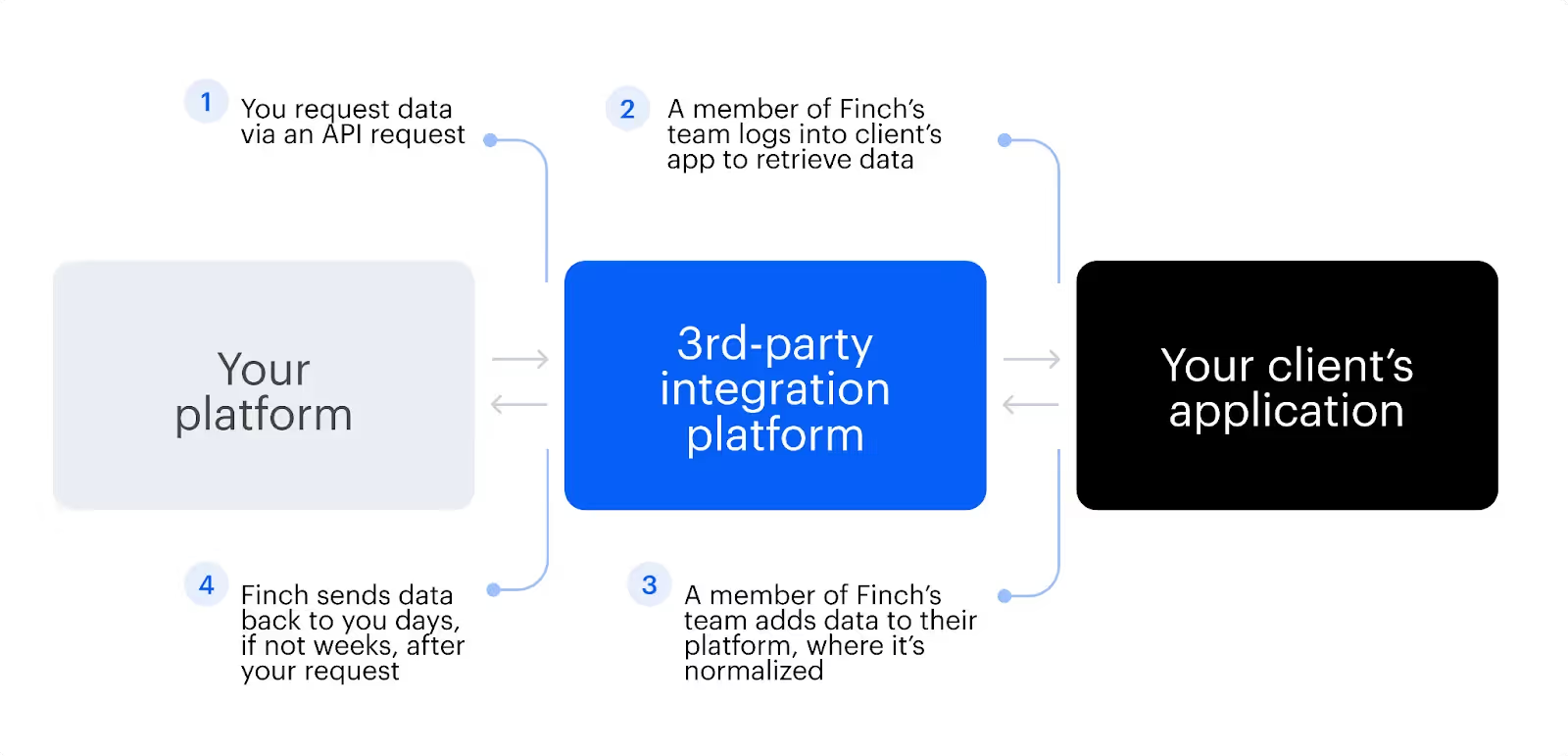
For example, Finch, another unified API platform, provides “Assisted integrations”, which essentially require a member of their team to log into your customers’ applications to retrieve the data you want to sync with your product.
Time to value
One of the core value propositions of a 3rd-party API integration platform is that they help you take integrations to market faster.
But in many cases, this isn’t true. Embedded integration platform as a service (iPaaS) solutions, for example, require users to become familiar with their unique workflow builders. This can take your developers and your other technical personnel weeks.
Best practices for selecting a third-party API integration tool
To help you avoid the challenges above, it’s worth keeping the following in mind as you evaluate different tools.
Look at their profiles on 3rd-party review sites
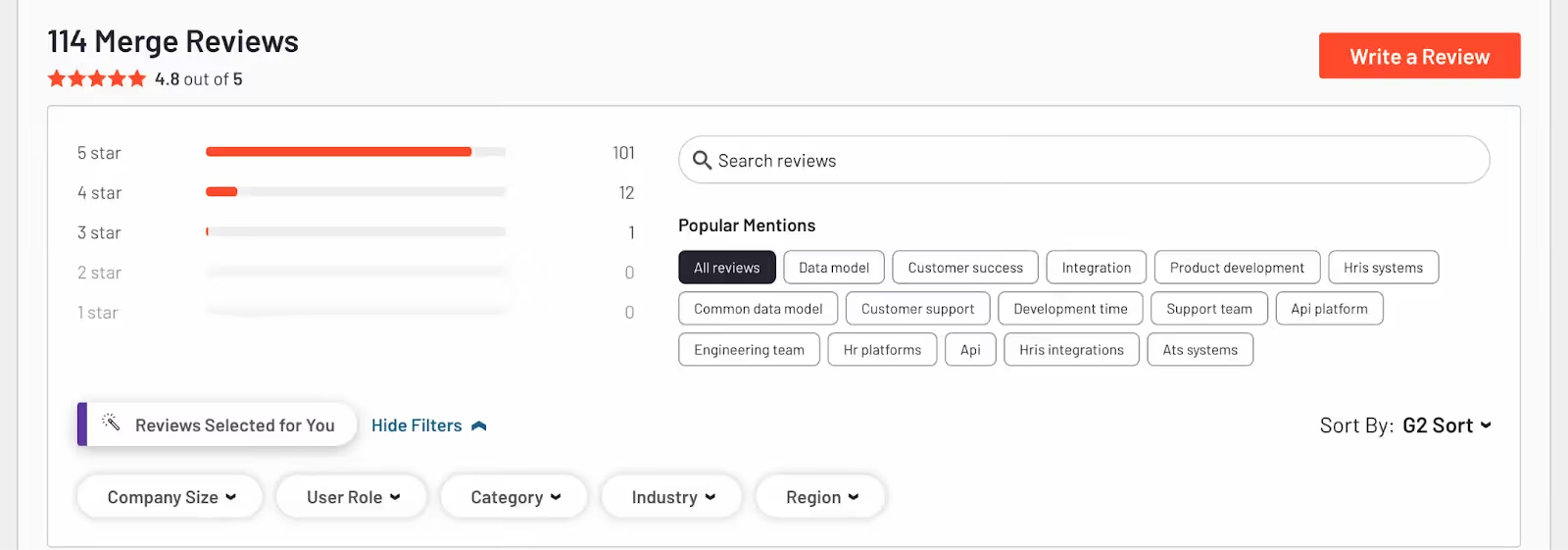
Whether you’re evaluating tools that support internal or customer-facing integrations, you’ll likely find that they have a significant volume of thoughtful and comprehensive client reviews on 3rd-party review sites like G2.
These reviews touch on all facets, from the breadth and depth of a provider’s integrations to the quality of customer support they provide. You can also filter the reviews in a variety of ways. For example, for a given platform, you can narrow reviews down by clients of a certain size, region, industry, or job title.
Related: Common API integration tools
Sign up for a free account and/or a proof of concept
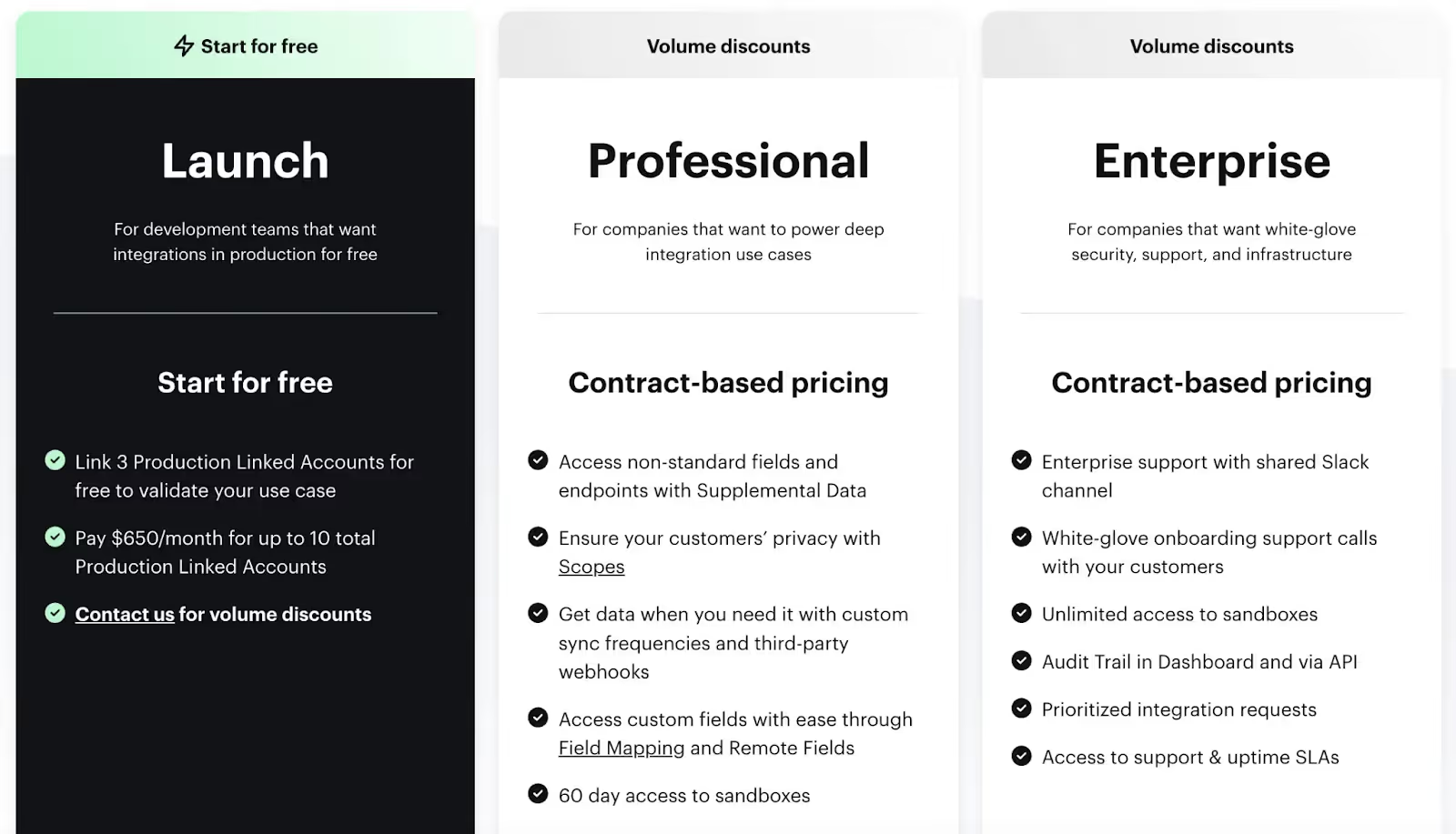
Most integration vendors also offer a free subscription and/or a proof of concept.
It’s worth taking advantage of at least one of these options, as they allow you to validate the quality of a given vendor’s integrations, observability tooling, support, and more. Moreover, it may be worth trying several of your top options so that you can directly compare them across your top evaluation criteria.
Review the vendors’ security policies
Regardless of the integrations you’re looking to build, you’re likely syncing sensitive data, whether that’s related to employees, clients, prospects, or your business more generally.
To ensure that data is kept secure across your integrations, you should look at tools that invest heavily in security features and capabilities, such as role based access control, scopes, and activity audit logs. You should also look for platforms that comply with critical data protection and privacy regulations, like GDPR.

Third-party API integration tools
Let’s review the tools you can use to support internal and customer-facing integrations.
Internal third-party API integration tools
You’ll likely find yourself choosing between various integration platform as a service (iPaaS) solutions, like Workato, Tray.io, Boomi, among many others.
Each solution differs in notable ways, from the pre-built connectors they support to the security controls they offer out of the box to the pricing options they provide, so it’s worth reviewing them carefully (following the steps outlined above). That said, they all generally allow you to do the same thing, which is designing, implementing, and maintaining internal, API-based integrations.
Related: How to build API integrations with ease
Customer-facing third-party API integration tools
There are two types of tools that you’ll likely choose between: an embedded iPaaS or a unified API solution.
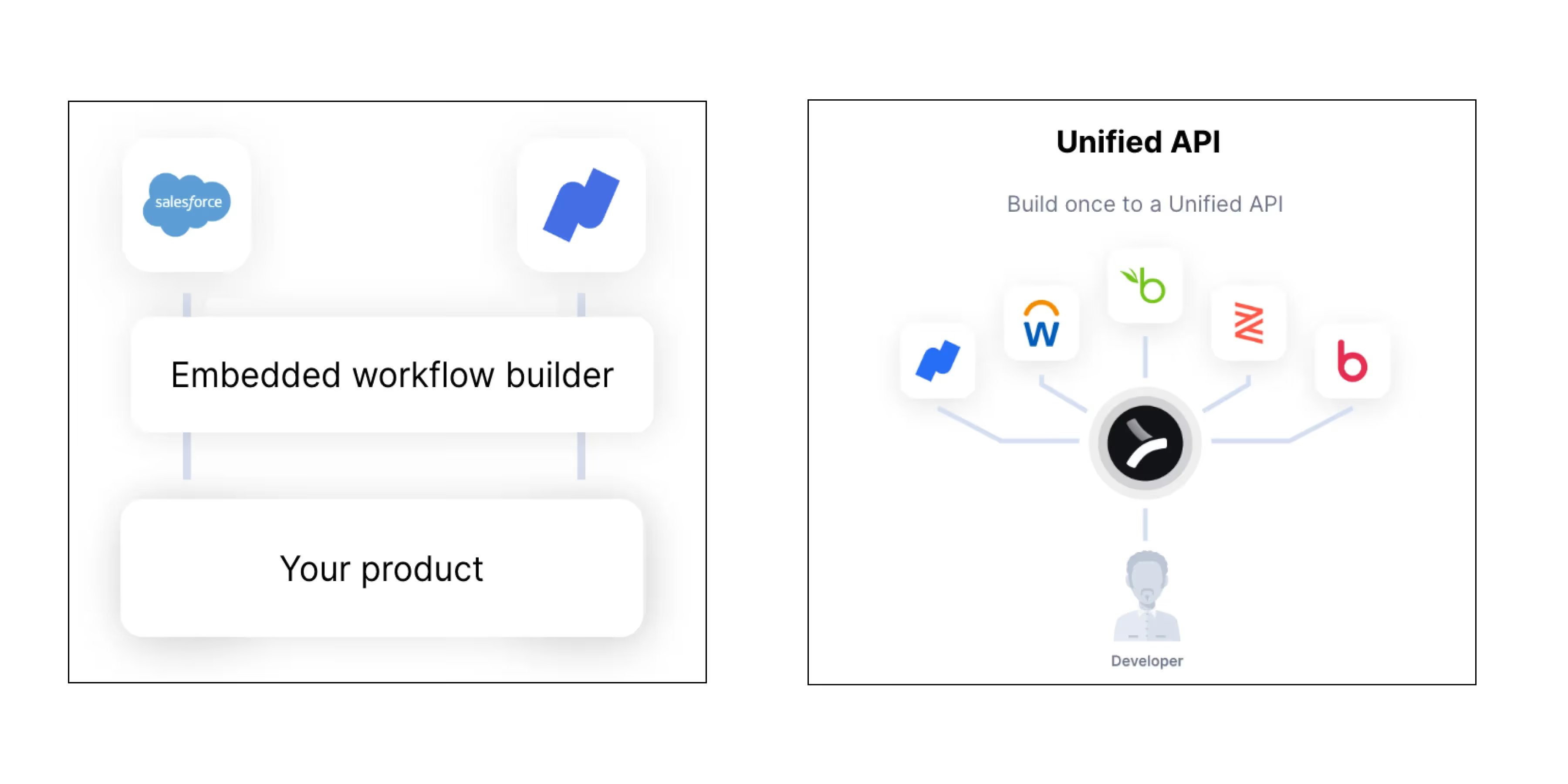
An embedded iPaaS forces you to build one customer-facing integration at a time and is fairly complex to use. As a result, it’s difficult to scale your customer-facing integrations through the platform. In addition, the platform lacks robust and accessible observability tooling, which prevents your team from quickly and successfully diagnosing, troubleshooting, and resolving clients' integration issues.
A unified API solution lets you offer a whole category of integrations by simply building to a single unified API, making it much easier to scale your integrations. Moreover, using Merge, the leading unified API solution, you can access comprehensive and intuitive Integration Observability features and integration maintenance support, all but ensuring that you’re able to provide reliable and high-performing integrations.
Learn more about Merge by scheduling a demo with one of our integration experts.
Jon Gitlin





But Merge isn’t just a Unified
API product. Merge is an integration platform to also manage customer integrations. gradient text
But Merge isn’t just a Unified
API product. Merge is an integration platform to also manage customer integrations. gradient text
But Merge isn’t just a Unified
API product. Merge is an integration platform to also manage customer integrations. gradient text
But Merge isn’t just a Unified
API product. Merge is an integration platform to also manage customer integrations. gradient text
