

Table of contents
.jpg)
.avif)
Composio vs n8n: when to choose one over the other



Jon Gitlin
If you’re looking to for a solution to connect your AI agents with MCP servers and monitor tool calls, you’ll likely come across Composio and n8n.
To help you determine if either is right for your AI agents, we’ll break down how they work, their respective pros and cons, and compare them directly.
Composio
Composio provides thousands of tools across 100+ MCP servers and handles the cumbersome and complex parts of the integrations, such as agent authentication.
Pros
- Broad tool coverage: This enables you to support countless agentic use cases, whether they’re internal (agentic workflows within your company) or customer-facing (agentic workflows between your product and your customers’ applications)
- Robust framework adapters: Composio offers adapters with LLM frameworks like LangChain and CrewAI to help you integrate Composio’s tool ecosystem into your existing agent workflows
- Multi-language SDKs: Composio supports SDKs in Python and TypeScript to make it easier, safer, and faster to connect AI agents to real-world tools
Cons
- Narrow integration support: You can’t use Composio to support any of your other integration needs, such as API-based product integrations or task-based automations built on custom scripts
- Minimal agent observability: Composio doesn’t let you set rules that guide how your agents interact with data, create alerts based on rule violations, among other features and functionality that are table stakes for managing AI agents
- Complex pricing model: Composio's pricing plans include both "Premium Tool Calls" and "Tool Calls". Understanding and keeping up with their differences as you scale your agents' integrations can prove complex and lead to unexpected costs
- Newly-established company: Composio was founded just a couple of years ago (2023), which likely means that their team and product are a work in progress and will undergo several iterations
Related: The top alternatives to Composio
n8n
n8n is an open-source workflow automation platform that can streamline your internal and product’s processes. It also offers an MCP Client Tool, which allows you to connect to any exposed tools from a 3rd-party MCP server.
Pros
- Granular control on tool calls: You can explicitly define the tools your agents can and can’t call from an MCP server via parameters (e.g., “All Except” parameter outlines the tools that an agent can’t access from an MCP server)
- Extremely customizable workflow automations: n8n lets you combine tool calls, API requests, database queries, and conditional logic within a single workflow, enabling you to support endless cutting-edge workflow automations
- Offers thousands of automation templates: Regardless of your integration and automation use case, you can get started quickly with n8n’s library of 6k+ automation templates. These templates can be easily filtered by departments and through searches to help you find the most relevant template, quickly
Cons
- Dependence on external MCP servers: n8n doesn’t provide and maintain their own MCP servers; they force you to pick external MCP servers. Since many are poorly implemented and maintained, this can lead to issues in your agentic workflows
- Lacks robust tool-call observability: n8n isn’t purpose-built to help you manage or govern your AI agents. As a result, features like rule-based control over tool calls and alerts based on rule violations aren’t available out of the box
- Complex workflow builder interface: Despite their low-code branding, n8n still requires technical expertise to use. This prevents most of your teams and employees from using it to set up agentic workflows
Given all the pros and cons of each solution, it can be hard to decide on the one that’s best for building integrations with your AI agents. To help you navigate this decision more easily, we’ll compare them directly next.
n8n vs Composio
If you’re looking for a single solution to support your company’s and product’s integrations and automations and agentic integrations aren’t a business priority, n8n is a better choice. But if you’re primarily focused on offering reliable and secure integrations for AI agents, Composio is the better option.
Related: Pipedream vs Composio
Get the best of both solutions with Merge Agent Handler
Merge Agent Handler lets you securely connect your agents to thousands of tools. And unlike n8n and Composio, Merge Agent Handler offers:
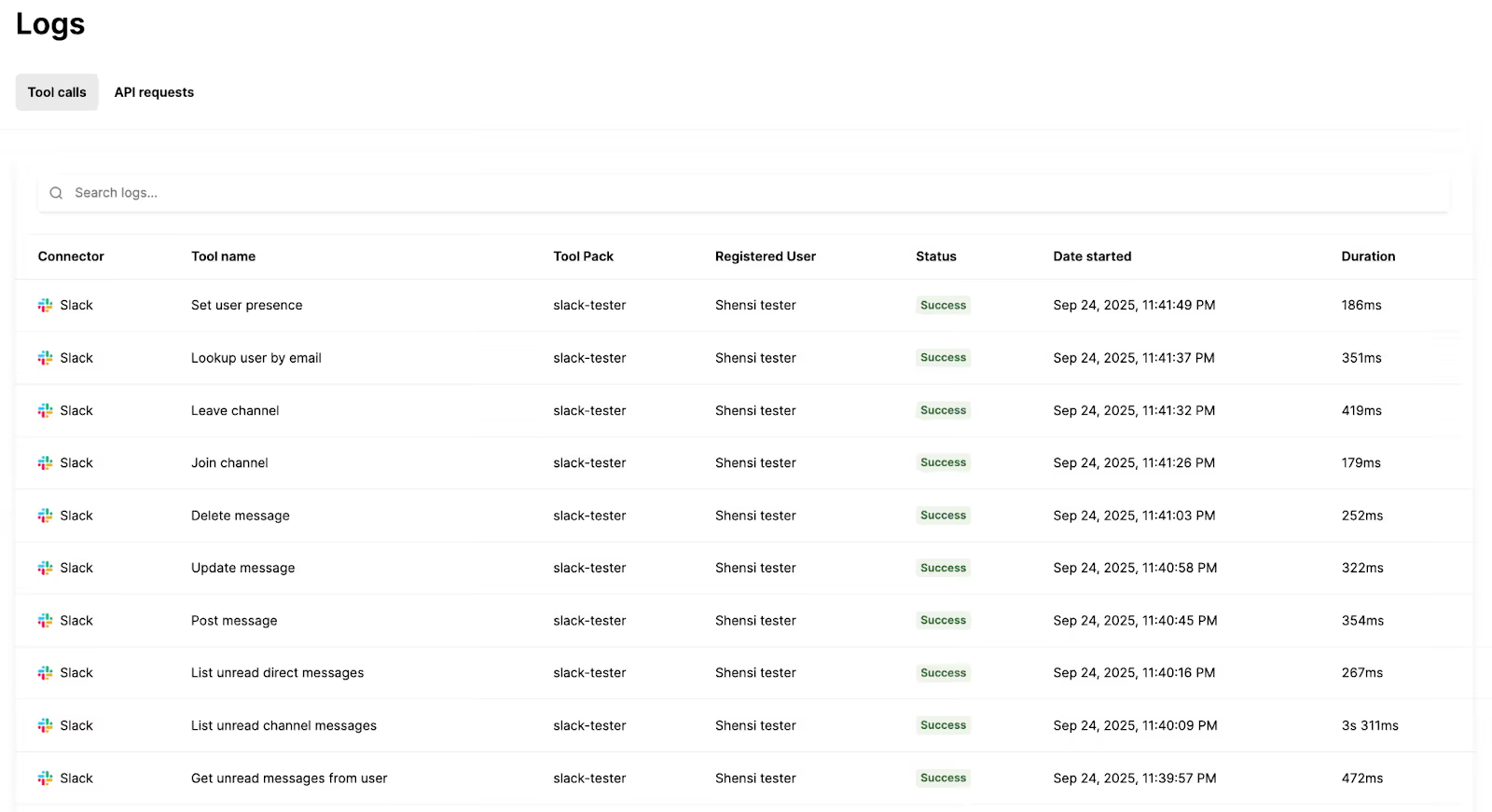
- Powerful and comprehensive observability features: Set rules that dictate the data your agents can access and share, build alerts for rule violations, access fully-searchable logs to drill down on individual tool calls, use audit logs to review changes to your MCP connectors and tools—and more
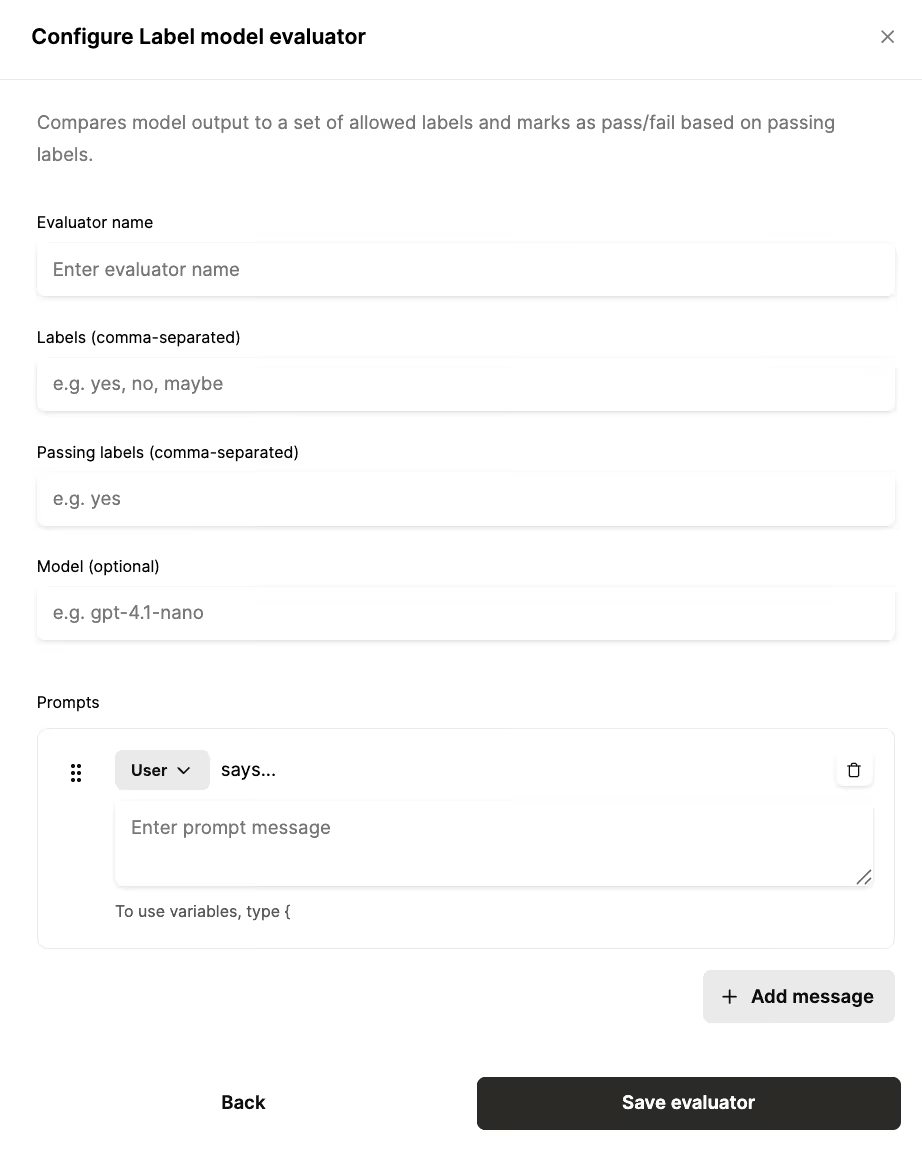
- A robust Evaluation Suite: Test any of your tools across prompts and see whether your agents call the right tools and generate expected outputs
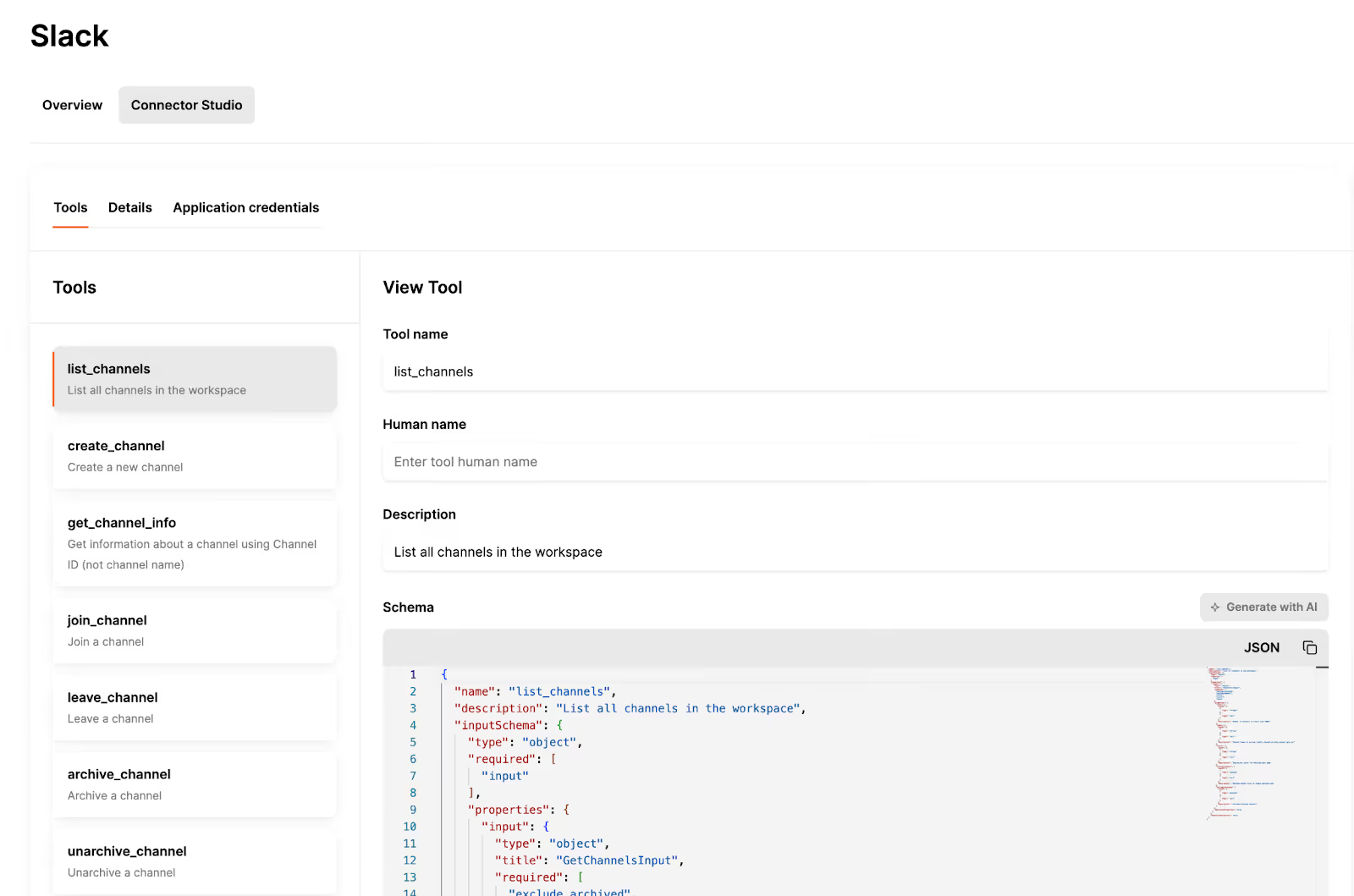
- An intuitive UI for adding and modifying connectors and tools: Through Merge Agent Handler’s Connector Studio, you can access dozens of pre-built connectors, generate new ones with AI, and modify individual connectors’ tools, whether it’s their names, descriptions, or schema
- Simple pricing model: Merge doesn’t vary pricing by the type of tool your agents need to call; every tool is treated the same and the price plans primarily vary by tool call volume
{{this-blog-only-cta}}
Jon Gitlin




Don’t settle for Composio or n8n
Companies like Perplexity leverage Merge Agent Handler to securely connect their agents to thousands of tools. Learn why by testing the platform yourself!


But Merge isn’t just a Unified
API product. Merge is an integration platform to also manage customer integrations. gradient text
But Merge isn’t just a Unified
API product. Merge is an integration platform to also manage customer integrations. gradient text
But Merge isn’t just a Unified
API product. Merge is an integration platform to also manage customer integrations. gradient text
But Merge isn’t just a Unified
API product. Merge is an integration platform to also manage customer integrations. gradient text
