

Table of contents
.avif)
.avif)
3 steps to build an MCP server from scratch



David Dalmaso
If you work with and sell to companies in the AI industry, you’re likely receiving requests to support the Model Context Protocol (MCP) through an MCP server.
Your MCP server would allow any large language model (LLMs) to easily access data and functionality in your product, which an LLM can then use to complete key workflows for customers.
But the process of building a robust, production-ready MCP server isn’t straightforward.
To help you implement yours faster and more easily, I’ll walk you through the steps you’ll need to take based on my experience in building our own MCP server—Merge MCP.
But first, let’s align on the core elements of the Model Context Protocol.
{{this-blog-only-cta}}
Overview on the Model Context Protocol
At its core, MCP consists of tools, a call_tool function, and a list_tool function.
- A tool executes predefined functions on behalf of an LLM. It includes a name, a description, which outlines how the function works, and an input schema, which lays out the required and optional parameters you can pass
For example, here’s how the input schema looks for the Merge MCP file_retrieval function:
- The list_tool function lets your users discover all the tools you provide in your MCP server via a tools/list endpoint. Also, depending on your implementation, it can provide important context on a given tool, such as the specific actions it performs

- The call_tool function invokes a specific tool in an MCP server
In most cases, your users would see the tools available in the list_tool function before deciding on the tool they use for the call_tool function.
Once a tool is selected, the LLM populates its name and parameters in the call_tool function, and the call_tool function would go on to perform the predefined action (e.g., making an API request).
For example, here’s the call_tool function for the Merge MCP file_retrieval function:
Related: MCP server examples to help you build powerful AI agents
How to build an MCP server
Building an MCP server requires building both the list_tool and call_tool functions.
The steps for implementing each function depend on the type of MCP server you’re supporting, but here are the steps we took to build Merge MCP and that you need to take to build your own server.
1. Set up your MCP server
Establishing the server requires adding just a few lines of code.
For example, to build an MCP server via Python, you can use the following code:
When we implemented Merge MCP’s server, we also included Merge API Token and Merge Account Key fields so that our end users (our customers’ customers) can access our customers’ integrations securely.
2. Implement a list_tool function
You can implement this in one of two ways:
- Directly define the function within your MCP server and tag it as a tool. MCP can then define the schema on your behalf and add it to your list_tool endpoint
For example, the MCP quickstart guide outlined the code you can use to define two functions—get_alerts and get_forecast—within an MCP server.
This works great when your function is static. For example, if, hypothetically, your MCP server consists of API endpoints that won’t change.
- Explicitly define schemas for tools and return the schemas. These schemas won’t be mapped to specific functions (e.g., API endpoints), but they can provide enough information on a tool's function
Since we’re constantly adding to and improving our endpoints, we opted for this approach when building Merge MCP.
For example, if one of your users wants to create tickets in their project management system via Merge MCP, they can input something like:
“Can you create me a ticket called ‘[BUG] Google Auth sign in broken" that is high priority?’”
The LLM can then identify the appropriate tool—ticket_create—and use the predefined schema to ensure all the necessary information is properly formatted and validated before making the request.
Here’s how this can look for the user:

Related: When to use an MCP gateway
3. Build your call_tool function
Assuming your tools map to API endpoints listed on an OpenAPI schema, you’ll need to look up the OpenAPI spec parameters for each tool.
From there, you can construct the endpoint, any query parameters (if applicable), and the body of the request (if applicable) from the given arguments. You can then make a live API call.
You should also pass along the API call’s output with what you provided in the request so that the function can include detailed messages when the call_tool function succeeds and when it fails. That way, your LLM knows how to handle the data, whether that’s making a follow-up request that addresses the previous issue or it’s sharing the parameters from a successful request with the user.
As part of this step, you’ll also want to sanitize the data so that you’re not passing along any sensitive information.

Once this is set up, the LLM picks a tool and sets up the arguments on the client side. It then passes the tool’s name and arguments to the call_tool function, which invokes the appropriate action.
https://www.merge.dev/blog/rag-vs-mcp?blog-related=image
Do your AI agents need access to enterprise-grade tools?
Merge Agent Handler lets you securely connect to more than a thousand tools!
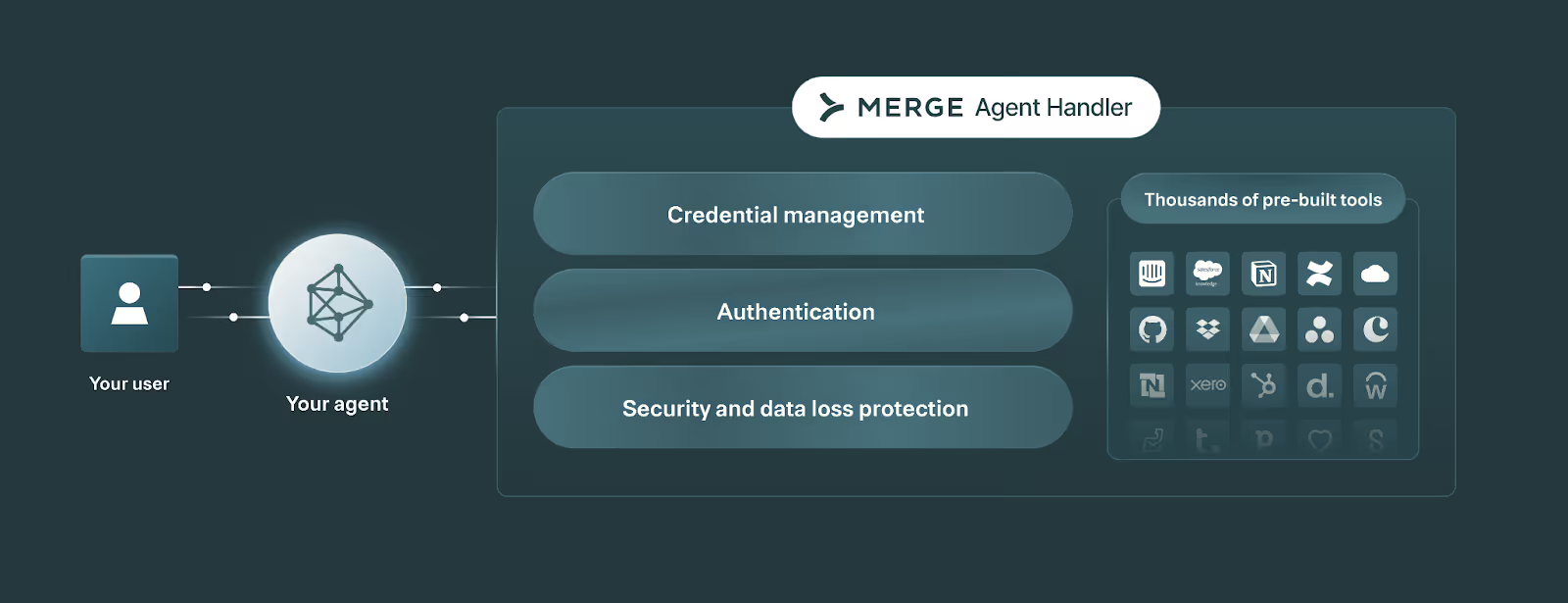
Merge Agent Handler also provides the tooling you need to test, monitor, and manage your agents’ tool calls. This includes a comprehensive evaluation suite to benchmark any tool call’s performance, fully-searchable logs to drill into individual tool calls and API requests, customizable alerts so teams can detect and resolve issues quickly, and more.
Test Merge Agent Handler for yourself by signing up for a free account!
David Dalmaso




Ready to power your AI agents?
Leverage Merge Agent Handler to both securely connect to more than a thousand tools and observe and manage your AI agents.


But Merge isn’t just a Unified
API product. Merge is an integration platform to also manage customer integrations. gradient text
But Merge isn’t just a Unified
API product. Merge is an integration platform to also manage customer integrations. gradient text
But Merge isn’t just a Unified
API product. Merge is an integration platform to also manage customer integrations. gradient text
But Merge isn’t just a Unified
API product. Merge is an integration platform to also manage customer integrations. gradient text
