

.avif)
.avif)
MCP gateway: how it works, benefits, and solutions



Jon Gitlin
As you build agents, you’ll inevitably need to connect them to Model Context Protocol (MCP) servers so they can read data from 3rd-party applications and take actions across them.
Building directly to MCP servers, however, comes with significant resource investments and security risks.
Case in point: our research for the state of agentic integrations shows that most teams building directly to MCP servers struggle with security issues like credential leaks. And the process of testing and validating “official” MCP servers is also complex and time intensive for most developers (70%).

Taken together, we’ve seen a quick and rapid rise of MCP gateways.
We’ll break down everything you need to know about this new platform category, including how they work, why they’re important, and the vendors worth evaluating first.
MCP gateway overview
An MCP gateway is a 3rd-party platform that makes a wide range of MCP servers available through a single endpoint. The platform also provides features and capabilities to help you secure data access, observe tool calls, and troubleshoot security incidents.
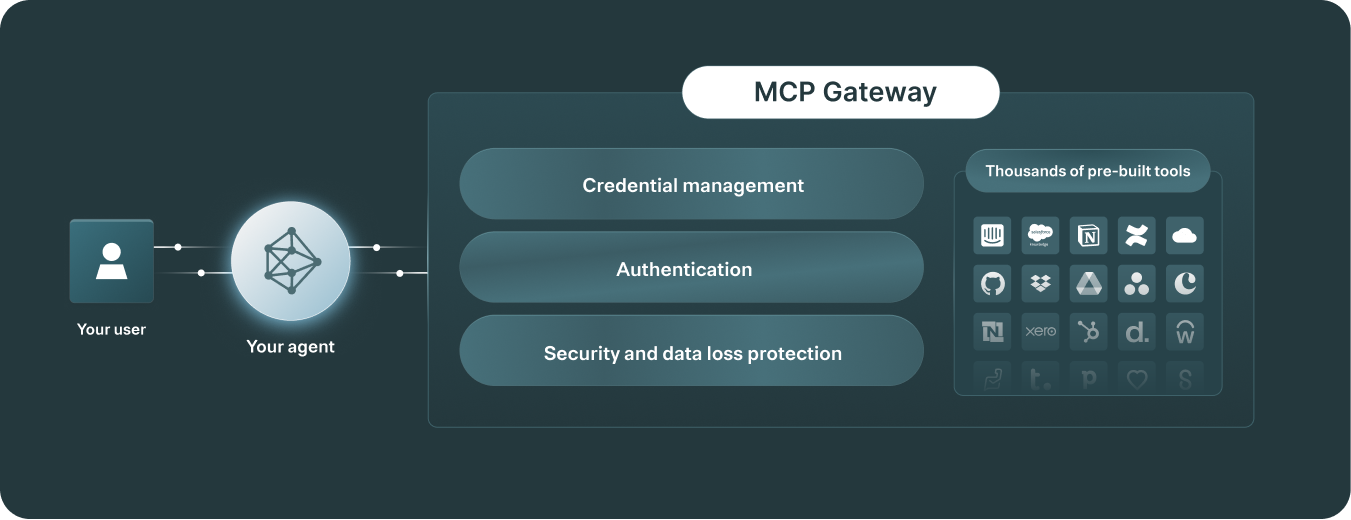
While it depends on the vendor, an MCP gateway typically includes:
- Fully-managed MCP servers, with support for a certain auth methods (e.g., OAuth 2.1) and pre-configured tools. You may also be able to modify the tools (e.g., their descriptions), add more tools, and expand on the auth methods supported
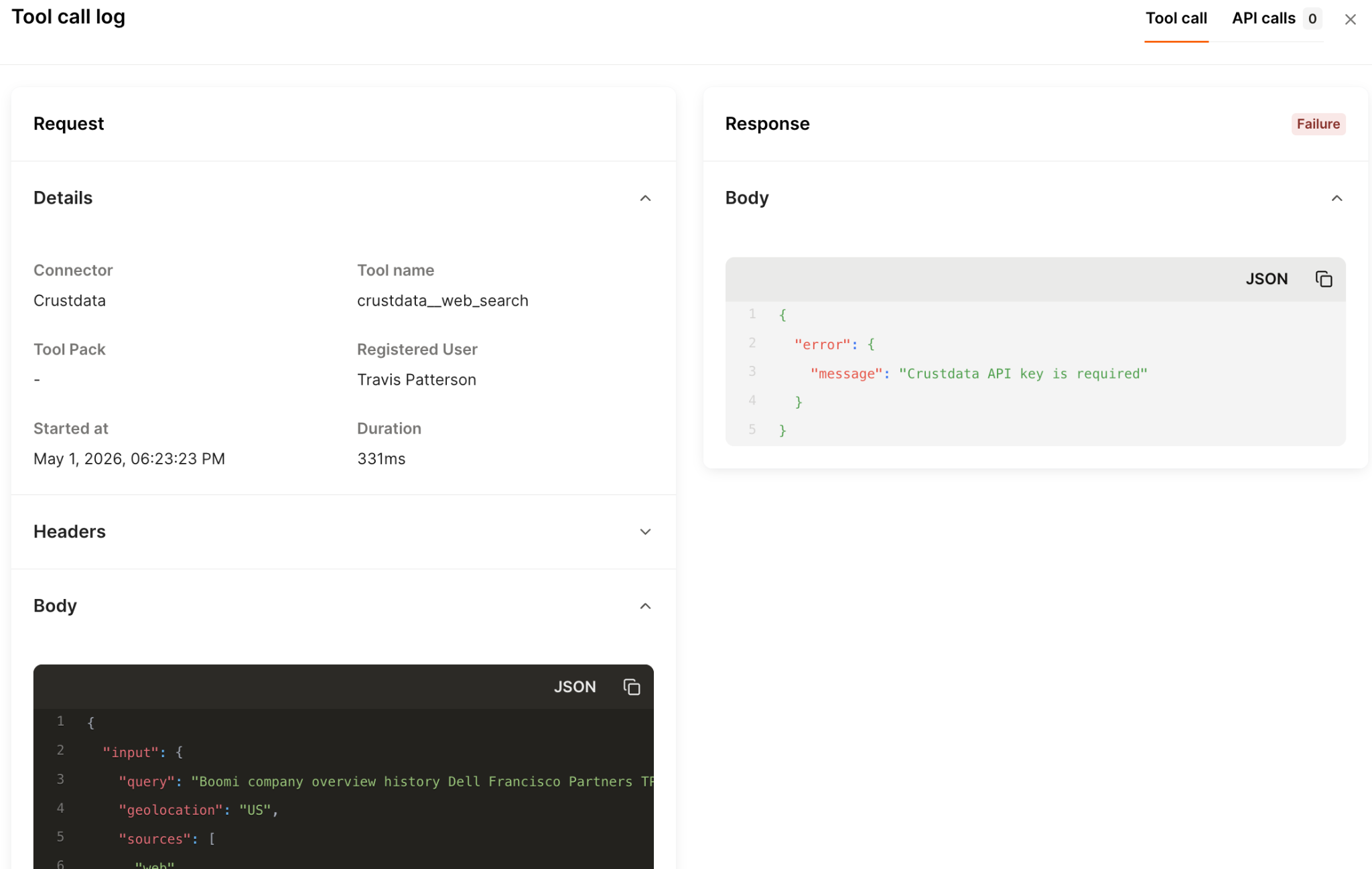
- Comprehensive observability, such as fully-searchable tool call logs, audit trails of users’ activities, and customizable rule-based alerts to spot potential issues on time
- An evaluation suite, which lets you test specific types of prompts and see the resulting tool calls and outputs for any LLM and users
Related: Overview on hosted MCP platforms
Benefits of using MCP gateways
A standalone MCP server only lets you access a preset number of tools, with no central place to manage credentials, control which tools each agent can access, or see what actions were taken across sessions.
MCP gateways address this by letting you connect multiple integrations through a single endpoint, define tool-level access controls for each agent, and log every tool call with the inputs and outputs so you can audit what your agents did and when.
Here’s more on the benefits of using an MCP gateway:
- Centralizes authentication and credential lifecycle across MCP servers. This lets you avoid rebuilding OAuth/token exchange, refresh/revocation, and secure storage per tool, and it ensures your agents don’t directly handle sensitive credential
- Enforces least-privilege access to tools at runtime. You can scope what an agent can do for a given user/session (e.g., restricting callable tools), which reduces the blast radius of misconfigurations or prompt-driven mistakes
- Adds an enterprise security layer on every tool call (e.g., PII masking). This makes MCP-based integrations via gateways safer and more governed
- Reduces engineering overhead and speeds up shipping new agent capabilities. Your engineers can avoid static, hand-coded API workflows and instead let agents call standardized tools “on the fly.” This can shrink implementation effort from hundreds/thousands of lines of API-integration code to a simple MCP configuration
- Increases focus on developing and improving other agentic features. We’ve seen this benefit play out repeatedly with Merge Agent Handler, our leading MCP gateway solution. For example, the COO of Telnyx, a full-stack conversational AI platform, said the following in our case study:
“Our engineers have been able to save hundreds of hours this year by outsourcing MCP connector development and maintenance to Merge. This has enabled them to fully focus on building the leading full-stack platform for real-time conversational AI.”
Best MCP gateway solutions
Here’s a look at the top MCP gateway providers.
Merge Agent Handler
Merge Agent Handler lets you securely connect AI agents to thousands of third-party tools, while letting you manage authentication, permissions, and monitor tool interactions end to end.
Pros
- Centralized governance and security controls: Agent Handler comes with policy enforcement, least-privilege access, and audit-ready logging to make agentic actions safer in production
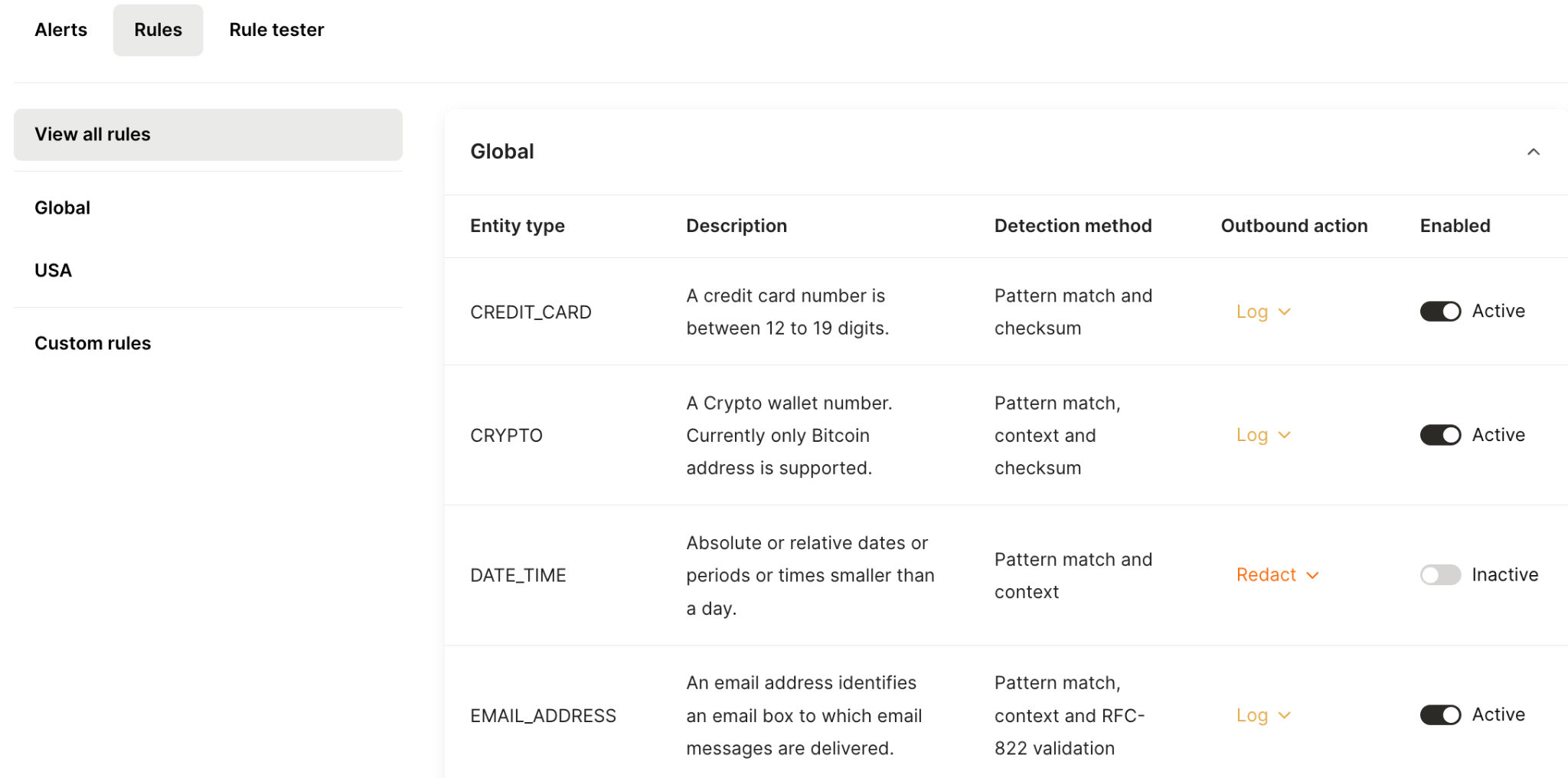
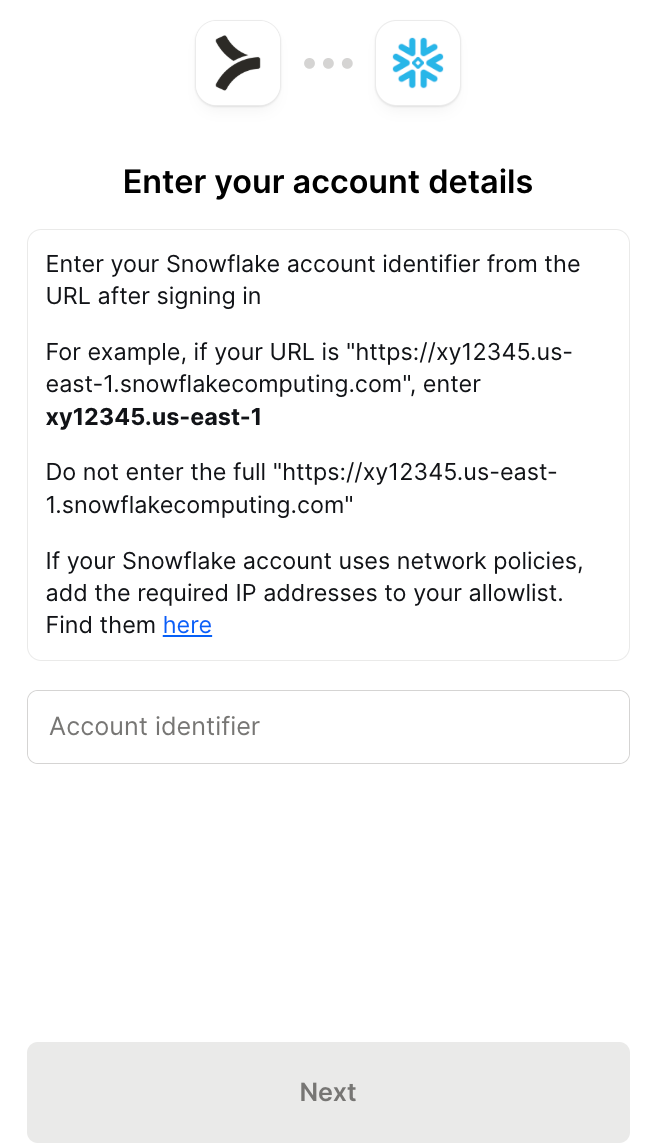
- Built-in authentication and credential management: This lets you avoid building and maintaining auth flows for every connector.
- Production-grade observability: Your team can troubleshoot and govern agentic actions across tools via fully searchable tool-call logs, audit trails, and real-time monitoring/alerts
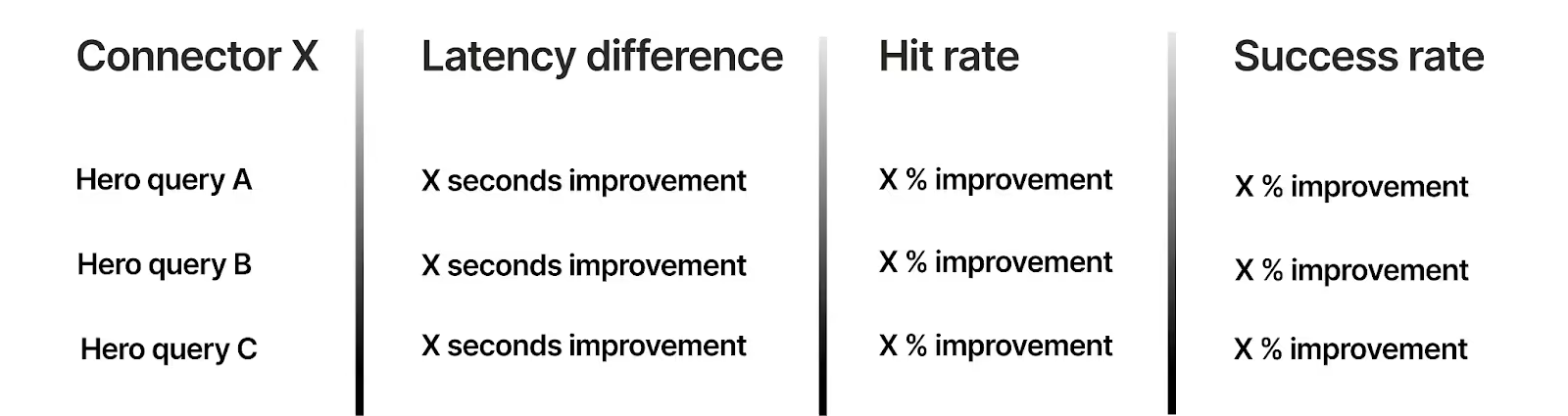
- Best-in-class connectors: Agent Handler’s connectors use tool names, descriptions, and schemas that are comprehensively tested and optimized for high hit and success rates at scale
{{this-blog-only-cta}}
Arcade.dev
Arcade.dev, otherwise known as Arcade, is a developer-centric tool-calling platform that provides a catalog of integrations and tools and a session-style auth model for agents, with strong emphasis on SDK-driven implementation.
Pros
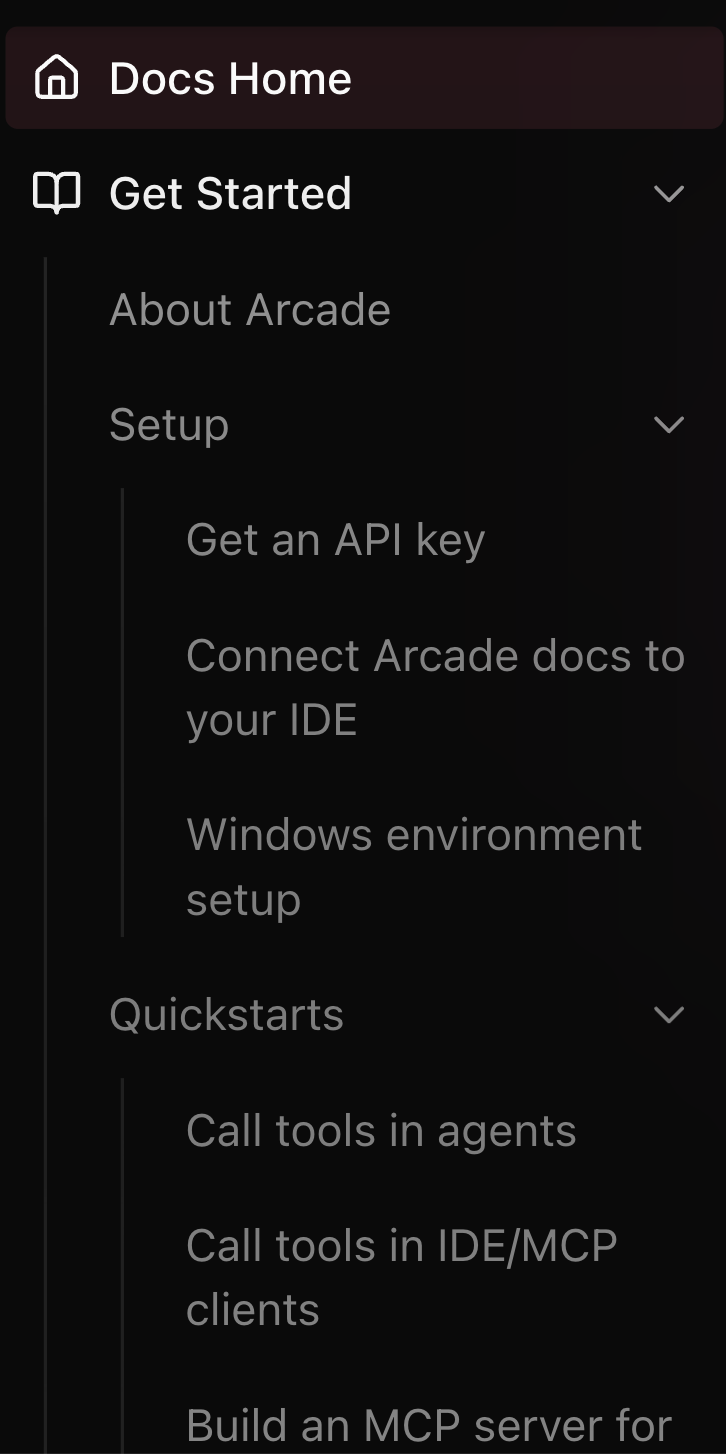
- Strong developer experience: They provide API-like docs that enumerate tools and parameters clearly, which is helpful for technical teams integrating quickly
- Session-based auth approach with scopes: Arcade can request temporary, session-style tokens at tool-call time with scopes applied. This reduces reliance on always-on credentials and better enforces least-privilege access per interaction
- Deployment flexibility: Arcade supports self-hosting, which matters for teams that need tighter control over data handling, network boundaries, and compliance/security requirements (e.g., keeping tool execution inside their own infra), while still using Arcade’s tool-calling model
Cons
- Very SDK/code-heavy: the platform is best suited to highly technical teams, which means most of your team members can’t use it
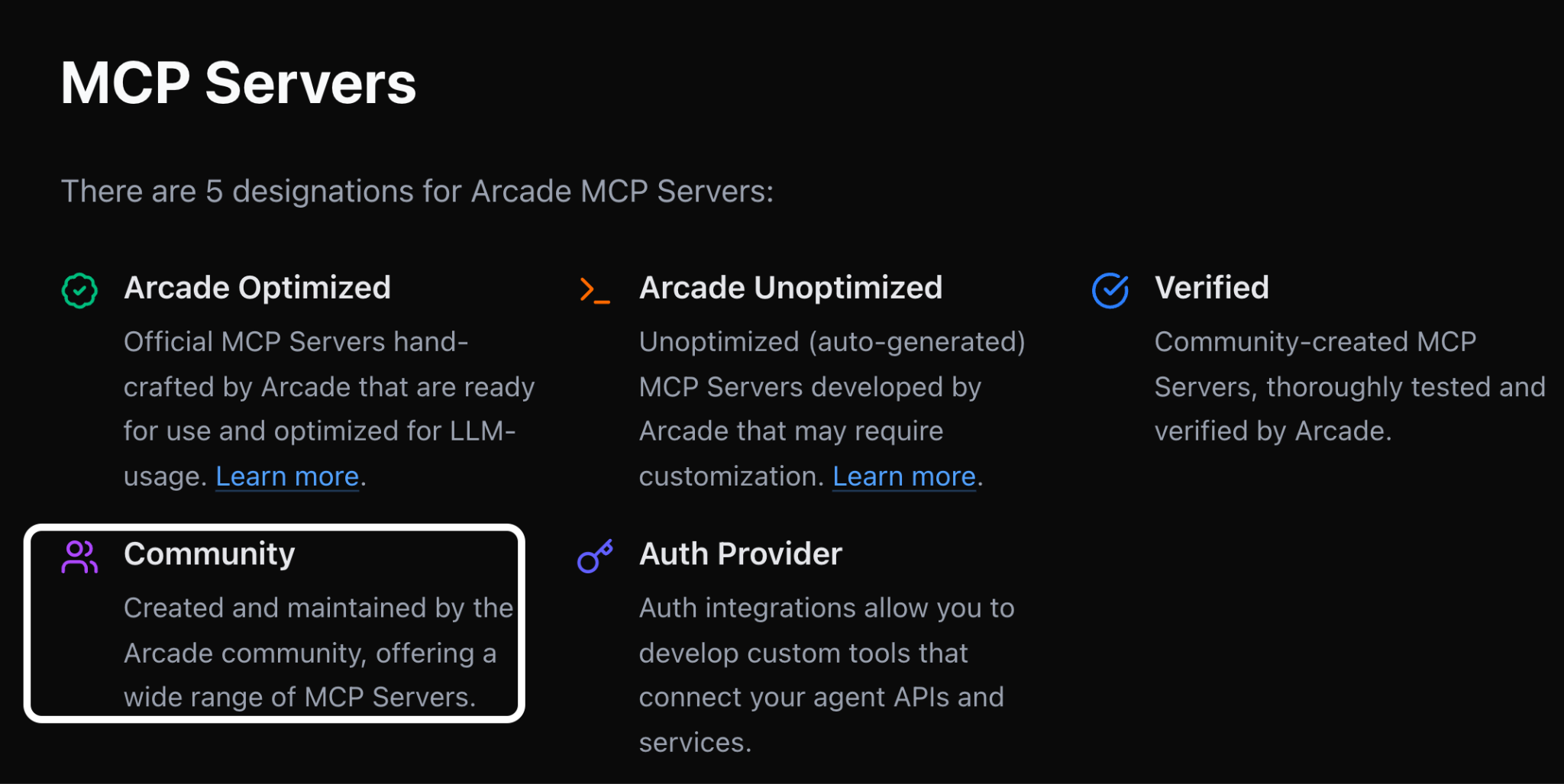
- Limited number of managed integrations: Arcade offers fewer first-party integrations than you might expect, instead pushing community/third-party connectors that vary more in quality, maintenance, and supportability
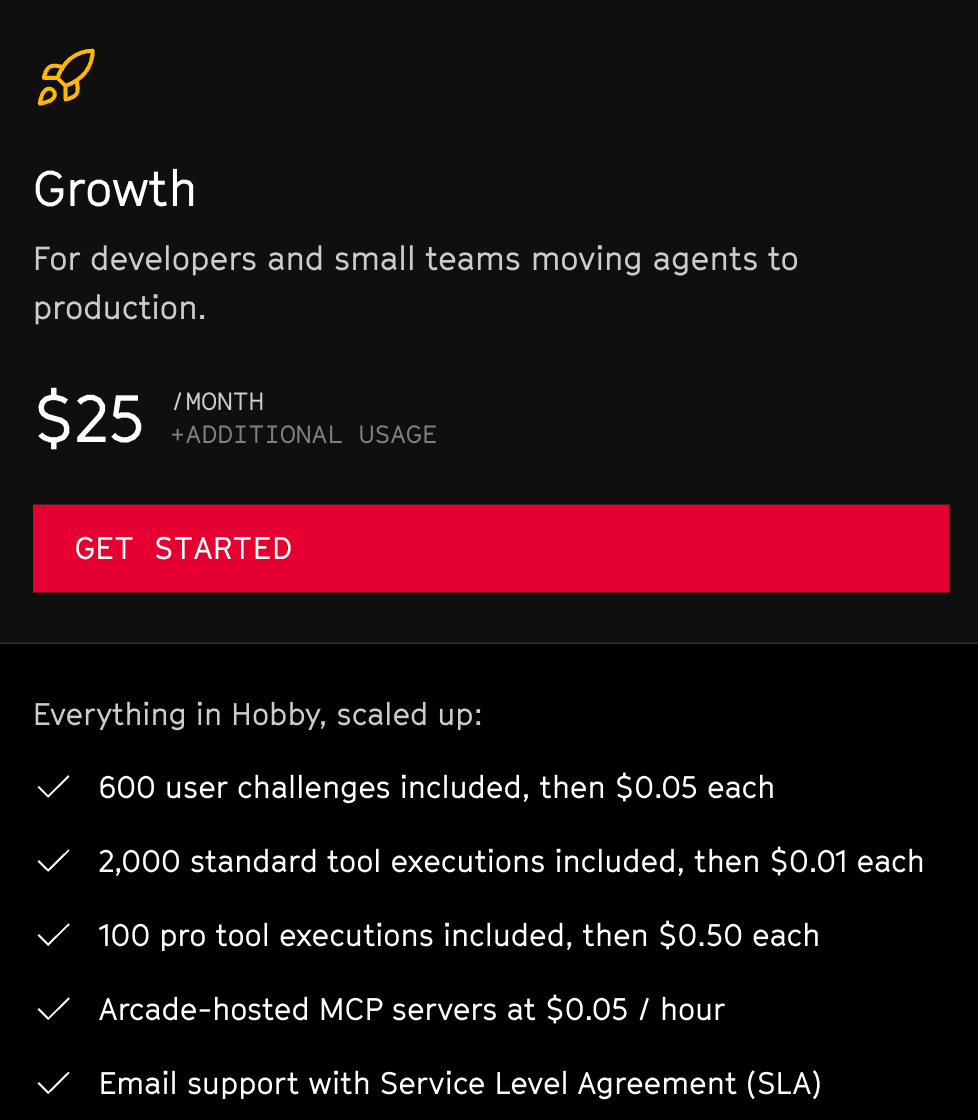
- Pricing complexity: Arcade’s plans use non-standard, product-specific packaging terms and multiple usage dimensions, which can make it harder to translate “how our agents will use tools in production” into a clean monthly cost model
Related: The top alternatives to Arcade
Composio
Composio is a developer-first agent tool-calling platform with a large connector/tool catalog and multiple execution primitives.
Pros
- Large tool/catalog breadth: Composio claims to support more than 1,000+ connectors, which can accelerate your agentic integration builds across categories

- Supports multiple SDKs/frameworks: This can reduce integration rework if you switch (or run multiple) agent frameworks as your product evolves
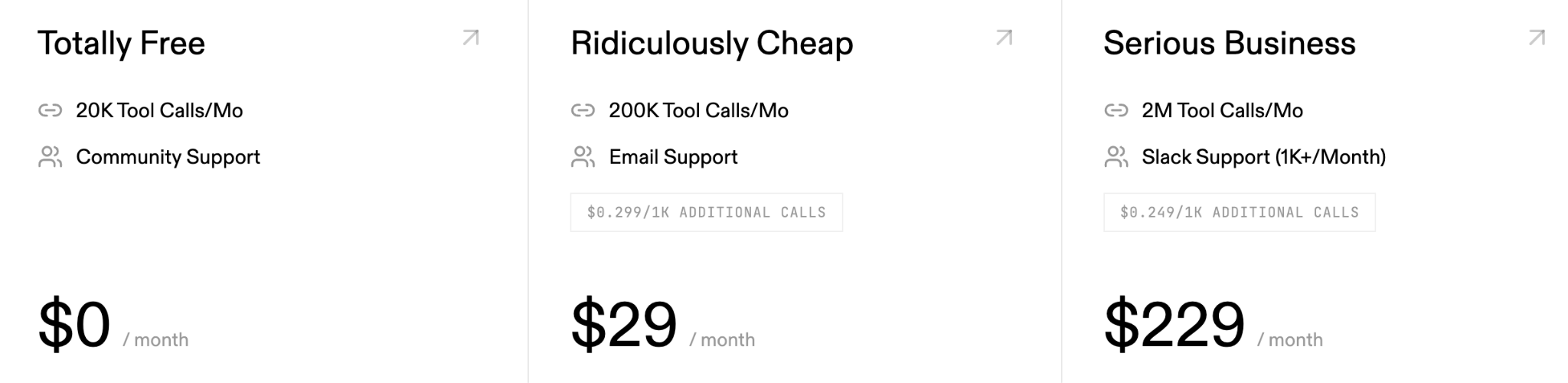
- Scalable pricing model: They offer a usage-based pricing model and a free tier. Taken together, you can easily validate the connectors, the platform more broadly, and achieve a meaningful ROI over time
Related: A look at Composio’s best alternatives
Cons
- Pricing ambiguity: While Composio offers a freemium, usage-based pricing model, their pricing plans don’t provide all the details you need to make an informed decision. For example, on their pricing page, you’ll only see the number of tool calls that can be made per month and the level of support you’ll receive
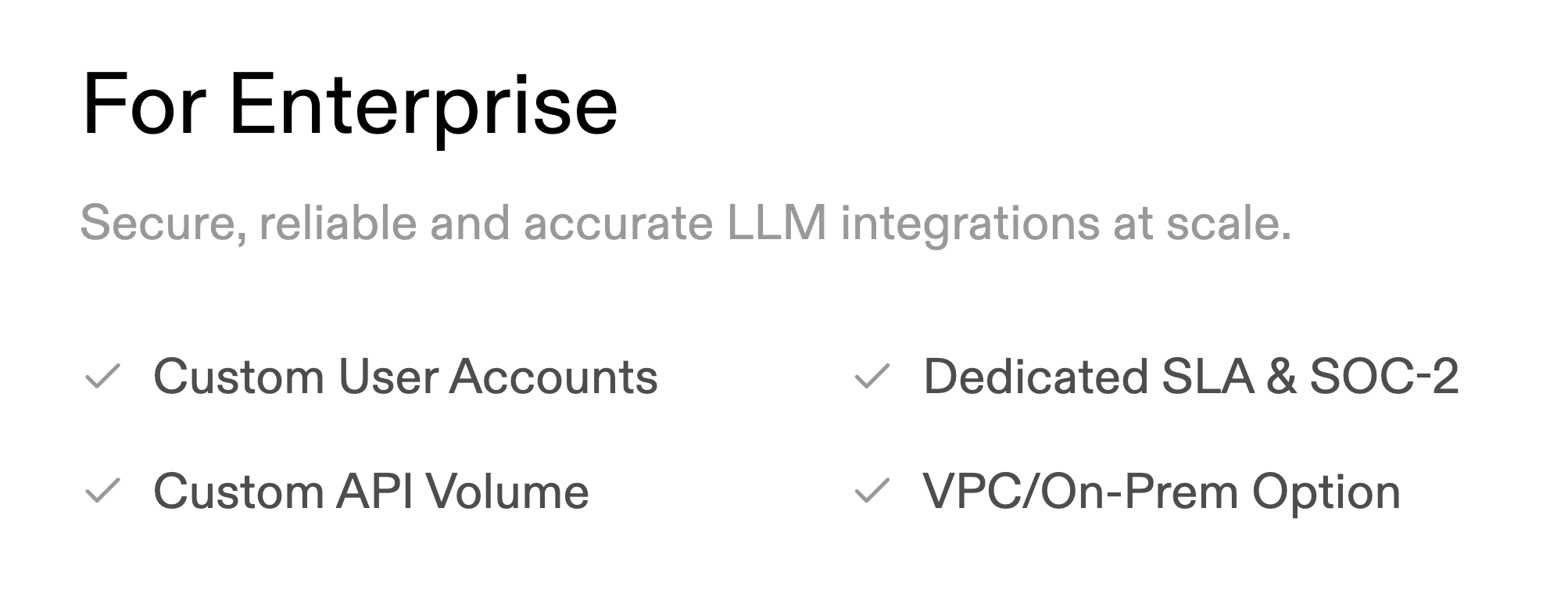
- Compliance-driven upgrade pressure: Composio only offers compliance features like SOC-2 on their enterprise plan. This can force you to upgrade to that plan when, all else equal, you wouldn’t need and want to
- Less emphasis on governance and observability: Composio’s messaging tends to emphasize their connectors; there’s fewer details on the production governance they offer or the observability features they provide out of the box. This hints that you need to invest in an agent monitoring platform that complements Composio
Airbyte Agents
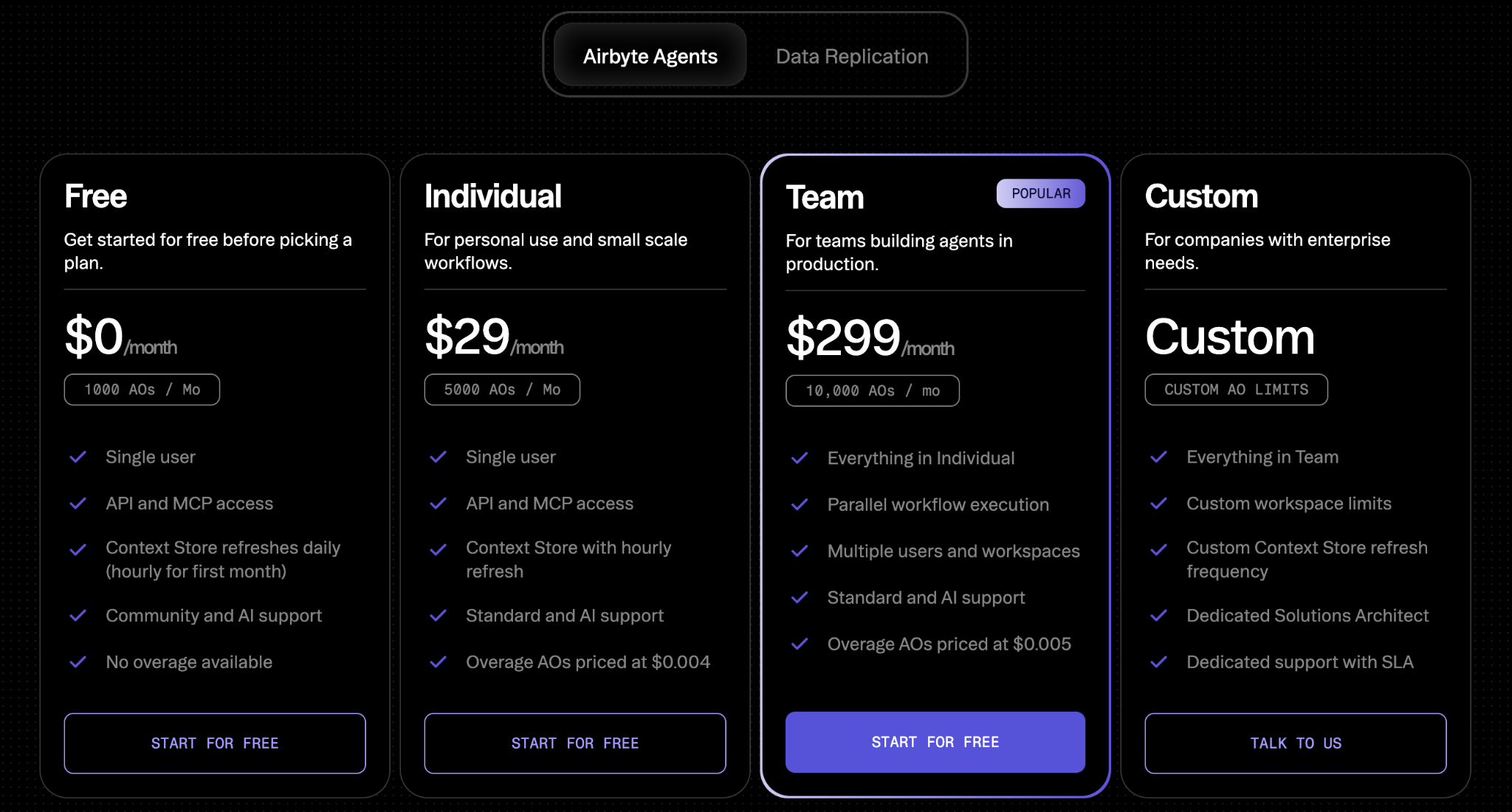
Airbyte’s newly-launched offering positions AI agents as the “data context layer.”
The agents are focused on optimizing discovery/retrieval of pre-indexed context to reduce tool calls and token usage, rather than a full execution and governance layer.
Pros
- Efficiency headline benchmarks: They market ~40% fewer tool calls and up to ~80–90% fewer tokens
- Data infra credibility: Airbyte’s brand is trusted with data platform/data engineering teams, which can help spur adoption for their new agentic offering
- Flexible pricing: They offer a free plan to help you get started, and plans that are optimized for individual users, small teams, and larger companies with strict data requirements
Cons
- Governance depth is unclear: Policy/DLP enforcement, admin controls, and audit-ready per-user attribution aren’t clearly documented yet and need to be validated
- Not an execution layer: It’s framed as adjacent to (not replacing) an execution and governance layer for tool execution. This means that if you used Airbyte Agents you’d likely still need a separate agent governance solution
- Connector breadth and write coverage constraints: They only offer ~50 connectors, which may not be enough to support all of your agentic integration needs
- Claims need at-scale validation: Their docs and blogs explicitly flag benchmarks as early and suggests validating in real deployments
Related: The top alternatives to Airbyte
Perfect Horizon
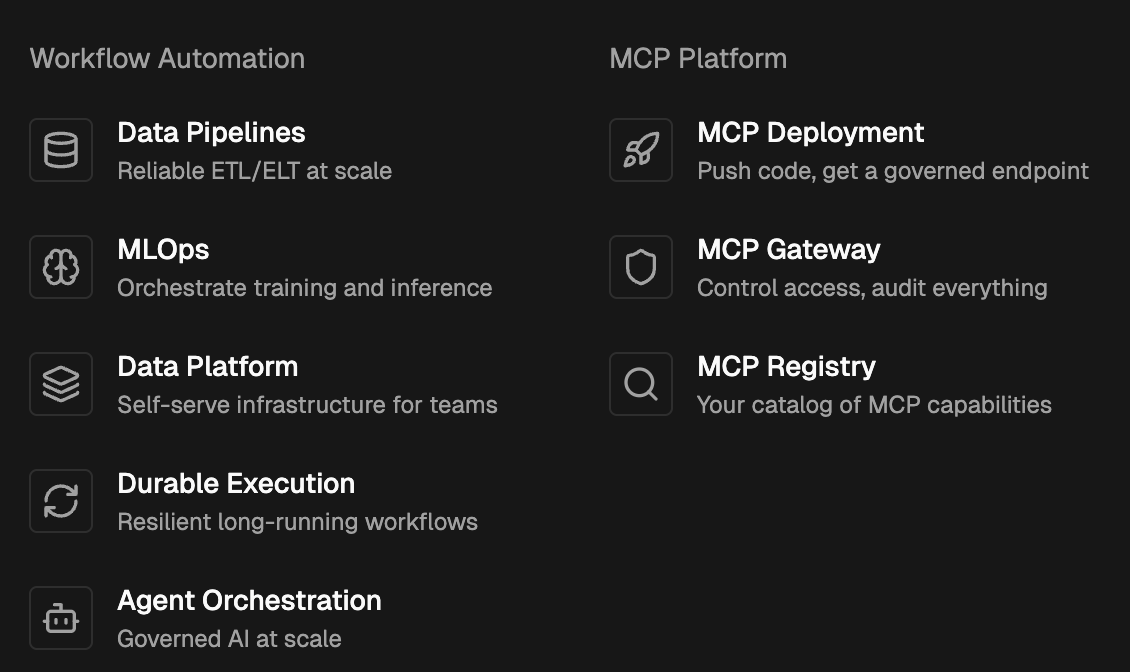
Perfect Horizon is a deployment and management platform for MCP servers you build yourself (e.g., write Python, push to GitHub, and quickly get a production MCP server URL), focused on operating MCP infrastructure rather than providing a catalog of pre-built enterprise connectors.
Pros
- Fast MCP server deployment: Get code (Python) to a production MCP server URL extremely quickly (they market it as fast as 60 seconds)
- Good fit for internal MCP standardization: Resonates with platform/infra teams that want a consistent way to deploy and manage internally-built MCP servers
- MCP registry and gateway approach: Emphasizes a registry/gateway model for controlling and organizing MCP capabilities at the server/capability layer
Cons
- No pre-built connectors: They don’t support managed, enterprise-ready third-party connectors or tools out of the box
- You still own maintenance burden: Since the MCP servers are ones you build (or source elsewhere), you/partners still need to build and maintain them over time
- Different governance surface area: Emphasizes access control at the server/capability layer, but is less oriented around per-tool-call governance
- Potential MCP server sprawl: A platform to host/manage MCP servers can still leave teams with many MCP servers to trust/manage versus a single governed endpoint to many tools
{{this-blog-only-cta}}
Jon Gitlin




Start using the leading MCP gateway for free
Test thousands of tools across Merge Agent Handler’s MCP servers, and explore the platform's observability and governance features for free.


But Merge isn’t just a Unified
API product. Merge is an integration platform to also manage customer integrations. gradient text
But Merge isn’t just a Unified
API product. Merge is an integration platform to also manage customer integrations. gradient text
But Merge isn’t just a Unified
API product. Merge is an integration platform to also manage customer integrations. gradient text
But Merge isn’t just a Unified
API product. Merge is an integration platform to also manage customer integrations. gradient text
