
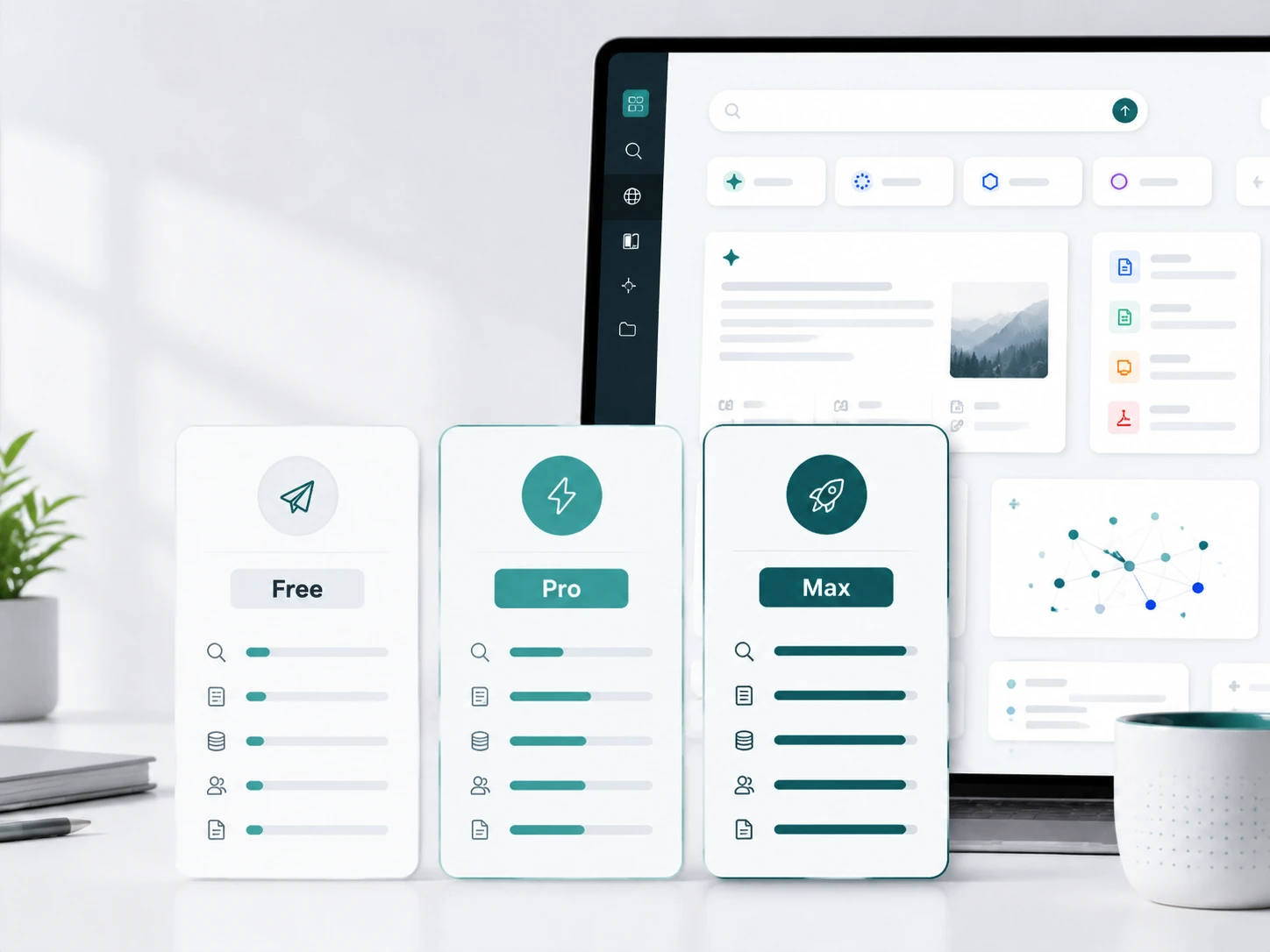
Perplexity has several access paths in 2026, and they are not all meant for the same kind of user. Standard is the free plan for casual search. Pro is the paid individual plan for heavier research, file analysis, advanced models, and media tools. Max is the high-access individual plan for users who regularly need the strongest research and creation limits. Education Pro gives verified students and educators a discounted route. Enterprise Pro and Enterprise Max are built for teams, admin controls, security, and higher organization-level limits. Sonar API is separate from the consumer subscriptions and is billed as developer API usage.
The short version: most individual users should compare Pro and Max after checking whether Free is enough. Teams should look at Enterprise Pro or Enterprise Max. Developers should treat Sonar API as a separate product, not as a perk included with Pro or Max.
As of September 11, 2026, Perplexity’s official plan comparison still separates Standard, Pro, Education Pro, Max, Enterprise Pro, Enterprise Max, and the API Platform. The prices and published usage limits below use that current plan structure.
If your AI work goes beyond Perplexity’s own search product, consider GlobalGPT before adding another separate subscription. It is an all-in-one AI platform where you can use Perplexity model access alongside top models such as GPT, Claude, and Gemini in one workspace, making research, writing, summarizing, image work, and model comparison easier to manage and often more budget-friendly.
Quick navigation
- Perplexity plans compared
- Individual plans: Free, Pro, and Max
- Enterprise plans
- Perplexity API and Sonar
- Billing, upgrades, and cancellation
- Which Perplexity plan should you choose?
- GlobalGPT and Perplexity
- Frequently asked questions
- Final thought
Perplexity Plans Compared: Free, Pro, Max, Education Pro, Enterprise, and Sonar API
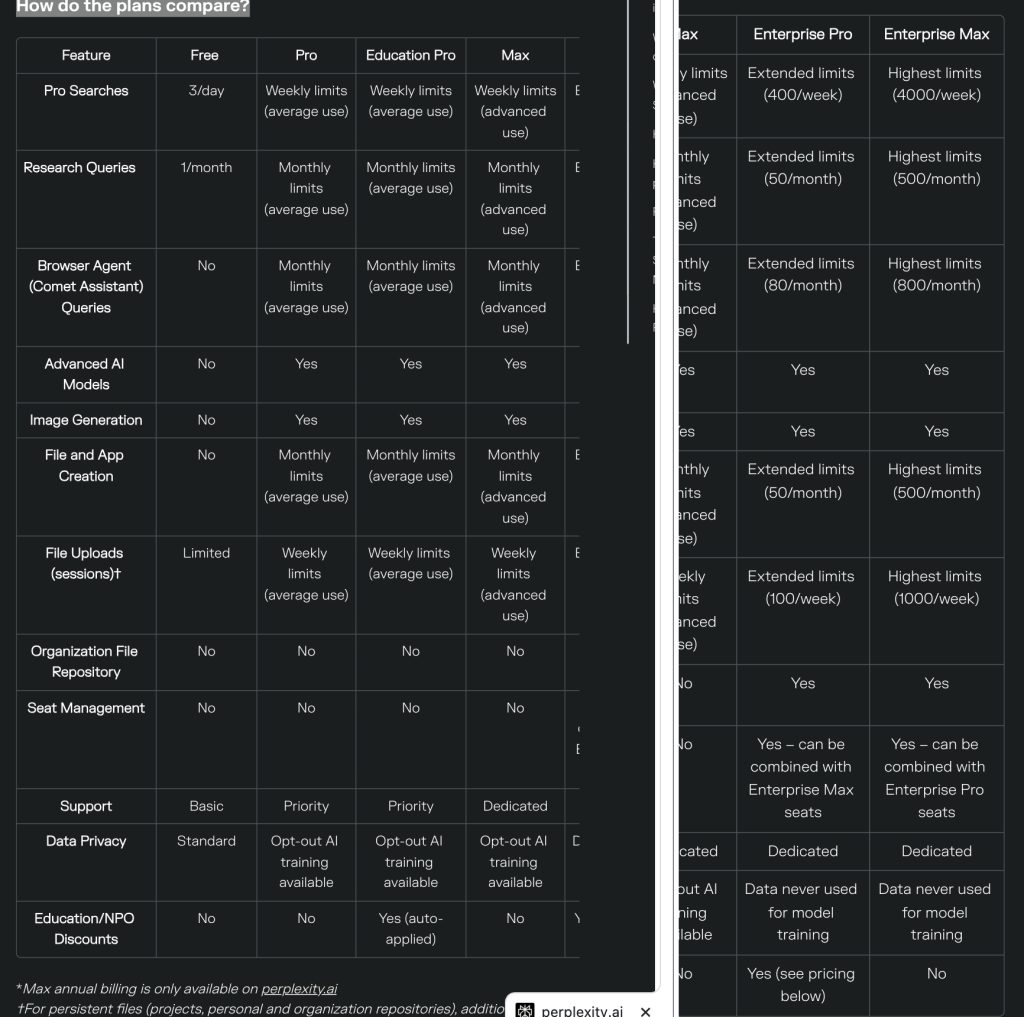
Perplexity’s pricing is easier to understand if you separate personal subscriptions, team subscriptions, and API access.
| Plan | Best For | Price | Published Access or Limits | Main Limitation |
|---|---|---|---|---|
| Standard (Free) | Light search and occasional answers | $0 | Practically unlimited basic searches, 3 Pro Searches/day, 1 Research query/month, and limited file uploads | No manual advanced-model selection or image generation |
| Perplexity Pro | Researchers, students, writers, analysts, and frequent search users | $20/month or $200/year; official annual page displays about $17/month | Weekly Pro Search and file limits, monthly Research/Create/Comet limits, advanced models, image/video generation, and up to 50 files per project | Consumer Pro has no recurring Computer-credit allocation; a 4,000-credit new-account bonus may apply |
| Perplexity Max | Power users who need the highest individual access | $200/month or $2,000/year; official annual page displays about $167/month | Everything in Pro, advanced-use limits, Model Council, 10,000 Computer credits/month, and a one-time 35,000-credit bonus for eligible new accounts | Expensive for casual users and separate from API billing |
| Education Pro | Verified students and educators | $10/month with SheerID verification | Everything in Pro plus Learn Mode, education-specific guidance, and student/faculty eligibility | Requires verification; institution coverage can vary |
| Enterprise Pro | Teams that need collaboration, security, admin controls, and higher limits | $40/month per seat or $400/year per seat | 400 Pro Searches/week, 50 Research and 50 Create queries/month, 80 Comet queries/month, 100 session uploads/week, and 500 Computer credits/month | Designed for organizations, not personal use |
| Enterprise Max | Organizations with the heaviest research, model, and governance needs | $325/month per seat or $3,250/year per seat | 4,000 Pro Searches/week, 500 Research and 500 Create queries/month, 800 Comet queries/month, 1,000 session uploads/week, and 15,000 Computer credits/month | High cost; API usage is still billed separately |
| Sonar API | Developers building apps or automations with Perplexity’s search and answer models | Pay as you go | Token pricing plus request fees by search context; Agent API and Search API have separate rate cards | Does not unlock subscription features in the web or mobile app |
Individual Plans: Free vs Pro vs Max
Perplexity Standard (Free)
The free plan is enough if you mainly ask casual questions, check quick facts, or want to test how Perplexity answers with sources. It gives you a limited amount of Pro Search and Research usage, but it is not designed for heavy file analysis, long research sessions, or frequent advanced-model work.
The official September 2026 comparison publishes 3 Pro Searches per day and 1 Research query per month for Standard, plus practically unlimited basic searches and limited file uploads.
Choose Free if you only need occasional answers and do not want another monthly subscription.
Perplexity Pro
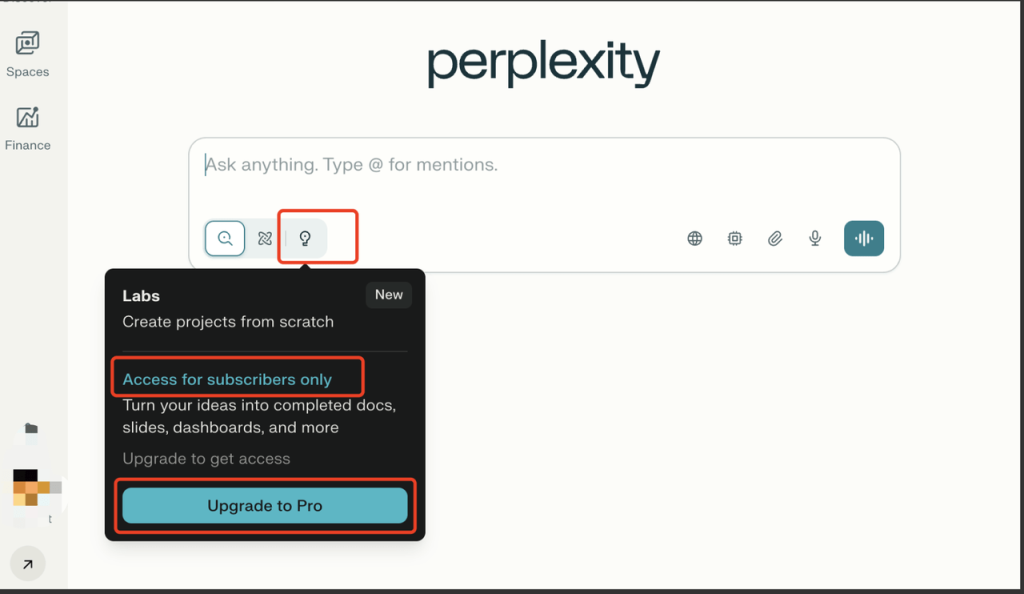
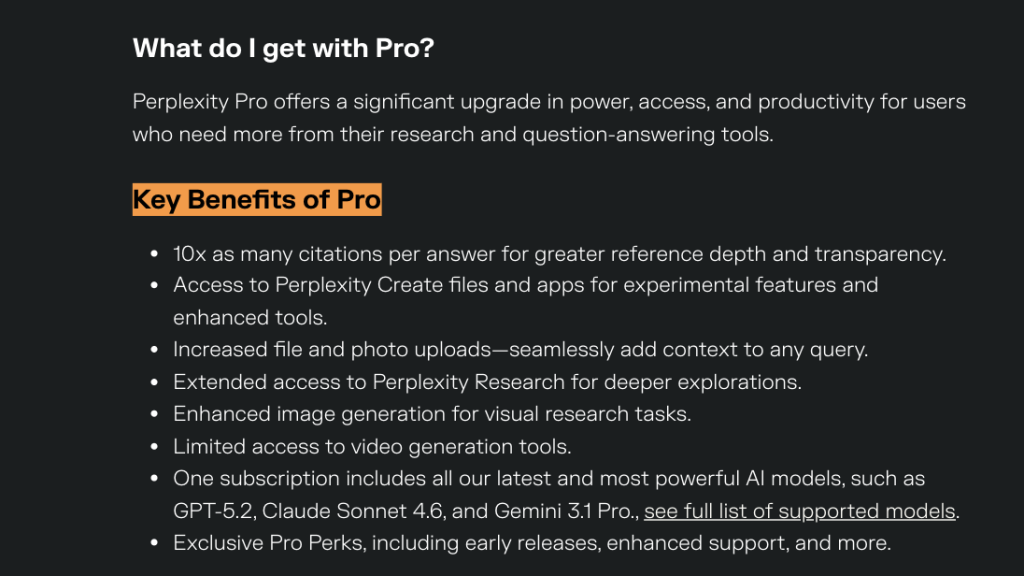
Perplexity Pro is the best fit for most paid individual users. It expands Pro Search, unlocks advanced AI models, increases file and photo upload capacity, adds image generation and video generation, and gives access to Perplexity Create files and apps within plan limits. Perplexity’s September 4, 2026 model snapshot lists Sonar 2, GPT-5.6 Terra, Gemini 3.7 Flash, Claude Sonnet 5, Kimi K3, GLM 5.3, Grok 4.6, and Nemotron 3 Ultra for Pro; Max also adds GPT-5.6 Sol and Claude Opus 5. Availability can still vary by plan, rollout, region, and Enterprise settings.
Pro is strongest for research-heavy browsing, citation-backed answers, PDF or file analysis, study work, and content workflows where the free plan feels too tight. If you are mainly deciding whether to pay, the separate guide to Perplexity Pro cost and savings is the better next read. Pro is not the right plan if you expect unlimited creation, unlimited research, or enterprise-level admin controls.
Education Pro
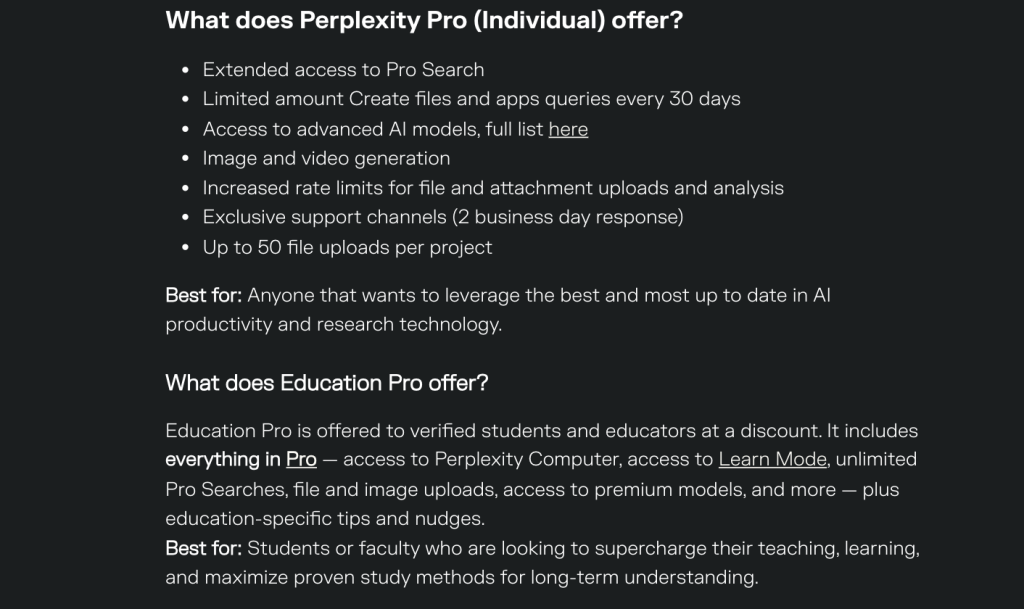
Education Pro is a discounted version for verified students and educators. The official Education Pro page lists it at $10/month with verification. It is worth considering if you qualify and mainly need Pro-style research access for coursework, teaching, study planning, or academic reading. Students can also check the dedicated Perplexity student discount guide, while educators may want the newer teacher discount overview.
Perplexity Max
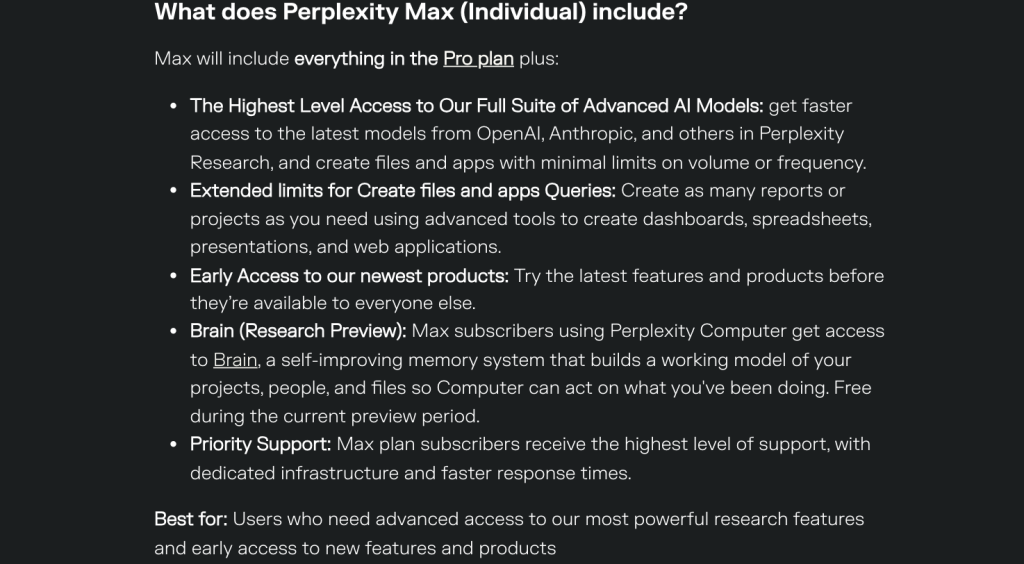
Perplexity Max is for users who frequently hit Pro’s limits. It includes everything in Pro, then adds the highest level of individual access to advanced AI models, expanded Create files and apps usage, Model Council, 10,000 Computer credits each month, and a one-time 35,000-credit bonus for eligible new accounts.
Max makes the most sense if you use Perplexity every day for deep research, reports, multi-step projects, file-heavy analysis, and frontier-model comparison inside Perplexity. If you are comparing the upgrade in detail, start with the full Max subscription benefits breakdown. It is hard to justify for casual search because the price is much higher than Pro.
Computer credits are separate from normal Ask searches. According to Perplexity’s current credit guide, 100 credits equals $1, Pro includes no recurring monthly Computer credits, and Max includes 10,000 credits per month. Eligible new accounts may receive one-time bonuses of 4,000 credits on Pro or 35,000 credits on Max, expiring after 30 days.
Enterprise Plans: Enterprise Pro vs Enterprise Max

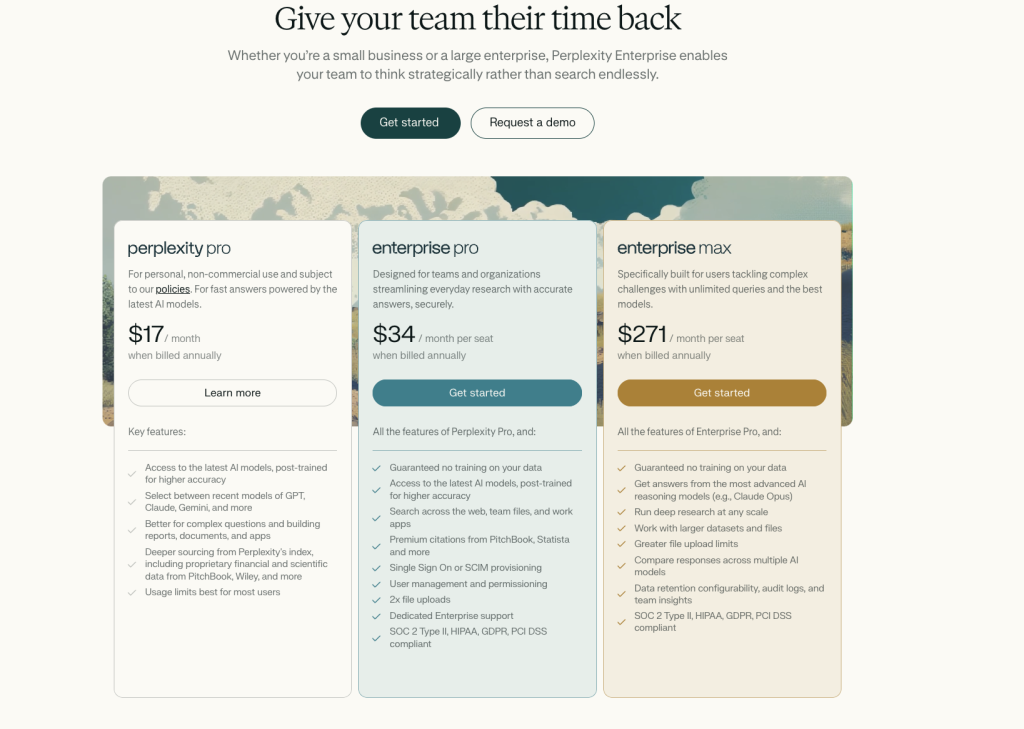
Perplexity’s Enterprise plans are not just higher-priced versions of the personal plans. They are meant for teams that need shared workspaces, higher limits, security controls, app and file integrations, dedicated support, and stricter data handling.
| Enterprise Plan | Price | Best For | Published Limits |
|---|---|---|---|
| Enterprise Pro | $40/month per seat or $400/year per seat | Teams that need secure research, collaboration, and admin controls | 400 Pro Searches/week, 50 Research queries/month, 80 Comet Assistant queries/month, 50 Create queries/month, 100 session uploads/week, and 500 Computer credits/month |
| Enterprise Max | $325/month per seat or $3,250/year per seat | Teams with very high research volume, larger files, and heavier model-comparison needs | 4,000 Pro Searches/week, 500 Research queries/month, 800 Comet Assistant queries/month, 500 Create queries/month, 1,000 session uploads/week, 15,000 Computer credits/month, and up to 15 eight-second videos/month |
Enterprise Max also publishes capacity for up to 10,000 personal files and 5,000 files per Project. Perplexity says the old organization file repository is being retired for both Enterprise tiers, so teams should confirm their current file workflow before migration.
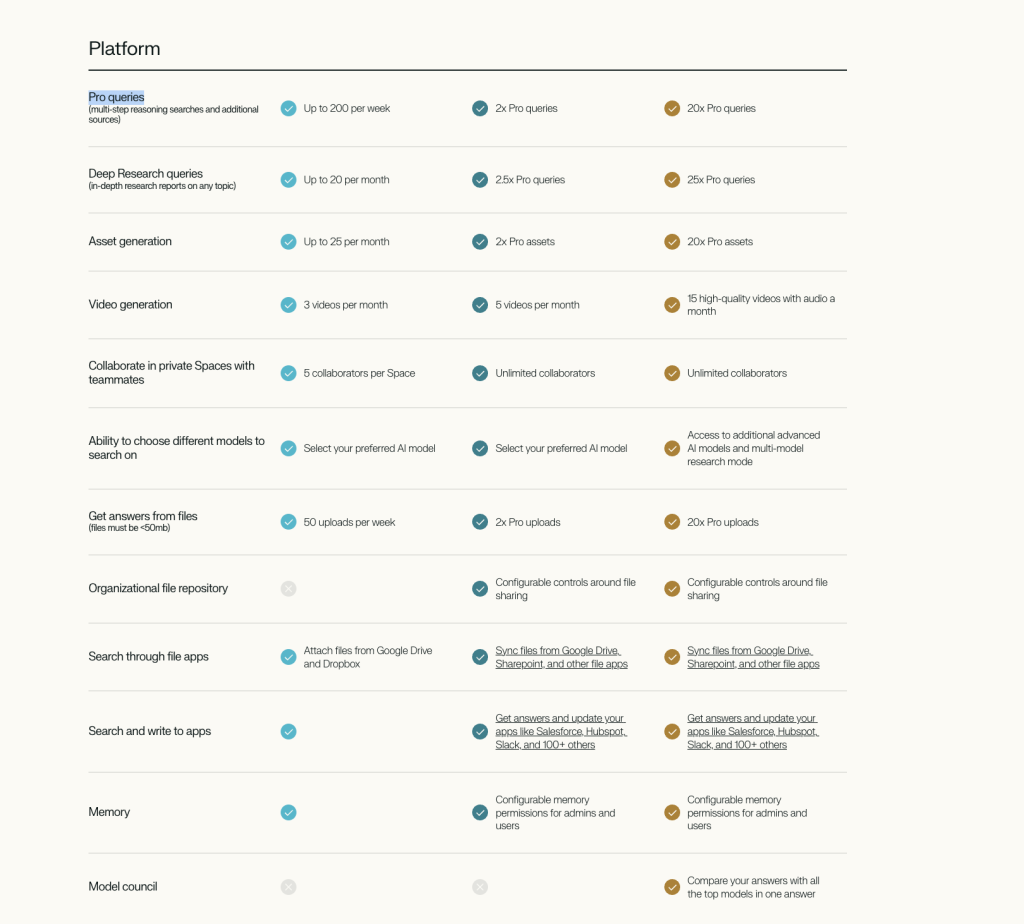
Choose Enterprise Pro if your team mainly needs secure research and collaboration at scale. Choose Enterprise Max only if the team regularly needs the highest query limits, deeper research volume, larger files, or organization-wide comparison across top models. For a deeper business-focused breakdown, use the separate guide to Enterprise Pro and Enterprise Max pricing.
Sonar API is separate from Pro and Max
Sonar API is for developers who want to add Perplexity-style search and answers to an app or automation. API keys, usage, and billing are managed separately. Buying Pro or Max does not mean your application calls are included, and paying for API usage does not unlock the web app’s subscription features.
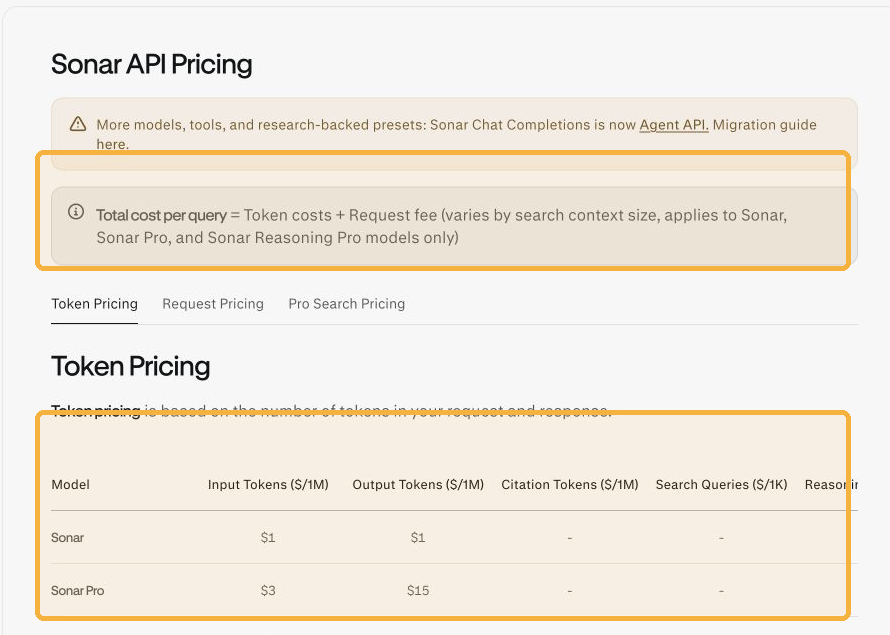
Current token rates shown in Perplexity’s API pricing documentation are $1 per million input and output tokens for Sonar; $3 input and $15 output for Sonar Pro; $2 input and $8 output for Sonar Reasoning Pro; and $2 input, $8 output, $2 citation, $5 per 1,000 searches, and $3 reasoning tokens for Sonar Deep Research. Sonar, Sonar Pro, and Sonar Reasoning Pro also carry context-based request fees per 1,000 requests. The official models page says Sonar Chat Completions remains supported until September 27, 2026, with migration guidance for the Agent API.
| Question | Answer |
|---|---|
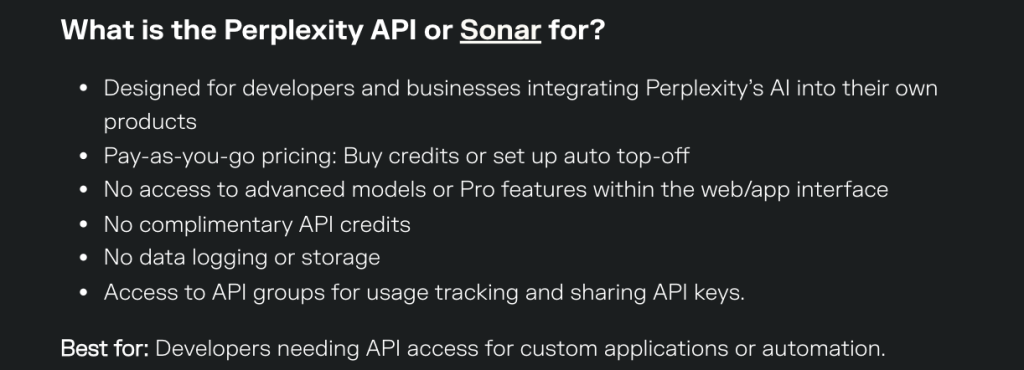
| Do I need Pro or Max to use Sonar API? | No. API access is managed separately through API keys and usage credits. |
| Does Pro or Max include API credits? | No complimentary API credits are listed in the official plan description. |
| Does Sonar API unlock Pro or Max web-app features? | No. API billing does not give you advanced models or Pro features inside the Perplexity web or mobile app. |
| Who should use it? | Developers, teams, and businesses building custom applications, automations, or product integrations. |
Billing, Upgrades, and Cancellation
Perplexity Pro can be paid monthly or annually. The annual option is usually cheaper over a full year, while monthly billing is easier to cancel if you only need Pro for a short project.

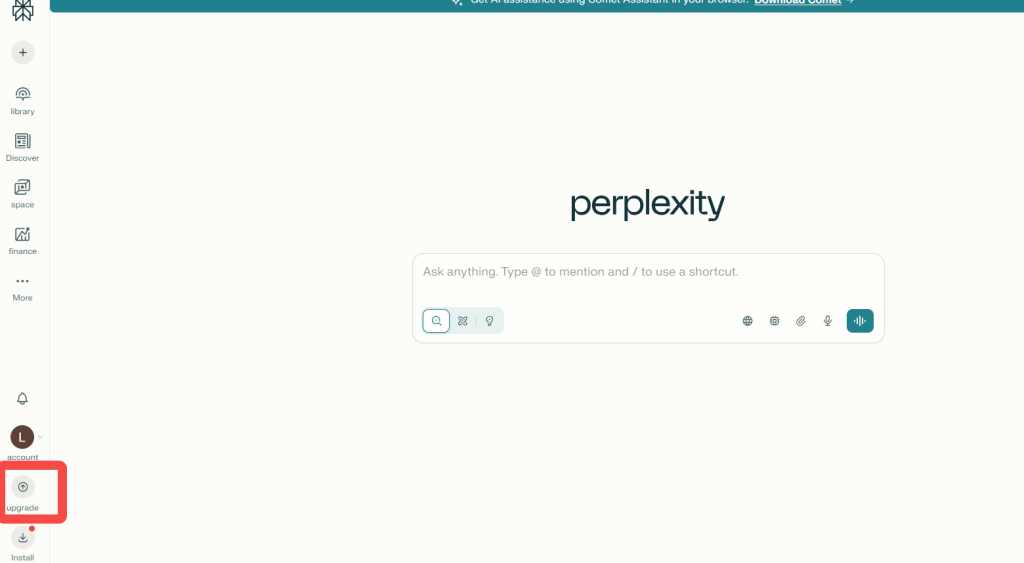
On the web app, you can upgrade from the account or upgrade area, choose a plan, and complete checkout. If you have trouble getting into your account first, use the Perplexity login guide. If you subscribe through iOS or Android, billing and cancellation are handled through the App Store or Google Play.
On Perplexity.ai, you can choose USD or an available local currency at checkout, and recurring payments stay in that currency. Perplexity’s local-currency guidance says this choice is web-only; App Store and Google Play subscriptions use the store’s billing, and customers in India still pay in USD for recurring Perplexity.ai subscriptions.
If you cancel, access normally remains available until the end of the current billing period. Before upgrading, check whether you are paying through the web, Apple, or Google, because that is where future plan changes usually need to be managed. Mobile users can also read the guide to using Perplexity on iPhone, while desktop users may prefer the Perplexity Windows app walkthrough.
Which Perplexity Plan Should You Choose?
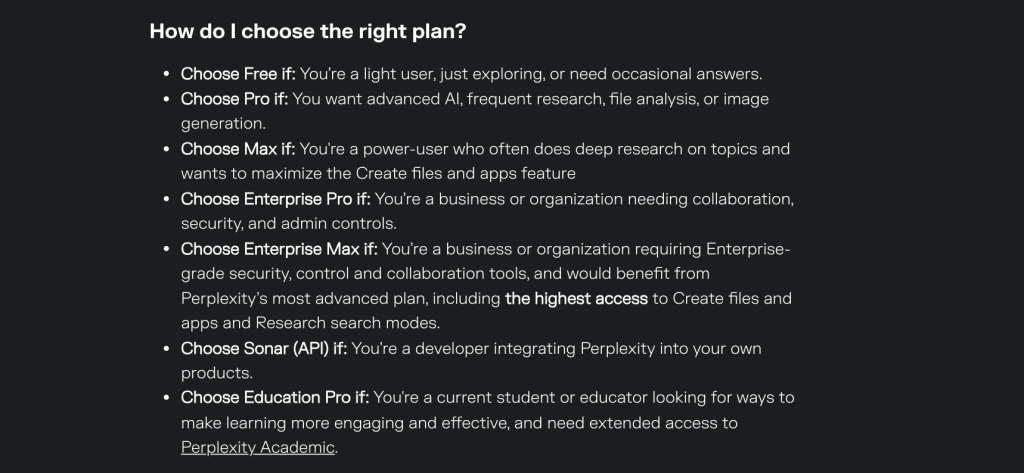
- Choose Free if you only need occasional AI search and do not rely on Perplexity for daily work. The detailed free-plan breakdown is useful if you are trying to avoid paying too soon.
- Choose Pro if you want better research depth, advanced models, file analysis, image generation, and more generous everyday limits. Read the Pro benefits guide if you need more examples before upgrading.
- Choose Max if you often hit Pro’s limits and need the highest individual access for deep research, Create files and apps, and early product features. For the price question, see the guide to how much Perplexity Max costs.
- Choose Education Pro if you are a verified student or educator and can get the discounted rate. Students should compare the free student access and paid Education Pro routes before choosing.
- Choose Enterprise Pro if your organization needs secure collaboration, admin controls, higher limits, and team-level support.
- Choose Enterprise Max if your organization needs the highest limits, larger files, model council, and advanced enterprise research workflows.
- Choose Sonar API if you are building with Perplexity programmatically instead of using the web or mobile app.
What If You Need More Than Perplexity?
Perplexity is strongest when the task is research, search, citations, and source-backed answers. If you are still learning the product, start with what Perplexity AI is good for and the main Perplexity features before choosing a paid plan. If your work starts with research but quickly turns into writing, rewriting, planning, or comparing several AI answers, GlobalGPT is worth considering beside Perplexity rather than after you have already committed to one tool.
Some users also want to compare responses from multiple model families, draft creative content, test different reasoning styles, or use image and video tools without managing several separate subscriptions. That is where GlobalGPT fits naturally: it gives you a multi-model workspace for everyday AI work, while Perplexity remains the tool you choose when citations and source-backed search are the main job. If you are comparing tools before paying, it can help to look at Perplexity vs DeepSeek, Gemini, Claude, ChatGPT, or Google.
For many readers, the decision is not “Perplexity or GlobalGPT.” A cleaner way to think about it is: use Perplexity when you need focused research and sources, and use GlobalGPT when you want broader model access, drafting, planning, or quick comparison in one workspace. If you want to keep browsing, the broader list of Perplexity alternatives is a better next step than forcing every workflow into one Perplexity tier.
Frequently Asked Questions
Is Perplexity AI free?
Yes. Perplexity has a free Standard plan. It is useful for light search and occasional answers, but it has lower limits than Pro, Max, Education Pro, and Enterprise plans. For the full limit discussion, read the free-plan breakdown.
Is Perplexity Pro worth it?
Perplexity Pro is worth it if you regularly use Perplexity for research, file analysis, citation-backed answers, advanced AI models, image generation, or heavier daily search. If you only ask a few casual questions each week, the free plan may be enough. If you want a feature-by-feature view, use the Perplexity vs Perplexity Pro comparison.
Is Perplexity Max worth $200/month?
Max is only worth it for heavy users who often hit Pro’s limits and need the highest individual access to research, advanced models, Create files and apps, early features, and priority support. Most casual users should start with Pro before considering Max. The Pro vs Max feature comparison is the cleanest next read if you are stuck between the two.
Does Perplexity Max always use Sora 2 Pro?
No. Perplexity’s video-generation documentation lists Veo 3.1 by subscription tier and says users cannot choose the video model manually. Do not treat Sora 2 Pro as the default Max video model. For the broader media workflow, see the guide to Perplexity video capabilities.
How much do Perplexity Pro and Max cost?
Perplexity Pro costs $20/month or $200/year, while Perplexity Max costs $200/month or $2,000/year. On the annual plan page, those totals are displayed as about $17/month for Pro and $167/month for Max. Prices can vary with taxes, local currency, and app-store billing.
Who qualifies for Education Pro, and where can you pay in local currency?
Verified students and educators can qualify for Education Pro at $10/month through SheerID. Perplexity supports local-currency web billing in eligible countries, but recurring web subscriptions in India remain USD-only; purchases in the iOS or Android app use the app store’s billing options.
Can I use Perplexity on GlobalGPT?
Yes. GlobalGPT provides a Perplexity route alongside other model families in one workspace. Use Perplexity there when you want source-backed research, then switch models when the task becomes drafting, planning, or comparison.
What is changing for the Sonar API in 2026?
Perplexity’s official API documentation says Sonar Chat Completions is supported until September 27, 2026 and points developers to the Agent API migration guide. Treat API access as a separate developer product and recheck the docs before implementation.
Final Thought
The right Perplexity plan depends on how often you research, how many files you analyze, whether you need advanced models, and whether you are buying for yourself or a team. Free is enough for light search. Pro is the best paid starting point for most individuals. Max is for heavy individual users. Enterprise Pro and Enterprise Max are for organizations. Sonar API is for developers, not ordinary app subscribers. If you want a broader product view before paying, read the full Perplexity AI review.
If your workflow also depends on comparing several AI models outside Perplexity, a multi-model tool such as GlobalGPT can sit alongside Perplexity as a flexible workspace. Just keep the roles clear: Perplexity is the research and answer engine; GlobalGPT is useful when you want broader model access and comparison in one place.




