

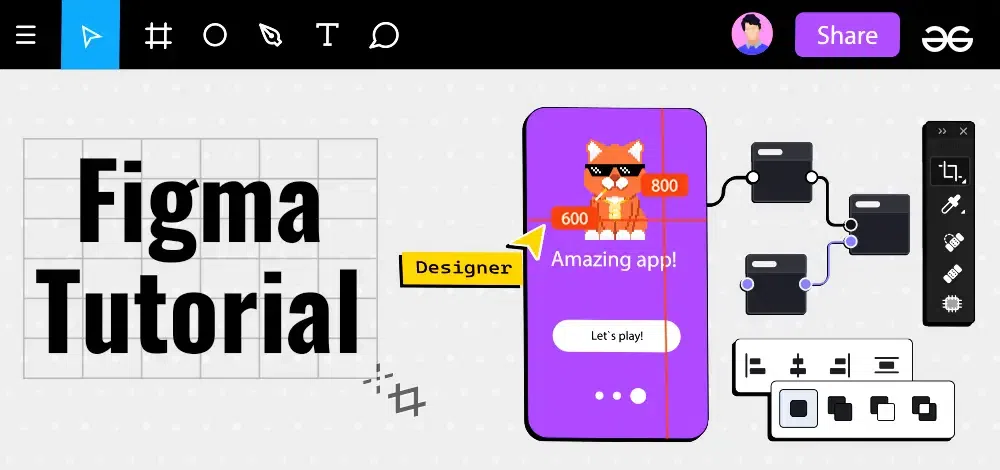
Figma is a powerful online design tool that allows you to create, share, and collaborate on designs seamlessly. It's a digital canvas for designing websites, apps, and graphics, accessible from any device with an internet connection. Figma's real-time collaboration features, intuitive interface, and set of tools make it an essential asset for both novice and experienced UI/UX designers.
Why Learn Figma?
Figma is one of the most popular design tools today. Here are some key facts:
- Used by Top Companies: Companies like Google, Microsoft, and Uber use Figma for their design needs.
- Collaborative Features: Figma allows multiple designers to work on a project in real-time, making it ideal for team collaboration.
- Cross-Platform: You can use Figma on any operating system with a web browser, making it highly accessible.
- Advanced Prototyping: Create interactive prototypes and animations directly within Figma.
Introduction to UI/UX Design Principles
Understanding the foundational concepts of visual design is necessary before using Figma. These topics cover the core principles of aesthetics, color theory, and structural layouts.
- User Interface (UI) Design
- What is Graphic Design
- Principles of Design
- Color Theory
- Typography
- Negative Space in Design
- Visual Design
Getting Started with Figma
This section introduces the software and its primary workspace environment. It outlines the initial steps to configure an account and understand the basic canvas setup.
- Introduction to Figma
- Setting up your account
- Navigating the Figma interface
- Understanding the toolbar
- Difference between Frames and Artboards
- Creating and managing Frames
- Setting up simple Artboards
Basic Tools, Shapes, and Layers
Creating digital elements requires familiarity with fundamental drawing and organization tools. These topics explain how to generate shapes, apply colors, and structure layers cleanly.
- Creating and editing shapes
- Using the Move and Scale tools
- Layer management basics
- Grouping and ungrouping layers
- Fill Tool
- Color Picker Tool
Typography and Styling
Text formatting and visual styling give interfaces their distinct, professional look. Here, you will learn to configure text properties and apply styling effects to various objects.
Project Example: Design a basic business card
Structuring Layouts and Wireframes
Building functional interfaces involves aligning elements and mapping out layouts. This section covers layout grids, dynamic resizing rules, and the initial wireframing process.
- Applying layout grids
- Best practices for consistent design
- Applying Auto Layout
- Applying Constraints
- Wireframing in Figma
- Designing Wireframing Components
Components, Variables, and Assets
Efficiency in design workflows relies on utilizing reusable elements and organized libraries. These topics detail component creation, variable usage, and overall asset management.
- Creating reusable components
- Managing the Assets panel
- Importing and exporting assets
- Creating and Using Variables
Advanced Design Techniques
Complex vector manipulation often requires specialized combining and cropping tools. These topics explain how to merge intersecting shapes and restrict visibility using masking.
Prototyping and Interactions
Simulating user journeys requires building interactive models of static designs. This section covers everything from basic page transitions to complex animated interactions.
- Creating interactive prototypes
- Adding basic transitions
- Testing and previewing prototypes
- Adding animations
- Creating complex interactions
Collaboration and Workspace Management
Working alongside a team involves shared file access and clear communication. These guides explain how to manage teams, handle version control, and leave in-file feedback.
- Real-time collaboration features
- Sharing and commenting on designs
- Version history
- File management
- Creating and Managing teams in Figma
Plugins, Exporting, and Code Handoff
Finalizing a design requires exporting assets and preparing them for the engineering team. This section outlines plugin integration and utilizing developer tools to extract code.
- Installing and using Figma plugins
- Popular plugins for enhanced productivity
- Integrating Figma with other tools
- Exporting assets for development
- Preparing design presentations
- Sharing design links
- Devmode in Figma
- Figma to HTML
- Figma to React JS
Project-Based Topics
1. Creating a Logo in Figma
- Step-by-step guide to designing a logo
- Using shapes and text tools
- Exporting the logo for use
2. Designing a Landing Page in Figma
- Layout grids and responsive design
- Using components for consistent design
- Prototyping the landing page
3. Developing a Social Media Post Template
- Setting up frames and artboards
- Adding text and images
- Exporting templates for different platforms
4. Building an Interactive Dashboard
- Using advanced components and interactions
- Prototyping data visualizations
- Sharing the interactive prototype
5. Creating a User Flow Diagram
- Setting up user flows with Frames and arrows
- Using layers to manage complex designs
- Exporting the user flow for presentations
