

NotebookLM, Google Labs’ AI-powered research and note-taking tool, is more than just a fancy note organizer. Launched in 2023 as Project Tailwind, it’s a source-grounded powerhouse that dives deep into your uploaded documents, think PDFs, Google Docs, YouTube videos, or audio files, to deliver insights, summaries, and creative outputs.
- NotebookLM is effective for basic tasks like summarizing and answering questions.
- It excels in handling complex, creative, or niche projects.
- Suitable for researchers, marketers, writers, and lifelong learners.
- Can be utilized as an ultimate productivity partner through advanced use cases.
Advanced Use Cases of Notebook LM
1. Literature Review Synthesis for Academics
What It Does: NotebookLM can analyze multiple research papers to spot trends, contradictions, or gaps, making it a lifesaver for literature reviews.
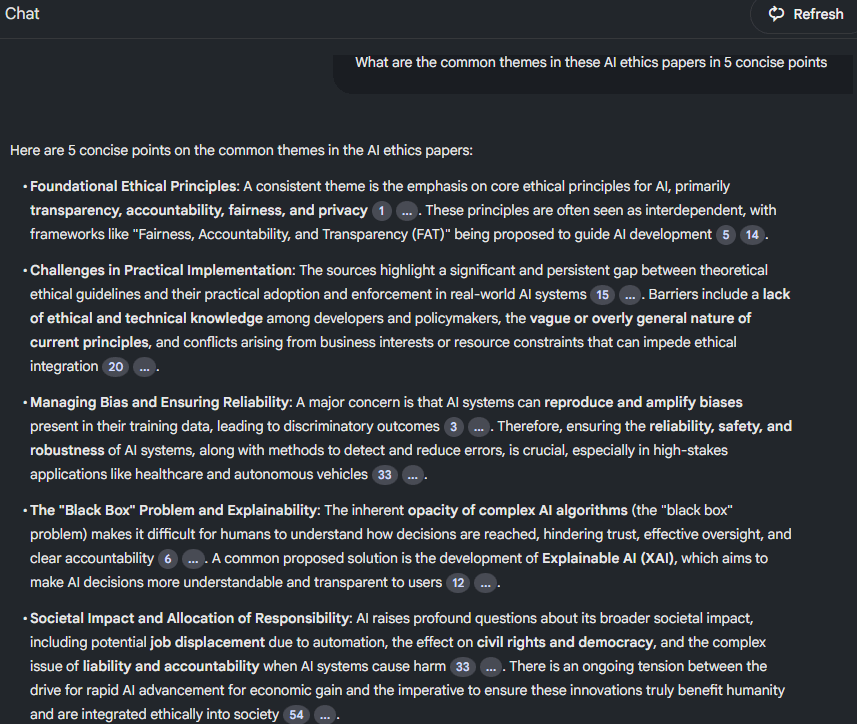
Example: Imagine you’re researching artificial intelligence ethics. Upload 10 papers on AI ethics, and NotebookLM can compare their findings, highlight consensus on privacy concerns, or flag areas needing more study.
How to Do It:
- Create a new notebook and upload your 10 research papers (PDFs or text).
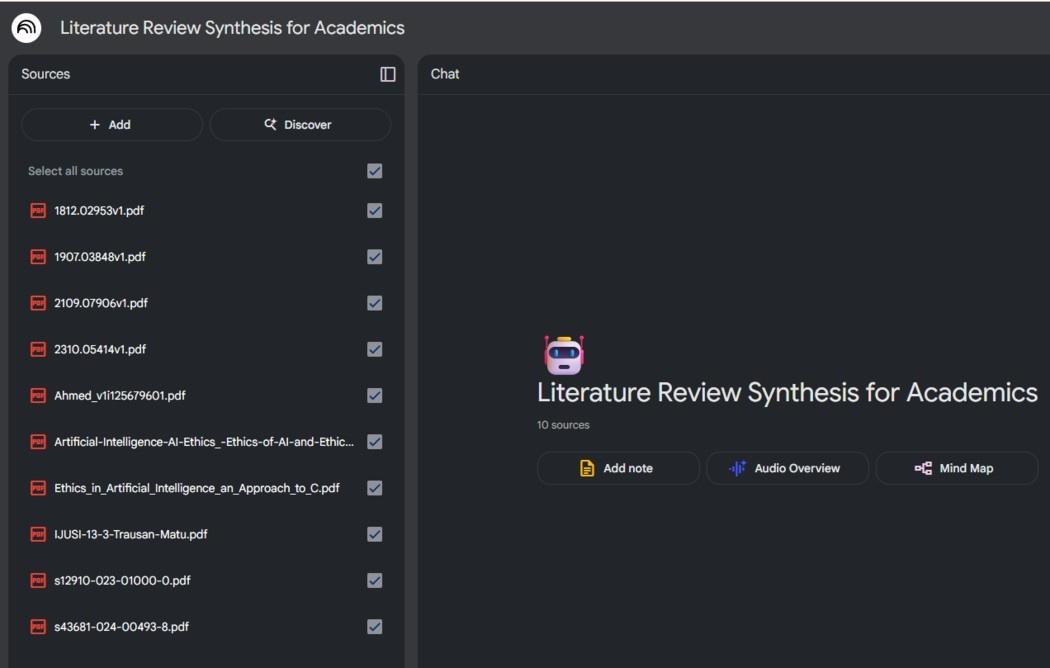
- Ask specific questions like, “What are the common themes in these AI ethics papers?” or “Identify gaps in AI privacy research.”
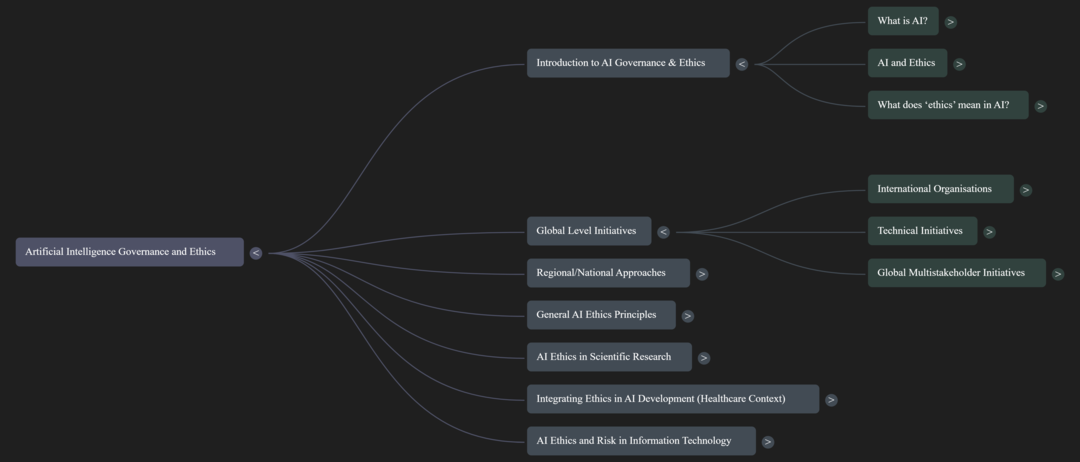
- Request a mind map to visualize connections or a summary for your review’s introduction.
- Export the output to Google Docs for your draft.
Why It’s Cool: It saves hours of manual comparison, and citations ensure you can trace every insight back to its source.
2. Podcast-Style Content Creation for Marketers
What It Does: Turn your documents into engaging, podcast-style audio summaries for pitches, campaigns, or social media.
Example: A marketer uploads campaign briefs and asks NotebookLM to create a conversational audio overview to pitch a new product to clients.
How to Do It:
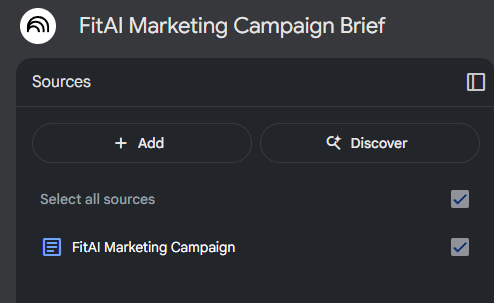
- Upload campaign documents or web links to a notebook.
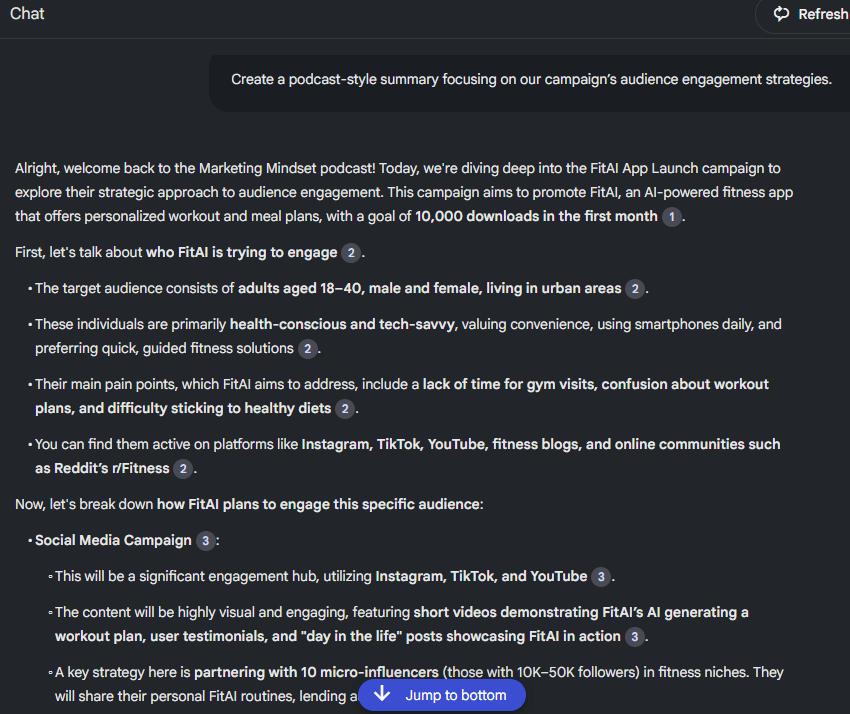
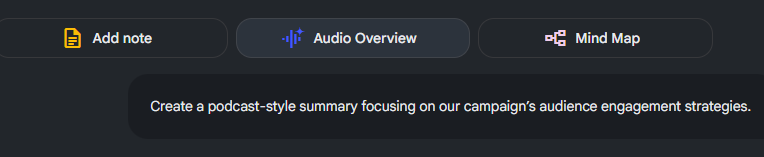
- Use a prompt like, “Create a podcast-style summary focusing on our campaign’s audience engagement strategies.”
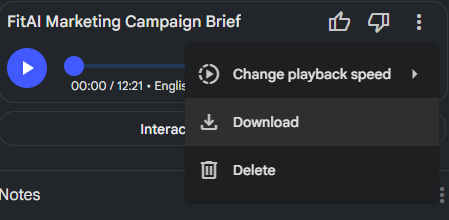
- Download the audio file and edit it for client presentations or social media teasers.
- Share the notebook with your team for feedback.
Why It’s Cool: The AI-generated “podcast” feels like a real discussion, making your pitch stand out without needing a recording studio.
3. Project Management Brain Hub
What It Does: Use NotebookLM as a central hub to organize and analyze project documents, meeting notes, and action items.
Example: A project manager uploads meeting transcripts, status reports, and emails, then asks for a timeline of deliverables or a summary of action items.
How to Do It:
- Create a notebook for your project and upload all relevant files.
- Ask, “List all action items from these meeting notes” or “Create a timeline of project milestones.”
- Generate a table or FAQ for your team’s reference.
- Share the notebook via Google Drive for collaboration.
Why It’s Cool: It keeps your project organized in one place, cutting through the chaos of scattered emails and docs.
4. Creative Writing and World-Building
What It Does: Help writers or game developers refine story drafts, check for consistency, or brainstorm new ideas.
Example: A fantasy novelist uploads their draft and asks NotebookLM to suggest plot twists or check if a character’s motivations align across chapters.
How to Do It:
- Upload your manuscript or notes to a notebook.
- Ask questions like, “Suggest three plot twists based on this draft” or “Is [Character X]’s arc consistent?”
- Request a mind map to visualize story connections or character relationships.
- Save outputs to refine your draft.
Why It’s Cool: It’s like having a writing coach who can analyze your entire story in seconds.
5. Competitive Analysis for Businesses
What It Does: Analyze competitor documents, websites, or reports to uncover strengths, weaknesses, or market trends.
Example: A business analyst uploads competitor whitepapers and asks NotebookLM to compare pricing strategies or product features.
How to Do It:
- Upload competitor reports, web pages, or PDFs.
- Prompt with, “Compare the pricing strategies of Company X and Y” or “Summarize their product innovations.”
- Generate a comparative table or FAQ for your team.
- Export to Slides for a stakeholder presentation.
Why It’s Cool: It distills complex competitor data into clear, actionable insights, giving you a strategic edge.
6. Personal Knowledge Management (PKM) Integration
What It Does: Pair NotebookLM with tools like Obsidian or Notion to build a dynamic “second brain” for lifelong learning.
Example: A hobbyist studying AI ethics uploads Markdown notes from Obsidian and asks for summaries, quizzes, or mind maps to deepen understanding.
How to Do It:
- Export notes from your PKM tool and upload them to NotebookLM.
- Request outputs like, “Summarize these notes in 200 words” or “Create a quiz on AI ethics.”
- Use mind maps to link concepts visually, then re-import outputs to your PKM system.
- Update the notebook as you add new notes.
Why It’s Cool: It supercharges your PKM system with AI insights, making learning more interactive and organized.
7. Legal Document Analysis
What It Does: Summarize and compare contracts or legal briefs to spot key clauses, risks, or differences.
Example: A lawyer uploads two contract versions and asks NotebookLM to highlight changes or summarize liability clauses.
How to Do It:
- Upload legal documents to a notebook.
- Ask, “Highlight differences between these contracts” or “List all clauses about confidentiality.”
- Review the cited output to ensure accuracy.
- Export as a report for client discussions.
Why It’s Cool: It speeds up tedious document reviews while keeping answers tied to your sources.
8. Multilingual Learning and Translation
What It Does: Analyze foreign-language texts or create study aids for language learners.
Example: A student uploads Spanish articles and asks for English summaries or vocabulary flashcards.
How to Do It:
- Upload foreign-language texts or web links.
- Prompt with, “Summarize this article in English” or “Create flashcards for key Spanish terms.”
- Generate audio overviews to practice pronunciation.
- Save outputs for study sessions.
Why It’s Cool: It makes learning a new language faster and more engaging with tailored materials.
Tips for Maximizing Advanced Use
To get the most out of NotebookLM for these advanced scenarios:
- Be Precise: Use specific prompts like, “Compare X and Y’s approaches to sustainability,” to avoid vague answers.
- Mix Inputs: Combine PDFs, YouTube videos, and audio for richer insights (e.g., upload a lecture video and its transcript).
- Customize Audio: Tailor audio overviews with prompts like, “Explain this to a beginner” for the right tone.
- Update Regularly: Add new sources to keep your notebook current, especially for ongoing projects.
- Verify Outputs: Always check NotebookLM’s answers against your original documents, as it’s still an experimental tool.
Limitations to Consider
NotebookLM is powerful but has some quirks:
- File Type Limits: It handles text well (PDFs, Docs) but can’t process spreadsheets or complex images.
- Large Datasets: Performance may lag with massive notebooks (e.g., 25 million words across 50 sources).
- Experimental Nature: As a Google Labs product, it may occasionally misinterpret complex queries, so double-check outputs.
- Regional Restrictions: Some features, like audio overviews, are U.S.-only for now.
