

FastText is a word embedding technique developed by Facebook AI Research (FAIR) that represents words using character-level subwords (n-grams). This enables it to generate meaningful embeddings for rare and unseen words more effectively than traditional word embedding methods.
- Uses character-level subwords (n-grams) to represent words.
- Generates embeddings for rare and out-of-vocabulary (OOV) words.
- Supports both CBOW and Skip-Gram training methods.
- Works well with morphologically rich languages.
Working of FastText Embeddings
FastText represents each word using its character-level subwords (n-grams) instead of treating it as a single token. It learns embeddings for both words and their subwords, enabling better representations for rare and unseen words.
- Splits each word into character n-grams.
- Learns embeddings for both words and their subwords.
- Combines the subword embeddings to generate the final word vector.
- Trains the embeddings using either the CBOW or Skip-Gram model.
Training Models
1. Continuous Bag of Words (CBOW)
CBOW predicts the target word using the surrounding context words. It is generally faster and works well with larger datasets.
Example
- Context: The ___ barks loudly.
- Prediction: dog
2. Skip-Gram
Skip-Gram predicts surrounding context words from a given target word. It performs better on smaller datasets and rare words.
Example
Target Word: dog
Predictions:
- The
- barks
- loudly
Implementation
1. Import Required Libraries
- FastText is used to train word embedding models.
- common_texts provides a small sample corpus for demonstration.
from gensim.models import FastText
from gensim.test.utils import common_texts
2. Load the Training Corpus
The sample corpus consists of tokenized sentences that will be used to train the FastText model.
corpus = common_texts
3. Train the FastText Model
- vector_size=100 sets the embedding dimension.
- window=5 specifies the context window size.
- min_count=1 includes all words.
- workers=4 enables parallel processing.
- sg=1 selects the Skip-Gram model.
model = FastText(
    sentences=corpus,
    vector_size=100,
    window=5,
    min_count=1,
    workers=4,
    sg=1
)
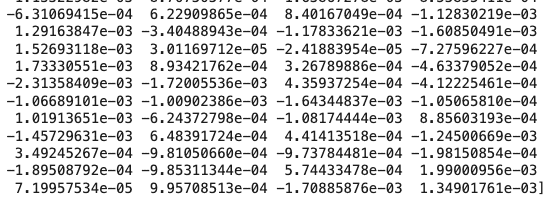
4. Obtain the Word Embedding
Retrieves the vector representation of the word "computer" from the trained model.
word_embedding = model.wv["computer"]

print(word_embedding)
Output:
5. Find Similar Words
Finds the words whose embeddings are closest to "computer" based on cosine similarity.
similar_words = model.wv.most_similar(
    "computer"
)

print(similar_words)
Output:
[('user', 0.15659411251544952), ('response', 0.12383826076984406), ('eps', 0.030704911798238754), ('system', 0.025573883205652237), ('interface', 0.0058587524108588696)]
Download code from here
Advantages
- Generates embeddings for unseen and misspelled words.
- Captures morphological information through character n-grams.
- Performs well on languages with rich word morphology.
- Supports efficient training on large datasets.
- Produces meaningful embeddings for rare words.
Applications
- Helps perform sentiment analysis by identifying the sentiment expressed in text.
- Used for text classification by assigning text to predefined categories.
- Assists in named entity recognition by identifying people, places, and organizations.
- Improves machine translation through better word representations.
- Enhances information retrieval by finding relevant documents for a query.
- Supports question answering systems by understanding text and generating relevant answers.
