

next() and hasNext() are methods of the Iterator interface used to traverse elements of a collection. hasNext() checks whether another element is available, whereas next() retrieves and returns the next element.
- hasNext() is used to check whether more elements are available.
- next() is used to retrieve the next element.
- Both methods are commonly used together while iterating over collections.
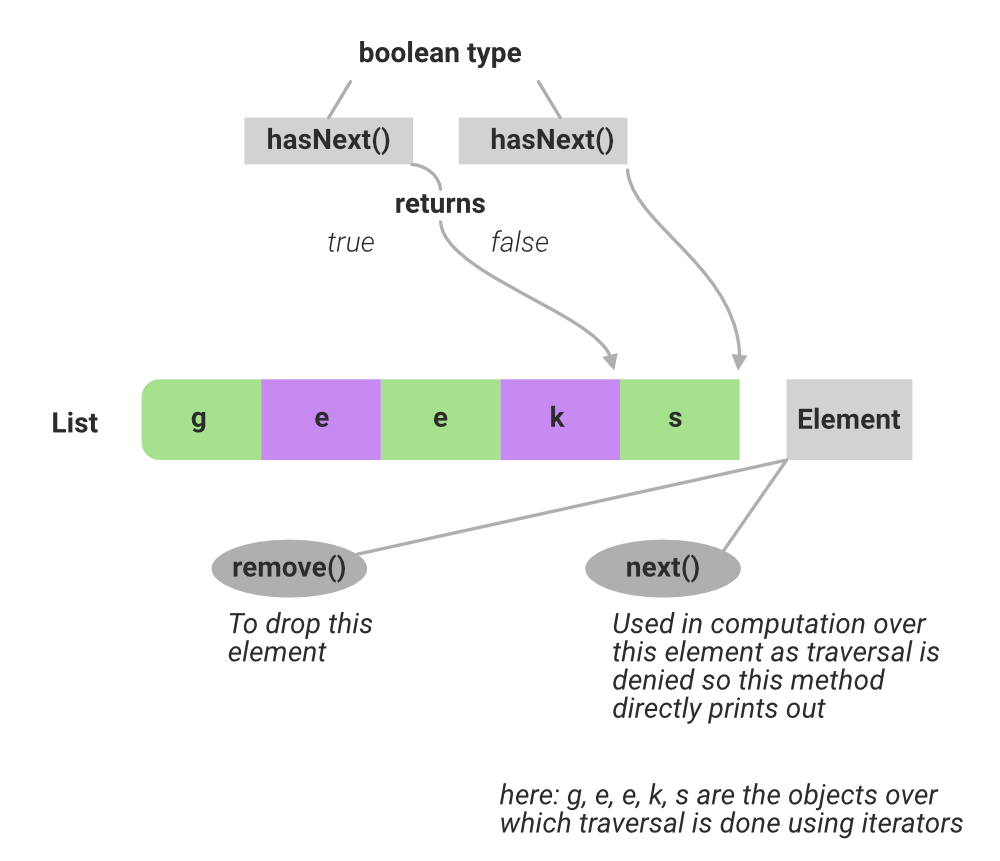
hasNext() Method
The hasNext() method checks whether the iterator contains another element.
- Returns true if another element is available.
- Returns false when there are no more elements.
- Commonly used as the condition of a while loop.
import java.util.*;

public class Main {
    public static void main(String[] args) {

        List<String> languages =
            Arrays.asList("Java", "Python", "C++");

        Iterator<String> iterator = languages.iterator();

        while (iterator.hasNext()) {

            String language = iterator.next();

            System.out.println(language);
        }
    }
}
Output
Java
Python
C++
Explanation: hasNext() checks whether another element is available. If it returns true, next() retrieves that element and moves the iterator forward. The process continues until hasNext() returns false.
next() Method
The next() method returns the next element from the collection.
- Moves the iterator forward.
- Throws NoSuchElementException if no element is available.
- Usually used after hasNext() confirms that an element exists.
import java.io.*;
// Importing all classes from
// java.util package
import java.util.*;

// Class
class GFG {

    // Main driver method
    public static void main(String[] args)
    {
        // Creating an ArrayList
        // (Declaring ArrayList of String type)
        ArrayList<String> list = new ArrayList<String>();

        // Adding elements to above List at
        // the end of the list
        // Custom inputs
        list.add("Element1");
        list.add("Element2");
        list.add("Element3");

        // Declaring the Iterator
        Iterator<String> iterator = list.iterator();

        // Printing values showcasing next() method which
        // shows traversal over elements
        // only in forward direction

        // Prints first element traversed
        System.out.println(iterator.next());

        // Prints the succeeding element
        System.out.println(iterator.next());

        // Prints another element succeeding
        // to previous element
        System.out.println(iterator.next());
    }
}
Output
Element1
Element2
Element3
Explanation: The program creates an ArrayList containing three elements and obtains an Iterator using list.iterator(). The next() method is called three times to retrieve and print each element sequentially in the forward direction.
next() vs hasNext()
| Feature | hasNext() | next() |
|---|---|---|
| Meaning | Checks whether another element is available | Returns the next element |
| Return Type | boolean | E |
| Return Value | true or false | Next element |
| Iterator Position | Does not move the iterator | Moves the iterator forward |
| Main Purpose | Checking | Retrieving |
| Exception | Normally does not throw NoSuchElementException | Throws NoSuchElementException when no element is available |
| Common Usage | Used as a loop condition | Used inside the loop |
