The console.warn() method is used to write a warning message in the console. So open the console to display the output (warning message).
Syntax
console.warn( message )Parameters: This method accepts single parameter message which is mandatory. This parameter is used to hold the warning message.
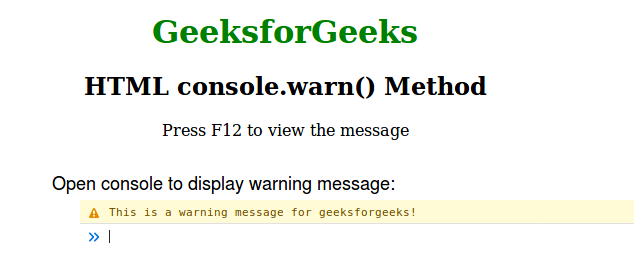
Example 1: In this example, we display a warning message using console.warn(). It prompts users to press F12 to view the warning in the browser console. The content is centered and styled with green headers.
<!--Driver Code Starts-->
<!DOCTYPE html>
<html>

<head>
    <title>console.warn() Method</title>
    <style>
        h1 {
            color: green;
        }
        body {
            text-align: center;
        }
    </style>
</head>

<body>
    <h1>GeeksforGeeks</h1>
    <h2>HTML console.warn() Method</h2>
    <p>Press F12 to view the message</p>
<!--Driver Code Ends-->

    <script>
        console.warn
            ("This is a warning message for geeksforgeeks!");
    </script>

<!--Driver Code Starts-->
</body>

</html>
<!--Driver Code Ends-->
Output:
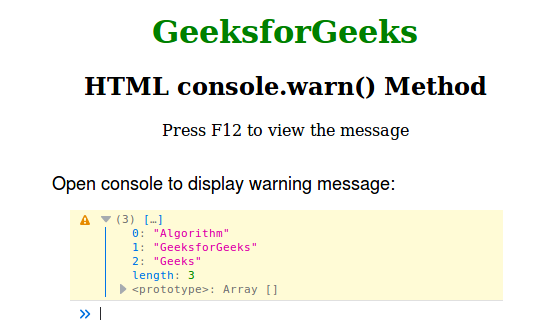
Example 2: In this example we use console.warn() to log a warning message containing an array. Press F12 to view the warning in the browser’s console. The page is styled with center alignment.
<!--Driver Code Starts-->
<!DOCTYPE html>
<html>

<head>
    <title>console.warn() Method</title>
    <style>
        h1 {
            color: green;
        }
        body {
            text-align: center;
        }
    </style>
</head>
<body>
    <h1>GeeksforGeeks</h1>
    <h2>HTML console.warn() Method</h2>
    <p>Press F12 to view the message</p>
<!--Driver Code Ends-->

    <script>
        let Arr = ["Algorithm", "GeeksforGeeks", "Geeks"];
        console.warn(Arr);
    </script>

<!--Driver Code Starts-->
</body>

</html>
<!--Driver Code Ends-->
Output: