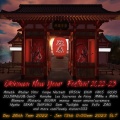
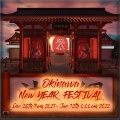
![[POSTER]OKINAWA NEW YEAR FESTIVAL 21-22 2](https://fufufafafa.pages.dev/bl-https://livedoor.blogimg.jp/mgsit/imgs/e/0/e07a4b7c.png)
🎉Okinawa New Year Festival🎍
[日本時間] 2021年12月27日0時~2022年1月12日17時まで
[SLTime] Dec 26th 7am 2021 - Jan 12th 0:00am 2022
HP: https://ryukyusim.wixsite.com/owf2021-2022
クリスマスの後は
沖縄で新年のイベントがあります。
今回は新作とgiftの紹介です。
After Christmas
There is a New Year event in Okinawa.
This time, we will introduce new works and gifts.
![projector-snowman NY[ad]](https://fufufafafa.pages.dev/bl-https://livedoor.blogimg.jp/mgsit/imgs/6/6/66868f75.png)
*MGSIT-S*Projector Snowman[NY]
2-3LI (LI changes depending on the size)
Original Mesh
Copy only
Resize
今回は Happy New Year の文字がくるくる回る
プロジェクターです。
白雪だるまverと灰色verが入っています。
お好みで使い分けて下さい。
(会場のDEMOエリアで現物がご覧いただけます)
(You can see the actual product in the DEMO area of the venue)
【使い方】
アイテムをrezします。
※実際に投影を表示するには、高度な照明モデルをオンにする必要があります
【How to use】
Rez the item.
※In order to actually see the projection, you must have Advanced Lighting Model turned on.

【公式ビューア】
[ミー]> [設定]> [グラフィック]> [詳細設定]> [高度な照明モデル]
【Official viewer】
Me>Preferences> Graphics>Advanced Setting>Advanced Lighting Models

【Fire Stormビューア】
環境設定>グラフィック>一般>高度な照明モデルにチェックを入れる
【Fire Storm】
Preferences> Graphics> General> Advanced Lighting Models
沖縄NewYearフェス限定で
こちらの雪だるま↓がギフト
 になっています
Limited to Okinawa New Year festival
This snowman ↓ is a gift
![snowman ugougo[ad]](https://fufufafafa.pages.dev/bl-https://livedoor.blogimg.jp/mgsit/imgs/1/a/1a596b26.png)
*MGSIT-S*Snowman ugougo
頭の上で雪だるまがウゴウゴしますw
是非会場でGETしてください

そしてあとひとつ新作があります。
![photo club[noob]ad](https://fufufafafa.pages.dev/bl-https://livedoor.blogimg.jp/mgsit/imgs/0/4/04560277.png)
前回のXmasイベントでは
Winter Verとして出していたフォトクラブですが
今回は【Noobと一緒に撮れるプリクラ機】ですwwwwwww
是非ネタに使って下さい。
フォトくらのNoobバージョンです。
1~2人まで撮影可能です。
(会場のDEMOエリアで現物がご覧いただけます)
(You can see the actual product in the DEMO area of the venue)
使い方は前回のフォトクラブと同じです↓
【説明】
このプリクラは1~2人まで撮影ができます
【使い方】
1.プリクラに座ります
2.escキーを押すとカメラが切り替わります
3.[1person]か[2people]を選択
4.各ポーズ(誰と撮るか)を決めます
(左下のボタンからも選択ができます)
5.黒い部分をクリックすると背景が選べます
6.左から二番目のボタンを押してフレームを選択
("!Nothing"は表示無しです)
7.左から三番目のボタンを押してスタンプを選択
("!Nothing"は表示無しです)
8.4番目のボタンはライトのON/OFFです お好みでご利用下さい
9.ビューアーのカメラで写真を撮ります
※写真を撮る際に黒枠が写るのは仕様です
枠を写真加工で切り取るなどを前提とした製品となっております
(DEMOエリアにて撮影等お試しいただけたらと思います)
※もし黒枠を入れないように撮影したい場合は
Ctrl+0を1~2回くらい押していただいて撮影すると
黒いところがわりと映らなくなると思います。
元の状態に戻す方法はCtrl+9です。
画面が遠く感じたりする方はこの方法を試してみて下さい。
........................................................................................................................
【位置の調節説明】
位置調節は[ADJUST]を選択後
XYZ位置調節後、[SAVE]で完了。
角度を変えたい場合はPositionを押したあとに
1℃や5℃などを選択>X,Y,Zでお好みの角度に変えてSAVEして下さい。
X・・・左右
Y・・・前後
Z・・・上下
Position....角度
(角度は機械を置いた位置により
ボタンの座標が変わる場合があります)
........................................................................................................................
【Description】
This photo booth can shoot up to 1 or 2 people
[How to use]
1. Sit in the photo booth
2. Press the esc key to switch cameras
3. Select [1 person] or [2 people]
4. Decide each pose (who to shoot with)
(You can also select from the button at the bottom left)
5. Click the black part to select the background
6. Press the second button from the left to select a frame
("! Nothing" is not displayed)
7. Press the third button from the left to select the stamp
("! Nothing" is not displayed)
8. The 4th button is ON / OFF of the light. Please use it as you like.
9. Take a picture with the viewer's camera
※It is a specification that a black frame appears when taking a picture.
It is a product that is premised on cutting out the frame by photo processing etc.
(I hope you can try shooting in the DEMO area)
* If you want to shoot without the black frame, press Ctrl + 0 twice to shoot.
I think that the black part will not be reflected.
The method to return to the original state is Ctrl + 9.
If you feel the screen is far away, please try this method.
..........................................................................................
You will also need Bento hands &viewer for this pose to fully work.
【Position adjustment】
[ADJUST]>X,Y,Z Select>[SAVE]
X.....Left , right
Y......front , behind
Z......Up , down
Position....angle
1~25℃ >X,Y,Z>[SAVE]
..........................................................................................

 素敵な新年をお迎えください
![[POSTER] Okinawa Christmas Festival 2021](https://fufufafafa.pages.dev/bl-https://livedoor.blogimg.jp/mgsit/imgs/d/3/d3cf73e5.png)
 [SLT] Dec 10th 7am - Dec 25th 23:59,2021
![projector-snowman[ad]](https://fufufafafa.pages.dev/bl-https://livedoor.blogimg.jp/mgsit/imgs/8/6/86997a3a.png)
![projector-snowman xmas[ad]](https://fufufafafa.pages.dev/bl-https://livedoor.blogimg.jp/mgsit/imgs/b/b/bb7e1969.png)
 )
)![photo club[ad]](https://fufufafafa.pages.dev/bl-https://livedoor.blogimg.jp/mgsit/imgs/2/8/28a3652d.png)







 お便りはここからどうぞ