Repository navigation
v1.05 release candidate (betatest) #341
Description

HELP wanted: I'd like to kindly ask anyone to test the current v1.05 branch (here be dragons).
Various exciting reviewed PR's have been merged into the rc/1.05 branch:

builds
- ubuntu/appimage: coming soon (please build yourself or ask for it via comments to this issue)
- win64 build
- win32 build
- nix
- MAC: see below
MAC devs: As I don't have a mac, I would be SO THANKFUL if somebody could build rc/1.05 and give it a go?
@johngirvin @ghost @krehel @wormyrocks
TESTCASES
please help test the following for the next release:
- does the new build work well with the existing milkytracker config file (in user configuration/home dir).
- if not, does it work when temporarely moving the milkytracker config file to another file (a new one will be created).
- does ticking
classic UX-checkbox and untickingflat button(see config>layout) revert to the classic (cluttered) UI (after restarting?) - does the SYNTH work (sampler section)
- does the SYNTH rename the current sample to an ASCIISYNTH string?
- does the synth allow painting over the current wave (additional synthesis)
- do the new effects work (sampler section and limiter in global section)
- does the sampler section gets updated with the current sampler when selecting a different instrument note in the pattern editor (instr. backtrace needs to be enabled in global settings)
- are the dialogs now styled with the same background colors as the palette (used to be statically defined to light-gray)
- other thoughts?
After fixing the last bugs of rc/1.05 we can: safely merge to master, and do a release v1.05 !
Sorry for the long wait, but this workflow is a safer way, as many reviewed PR's were interdependent.
The PR's (#291) and (#282) will probably be pushed towards v1.06 as they might get refactored to lua (which ties in with more recent discussions here)

Activity
[-]exciting v1.05 release candidate (betatest)[/-][+]v1.05 release candidate (betatest)[/+]johngirvin commentedon Apr 3, 2024
Line 94 of TrackerStartUp.cpp needs to be
getenv("NO_SCALE")instead ofstd::getenv("NO_SCALE")to build on my macOS 12 box. It starts OK and plays a mod but I'm not really able to test it further.Deltafire commentedon Apr 3, 2024
AppVeyor reported this problem with Visual Studio 2017 also:
https://ci.appveyor.com/project/Deltafire/milkytracker/builds/49486977
Deltafire commentedon Apr 3, 2024
MacOS test build:
milkytracker-1.05.RC-Darwin.dmg.zip
(scroll the finder window to the right to show the MilkyTracker icon)
Some intial thoughts, testing on MacOS:
coderofsalvation commentedon Apr 4, 2024
@Deltafire @johngirvin is fixed now in rc/1.05
All non-critical buttons are moved to the context-menu (rightclick in pattern editor)
I think these are your old milkytracker config values leaking into the new default ones.
OK will change if this fits characterwise.
will investigate thx!
btw. @Deltafire thank you VERY much for testing, really appreciate it.
Deltafire commentedon Apr 4, 2024
Regarding CMD, I think the solution would be to allow both modifiers - I'll have a look later to see if this can be done.
Implemented in d3259da
The MacOS build is a bit broken at the moment, due to a Python2 dependency in the Docerator program it's using to generate doc icons. I think I'll remove this since Docerator has been unmaintained for 10 years now.
Docerator removed in fd29dae
catbusconductor commentedon Apr 5, 2024
Really cool to see the progress being made here, and the first steps of a GUI overhaul, which I think Milky could really benefit from. I am happy to help testing on Mac if needed, Deltafire's build seems to work OK so far. The testcases all look OK to me though the synth still has some wonky UI handling or maybe I am not using it right (e.g. when changing the paint type, the UI window is redrawn empty and only comes back after clicking one more time)
Cant wait to see more happening here!
MetalMaxMX commentedon Apr 6, 2024
Trying out different resolutions to check how the screen looks and something looked a bit off to me. On the new UI, anything lower than 1024*768 will look off, more specifically, it won't apply any form of bilineal filtering over the UI. I checked the tickbox to make it look back to the old UI and then another regression happened, the same resolution seen from two MilkyTrackers will show off that difference in the lack of filtering. I am wondering if this is a config issue or something else.
coderofsalvation commentedon Apr 6, 2024
@MetalMaxMX I'm thinking two things:
Btw. which platform, and are you on a high-dpi or non-highdpi screen?
The idea behind 2 to do scaling similar to schismtracker.
People had been complaining about the blurryness of milkytracker when scaling up the window.
krehel commentedon Apr 6, 2024
Test build from me - this is a Universal app supporting Apple Silicon and Intel.
milkytracker-1.04.00-Darwin-universal.dmg.zip
MetalMaxMX commentedon Apr 6, 2024
Hello! I am using Linux, Debian 11 more specifically and I built the source code myself. I am under X.org using Xfce with compositing disabled. And I am on a non-highdpi screen, the config 1.05 is using seems to be the same as the one that 1.04 already uses.
I tried with a new fresh configuration and I didn't have the issue! I then tried a 720*480 resolution with 1x scale and the UI looked a bit jagged, just like when I was trying it. Seems like it lacks some sort of bilinear filter over this mode?
coderofsalvation commentedon Apr 11, 2024
@MetalMaxMX interesting, maybe post a screenshot?
With the settings you mentioned (and all resolutions) it looks OK here, worstcase when resizing the window it can looked jagged for certain dimensions.
I run xfce too with compositing disabled, so perhaps somehow it got resized on your side anyways?
MetalMaxMX commentedon Apr 11, 2024
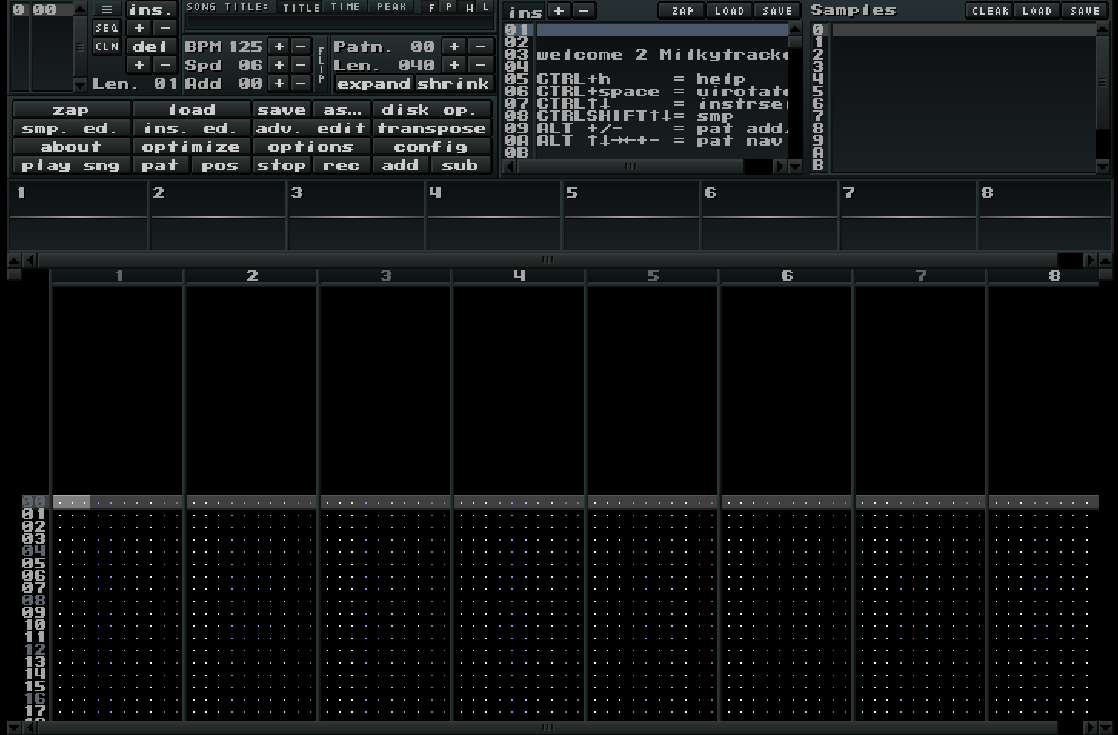
@coderofsalvation Sure, here's a few
MilkyTracker New (1.05RC)
MilkyTracker Old (1.04)
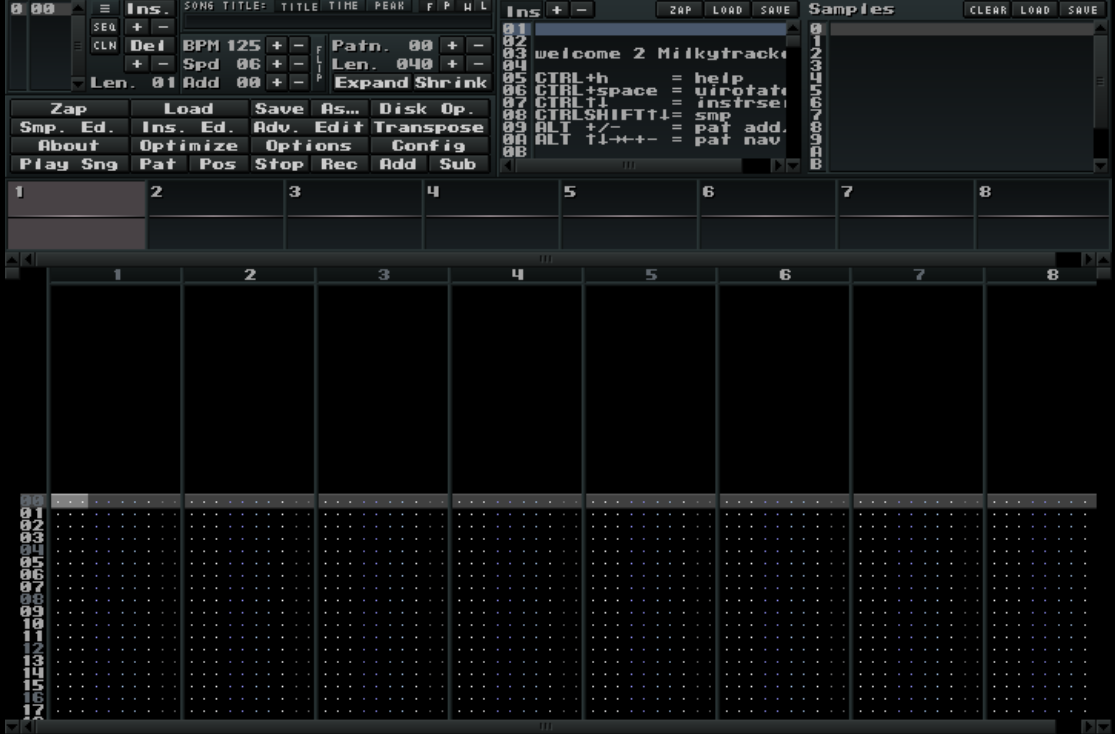
May be difficult to see but notice that bilinear filtering has been applied on MilkyTracker old (that means 1.04) while 1.05rc doesn't produce any filtering, this is with either the classic UI or not.
Deltafire commentedon Apr 12, 2024
Maybe add a configuration option for 4ea3dd0.
coderofsalvation commentedon Apr 12, 2024
@Deltafire good point, I'll add something like this then:
or worstcase an environment-variable (
SCALING=nearest milkytracker) because the config might not be accessible yet during SDL init.22 remaining items
elfakyn commentedon Dec 5, 2024
This newest one works for me properly on Sequoia 15.1.1. I'm surprised there are backwards compatibility issues with my build. Out of curiosity, what version of XCode did you build it with?
lmnoop commentedon Dec 6, 2024
The platform selection screen says Version 15.2 (15C500b) targeting macOS 14.2, which seems weird to me because the system itself is 13.7.1.
boonier commentedon Dec 9, 2024
@lmnoop with your latest build above - I'm on Ventura 13.6.3 and getting what looks like an unsupported architecture, or, something like when the OS is not supported.
Maybe I'll try just building it myself?
lmnoop commentedon Dec 9, 2024
That's the exact thing I got with @elfakyn's build but with her instructions, building my own was a breeze.
boonier commentedon Dec 9, 2024
Actually I just updated to 13.7.1 as I didn't realise that I was behind
The app loads now! Weird that it's that specific a build though
elfakyn commentedon Dec 9, 2024
Here's a build that "should" work on old Mac OS versions, as well as current versions.
milkytracker-1.05.01-Universal-MacOS10.6.dmg.zip
I looked into it and you can set a deployment target. I experimented and 10.6 is the earliest it compiles on (older versions give the error
c++: error: -fobjc-arc is not supported on versions of OS X prior to 10.6). This also doesn't compile for 32 bit because of -fobjc-arc either, but those machines are ancient by now.build_mac.shIf someone can try the binary I've attached, that would be appreciated. In particular:
If this works properly, I can open a pull request to add the build script for mac.
coderofsalvation commentedon Dec 9, 2024
Thanks for the efforts so far ❤
btw. not sure how easy it is, but some users have asked 10.5 builds [including myself, I have an old macmini with OSX 10.5.8], so if it's as easy as changing "10.6" to "10.5" please do]
elfakyn commentedon Dec 9, 2024
Happy to help!
Unfortunately no, there are compilation errors on 10.5 and lower because of
-fobjc-arc(automatic reference counting).I tried disabling it (which could itself cause problems) but it's encountering other errors which are beyond my mac knowledge...
A 10.5 build doesn't seem immediately trivial to me, but maybe there's a quick fix from someone who knows the code.
Deltafire commentedon Dec 9, 2024
Quick test on Linux/Wayland. Seems to work okay until I drag the window to a second screen, which causes the GUI to freeze. No error messages and the song keeps playing. Tried with the OpenGL render and also with it disabled using
NO_OPENGL=1.Also regarding usability; I expected that double clicking on a file to load it would also bring me back to the main menu, instead of having to click Exit. Seems a bit strange that it doesn't, but I can also see a benefit of it being the way it is.
coderofsalvation commentedon Jan 28, 2025
closing this: btw thanks all of you for contributing to the wonderful new 1.05 release (see milkytracker.org)
mrpapersonic commentedon Jan 15, 2026
"better late than never", Mac build of v1.05.01 targeting 10.11 and above: milkytracker-1.05.00-Darwin.dmg.zip
I also had to apply this patch before it would build: fix-build-elcrapitan.patch
It seems to work fine here on 10.15.
menor commentedon Jan 16, 2026
I have managed to build 1.06 for Intel Mac, it's not a dmg but an executable, is this something that could be useful for anyone? I am sorry but I don't really know what I am doing, but the compiled version seems to run well at least on my computer
pajzd commentedon Mar 3, 2026
=> hello there ! this worked for me, fantastic
but then i saw the even more tempting & exotic MilkytrackerX ???? wtf ! !??
with entre autres CSound integration & Soundgrain integration ???!!!! that is heaven ... but unfortunately no mac compilation ...
please could you , would you compile a version for 10.6 & above , i'm on mac os 10.14.6, not sure if I could compile it ...
what mac os were you on , to compile yr 10.6 version of Milkytracker ...
thnx in advance !
=> hello there ! this worked for me, fantastic
but then i saw the even more tempting & exotic MilkytrackerX ???? wtf ! !??
with entre autres CSound integration & Soundgrain integration ???!!!! that is heaven ...
please could you compile a version for 10.6 & above , i'm on mac os 10.14.6, not sure if I could compile it ...
what mac os were you on , to compile yr 10.6 version of Milkytracker ...
thnx in advance !
coderofsalvation commentedon Mar 7, 2026
oh nice!
@menor could you maybe add
.pngto the filename, and dragdrop the file to #383 ?@pajzd milkytrackerX is legacy since all the good stuff has been merged upstream. Therefore v1.06 is what you want..see the csound integration at the plugin-sections here: #383