

Wine runs Microsoft Windows applications on Linux by translating Windows API calls into their native equivalents, with no virtual machine and no Windows license underneath. On Fedora there are two ways to get it, and which one you want has changed: Fedora’s own repository now carries the current stable release, so the third-party repository that every older guide starts with is no longer needed unless you specifically want a development build. Both routes are below, checked on Fedora 44 in August 2026. If you are porting rather than running, the Winelib library lets you compile Windows sources against Wine directly.
Two changes in the current stable line matter before you start, because both of them invalidate instructions written for older Wine:
- The
wine64binary is gone. A singlewinecommand now selects 32-bit or 64-bit from the executable you hand it, defaulting to 64-bit when a program ships both. Any guide that tells you to verify withwine64 --versionwill report “command not found” on a current install. - WoW64 is complete. One 64-bit prefix runs 32-bit and 64-bit Windows binaries side by side, sixteen-bit ones included, and prefixes forced to 32-bit with
WINEARCH=win32are deprecated and unsupported in that mode. - NTSync is used when the kernel provides it, which cuts the cost of Windows synchronization primitives that games and heavier applications lean on. It shipped in Linux 6.14, so every supported Fedora release has it. Check with
ls /dev/ntsync.
1. Install Wine from the Fedora repository
This is the shortest path and, for most people, the right one. Fedora packages Wine itself and keeps it on the current stable release, so a plain install is enough:
sudo dnf install wineConfirm what that resolves to before committing to it:
$ dnf info wine
Name           : wine
Version        : 11.0
Release        : 3.fc44
Architecture   : x86_64
Repository     : fedora
Source         : wine-11.0-3.fc44.src.rpm
Summary        : A compatibility layer for windows applications
Same upstream release as the vendor packages below, from a repository you already trust and already update. Skip to the Winetricks section unless you need a development or staging build.
2. Add the WineHQ repository instead
WineHQ publishes its own repository, which is worth adding for one reason: it carries the development and staging branches that Fedora does not package. Pick the file matching your release.
Fedora 44:
sudo dnf config-manager addrepo --from-repofile=https://dl.winehq.org/wine-builds/fedora/44/winehq.repoFedora 43:
sudo dnf config-manager addrepo --from-repofile=https://dl.winehq.org/wine-builds/fedora/43/winehq.repoFedora 42:
sudo dnf config-manager addrepo --from-repofile=https://dl.winehq.org/wine-builds/fedora/42/winehq.repoThe addrepo --from-repofile= spelling is the dnf5 one. On a release still running dnf4, use sudo dnf config-manager --add-repo <url> instead.
3. Install Wine from the WineHQ branches
With the repository in place, pick a branch. Stable matches what Fedora already ships, so the reason to be here is usually devel or staging.
Stable branch – (Recommended)
sudo dnf install winehq-stableDevelopment branch – Only for tests
sudo dnf install winehq-develStaging branch – Bleeding edge
sudo dnf install winehq-stagingCheck what each branch resolves to before installing:
$ dnf info winehq-stable winehq-devel
Name           : winehq-stable
Epoch          : 1
Version        : 11.0.0
Release        : 2.1
Architecture   : x86_64
Repository     : WineHQ

Name           : winehq-devel
Epoch          : 1
Version        : 11.16
Release        : 1.1
Architecture   : x86_64
Repository     : WineHQ
Note what the numbering means, because it trips people up. The 11.x series is the development branch, released every two weeks; 11.0 is the stable release that branch feeds into. A higher number is not a newer stable release, so winehq-devel at 11.16 is a snapshot, not an upgrade over 11.0.
This pulls in a lot: 388 packages and roughly 472 MiB on a clean Fedora 44 system, since WineHQ vendors its own copies of the libraries it needs rather than reusing Fedora’s.
The version of wine installed can also be checked using.
$ wine --version
wine-11.0
To configure wine, run:
winecfg4. Install Winetricks
Winetricks is a helper script to download and install various redistributable runtime libraries needed to run some programs in Wine. These may include replacements for components of Wine using closed source libraries.
sudo dnf install winetricksFedora packages Winetricks and tracks it closely, so there is no need to pull the raw script from GitHub the way older guides do:
$ dnf info winetricks
Name           : winetricks
Version        : 20260125
Release        : 1.fc44
Repository     : fedora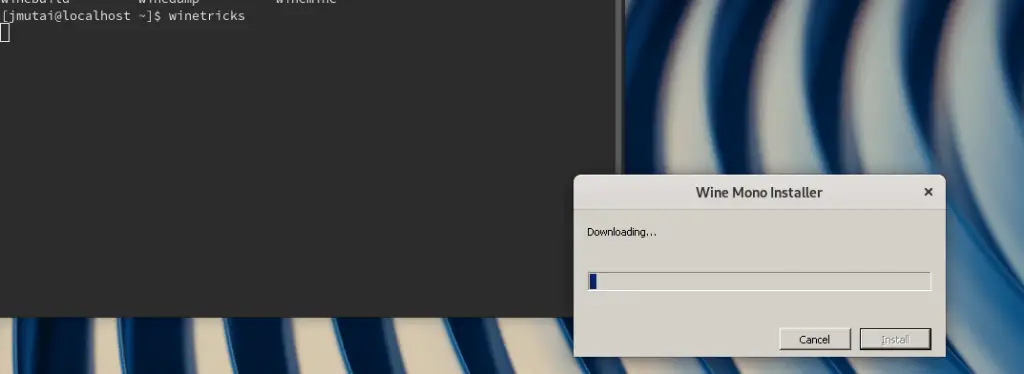
That’s awesome. Now visit the Wine Application Database which has over 20,000 applications and choose the ones to run in Wine.
More on Fedora:








Fedora 33:
sudo dnf -y install dnf-plugins-core
sudo dnf config-manager –add-repo https://dl.winehq.org/wine-builds/fedora/32/winehq.repo
correct the link
hello this does not work on fedora 36 and cannot find anywhere to install wine and avoid errors regarding a thing about 32bits on 64 bits structure. any idea?
Use Fedora 35 repo. I’ve tested and it works. It seems there is no official Fed 36 Wine repo.