On Amazon this month, the best drives to shuck are no longer automatically cheaper than the bare drives inside them. On 27 October 2026 a renewed WD Ultrastar DC HC550 18TB listed at $29.4 per terabyte. The WD Elements Desktop 16TB, shucked for its white-label Ultrastar, went from $37.3 to $42.6 per terabyte within hours. Among new externals, only the Seagate Expansion Desktop 24TB undercut every bare drive in our table, at $28.3 per terabyte, and its Barracuda is rated for 2,400 power-on hours a year.
We ranked the externals by cost per terabyte, then by how sure anyone can be of the disk inside, since neither maker publishes it. Prices come from the Amazon catalog API, recording technology from maker datasheets and drive contents from dated buyer reports. We opened no enclosure. We did run the identification step in the lab, where smartmontools 7.5 (drive database 7.5/6293, checked October 2026 on Ubuntu 26.04) files the WD200EDGZ white label under the Ultrastar DC HC560 family.
Best drives to shuck, ranked by cost per terabyte
The Seagate Expansion Desktop 24TB is the cheapest new external to shuck on Amazon US this week. It is also the only new external that beats the renewed HC550 on price. Renewed listings go lower still, with a renewed Expansion 24TB at about $26.7 per terabyte and a renewed Exos X12 12TB at about $26.5, neither backed by a maker warranty. Every WD external costs more per terabyte than the renewed HC550, so a WD shuck is now a bet on warranty and on a new drive, not on price. The table holds the four picks and three bare drives for comparison, all read from the Amazon catalog on 27 October 2026:
| Drive | Price (27 Oct 2026) | Per TB | Drive reported inside | Recording | US warranty | Sold by |
|---|---|---|---|---|---|---|
| Seagate Expansion Desktop 24TB | about $680 | $28.3 | BarraCuda ST24000DM001 | CMR | 1 year | Marketplace seller |
| WD Ultrastar DC HC550 18TB, renewed (bare) | about $529 | $29.4 | n/a, bare drive | CMR | 90 days, listing | Marketplace seller |
| Seagate Exos X24 24TB, renewed (bare) | about $799 | $33.3 | n/a, bare drive | CMR | see listing | Marketplace seller |
| WD Elements Desktop 16TB | $596 to $682 | $37.3 to $42.6 | WD160EDGZ white label | CMR | 2 years | Marketplace seller |
| WD My Book 16TB | about $660 | $41.2 | WD160EDGZ in undated drivedb entries | CMR family | 3 years | Amazon.com |
| WD Elements Desktop 18TB | about $783 | $43.5 | WD180EDGZ, one weak report | CMR | 2 years | Amazon.com |
| WD Red Pro 16TB (bare) | about $715 | $44.7 | n/a, bare drive | CMR | 5 years | Amazon.com |
Read the per-terabyte column against the warranty column, not on its own. The two cheapest rows are the two with the weakest cover: one year on the Seagate box in the Americas and 90 days on the renewed HC550 listing. The WD externals carry two and three years, and the Red Pro carries five. The Elements 16TB moved by $86 between our two reads on the same morning, so check the live price before you treat any gap under $3 per terabyte as real.
The picks, each with the reason it wins:
- Lowest cost per terabyte, new: Seagate Expansion Desktop 24TB, a CMR Barracuda at about $680, built for 2,400 hours a year, not 24/7 NAS duty.
- Most NAS-like disk inside: WD Elements Desktop 16TB, usually a helium white-label drive from the Ultrastar family (a WD160EMFZ is also reported), 2-year warranty, price that swings by $86 in a day.
- Longest warranty before you open it: WD My Book 16TB, 3 years, sold by Amazon.com, about $660.
- Cheaper than shucking right now: WD Ultrastar DC HC550 18TB renewed, a bare enterprise CMR drive at about $529 with a 90-day listing warranty.
If a single drive will hold the only copy of anything, none of the shucked options is the right buy. A shucked drive belongs in a pool with redundancy, which is how most readers use them, and our RAIDZ2 drive count guide covers the layout.
How the prices and drive contents were checked
Nothing here was shucked by us. The guide combines four sources, each tagged in the sourcing log, and the article says which one stands behind every claim about the disk inside:
- Price and stock: the Amazon Creators API on 27 October 2026, read twice. The WD Elements Desktop 16TB moved from about $596 to $682 between the two reads, and that is the most volatile row in the table.
- Recording technology: the Seagate BarraCuda datasheet DS17.2, the Seagate CMR and SMR list, and the WD Ultrastar HC550 to HC580 datasheets. A datasheet describes the catalog part, not the part in a specific box.
- What is inside: dated buyer reports from 2023 to 2026, mostly from r/DataHoarder and Hacker News. A report from 2025 says more about a box bought today than one from 2021.
- Drive family lookups: smartmontools 7.5 on an Ubuntu 26.04 lab VM, with the drive database updated from 7.5/5706 to 7.5/6293. These are database lookups of model strings, not reads from physical drives.
Buyer reports are the weakest link. Neither WD nor Seagate publishes the internal model of an external, and both have changed what ships in the same SKU. Buyers reported Exos X24 drives in the Seagate Expansion 24TB in early 2025 and Barracuda ST24000DM001 drives from about February 2025 onward. Treat every “reported inside” cell as the most recent evidence, then confirm it on your own unit with Step 1 below before you open the case.
1. Seagate Expansion Desktop 24TB: cheapest new external per TB
At about $680 the Expansion Desktop 24TB works out to $28.3 per terabyte, which is $119 less than a renewed Exos X24 24TB listed the same day. Buyers who shucked it since early 2025 report a BarraCuda ST24000DM001, and the Seagate datasheet lists that model as CMR at 7,200 rpm.
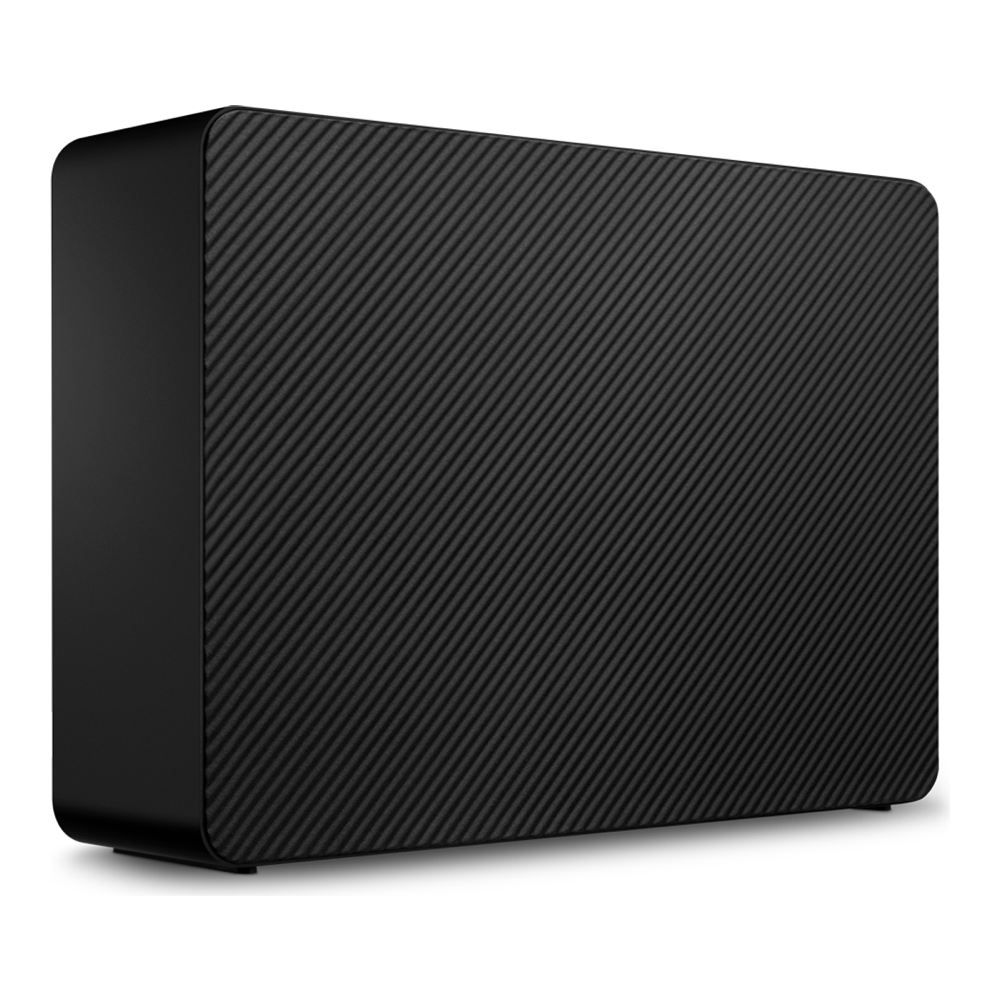
Duty rating is the catch. The same datasheet rates the ST24000DM001 for 2,400 power-on hours a year and a 120 TB a year workload. That is about 27 percent of the 8,760 hours in a year. A NAS that never sleeps runs the drive past that rating within about 100 days. The Exos and IronWolf Pro lines are the Seagate parts built for continuous duty. Judging by the 2025 and 2026 reports, the Expansion box does not contain one of those any more.
Who it is for: a backup target or a media pool that spins down between jobs, where losing a drive costs a rebuild and nothing else. Skip it if the pool runs 24/7, because then the cheaper terabyte is bought with a part rated for about a quarter of that time. Datasheet DS2063.6 lists a one-year limited warranty for the Americas SKUs (two in EMEA and three in APAC), with Rescue data recovery included.
Buyers also report a harder shuck than on the WD cases. One 2025 report on the 26TB model describes clips that break, a ribbon cable to the USB board and a warranty-void sticker on the drive. The 24TB listing on Amazon was sold by a marketplace seller, not Amazon.com, when we checked, so read the return terms of that seller before you buy. Check the live price on Amazon.
2. WD Elements Desktop 16TB: white-label Ultrastar inside
The Elements Desktop is the WD box with the most consistent reports of an enterprise-class drive inside. A 2023 report names a WD160EDGZ in the 16TB, and in July 2026 one buyer reported four 14TB units that each held a helium WD140EDGZ.
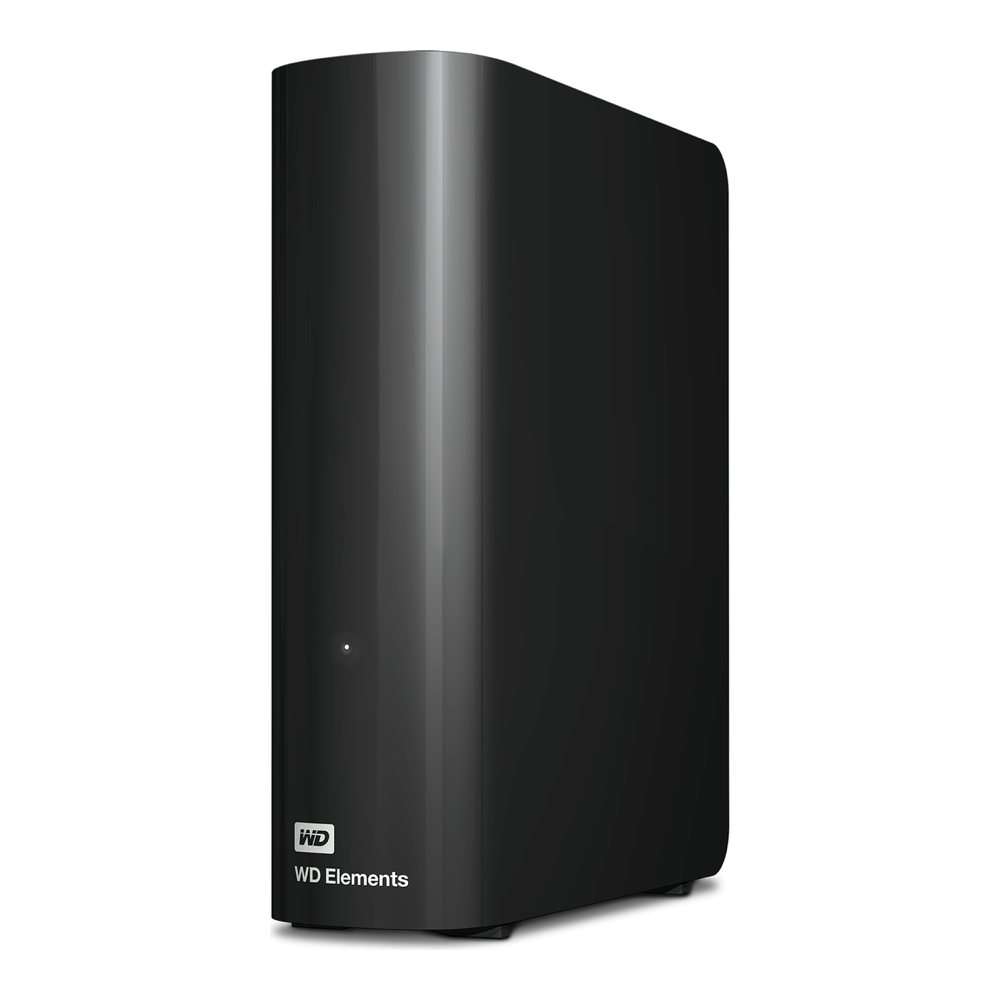
Those white labels are worth having, and the smartmontools drive database shows why. Its regular expression for the Ultrastar (He10/12) family matches WD80 to WD160 drives with the EMAZ, EZAZ, EDAZ, EDFZ and EDGZ suffixes. So smartmontools treats a shucked WD160EDGZ as the same family as the WD data-center drives. The current Ultrastar DC HC550 datasheet lists that class as CMR, helium, 7,200 rpm. A family match is a grouping by the database maintainers, not a WD statement about the drive in your box, so confirm the model string before you open it.
Price is the weak spot. The 16TB listing went from about $596 to $682 on 27 October, and the seller is a marketplace merchant with low stock, not Amazon.com. At the higher price it costs $42.6 per terabyte, which is only about $2 per terabyte under a new WD Red Pro 16TB that carries five years of warranty. Who it is for: a ZFS or Unraid pool where a helium CMR drive matters and the price is under about $38 per terabyte. Skip it if the listing is at the higher price, because the Red Pro is then nearly the same money with three more years of cover. Check the live price on Amazon.
Amazon.com itself sells the Elements Desktop 18TB at about $783, or $43.5 per terabyte. Only one weak source names a WD180EDGZ inside it. The current smartmontools database has no entry for that model string either, so the 18TB is the less certain buy of the two.
3. WD My Book 16TB: the longest warranty on a shuckable box
The My Book 16TB costs about $660, $41.2 per terabyte, and it is the only external in this guide with a three-year warranty from the maker. It is also sold by Amazon.com, while the Elements 16TB comes from a marketplace seller.

Opening the case puts that warranty in doubt. The WD product pages say nothing about opened enclosures, and we found no WD statement either way. So the safe way to use the three years is to run the drive in its case through the burn-in in Step 3, then shuck it. A drive that fails early goes back whole.
Evidence on what is inside is thinner than for the Elements. We found no dated 2025 or 2026 buyer report for the 16TB My Book. The smartmontools database test list does name WD160EDGZ drives read from My Book units, which places them in the same Ultrastar (He10/12) family, but those entries carry no date. Who it is for: a reader who wants the drive tested in its box first and a maker warranty behind that test. Skip it if you need a recent, dated report of the drive model before purchase, because for this capacity there is none. Check the live price on Amazon.
4. WD Ultrastar DC HC550 18TB renewed: skip the shuck
A renewed HC550 18TB at about $529 is $29.4 per terabyte, cheaper than every WD external in the table and $1.1 per terabyte above the Seagate Expansion 24TB. It is a bare data-center CMR drive, the kind of part people hope to find inside a WD box. There is no enclosure to open and no USB bridge in the way.

You trade away the warranty. The listing cover was 90 days when our recertified drive guide checked it, which covers a burn-in and little else. The same listing describes a drive with pin 3 Power Disable, so it needs the same 3.3V fix as a shucked drive in a consumer case. Who it is for: a pool with two drives of redundancy where cost per terabyte decides and failed drives are replaced from stock. Skip it if a vendor warranty matters more than about $15 per terabyte, the gap to a new WD Red Pro. Check the live price on Amazon.
Which shuckable externals hide SMR drives
Seagate externals of 8TB and below are the SMR risk, and WD externals of 8TB and above are reported as CMR white labels. The Seagate BarraCuda datasheet lists the ST8000DM004 as SMR at 5,400 rpm and the 12TB to 24TB models as CMR. The Seagate CMR and SMR list matches that, and it does not list the 26TB and 28TB BarraCudas at all. The table maps the reports by capacity:
| Capacity | Seagate Expansion Desktop | WD Elements and My Book |
|---|---|---|
| 8TB and below | BarraCuda ST8000DM004 class, SMR per Seagate | WD80EDAZ, WD80EMAZ, WD80EZAZ white labels, CMR family |
| 10TB to 14TB | Exos or IronWolf Pro in 2023 to 2025 reports | WD100EMAZ, WD120EDAZ, WD120EMFZ, WD140EDGZ |
| 16TB to 18TB | Exos in older reports, BarraCuda in a September 2025 pair | WD160EDGZ; WD180EDGZ from one weak source |
| 20TB to 24TB | BarraCuda ST20000DM001 and ST24000DM001, CMR per Seagate | WD200EDGZ in a drivedb test entry from an Elements unit, undated |
| 26TB to 28TB | BarraCuda ST26000DM000 and ST28000DM000, CMR+HAMR family in drivedb, not on the Seagate list | No report found |
Two gaps in that table matter for a buyer. The 2020 WD list of SMR drives names the WD60EZAZ as an SMR desktop drive. We found no report of what ships in a 6TB Elements or My Book, so treat 6TB WD externals as unknown. The Seagate 26TB and 28TB rows rest on buyer reports and the drive database, not on a Seagate statement. One November 2025 report describes a shucked 28TB that dropped its SATA link to 1.5 Gbps in a five-bay enclosure. Our CMR vs SMR guide explains why an SMR drive stalls a ZFS resilver, and HAMR vs UltraSMR covers the newest Seagate platters.
Linux will not flag it either. Drive-managed SMR hides its zones from the host, so /sys/block/sdb/queue/zoned reads none for an SMR drive the same way it does for a CMR drive. The model string is the only reliable check, and the next section reads it through the USB bridge.
Step 1: Read the drive model before you open the case
The USB bridges in these desktop enclosures generally pass ATA commands through. That lets smartctl read the identity of the internal drive while it is still in its case and still returnable. Install smartmontools, then pull the newest drive database, because the packaged one is often months old:
sudo apt install -y smartmontools
sudo update-smart-drivedb
On the lab VM the update moved the database by almost 600 revisions:
/var/lib/smartmontools/drivedb/drivedb.h 7.5/5706 updated to 7.5/6293Point smartctl at the external with the SAT pass-through type. Find the device name with lsblk first so you do not read the system disk. If the bridge rejects -d sat, the smartmontools USB device list names the type that bridge needs, such as -d sat,12, and a few bridges block pass-through entirely:
sudo smartctl -d sat -i /dev/sdbRead the Device Model line. The lab capture below comes from the virtual SATA disk on the lab VM, and it was taken before the database update, so it shows the field layout rather than a WD or Seagate model:
=== START OF INFORMATION SECTION ===
Device Model:     QEMU HARDDISK
Serial Number:    QM00005
Firmware Version: 2.5+
User Capacity:    4,294,967,296 bytes [4.29 GB]
Sector Size:      512 bytes logical/physical
TRIM Command:     Available, deterministic
Device is:        Not in smartctl database 7.5/5706
Then feed the model string to the database. This loop looks up the white labels and BarraCudas from the table above, which is how the family names in this guide were checked:
for m in "WDC WD180EDGZ-11B2DA0" "WDC WD140EDGZ-11B2DA2" "WDC WD200EDGZ-11B9PA0" "ST24000DM001-3Y7103" "ST16000DM001-2RW103" "ST8000DM004-2CX188"; do echo "### $m"; smartctl -P showall "$m" | grep -E "MODEL REGEXP|MODEL FAMILY" | head -3; doneFour of the six strings match a family. The WD180EDGZ and the ST16000DM001 with a 2RW103 suffix return nothing, which means the database has no entry, not that the drive is bad:
### WDC WD180EDGZ-11B2DA0
### WDC WD140EDGZ-11B2DA2
MODEL REGEXP:       WDC WD((8|10|12|14|16)0E([MZ]A|DA|DF|DG)|101EMA)Z-.*
MODEL FAMILY:       Western Digital Ultrastar (He10/12)
### WDC WD200EDGZ-11B9PA0
MODEL REGEXP:       (WDC  ?)?WUH722020[AB]L[EN]6[0L][014]|WDC WD200EDGZ-.*
MODEL FAMILY:       Western Digital Ultrastar DC HC560
### ST24000DM001-3Y7103
MODEL REGEXP:       ST(16|20|22|24|26|28)000DM00[01]-3Y.103
MODEL FAMILY:       Seagate BarraCuda 3.5 (CMR+HAMR)
### ST16000DM001-2RW103
### ST8000DM004-2CX188
MODEL REGEXP:       ST(2000DM00[58]|3000DM007|[48]000DM004|6000DM003)-.*
MODEL FAMILY:       Seagate BarraCuda 3.5 (SMR)
Most useful is the last pair. A BarraCuda in an Expansion box reads as the CMR+HAMR family, as the SMR family, or as no entry at all, like the ST16000DM001 with a 2RW103 suffix. For no entry, look up the base model in the Seagate BarraCuda datasheet instead. Before the update, the 5706 database had no entry for the ST24000DM001 at all, which is why the update step comes first. If the model string lands in an SMR family, return the box unopened.
Step 2: Plan for the 3.3V power disable pin
White-label and enterprise drives often treat SATA power pin 3 as Power Disable (PWDIS). A drive with it active will not spin up on a power supply that puts 3.3V on that pin. The SATA 3.3 revision redefined pin 3 this way, and legacy power supplies still put 3.3V on it. The same drive runs in its USB case, so the problem only shows up after the shuck, usually as a drive that never appears in the BIOS.
The WD datasheets encode the setting in the part number. In the HC550 to HC580 decode a 0 means Power Disable support and an L means the legacy pin 3 with no Power Disable. White labels do not follow that scheme, so the reliable test is whether the drive spins up in the target machine. The fixes, in the order we would try them:
- Test in the target bay first: some backplanes and power supplies do not put 3.3V on pin 3, and then the drive spins up with no change at all.
- Molex to SATA power adapter: a Molex plug carries no 3.3V line, so the adapter leaves pin 3 unpowered. Use one adapter per drive, not a chain.
- Kapton tape over pin 3: a thin strip of insulating tape over the PWDIS pin blocks the 3.3V line. It is reversible and needs no extra cable, but it can shift when the drive slides into a tight bay.
Physically removing pin 3 from the power connector also works, but it is not reversible, so we would leave it for a dedicated build. Whichever fix you use, confirm the drive appears in lsblk and passes a short self-test before it joins a pool.
Step 3: Test the drive inside the return window
Run the self-tests while the drive is still in its enclosure. A drive that fails then goes back to the retailer as a sealed product, which is cleaner than a warranty claim on a drive whose case you opened. Start with the short test; smartctl prints the wait time when it starts:
sudo smartctl -d sat -t short /dev/sdbRead the result from the self-test log once the time smartctl printed has passed:
sudo smartctl -d sat -l selftest /dev/sdbA clean run reads Completed without error. The lab disk logged this:
Num  Test_Description    Status                  Remaining  LifeTime(hours)  LBA_of_first_error
# 1  Short offline       Completed without error       00%      4660         -
After the short test, run the extended test with -t long and read the same log. On a 16TB or 24TB drive it runs for many hours, and smartctl prints its own estimate when the test starts. Check Reallocated_Sector_Ct and the pending sector count in smartctl -d sat -A before and after: any value that moves on a new drive is a reason to return it. Our external drive backup guide covers keeping a shucked or unshucked drive healthy over USB once it is in service.
Dollars per terabyte per warranty year
Dividing the per-terabyte price by the years of warranty puts the picks on one scale, and it reverses the ranking from the top of the guide. This assumes a claim on the maker warranty is honoured, which for an opened enclosure is the best case, not a promise:
| Drive | Per TB | Warranty | Per TB per warranty year |
|---|---|---|---|
| WD Red Pro 16TB (bare) | $44.7 | 5 years | $8.9 |
| WD My Book 16TB | $41.25 | 3 years | $13.8 |
| WD Elements Desktop 16TB, higher price | $42.6 | 2 years | $21.3 |
| Seagate Expansion Desktop 24TB | $28.3 | 1 year | $28.3 |
| WD Ultrastar DC HC550 18TB renewed | $29.4 | 90 days | about $119 |
The Expansion 24TB and the renewed HC550 win only when warranty is worth nothing to you, which is true for a pool with two-disk redundancy and a spare on the shelf. For a single external or a two-drive mirror, the My Book bought, tested in its case and then shucked is the better buy at these prices. The Red Pro is better still while the price gap stays near $3.5 per terabyte. Our NAS hard drive guide ranks the bare drives in more depth. The Black Friday NAS drive tracker follows the external prices through the sales, which is when a shuck is most likely to beat the bare drive again.