Ten 20 TB drives in RAIDZ2 should give you 160 TB, and an empty pool built from them reports 152 TB in zfs list. Add two more drives and the ratio does not move: 9, 10, 11 and 12-wide pools all report 76.1% of raw space, while a 7-wide pool reports exactly what a 6-wide one does. How many drives for RAIDZ2 makes sense depends less on the (N-2)/N parity formula than on how ZFS pads each block, so the answer changes with record size and with whether the pool holds files or VM disks.
We built RAIDZ2 pools from 4 to 12 drives wide on 20 TB vdevs and read both zpool list and zfs list. Then we wrote incompressible data at 128K and 1M record sizes and into a 16K zvol, and expanded one pool from 5 to 6 drives in place. The last part prices each width per usable terabyte with this month’s drives, plus the HBA a vdev needs past eight ports.
Benchmarked October 2026 on OpenZFS 2.4 (Ubuntu 26.04).
RAIDZ2 usable capacity by drive count
The table is the answer most people come for. Every pool used the same 20 TB vdevs with ashift=12, and the “Reported” columns are the AVAIL figure zfs list printed on the empty pool, which is the number your NAS dashboard will show.
| Drives | Raw | Parity formula (N-2)/N | Reported usable | Reported usable (TiB) | Share of raw |
|---|---|---|---|---|---|
| 4 | 80 TB | 50.0% | 38.6 TB | 35.1 TiB | 48.3% |
| 5 | 100 TB | 60.0% | 59.0 TB | 53.7 TiB | 59.0% |
| 6 | 120 TB | 66.7% | 79.8 TB | 72.6 TiB | 66.5% |
| 7 | 140 TB | 71.4% | 93.1 TB | 84.7 TiB | 66.5% |
| 8 | 160 TB | 75.0% | 113.6 TB | 103.3 TiB | 71.0% |
| 9 | 180 TB | 77.8% | 137.0 TB | 124.6 TiB | 76.1% |
| 10 | 200 TB | 80.0% | 152.2 TB | 138.4 TiB | 76.1% |
| 11 | 220 TB | 81.8% | 167.4 TB | 152.3 TiB | 76.1% |
| 12 | 240 TB | 83.3% | 182.7 TB | 166.1 TiB | 76.1% |
Three widths stand out. Six drives land within 0.2 points of the formula, so a 6-wide RAIDZ2 is the most honest layout in the table. Seven drives cost one more disk and report the same 66.5%, which makes the seventh drive close to pure overhead at the default record size. From 9 drives up, the reported share stops climbing at 76.1%, so drives 10, 11 and 12 add capacity at a flat rate instead of improving the ratio. Those are reported figures for the default 128K record size; the section on record size shows that large files store closer to the formula than AVAIL admits.
How the numbers were measured
We used file-backed vdevs, which give exact space accounting without buying 12 drives, because ZFS allocates on a file vdev with the same rules it uses on a disk. They say nothing about throughput or rebuild time, so this test does not report either. The setup:
- Host: an Ubuntu 26.04 VM with 4 vCPUs and 8 GiB of RAM, running OpenZFS from the Ubuntu archive.
- Drives: sparse files of exactly 20,000,000,000,000 bytes, a nominal decimal 20 TB, on an XFS mount because ext4 caps a single file at 16 TiB and 20 TB is 18.2 TiB.
- Sector size: every pool created with
-o ashift=12, matching the 4K physical sectors of current NAS drives. File vdevs default to a smaller ashift, so leaving it out would have flattered the results. - Capacity:
zpool list -pandzfs list -pon each empty pool, widths 4 through 12. - Allocation: on separate pools of 200 GB file vdevs (the ratio does not depend on drive size), 2 GiB of random data per layout with compression off, copied into a 128K-record dataset and a 1M-record dataset, plus 512 MiB written into a 16K-volblocksize zvol. The figure recorded is how much raw space the pool allocated for it.
Real drives are slightly larger than their label, and ZFS keeps a small reserved partition on each whole disk it is given, so a pool of real 20 TB drives lands a few to a few tens of gigabytes away from these figures. The ratios do not change. The scripts and their raw output are short enough to rerun on any spare box with ZFS installed, and the steps near the end of this page reproduce them.
Why zfs list shows less than (N-2)/N
RAIDZ does not stripe fixed-size chunks the way hardware RAID 6 does. Every block is split into 4K sectors across the data columns, and each row of the stripe gets two parity sectors. The whole allocation is then rounded up to a multiple of three sectors (parity plus one), so freed space never leaves an unusable gap. That rounding is the padding the parity formula ignores.
Take the default 128K record, which is 32 sectors at ashift 12. On a 10-wide RAIDZ2 there are 8 data columns, so the record needs 4 rows and 8 parity sectors, 40 sectors in all, padded to 42. That is 32 out of 42, or 76.2%. A 12-wide pool spreads the same 32 sectors over 10 data columns, still needs 4 rows, still lands on 42, and gets the same 76.2%. A 7-wide pool needs 7 rows of 5, so 14 parity sectors on top of 32 makes 46, padded to 48, which is the 66.7% a 6-wide pool reaches without padding. The measured AVAIL follows this arithmetic at every width:
| Drives | Rows per 128K record | Sectors after padding | Padding model | Measured share of raw |
|---|---|---|---|---|
| 4 | 16 | 66 | 48.5% | 48.3% |
| 6 | 8 | 48 | 66.7% | 66.5% |
| 7 | 7 | 48 | 66.7% | 66.5% |
| 8 | 6 | 45 | 71.1% | 71.0% |
| 10 | 4 | 42 | 76.2% | 76.1% |
| 12 | 4 | 42 | 76.2% | 76.1% |
The remaining gap of 0.1 to 0.2 points is reserved space. ZFS holds back slop space equal to 1/32 of the pool, capped at 128 GiB, so writes can still complete when the pool looks full. On every pool in this test the cap applied, and slop plus internal reservations came to between 154 and 213 GiB. On a 150 TB pool that is a rounding error; on a 4 TB mirror it would be 3%.
The other loss is units. Drives are sold in decimal terabytes and most tools print binary tebibytes, so the 152.2 TB of a 10-wide pool shows up as 138.4 TiB. Nothing is missing; it is the same 9% conversion every drive label hides.
Record size decides what the pool really stores
AVAIL on a RAIDZ pool is an estimate that assumes every block is a 128K record. Data written with a larger record size pads less, so it occupies less raw space than the estimate predicts. The allocation test measured the raw space each layout used per byte of data:
| Drives | (N-2)/N | recordsize=128K | recordsize=1M | zvol, volblocksize=16K |
|---|---|---|---|---|
| 4 | 50.0% | 48.5% | 49.9% | 44.3% |
| 5 | 60.0% | 59.2% | 59.7% | 44.3% |
| 6 | 66.7% | 66.6% | 66.7% | 66.4% |
| 7 | 71.4% | 66.6% | 71.1% | 66.4% |
| 8 | 75.0% | 71.1% | 74.8% | 66.5% |
| 9 | 77.8% | 76.2% | 77.6% | 66.5% |
| 10 | 80.0% | 76.2% | 79.7% | 66.5% |
| 11 | 81.8% | 76.2% | 81.3% | 66.5% |
| 12 | 83.3% | 76.2% | 82.8% | 66.5% |
With 1M records every width lands within about half a point of the parity formula, because a 256-sector block leaves almost nothing to round. The 12-wide pool stored data at 82.8% of raw against the 76.1% its AVAIL promised. ZFS shows the difference by charging such files less than their size: the 2 GiB test file appeared as 1.84 GiB of USED on the 12-wide pool, 92% of its logical size. A media library on a wide pool therefore holds more than the empty-pool number suggests: about 5% more at 10 drives and 9% more at 12.
Set recordsize=1M on datasets that hold large files (video, backups, disk images, ISOs) and leave databases and small-file shares at the default. The setting is per dataset and only affects files created after you change it, so set it before the first copy:
sudo zfs create -o recordsize=1M tank/mediaSeven drives deserve a second look in this table. At 128K they store exactly what six drives do, but at 1M the seventh drive adds 4.4 points. A 7-wide pool only makes sense when most of it will hold large-record data.
VM disks on RAIDZ2 keep two thirds at best
A zvol has a fixed block size, 16K by default on current OpenZFS, and Proxmox stores VM disks as zvols at that size unless the storage sets another one. A 16K block is four sectors. On 4 and 5-wide RAIDZ2 those four sectors need two rows, four parity sectors and padding to nine, so the model gives 4 of 9 sectors (44.4%) and the zvol measured 44.3% of raw, less than a pair of mirrors would. From 6 drives up the block fits in one row (4 data, 2 parity), so the model caps it at 66.7% and every wider pool measured 66.4 to 66.5%, no matter how wide the vdev got.
That is why a 12-wide RAIDZ2 holding VM disks stores no more per drive than a 6-wide one. For VM storage the better layouts are striped mirrors, which also give far more random IOPS, or a larger volblocksize set on the Proxmox storage before the disks are created. The trade-offs between those layouts are covered in the Proxmox ZFS RAID levels guide, which also explains why a pool serves random writes at the rate of its vdev count.
Adding a drive later with RAIDZ expansion
OpenZFS can now widen an existing RAIDZ vdev one drive at a time with zpool attach, and the pool stays RAIDZ2 throughout. It needs the raidz_expansion pool feature, so check it first with zpool get feature@raidz_expansion tank. A pool created on an older release shows disabled until you enable it with sudo zpool set feature@raidz_expansion=enabled tank, which turns on only that feature, and once an expansion has run, older ZFS versions can no longer import the pool. The catch is the space accounting. Using the /lab mount set up in Step 1 below, we built a 5-wide RAIDZ2 of 20 TB vdevs plus a spare sixth file and copied a 2 GiB random file onto it:
[ -f ~/rand.bin ] || head -c 2147483648 /dev/urandom > ~/rand.bin
for i in 1 2 3 4 5 6; do truncate -s 20000000000000 /lab/e$i; done
sudo zpool create -f -o ashift=12 -O compression=off -O mountpoint=/exp exp raidz2 /lab/e1 /lab/e2 /lab/e3 /lab/e4 /lab/e5
sudo cp ~/rand.bin /exp/old.bin
Then attach the sixth drive to the existing vdev. The -w flag waits until the expansion completes:
sudo zpool attach -w exp raidz2-0 /lab/e6With so little data on the pool the expansion finished in about a minute, and zpool status recorded the copy:
expand: expanded raidz2-0 copied 3.40G in 00:01:01, on Mon Oct 19 07:29:41 2026The expansion copies every allocated block, so on a full pool of large drives expect it to run for many hours. Once it finished, the pool showed the full 6-wide raw size and still reported far less usable space than a pool built 6-wide from the start:
| Measurement | 5-wide | Expanded to 6-wide | Built 6-wide |
|---|---|---|---|
Raw size (zpool list) | 100.0 TB | 120.0 TB | 120.0 TB |
Reported usable (zfs list) | 59.0 TB | 70.9 TB | 79.8 TB |
| Raw used by 2 GiB written after the change | 3.63 GB | 3.22 GB | 3.22 GB |
New writes used the 6-wide ratio straight away, 3.22 GB of raw space for 2 GiB, exactly what the native 6-wide pool used. The reported figure did not follow, because the vdev keeps the parity assumption it was created with, as the zpool-attach manual warns. The expanded pool reported 8.9 TB less than the native one. That space is not lost: files are charged below their real size, and the pool will hold close to what a native 6-wide pool holds even though AVAIL never says so.
Data written before the expansion keeps its old 3 data plus 2 parity layout. Running zfs rewrite on it re-lays the blocks at the new width. On the test pool that freed 0.40 GB of the 3.63 GB the old file occupied, 11% of its raw footprint, while AVAIL stayed at 70.9 TB. Blocks that a snapshot or clone still references cannot be freed, so on a dataset with snapshots a rewrite increases pool usage instead of reducing it. Rewritten blocks also count as changed data in incremental zfs send streams unless you pass -P, which needs the physical_rewrite pool feature. On the test pool it ran against the one old file:
sudo zfs rewrite /exp/old.binOn a real pool, point it at a directory with -r to recurse, and run it on datasets without old snapshots.
Expansion is the right tool for a pool that has to grow by one or two drives without a migration. When you can buy all the drives up front, building at the final width gives correct accounting from day one and skips the long copy.
How many drives to use for RAIDZ2
Pick the width from the bays you have and what the pool will hold, using the measured ratios rather than the formula:
- 4 drives: 48.3% reported, the same space as two mirrors with worse random I/O. Worth it only when any two drives failing must not lose the pool, and you plan to expand later.
- 5 drives: 59.0%, a reasonable start for a 5-bay or 6-bay NAS that will mostly hold files.
- 6 drives: 66.5%, the layout that wastes nothing to padding at any record size. The default choice for a home or small-office pool.
- 7 drives: 66.5% at 128K and 71.1% at 1M. Buy the seventh drive only for a media-heavy pool.
- 8 drives: 71.0% reported, 74.8% for large files, and the widest vdev a single 8-port HBA can run.
- 10 to 12 drives: 76.1% reported and up to 82.8% for large files. Each drive adds space at a flat rate, while a resilver reads every surviving drive in the vdev.
Past 10 drives, two 6-wide RAIDZ2 vdevs in one pool are usually the better build than one 12-wide vdev. They report 66.5% instead of 76.1%, which costs about 23 TB of a 240 TB raw pool, but the pool gets twice the IOPS and can lose two drives in each vdev. A wide single vdev wins only for a write-once archive where space per dollar is the whole point. Data on any RAIDZ2 width still needs a backup; the parity covers drive failures, not deletions or a dead controller.
What to buy for a RAIDZ2 pool
Drive prices are high this autumn, so the width choice is mostly a cost question. The table divides each drive’s price by its measured usable share. Prices were checked on October 19, 2026 and move weekly, so treat the dollar figures as a ratio between options rather than a quote:
| Drives | Usable with 20 TB drives | IronWolf Pro 20TB (about $880) | WD Red Pro 16TB (about $715) | Exos 26TB, renewed (about $860) |
|---|---|---|---|---|
| 4 | 38.6 TB | $91 per usable TB | $92 | $69 |
| 5 | 59.0 TB | $75 | $76 | $56 |
| 6 | 79.8 TB | $66 | $67 | $50 |
| 8 | 113.6 TB | $62 | $63 | $47 |
| 10 | 152.2 TB | $58 | $59 | $43 |
| 12 | 182.7 TB | $58 | $59 | $43 |
Going from 4 to 6 drives cuts the cost of a usable terabyte by 27%, and going from 6 to 10 cuts it by about another 13%. After 9 drives the line is flat. The renewed Exos is the cheapest storage in the table at about $33 per raw terabyte, and RAIDZ2 is the layout that can carry recertified drives, because a second failure during a rebuild does not lose the pool. Seagate gives recertified drives a 6-month warranty, and this listing adds a 2-year seller warranty. Our guide to recertified drives covers what to check when they arrive. All three drives are CMR, which matters for ZFS resilvers, and the CMR vs SMR comparison explains why.
Seagate IronWolf Pro 20TB
The new drive with the lowest cost per usable terabyte in this test, by a dollar over the WD. Seagate rates the ST20000NT001 for 550 TB a year of workload with a 5-year warranty, and it includes 3 years of Rescue data recovery, which no other drive here bundles. It presents 512e sectors over 4K physical ones, and setting ashift=12 explicitly at pool creation removes any guesswork.

Best for: new 6 to 10-drive pools where the drive warranty matters. Skip it if your bays are full and capacity per bay is what you need; the 26TB Exos stores 30% more per slot. About $880 at the moment, sold by a third-party seller on Amazon, so check the live price and run the serial through Seagate’s warranty lookup when it arrives, since the warranty and Rescue cover depend on it.
WD Red Pro 16TB
Within a dollar of the IronWolf Pro per usable terabyte, in a smaller and cheaper unit, which lowers the entry price of a 6-wide pool to about $4,300. The WD161KFGX is CMR and helium sealed with a 512 MB cache, the same 550 TB/yr rating and a 5-year warranty.
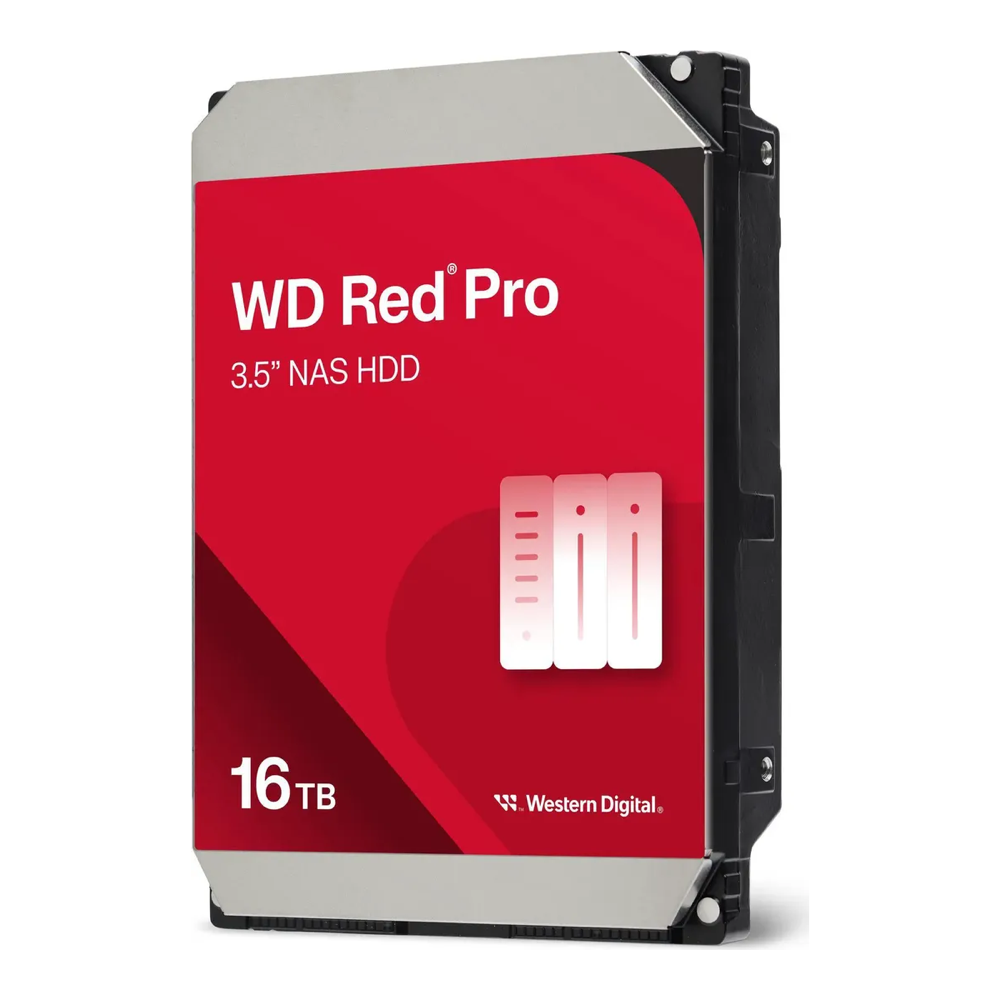
Best for: a first 6-drive pool on a tighter budget. Look elsewhere when a pool in six bays has to hold more than about 64 TB usable. Around $715 and listed as low stock, so check the current price.
LSI 9300-8i HBA (SAS3008, IT mode)
Most consumer boards stop at four to six SATA ports, so anything from 6 to 8 drives needs an HBA flashed to IT mode, which passes each drive straight to ZFS. This SAS3008 card is sold as LSI 9300-8i compatible, with two SFF-8643 ports and breakout cables for eight SATA drives on a PCIe 3.0 x8 slot.

The listing is a third-party SAS3008 board rather than a boxed Broadcom card (the photo shows the reference design), so confirm in the kernel log that the mpt3sas driver sees it with IT firmware, and give it direct airflow; the HBA guide linked below covers cooling and firmware checks.
Best for: any RAIDZ2 vdev of up to eight drives. Not enough for a 10 or 12-drive vdev, since one card stops at eight. Around $65, low stock. The HBA buying guide covers cooling, cables and firmware checks.
Broadcom 9400-16i HBA
A 10 to 12-wide vdev needs sixteen ports, and the 9400-16i (SAS3416) provides them from one card without an expander. The Amazon listing is a used OEM card (Lenovo 430-16i) in IT mode, which is how most of these are sold.

Best for: 10 to 16-drive builds and two 6-wide vdevs on one card. Overkill if the pool will never pass eight drives, because the 9300-8i costs a third as much. Around $180 used, so check the current price and the seller’s return terms.
For more drive options across capacities, see the NAS hard drive comparison, and for chassis with enough bays, the NAS case guide.
Step 1: Create the test drives
To check these numbers for a different drive size, the test needs only ZFS and a filesystem that allows huge sparse files. On Ubuntu, install ZFS and the XFS tools, then build a small XFS image to hold the sparse drives, because ext4 refuses files over 16 TiB:
sudo apt install -y zfsutils-linux xfsprogs
sudo truncate -s 45G /var/lib/xfs-lab.img
sudo mkfs.xfs -q /var/lib/xfs-lab.img
sudo mkdir -p /lab
sudo mount -o loop /var/lib/xfs-lab.img /lab
sudo chown $USER: /lab
Create six sparse 20 TB files. They take no real space until data lands on them:
for i in 1 2 3 4 5 6; do truncate -s 20000000000000 /lab/d$i; doneChange the count and the byte size to match the drives you are pricing. Exact byte counts for a model are in its datasheet.
Step 2: Build the pool and read both sizes
Create the RAIDZ2 vdev with an explicit ashift, since file vdevs otherwise get a smaller one than real drives would:
sudo zpool create -f -o ashift=12 -m none cap raidz2 /lab/d1 /lab/d2 /lab/d3 /lab/d4 /lab/d5 /lab/d6Read the raw size and the usable size in bytes, which avoids the rounding in the human-readable output:
sudo zpool list -Hp -o size,free cap
sudo zfs list -Hp -o used,avail cap
On the 6-wide test pool the first line is the raw size including parity, and the second is what datasets can use:
119984206381056	119984204845056
810216	79773916439320
Divide the second avail figure by the raw bytes you created (here 120,000,000,000,000) to get the share of raw. For six drives it comes to 66.5%.
Step 3: Write data and measure the allocation
Random data defeats compression, and turning compression off removes it from the result entirely. Create a dataset with the record size under test, note the pool’s allocation, then copy a 2 GiB file in:
head -c 2147483648 /dev/urandom > ~/rand.bin
sudo zfs create -o compression=off -o recordsize=1M -o mountpoint=/cap/t cap/t
sudo zpool sync cap
sudo zpool list -Hp -o alloc cap
sudo cp ~/rand.bin /cap/t/
sudo zpool sync cap
sudo zpool list -Hp -o alloc cap
sudo zfs list -Hp -o logicalused,used cap/t
The difference between the two alloc readings is the raw space the file consumed. Divide logicalused by that difference for the real storage share, then repeat with recordsize=128K. To measure VM disks, create a sparse 16K zvol instead of the dataset, write 512 MiB into it, and read the same two alloc values with cap/v in place of cap/t:
sudo zfs create -s -V 4G -o volblocksize=16K cap/v
sudo udevadm settle
sudo dd if=$HOME/rand.bin of=/dev/zvol/cap/v bs=1M count=512 conv=fsync
Destroy the pool and recreate the sparse files between runs, because XFS keeps blocks a previous pool wrote. When you are finished, remove the test mount:
sudo zpool destroy cap
sudo zpool destroy exp 2>/dev/null
rm -f /lab/d* /lab/e*
sudo umount /lab
sudo rm /var/lib/xfs-lab.img
rm -f ~/rand.bin
The sparse files never consumed their full 20 TB, so cleanup frees only the few gigabytes the tests actually wrote.
Check the same numbers on a real pool
An existing pool shows the same two views. zpool list reports raw capacity with parity included, so a 6 x 20 TB RAIDZ2 shows about 109T there. zfs list on the root dataset reports what you can store. That figure already includes the 128K padding estimate and slop. When the two disagree by roughly the ratios in the first table, the pool is healthy and nothing is lost.
zpool list -o name,size,alloc,free tank
zfs list -o name,used,avail,recordsize -r tank
Two readings in that output tell you whether the layout fits the data. A dataset at recordsize=1M whose used is smaller than the files in it is the padding saving at work. A zvol cannot show the 16K penalty this way, because its charged size is scaled by the 128K estimate, so it shows the cost relative to 128K data rather than to the parity formula: in the test it read 1.00x on 6 and 7-wide pools and about 1.15x from 9 drives up. Check its share with the allocation test in Step 3 instead. If a VM zvol on a 4 or 5-wide RAIDZ2 stores under half of raw, it belongs on mirrors. For the full build around a pool like this, the TrueNAS ZFS server walkthrough covers the hardware, and the ZFS pool design guide covers special vdevs and dataset layout.