


签到题
decimal_string = "27880 30693 25915 21892 38450 23454 39564 23460 21457 36865 112 108 98 99 116 102 33719 21462 21069 27573 102 108 97 103 20851 27880 79 110 101 45 70 111 120 23433 20840 22242 38431 22238 22797 112 108 98 99 116 102 33719 21462 21518 27573 102 108 97 103"
decimals = map(int, decimal_string.split())
chinese_chars = ''.join([chr(decimal) for decimal in decimals])
print(chinese_chars)

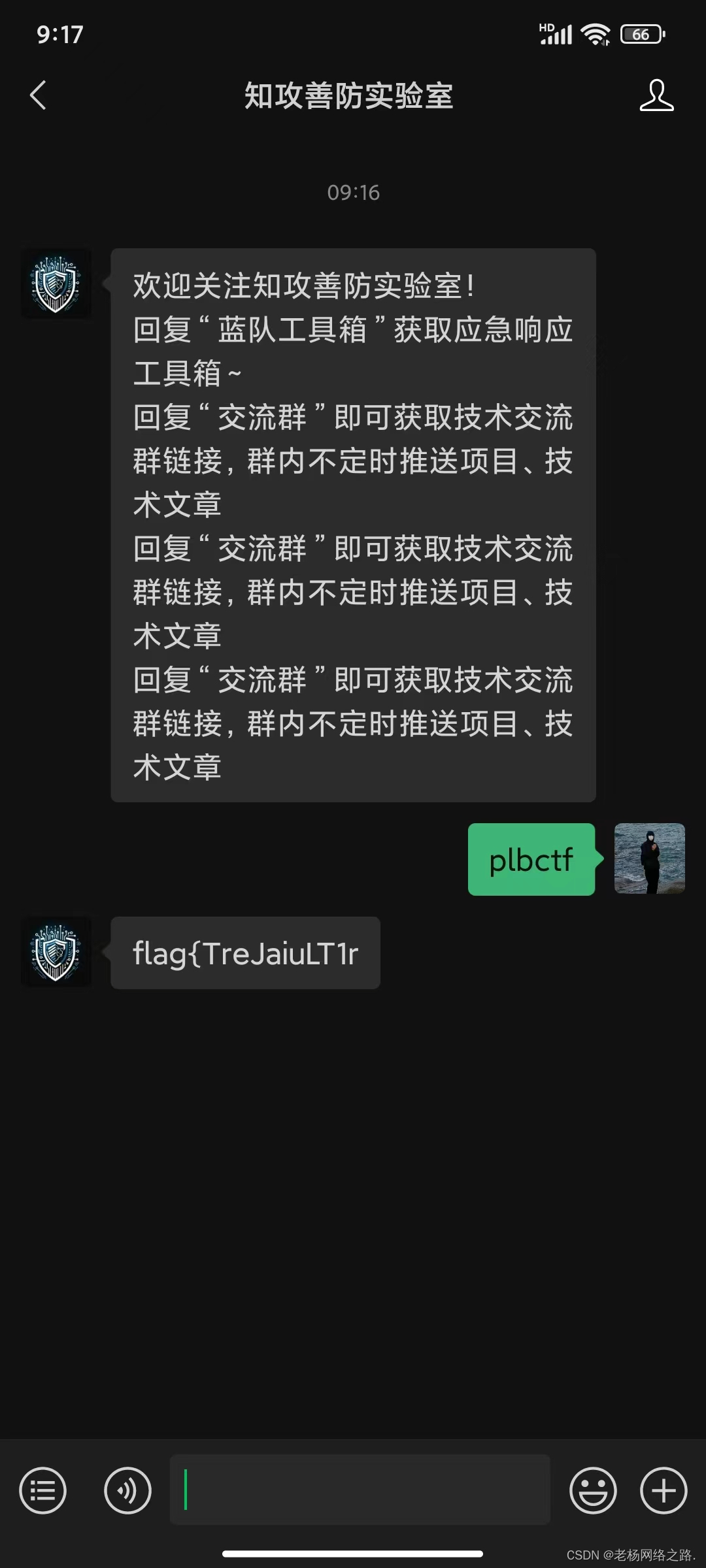
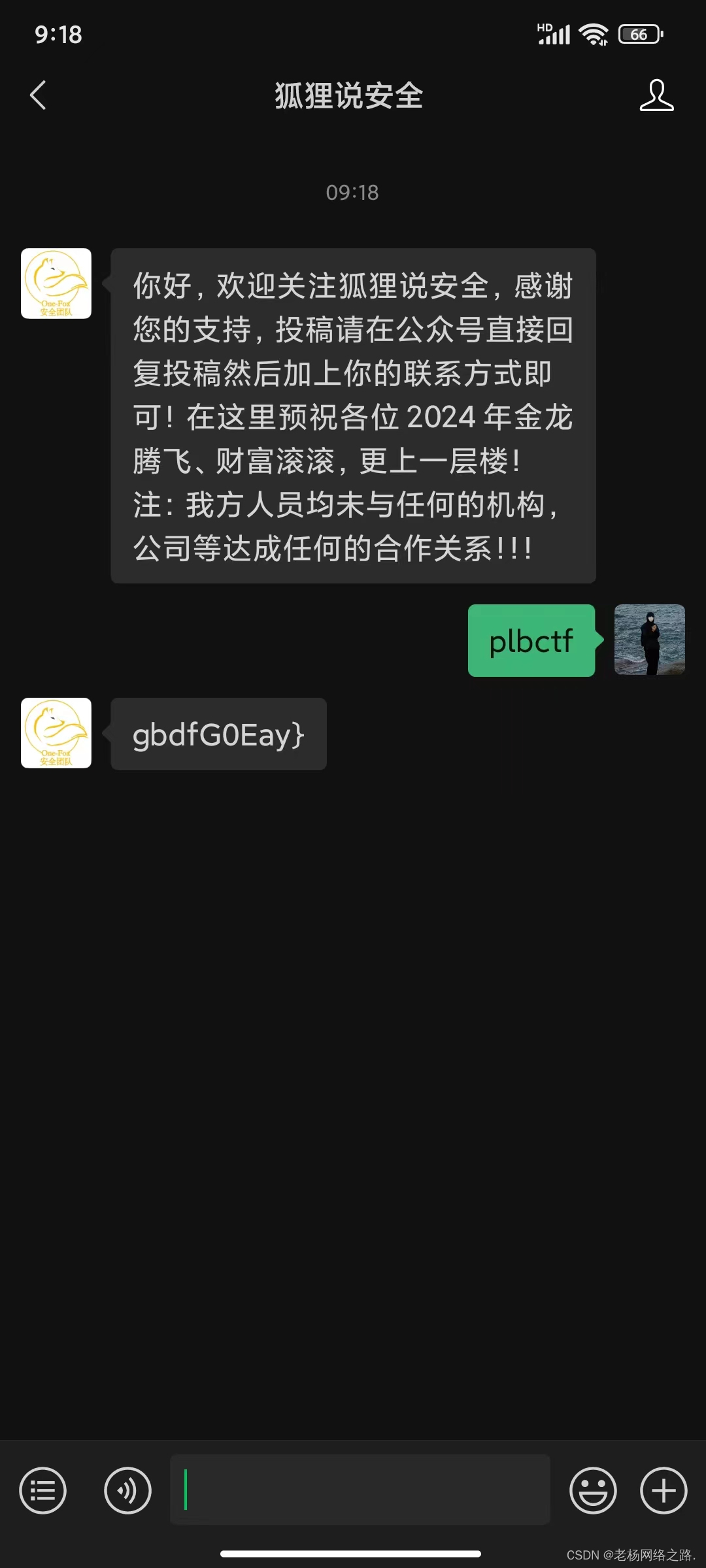 flag{TreJaiuLT1rgbdfG0Eay}
FM145.8
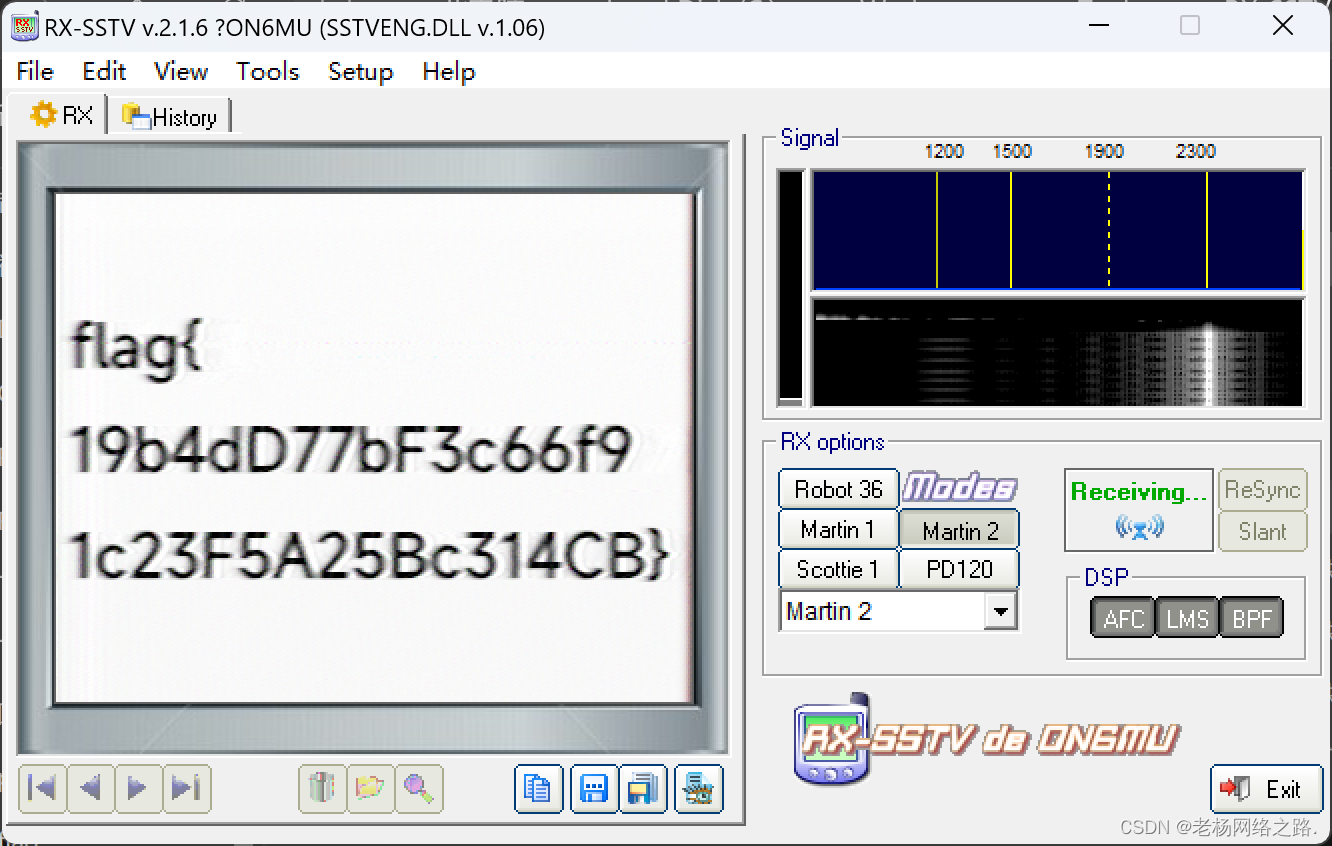
江
题目描述:地理迷踪推理挑战,请提交图片拍摄的具体位置。
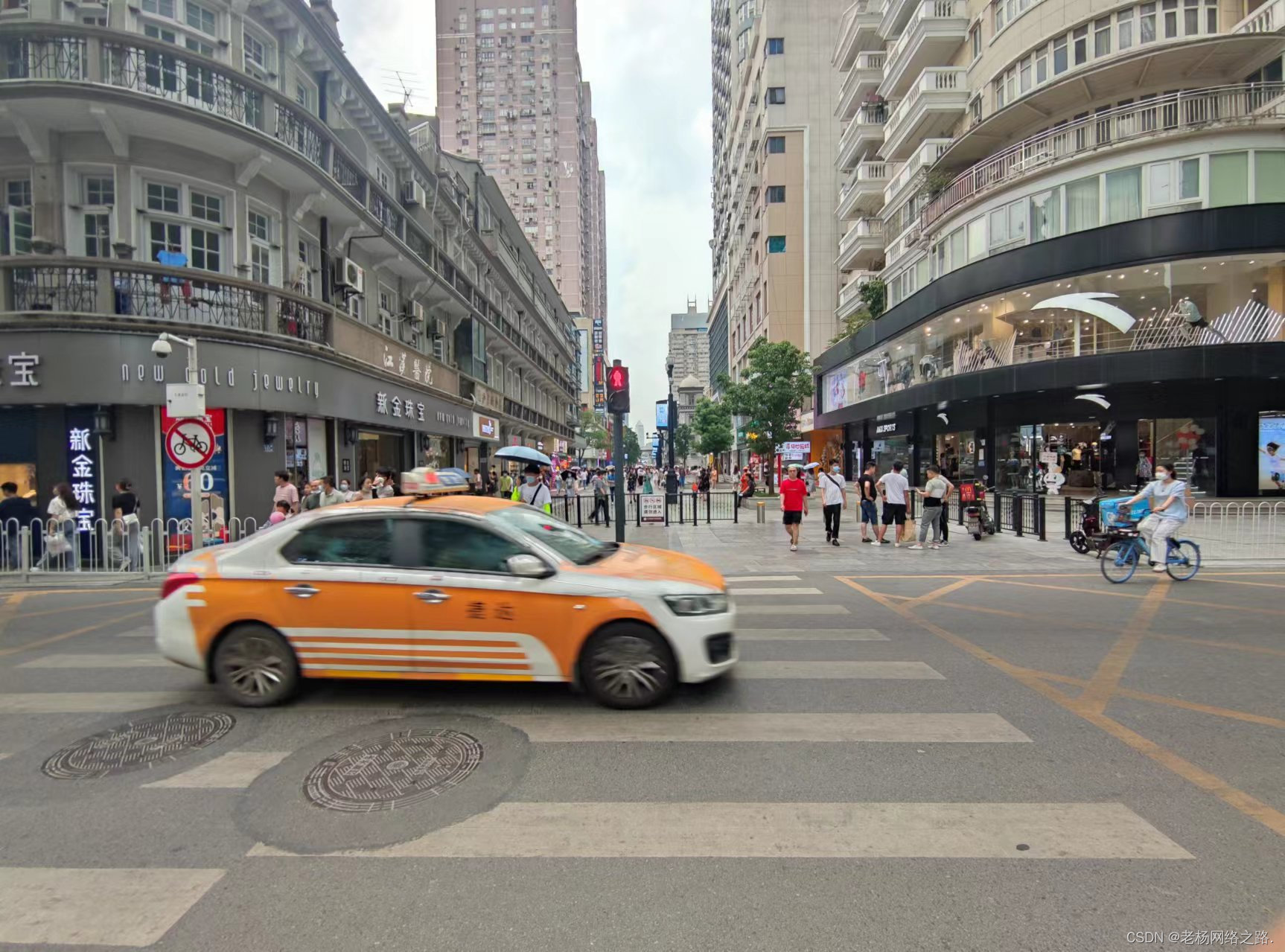 直接利用百度识图即可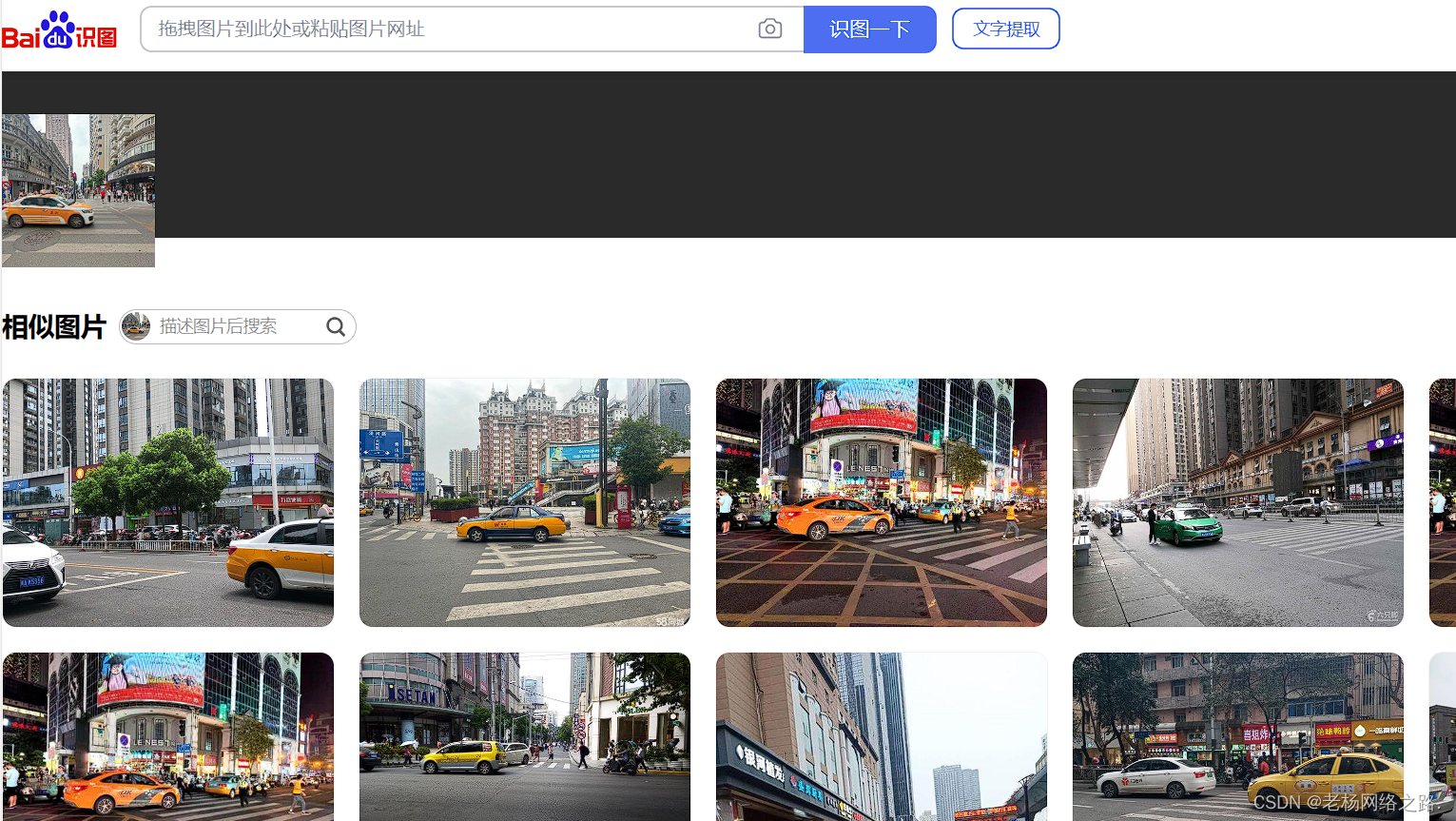
flag{湖北省武汉市江汉二路与江汉路步行街交叉路口}
ez_misc
提取jpg末尾字符用snow提取
Carefree and carefree
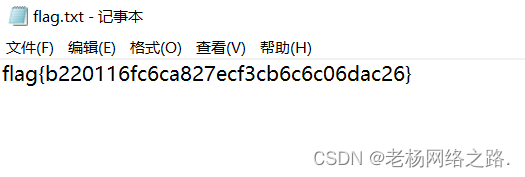
为什么我的新猫猫吃不饱
题目描述:Morscerta的猫猫似乎受到什么神秘力量变得抽象起来了,我超!冰!神秘小符咒!
拿到压缩包后发现有一张gif和png
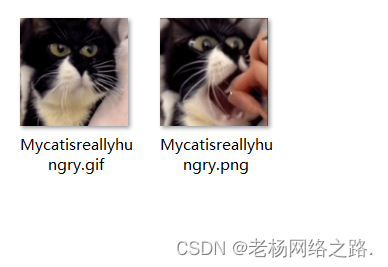
先扔十六进制看看和Strings
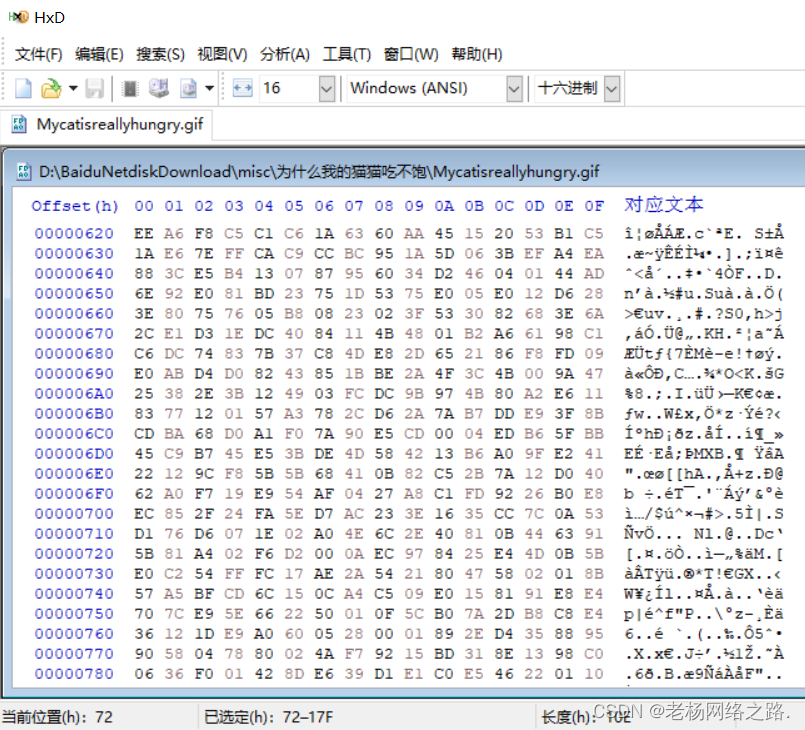 发现特征UOZT 这个为atbush加密flag的头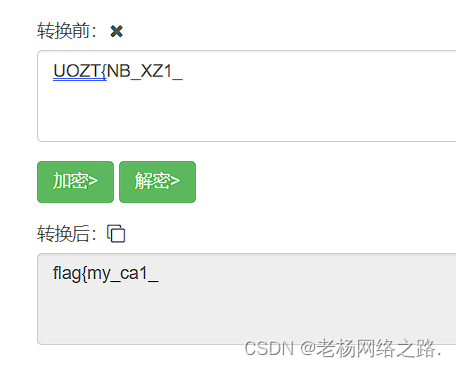
得到前半段flag 剩下的就在png身上了

有一条线 按照判断不是盲水印就是lsb隐写
试试盲水印 需要原图我们先来分解gif
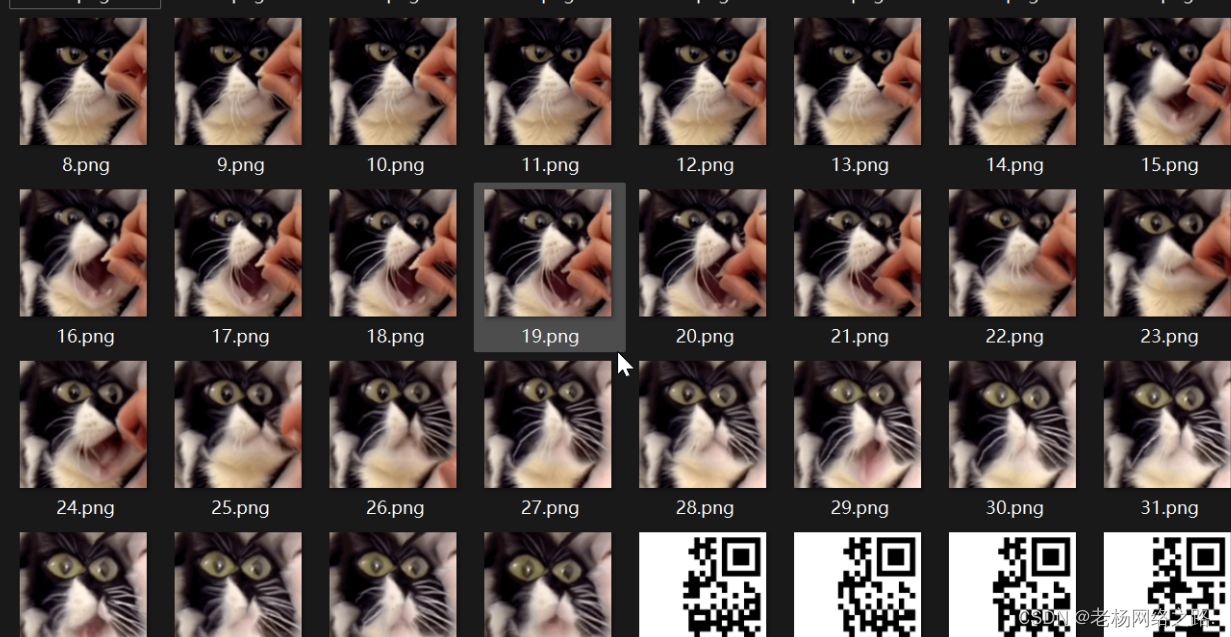 22和23是最接近的 所以直接试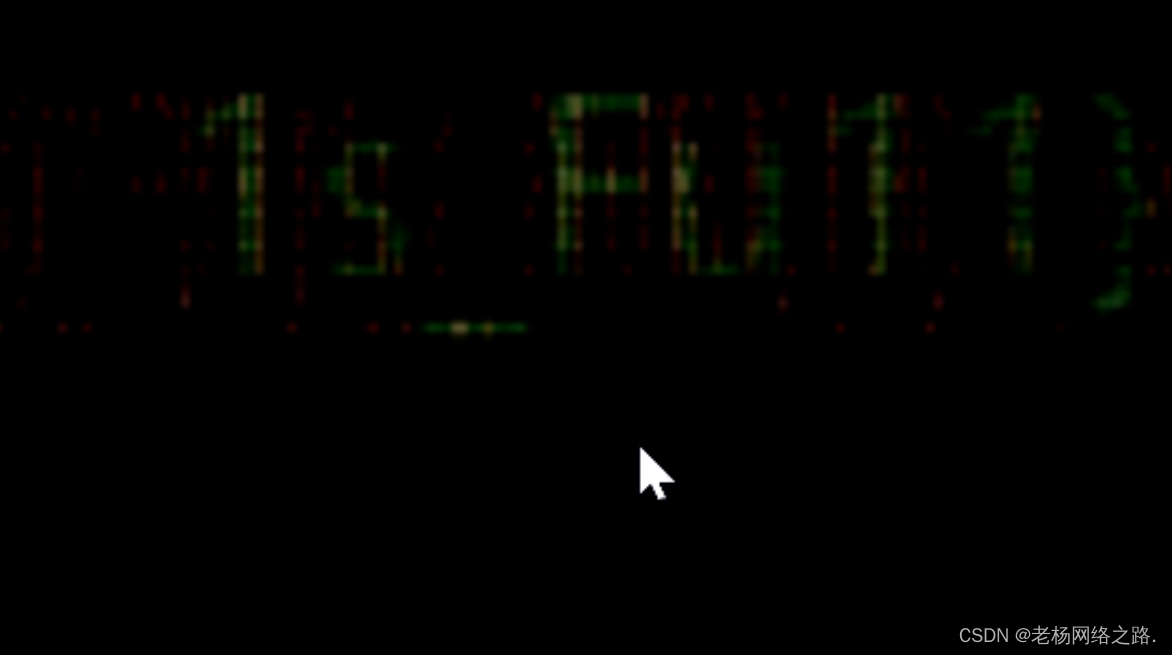
什么协议
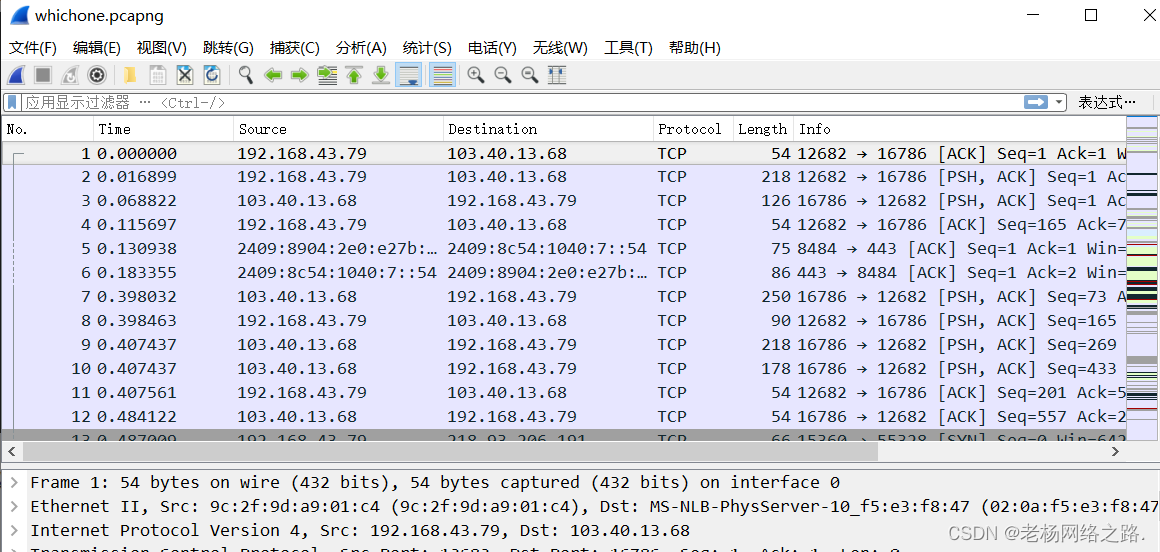 tls和ssh基本上可以忽略因为没发现给sslkey解不了 dns 发现都是正常请求 stun为 nat打洞的,目前可以直接看的只有http 那我们先看http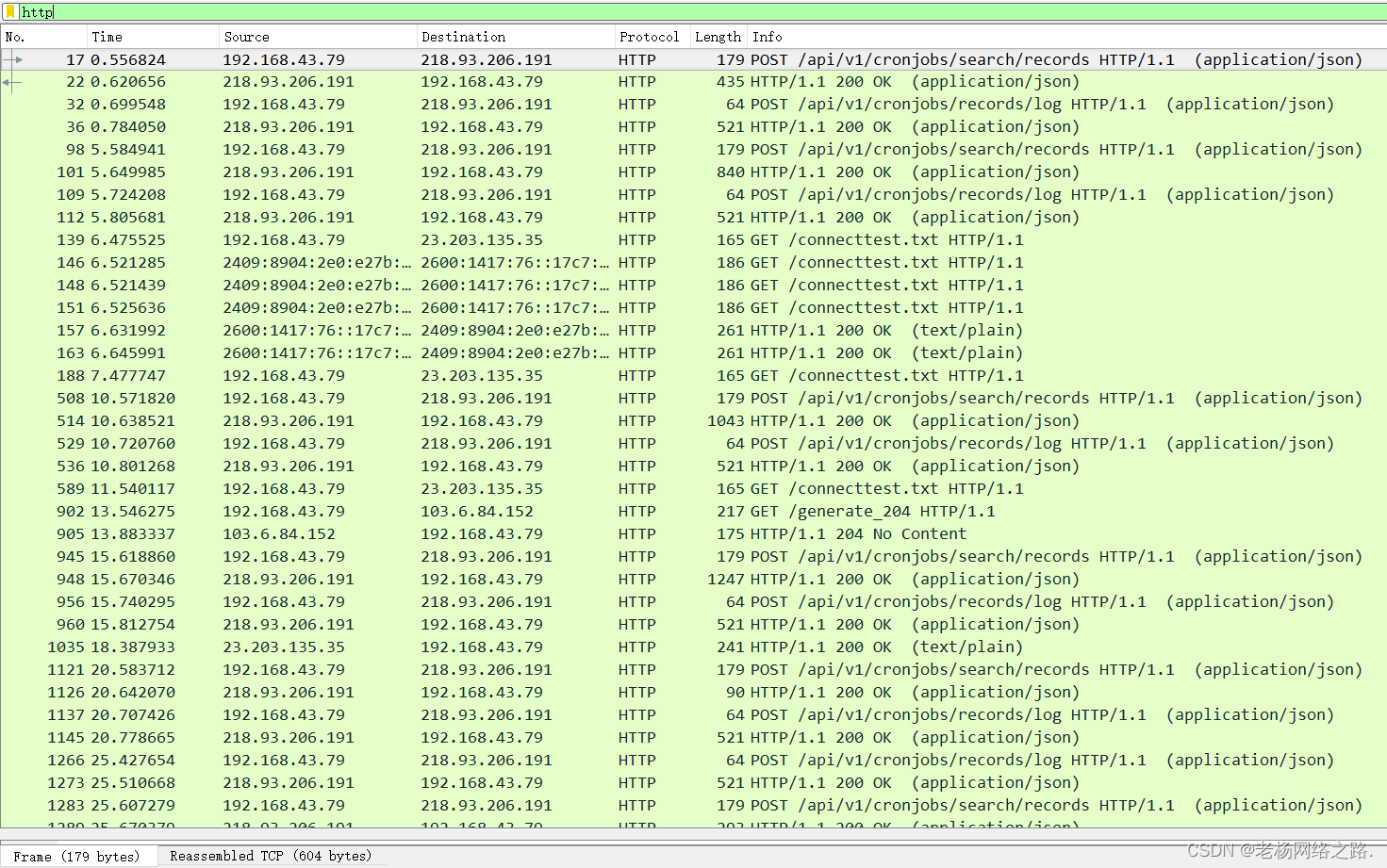
基本上都是POST之后返回200,我们先分析一下返回是什么看链接名cronjobs似乎是什么东西的定时任务
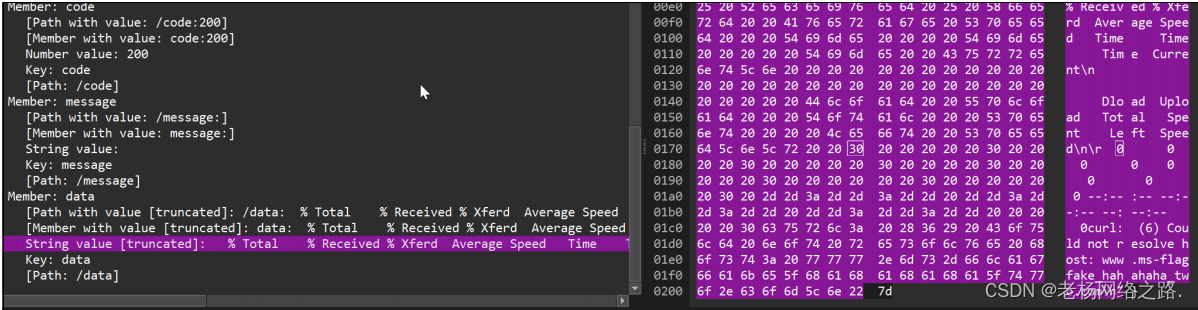
这边看返回 格式和curl wget 似乎一模一样 确定是去curl一个链接这边我们看到了假flag,接着看 进一步看发现只有在cronjos/recodes/log下面的200包返回任务执行结果直接过滤,这里有一个规律在返回的json中如果是curl不通的会显示,那我们直接看没有 Could not resolve的 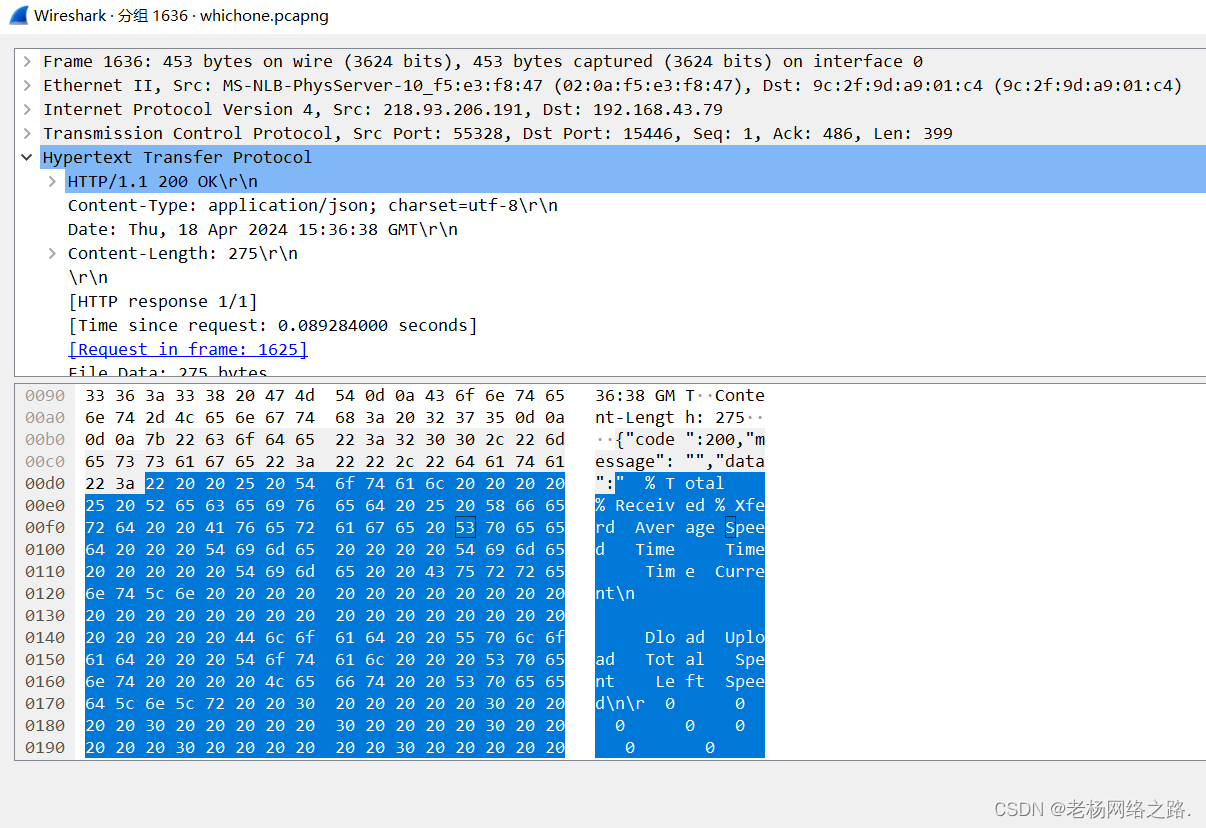
这里有一个 但下面的包又是一个返回 记住编号 1636 把过滤规则去掉我们看看 没发
现什么有价值的东西 继续看 发现这些包Length都在521 261大小左右 但下面有个61
的我们来看看
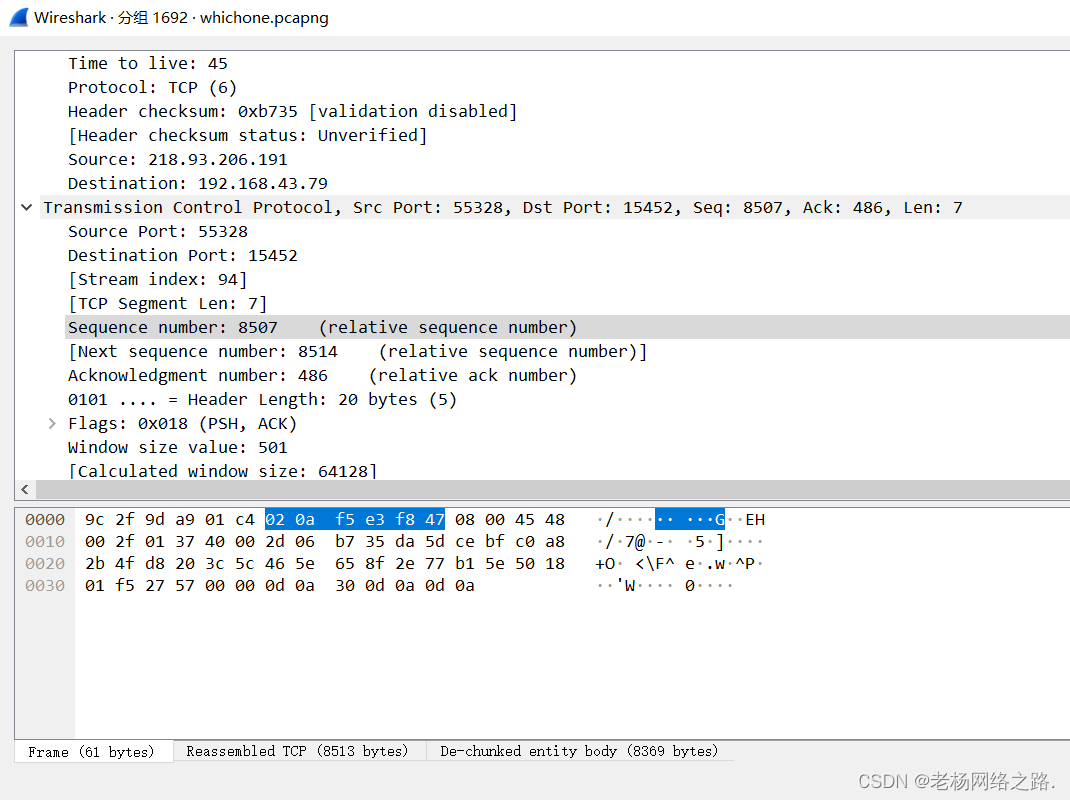
发现它的帧很小但是ReassembledTcp很大 这说明发送端发的TCP包很大wireshark
不得不分包此外我们能看到TCP segment of a reassembled PDU 说明wireshark尝
试重组 会被分片,那么问题来了如果已知 任务是去请求一个网站 那正常curl一个网站页面是超出
wireshark的缓存的 那我们来追踪一下tcp流来看看
POST /api/v1/cronjobs/records/log HTTP/1.1
Host: 218.93.206.191:55328
User-Agent: Mozilla/5.0 (Windows NT 10.0; Win64; x64; rv:124.0) Gecko/20100101 Firefox/124.0
Content-Length: 10
Accept: application/json, text/plain, */*
Accept-Encoding: gzip, deflate
Accept-Language: zh
Content-Type: application/json
Cookie: psession=653b046a-34b7-4042-87e8-8fa699cea8c5
Dnt: 1
Origin: http://218.93.206.191:55328
Referer: http://218.93.206.191:55328/cronjobs
Sec-Gpc: 1

{"id":241}HTTP/1.1 200 OK
Content-Type: application/json; charset=utf-8
Date: Thu, 18 Apr 2024 15:36:41 GMT
Transfer-Encoding: chunked

20b1
{"code":200,"message":"","data":"  % Total    % Received % Xferd  Average Speed   Time    Time     Time  Current\n                                 Dload  Upload   Total   Spent    Left  Speed\n\r  0     0    0     0    0     0      0      0 --:--:-- --:--:-- --:--:--     0\u003c!--[if IE 8 ]\u003e\u003chtml class=\"ie\" xmlns=\"http://www.w3.org/1999/xhtml\" xml:lang=\"en-US\" lang=\"en-US\"\u003e \u003c![endif]--\u003e\n\u003c!--[if (gte IE 9)|!(IE)]\u003e\u003c!--\u003e\n\u003c!DOCTYPE html\u003e\n\u003chtml lang=\"en-US\"\u003e\n    \u003c!--\u003c![endif]--\u003e\n\n    \u003chead\u003e\n        \u003cmeta charset=\"utf-8\"\u003e\n        \u003ctitle\u003e\n            FlyToTheWorld-The More Coming soon!\n        \u003c/title\u003e\u003c!-- Behavioral Meta Data --\u003e\n        \u003cmeta content=\"yes\" name=\"apple-mobile-web-app-capable\"\u003e\n        \u003cmeta content=\"width=device-width, initial-scale=1, maximum-scale=1, user-scalable=no\" name=\"viewport\"\u003e\u003c!-- Core Meta Data --\u003e\n        \u003cmeta content=\"ThemeWagon\" name=\"author\"\u003e\n        \u003cmeta content=\"FlyToTheWorld-The More Coming soon!\" name=\"description\"\u003e\n        \u003cmeta content=\"Comming Soon, Responsive, Landing Page, One Page\" name=\"keywords\"\u003e\u003c!-- Open Graph Meta Data --\u003e\n        \u003cmeta content=\"FlyToTheWorld-The More Coming soon!\"\u003e\n        \u003cmeta content=\"ThemeWagon\"\u003e\n        \u003cmeta content=\"ThemeWagon\"\u003e\n        \u003cmeta content=\"website\"\u003e\n        \u003cmeta content=\"index.html\"\u003e\u003c!-- Twitter Card Meta Data --\u003e\n        \u003cmeta content=\"summary\" name=\"twitter:card\"\u003e\n        \u003cmeta content=\"@themewagon\" name=\"twitter:site\"\u003e\n        \u003cmeta content=\"@themewagon\" name=\"twitter:creator\"\u003e\n        \u003cmeta content=\"ThemeWagon\" name=\"twitter:title\"\u003e\n        \u003cmeta content=\"FlyToTheWorld-The More Coming soon!\" name=\"twitter:description\"\u003e\n\n        \u003clink href=\"favicon.png\" rel=\"shortcut icon\" type=\"image/png\"\u003e\n\n        \u003c!--[if lt IE 9]\u003e\n            \u003cscript src=\"http://html5shim.googlecode.com/svn/trunk/html5.js\"\u003e\u003c/script\u003e\n        \u003c![endif]-
tcp包中有相关页面的代码 保存出来分析 看到开头写了html 我们另外存为html,tcp包中有相关页面的代码 保存出来分析 看到开头写了html 我们另外存为html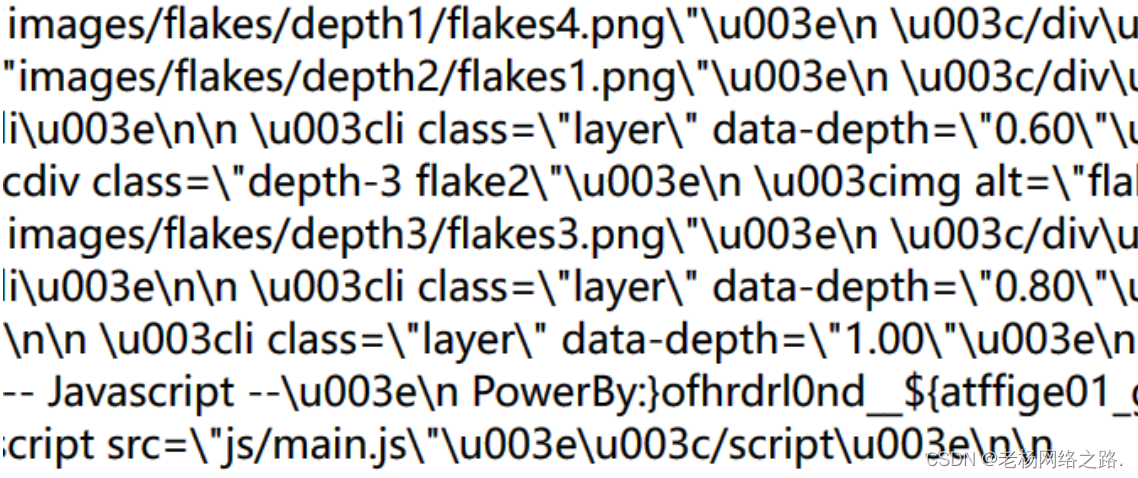
PowerBy: 后面的似乎是某种加密 由于不知道什么编码所以用工具一把梭 我们使用 ciphey工具

似乎不行因为密文的{}原因docker会返回shell 所以我们让他去读txt
docker run -it --rm -v ~/workdir:/home/nonroot/workdir remnux/ciphey -f input.txt
ciphey解不出来 尝试使用随波逐流的工具一键一下 







 扫一扫
扫一扫


 3619
3619

 被折叠的 条评论
为什么被折叠?
被折叠的 条评论
为什么被折叠?
 到【灌水乐园】发言





