


1. 查看临时表占用内存
#登录账号
sqlplus / as sysdba
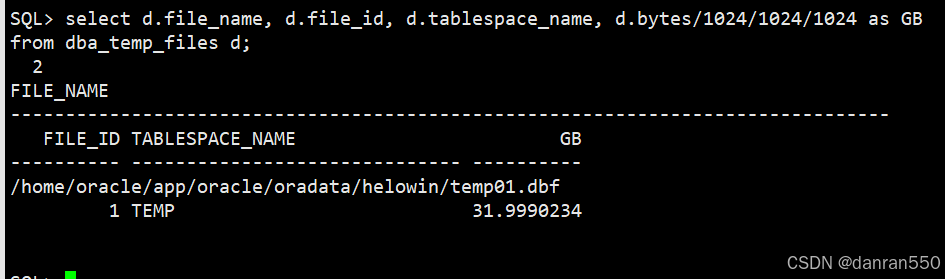
#查一下临时表大小记录一下临时表位置
select d.file_name, d.file_id, d.tablespace_name, d.bytes/1024/1024/1024 as GB from dba_temp_files d;
2.创建新临时表temp2
# 创建新临时表
create temporary tablespace temp2
       tempfile '/home/oracle/app/oracle/oradata/helowin/temp02.dbf' size 512M reuse
       autoextend on next 640k maxsize unlimited;
2.更改数据库默认表空间为temp2
alter database default temporary tablespace temp2;
3. 删除过大的数据文件存在的表空间temp及数据文件TEMP01.DBF
drop tablespace temp including contents and datafiles;
4.再创建空的新临时表空间temp
create temporary tablespace temp
       tempfile '/home/oracle/app/oracle/oradata/helowin/temp01.dbf' size 512M reuse
       autoextend on next 640K maxsize unlimited;
5. 改temp 为默认临时表并且删除 temp2
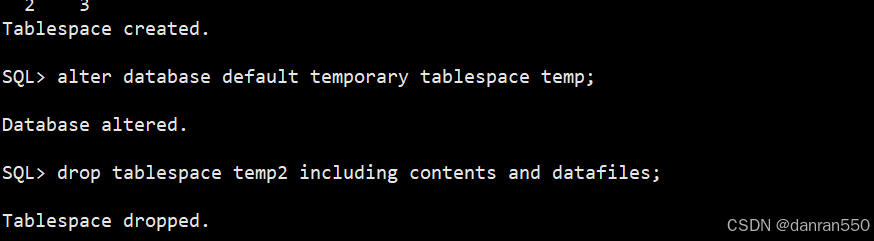
alter database default temporary tablespace temp;
drop tablespace temp2 including contents and datafiles;
最后查一下大小,好了
select d.file_name, d.file_id, d.tablespace_name, d.bytes/1024/1024/1024 as GB from dba_temp_files d;



 扫一扫
扫一扫


 420
420

 被折叠的 条评论
为什么被折叠?
被折叠的 条评论
为什么被折叠?
 到【灌水乐园】发言


