Tracing quickstart
Install the Respan SDK and see your first trace in Logs.
Tracing records each step of your AI app, such as LLM calls, tool runs, and agent steps, as a tree of spans, so you can debug failures and see where time and cost go. The Respan SDK traces the major LLM SDKs automatically once you initialize it.
Set up with your coding agent
Paste this prompt into Claude Code, Cursor, Codex, or any coding agent:
Help me set up Respan tracing: fetch and follow https://respan.ai/docs/agent-setup.md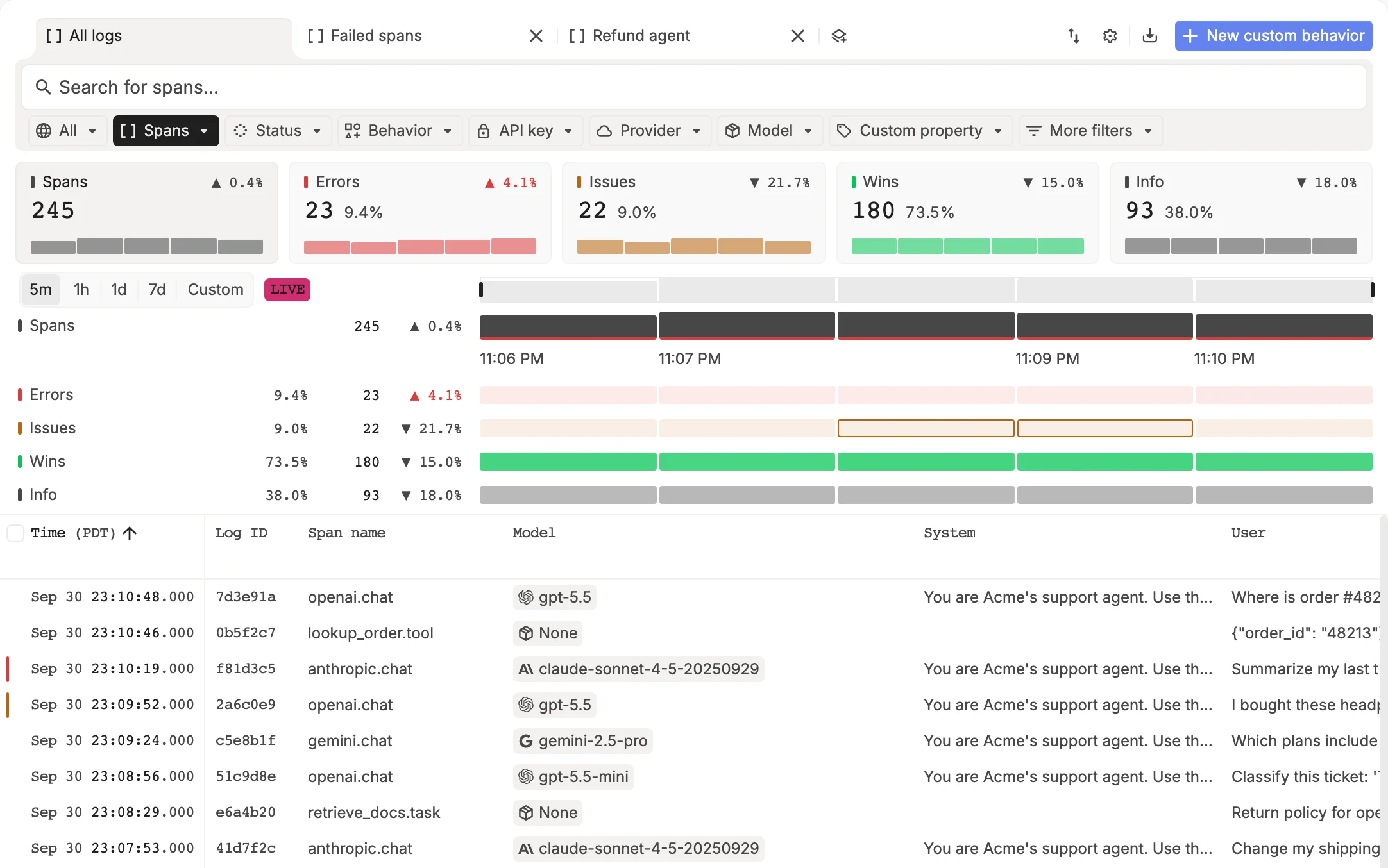
To set it up yourself, follow the steps below.
Step by step
Create an API key
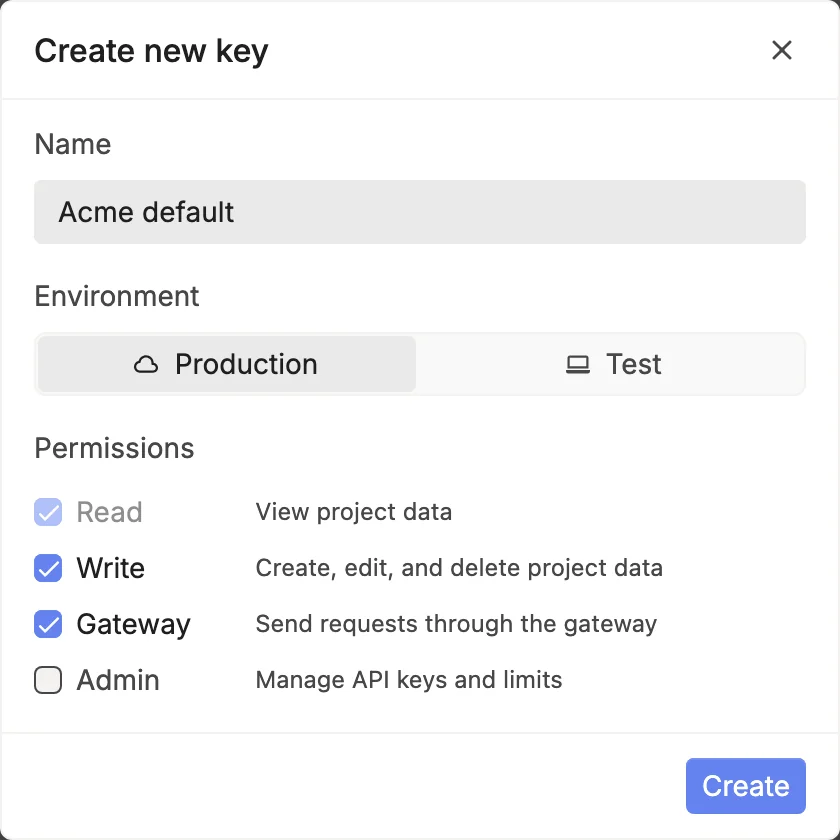
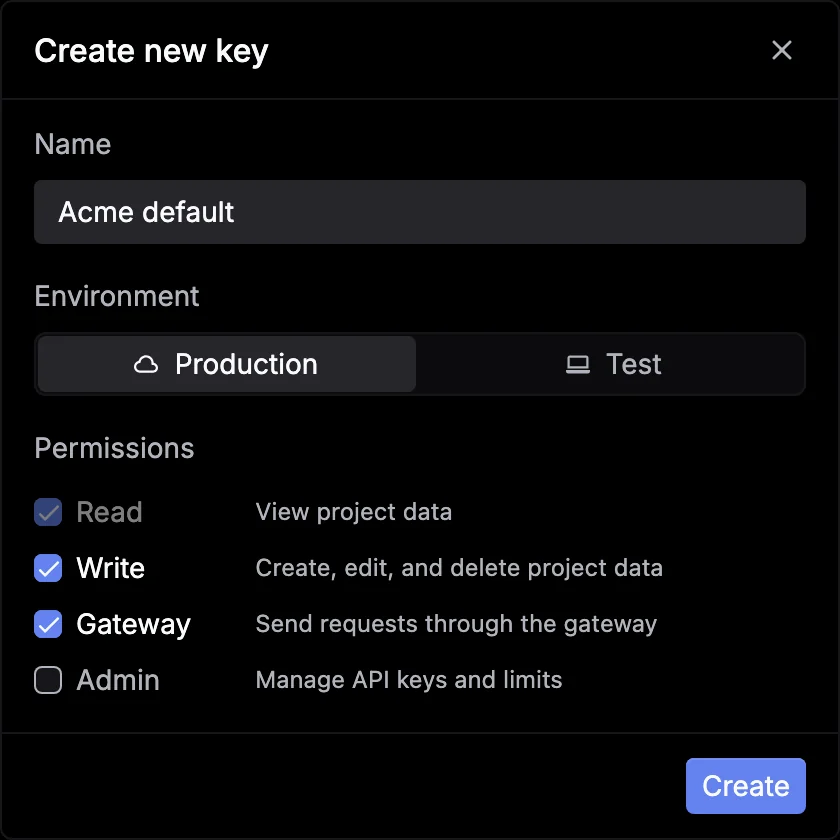
In the platform , go to Gateway › API keys and click New key. Pick Production or Test, keep the default permissions, and click Create.
Click Copy, then Done. You won’t see the key again, so save it now:
export RESPAN_API_KEY="your-respan-api-key"Install and initialize the SDK
Install the Respan SDK alongside your LLM SDK. Initialize Respan once, before your first model call. Your model calls are then traced with no other changes.
Requires Python 3.11 to 3.13.
pip install respan-ai openaifrom openai import OpenAI
from respan import Respan
respan = Respan() # reads RESPAN_API_KEY
client = OpenAI() # reads OPENAI_API_KEY
response = client.chat.completions.create(
model="gpt-5.5",
messages=[{"role": "user", "content": "How do I rotate my API key?"}],
)
print(response.choices[0].message.content)Calls made with the OpenAI, Anthropic, AWS Bedrock, Vertex AI, and Together AI SDKs are traced automatically, plus Google GenAI and Ollama in Python, and Cohere, OpenRouter, and Writer in TypeScript.
Using an agent framework such as OpenAI Agents, LangChain, or the Vercel AI SDK? Find its guide in Integrations.
Run your app
export OPENAI_API_KEY="your-openai-api-key"
python app.py # TypeScript: npx tsx app.mtsThe SDK sends spans in the background and flushes them when the process exits. In serverless functions, call respan.flush() (await respan.flush() in TypeScript) before you return.
See the call in Logs
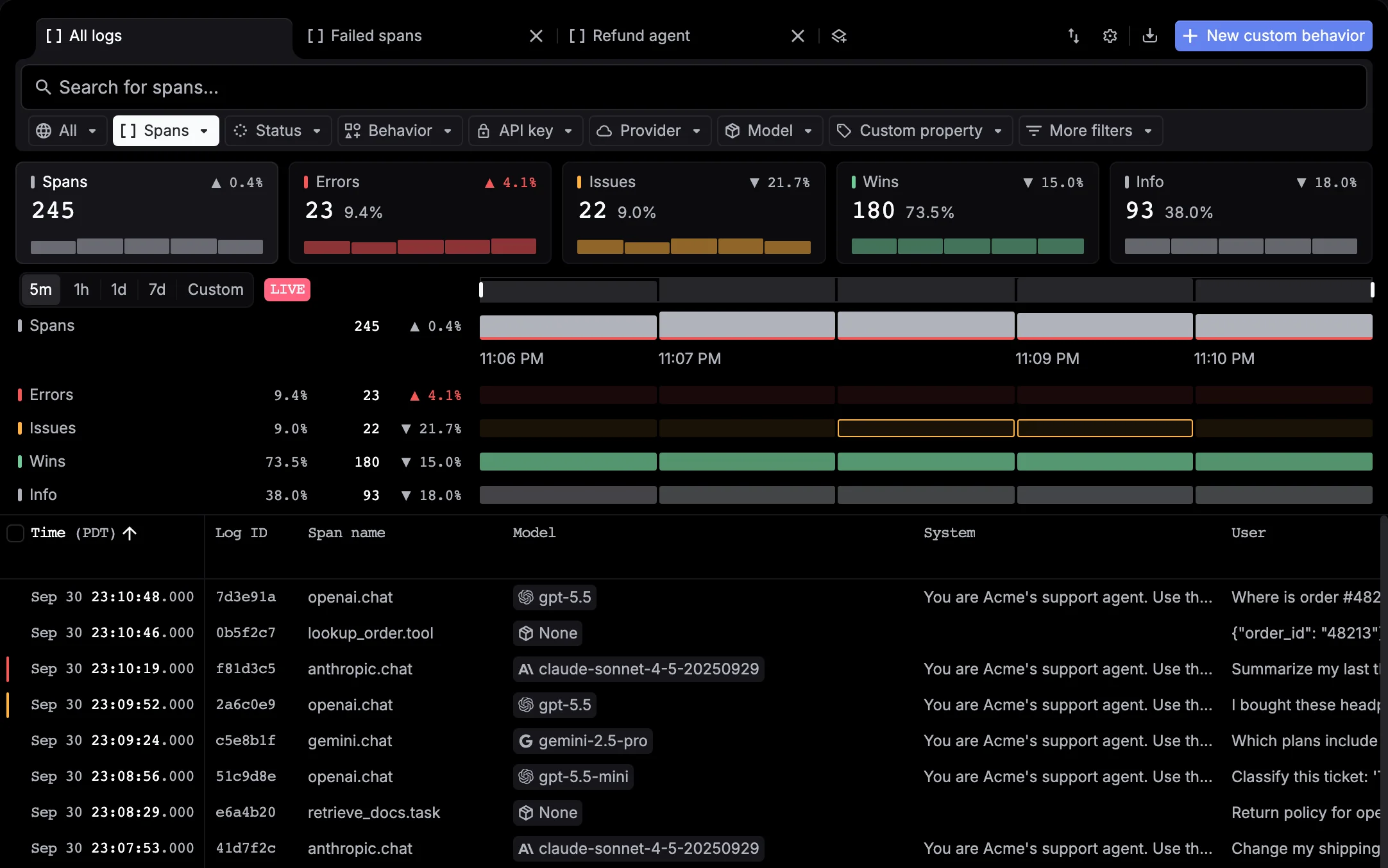
Go to Observability › Logs. Your openai.chat span is at the top, with its model, duration, tokens, and cost. Click it to see the input and output.
Don’t see it? Widen the time range. Traces sent with a Test key show under Test, so set the environment switch to Test or All environments. See Inspect spans and traces.
Key terms
The grouping menu in Logs switches between these views.
| Term | What it is |
|---|---|
| Span | One recorded operation, such as an LLM call, a tool run, or a function you wrapped |
| Trace | All the spans from one request, linked into a tree |
| Thread | Spans that share a thread ID, such as the turns of one conversation |
