

Table of contents


How to scope any API integration project (5 steps)



Allegra Aguiar
Every API integration build is unique.
The reason is twofold: Every API provider approaches pagination, authentication, and rate limits differently. And your integration requirements are unique to your product or your internal workflows.
Despite these differences, the process of scoping each API integration build involves a similar set of steps.
We’ll break down each step we follow and you can too regardless of the integration you’re building. We’ll also include real-world examples to make it more tangible.
But first, let’s align on the concept that underpins integration planning: API integration scoping.
What is API integration scoping?
API integration scoping is the end-to-end process of researching an API provider’s endpoints, defining the integration requirements, outlining how each step gets implemented, and getting buy-in on your plan.
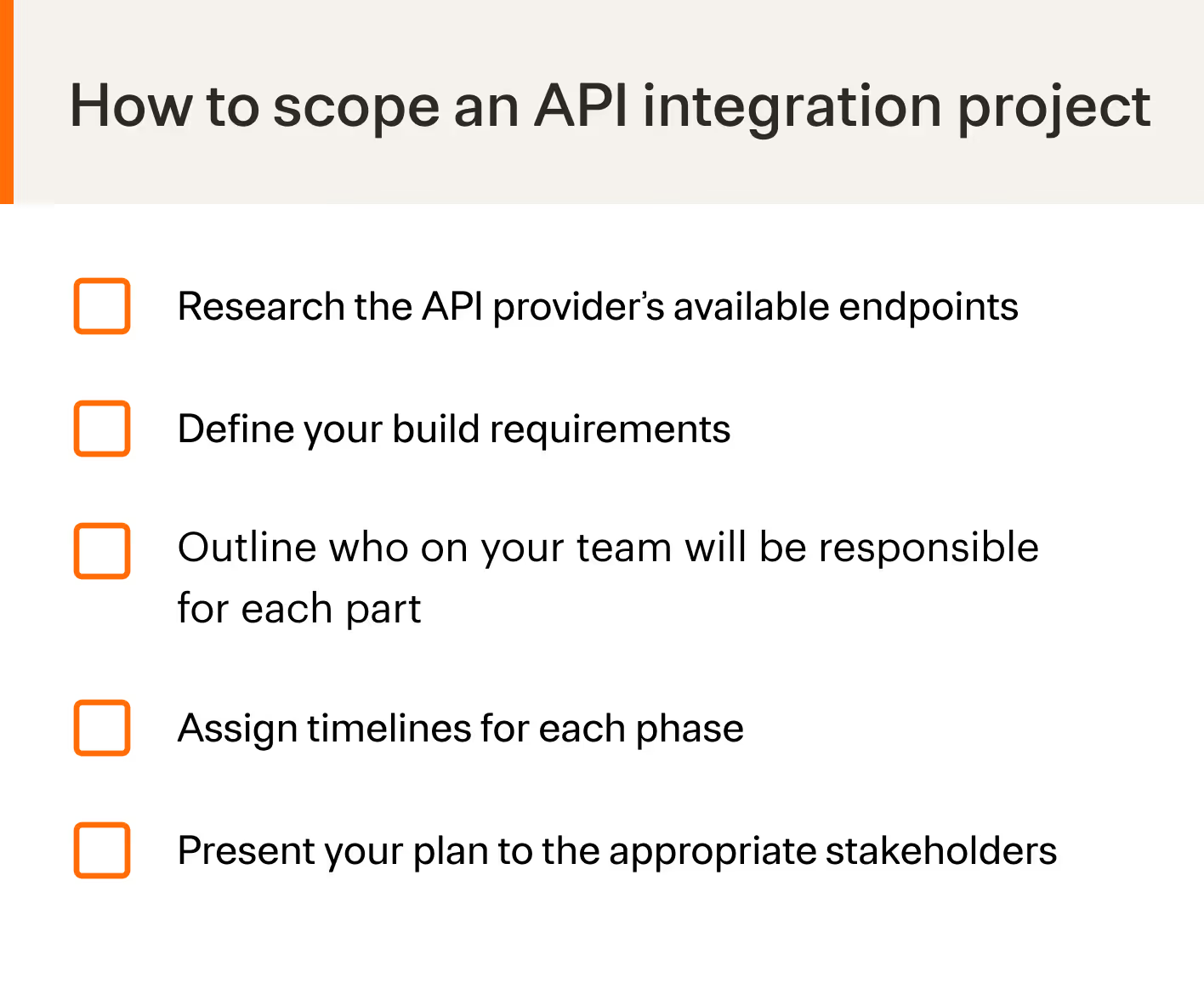
Steps for scoping API integrations
Let’s take a look at each step you’ll need to take.
Research the API provider’s available endpoints
While this step seems intuitive, it unfortunately isn’t in many cases.
Every API provider differs in the quality of their documentation, which can potentially lead you to investigate different sources.
For example, if an API provider doesn’t cover enough details on their endpoints via their documentation, you’ll need to explore answers in forums and user communities.
Case in point: The individual asking the question below (you can also see it here) ended up discovering a relatively simple way to hit Confluence Cloud’s webhooks—which wasn’t covered in Confluence's official API documentation.
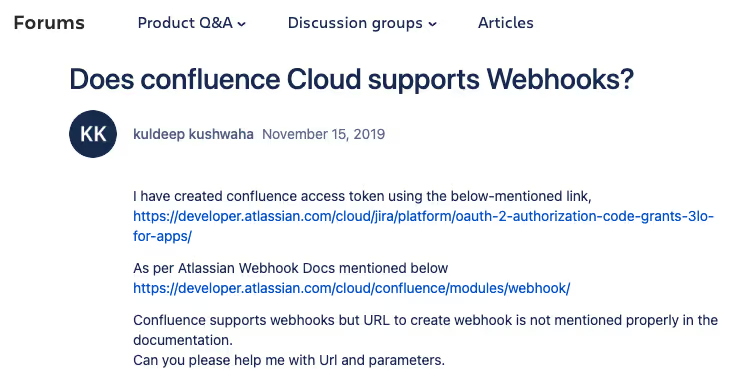
That said, hopefully, the API provider you’re building into has clear and comprehensive documentation so that you can avoid this level of research.
Related: Best practices for building B2B API integrations
Define your build requirements
Once you know how an API provider approaches the relevant endpoints, you can define your efforts accordingly.
For example, Xero, an accounting solution for SMBs, uses a 100k limit for their GET invoices endpoint. Knowing this, you can break up data in to subsets by pulling <code class="blog_inline-code">ACCOUNTS_RECEIVABLE</code> invoices in one GET /invoice request, and only pulling <code class="blog_inline-code">ACCOUNTS_PAYABLE</code> invoices in another request.
You’ll also need to accommodate the integration to your existing integration monitoring workflows so that your team can spot issues on time and resolve them before they impact your customers and/or your business.
Finally, for any integration, you’ll need to plan on getting a sandbox account from the API provider to scope out behavior. This includes running tests (e.g., load testing), assessing error-handling workflows, validating authentication, authorization, and access control features, and more.
Outline who on your team will be responsible for each part
Since integrations can impact many stakeholders—from your customer-facing teams to your R&D function—you’ll need clear guidance on who’s handling what parts.
It’s worth creating a table, as shown below, to explicitly highlight which teams handle certain steps for a given integration initiative.
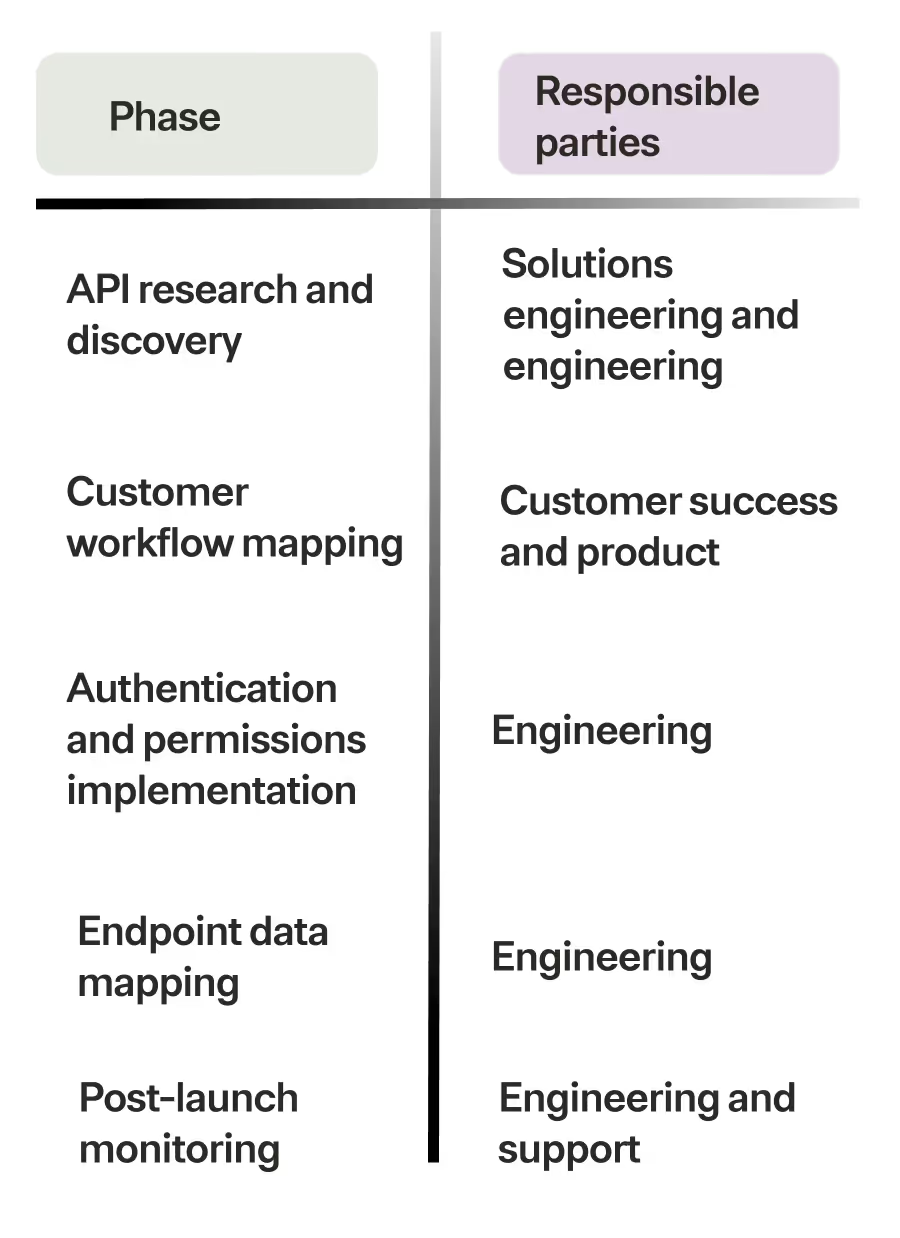
Post implementation will be just as important to include here since the integration can last several years. This means clarifying the types of issues that members of your post-sales team are responsible for troubleshooting and resolving versus engineering, defining who on your team will need to communicate issues with customers when they need to implement the fix, and so on.
Assign timelines for each phase
Your timelines can vary based on the complexity of an integration project and the resources you have available during each phase of the build. But something like the following can work as a placeholder.
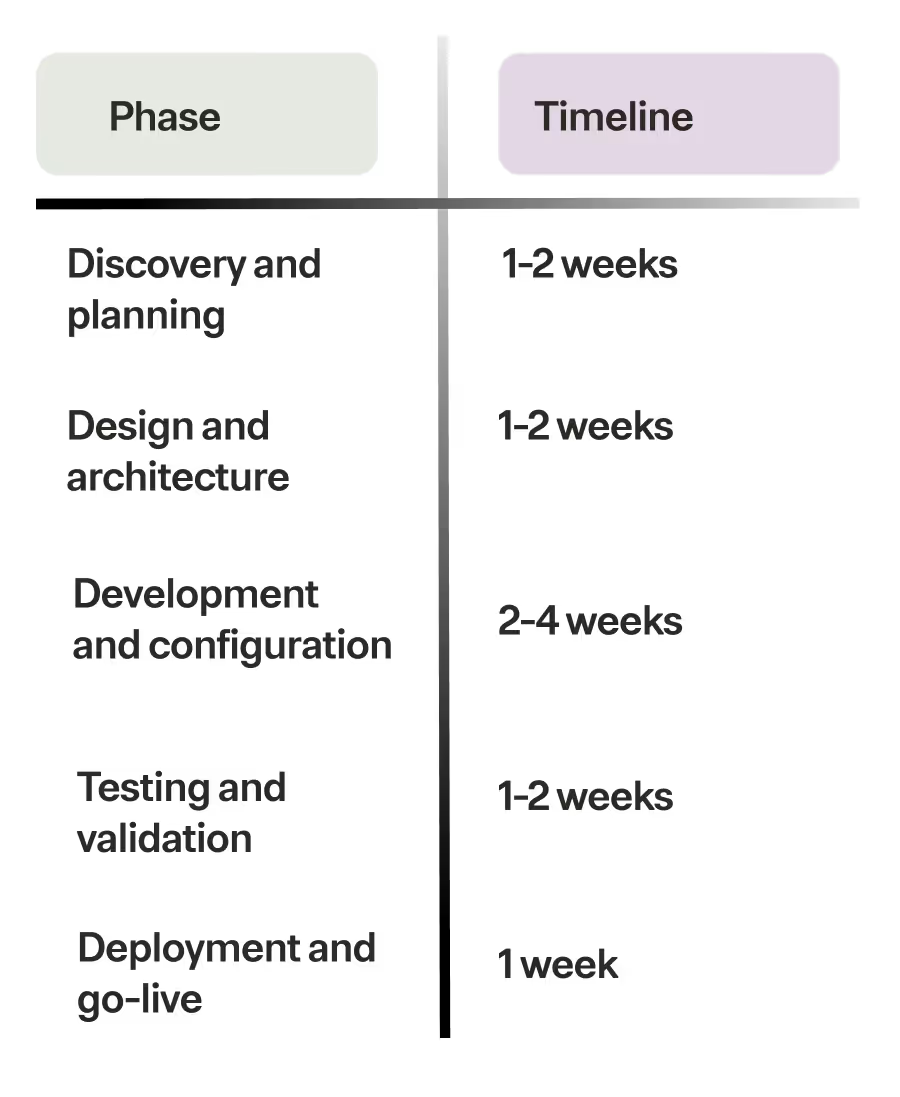
Present the plan to the appropriate stakeholders
Your API integration project is only successful if your team members are aligned on their scope of work and the proposed timelines.
To that end, it can be worth having separate meetings with each group of stakeholders, from engineering to customer support, to share what they’re responsible for and how quickly they’ll need to execute on specific tasks.
You’ll likely get some feedback from each group, so you’ll probably need to undergo a few improvement cycles. And there may need to be some give and take between groups, which can necessitate a meeting with the leads from each team.
Avoid scoping API integrations at scale with Merge
Merge, the leading unified API solution, lets you add hundreds of cross-category integrations through its unified API.
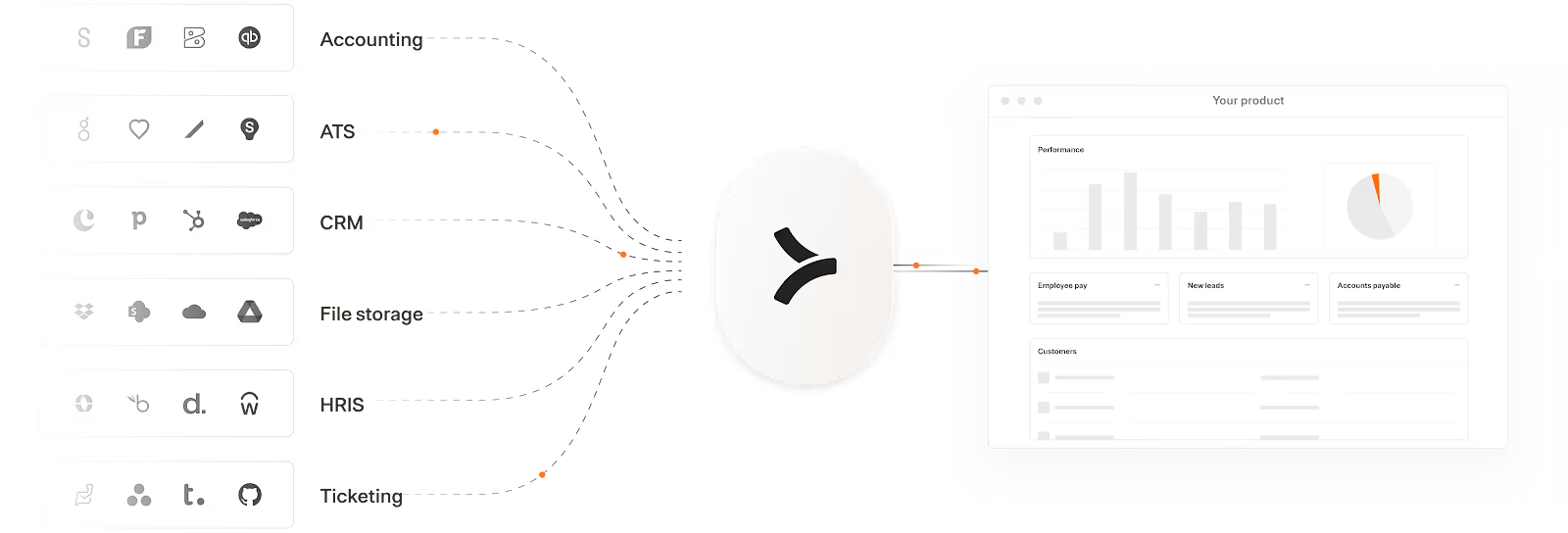
This means you only need to scope one API— Merge’s Unified API—once to add any integration to your product.
Merge also offers a full suite of observability features that empower your customer-facing teams to manage integrations themselves.
Taken together, your engineers can save countless time and you can offer reliable and performant product integrations quickly and at scale.
Learn more about Merge by scheduling a demo with an integration expert.

Allegra Aguiar





But Merge isn’t just a Unified
API product. Merge is an integration platform to also manage customer integrations. gradient text
But Merge isn’t just a Unified
API product. Merge is an integration platform to also manage customer integrations. gradient text
But Merge isn’t just a Unified
API product. Merge is an integration platform to also manage customer integrations. gradient text
But Merge isn’t just a Unified
API product. Merge is an integration platform to also manage customer integrations. gradient text
