

Table of contents
Just for you
How to access your API key in QuickBooks Online



Thomas Pauly
QuickBooks Online, a popular accounting software developed and marketed by Intuit, is designed to help SMBs manage financial transactions, invoicing, payroll, and other accounting tasks.
While you can benefit from QuickBooks Online's standalone features and capabilities in a variety of ways, you can get even more value by integrating it with your product or your internal applications.
To do so, you’ll first need to procure your unique API key. We’ll break down the steps for doing exactly that below!
Related: A guide to some of the most popular accounting APIs
Sign in to your QuickBooks Developer Account
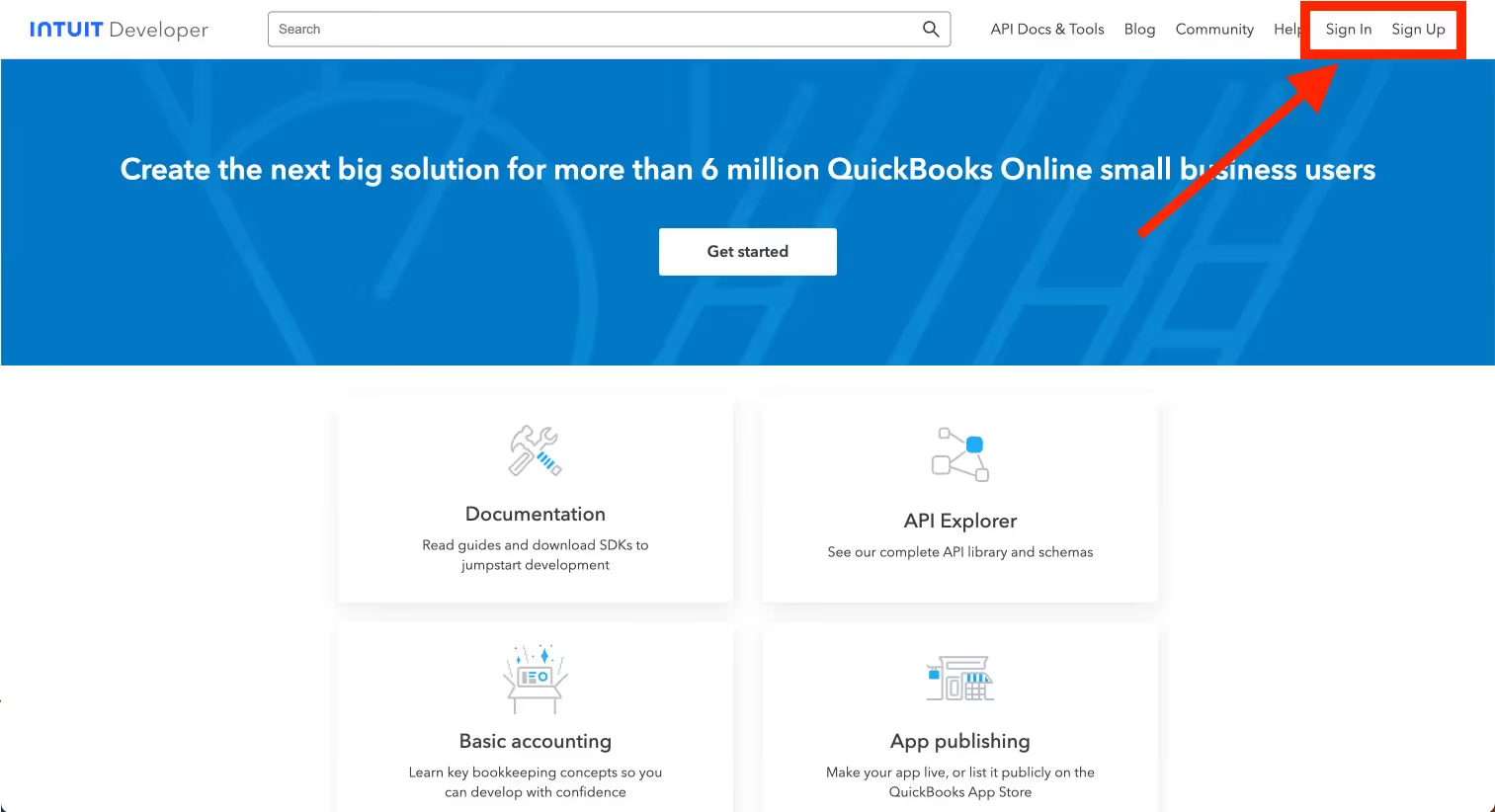
Go to the QuickBooks Developer website: QuickBooks Developer. Sign in with your Intuit account credentials. If you don't have an account, you may need to sign up.
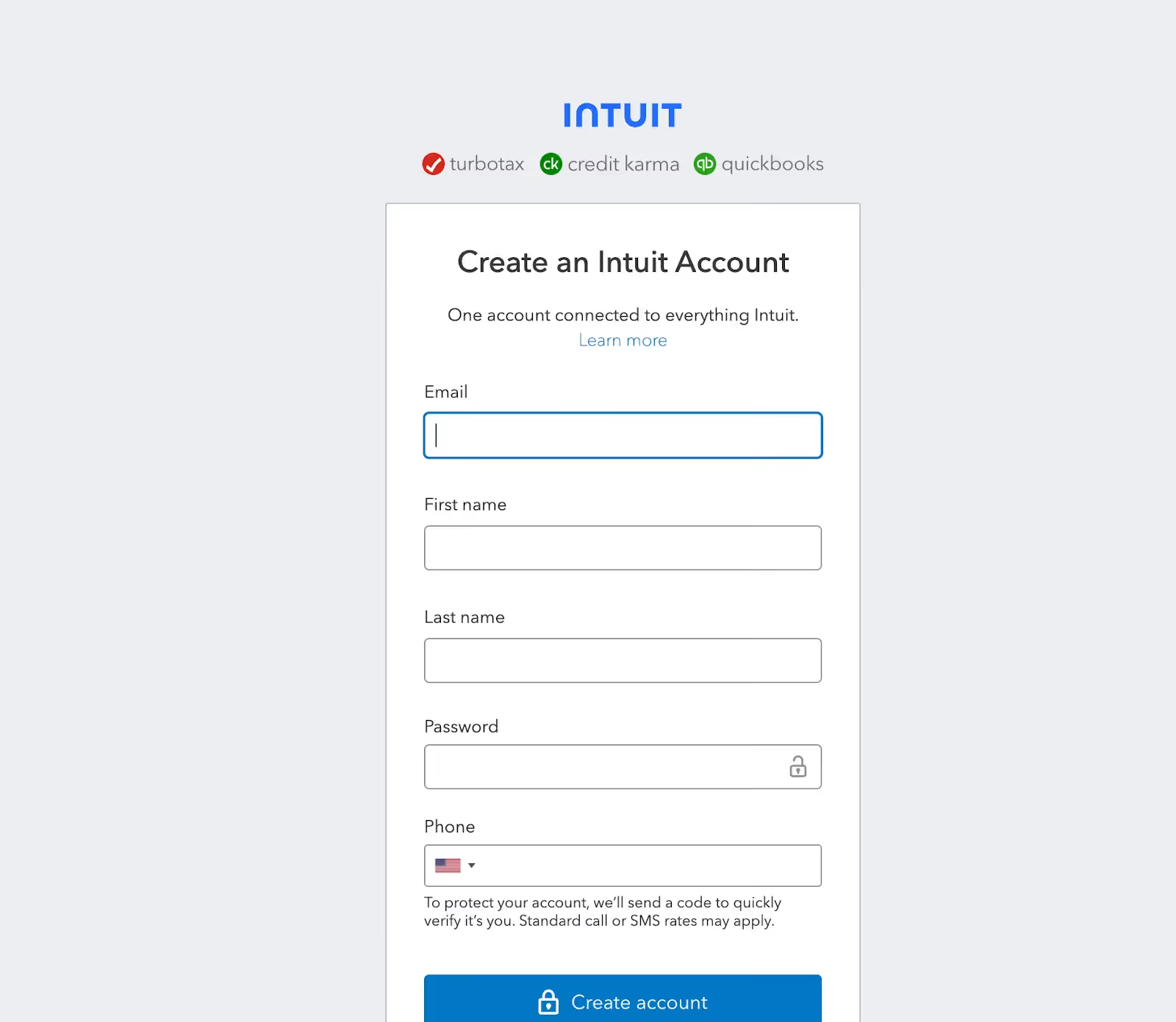
If you don’t have an account, you can sign up with your business email address. Just fill out the details below to get started.
Create a new app
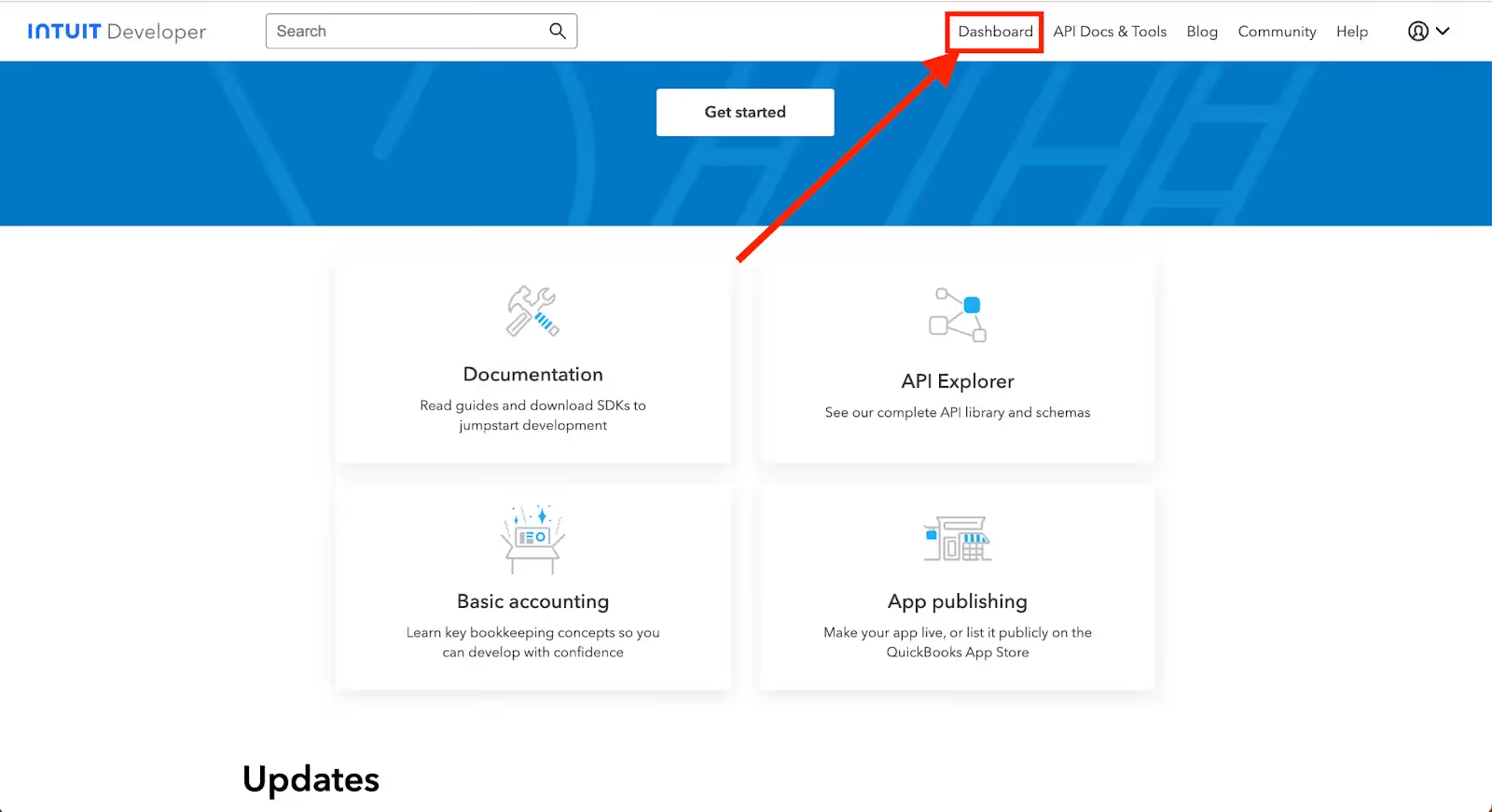
On the Intuit Developer homepage, click “Dashboard” which will take you to My Apps.
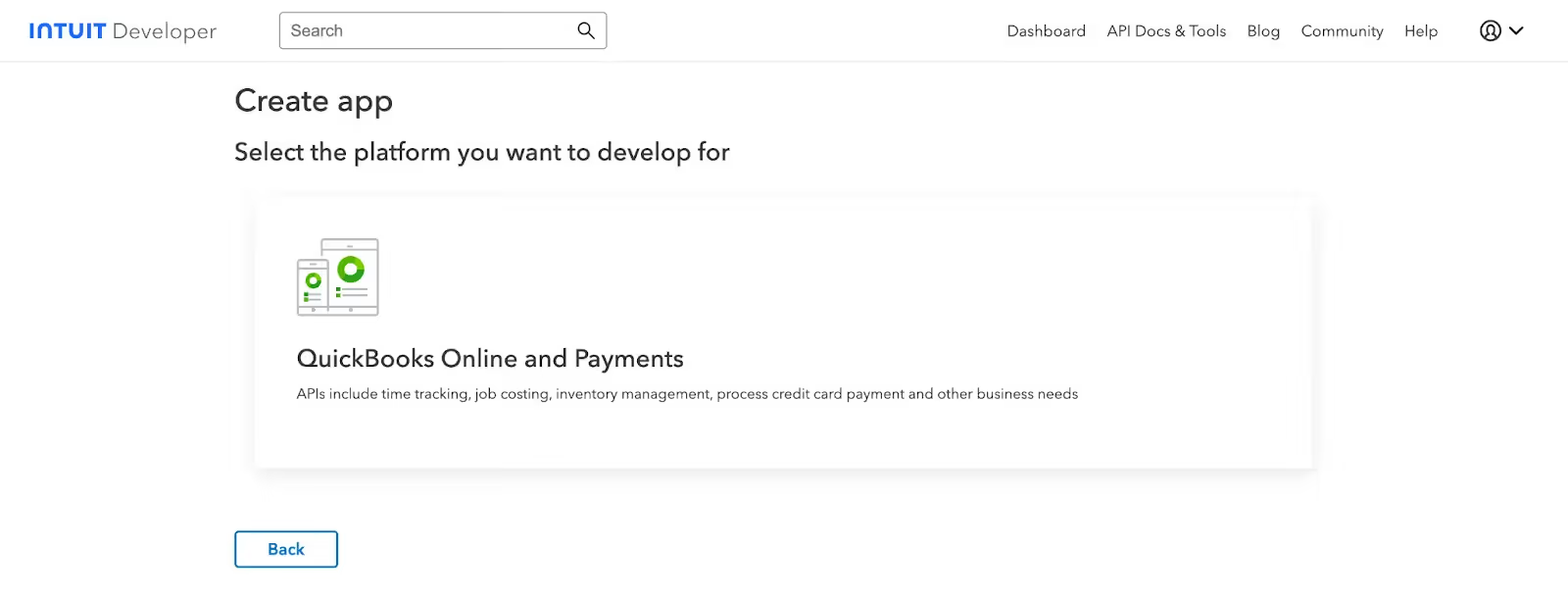
On the My Apps Dashboard, click “Create an app” and select the platform you want to develop for. In this case, “QuickBooks Online and Payments”.
Walk through the steps of naming your app and selecting a scope (you can learn more about scopes here). In this walkthrough, we’ll be selecting both scopes.
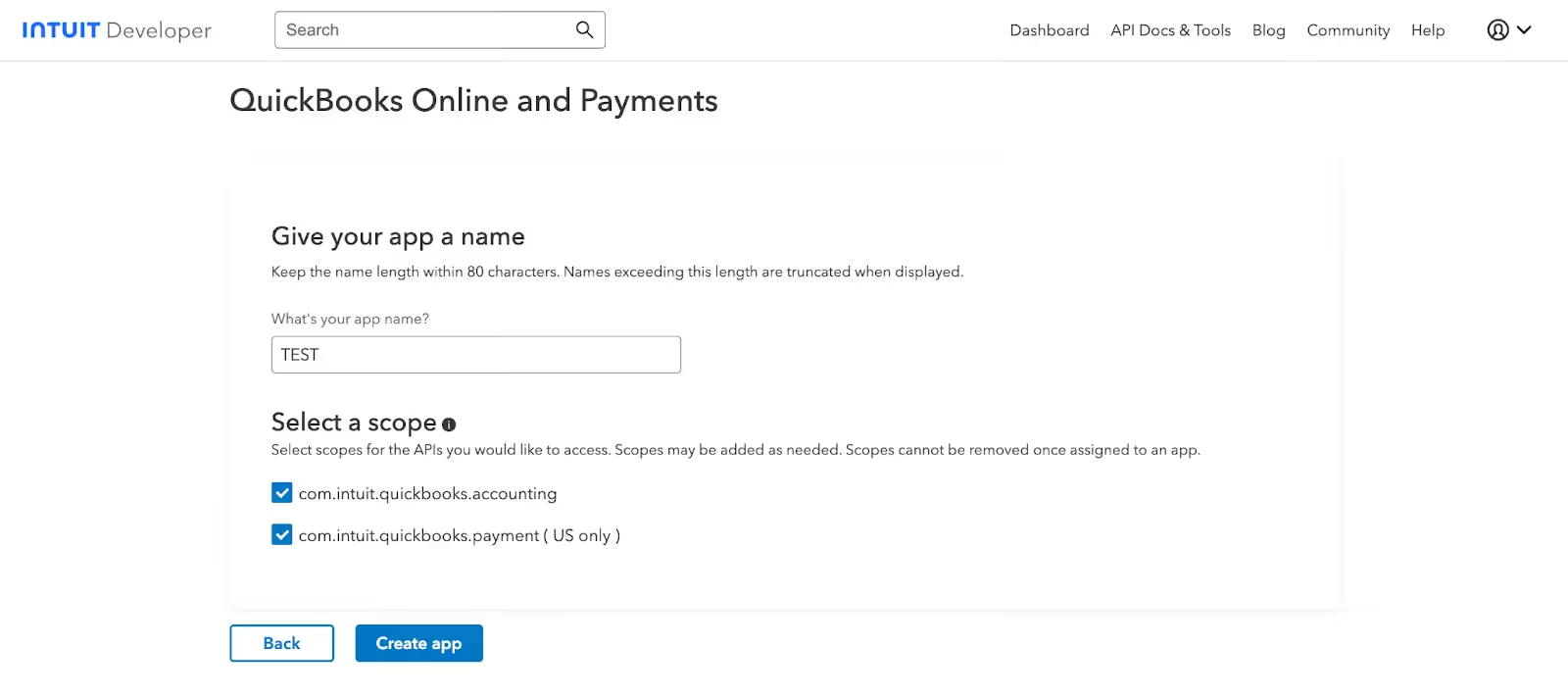
Hit “Create app” when you’re ready.
Related: Tips for integrating with QuickBooks Online
Get your API keys
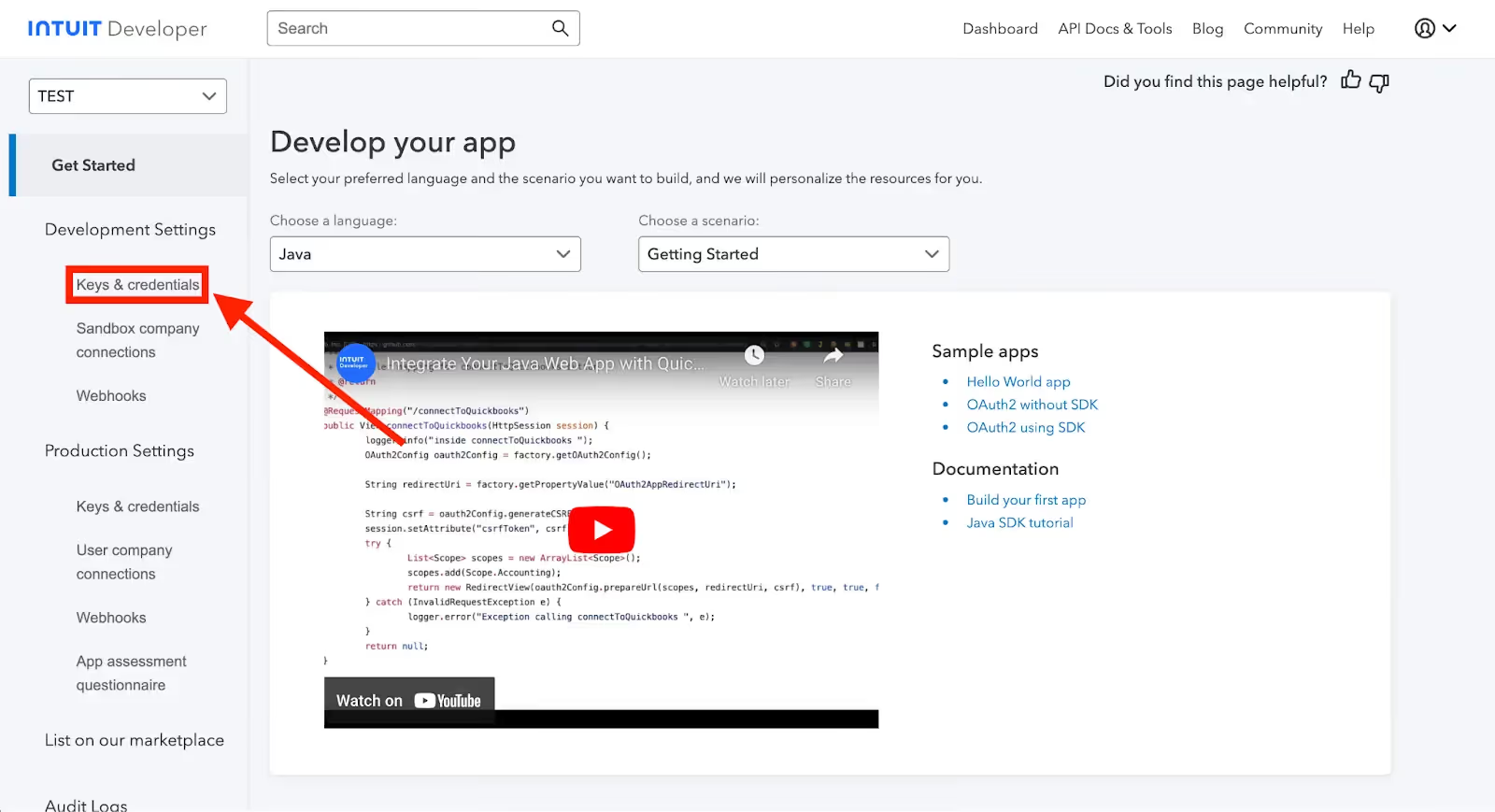
After creating the app, you should be redirected to the app dashboard. Then, navigate to "Development Settings" and click on "Keys & credentials".
Two important keys will be created: The "Client ID" and the "Client Secret." These are used to authenticate your app with QuickBooks' API.
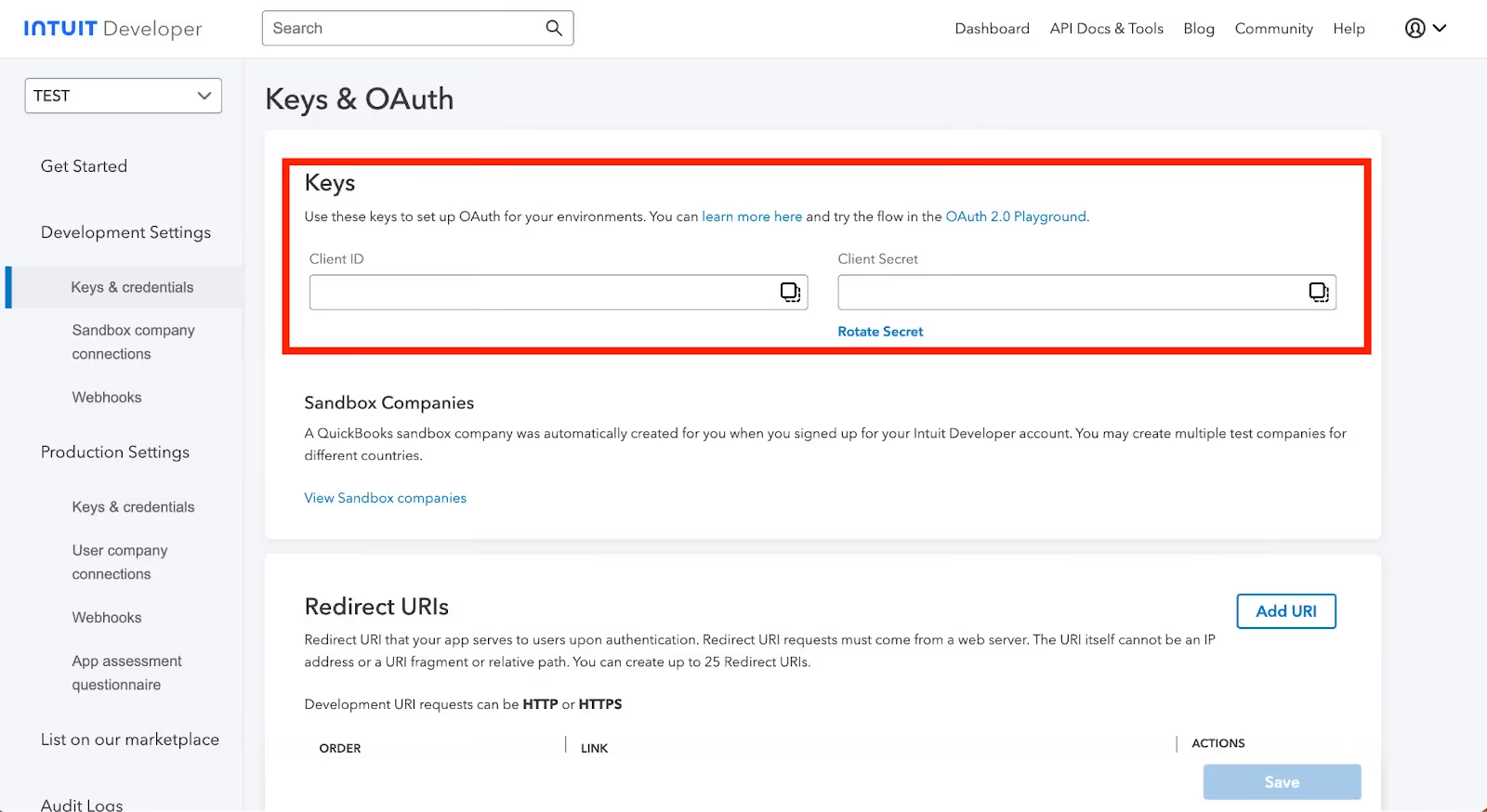
Use these keys to set up OAuth for your environments. You can learn more here and try the flow in the OAuth 2.0 Playground.
Other key considerations for building to QuickBooks’ API
Before integrating with QuickBooks Online's API, it’s worth considering other items:
Pricing
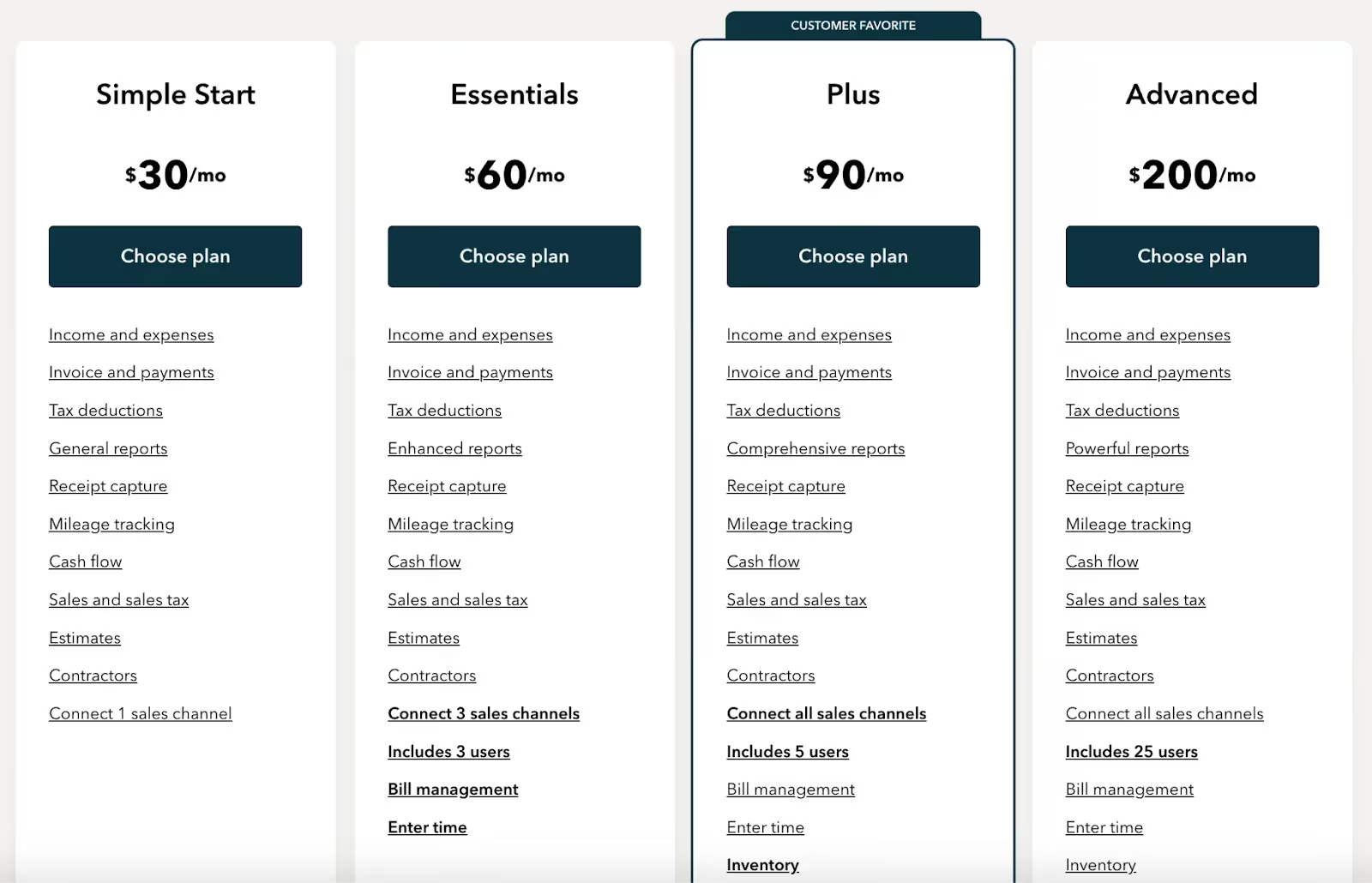
The pricing comes in 4 different tiers: Simple Start, Essentials, Plus, and Advanced. QuickBooks also offer a free trial for 30 days with some additional incentives. Here’s how these plans work without the incentive:
- Simple Start: $30/month; it includes a guided setup, income and expenses, invoice and payments, and tax deductions, and more
- Essentials: $60/month; it includes everything Simple Start has but with 3 sales channels, 3 users, bill management, and more
- Plus: $90/month that includes everything that Essentials has but comes with 5 users, Inventory, and project profitability
- Advanced: $200/month that includes everything Plus has but comes with 25 users, data syncing with excel, batch invoices and expenses, custom access control, workflow automation, 24/7 support and training, and more
Note: There’s no additional costs associated with using QuickBooks’ API.
Rate limits
QuickBooks Online has API call limits and throttles to keep in mind. The rate limits below are specific to QuickBooks Online.
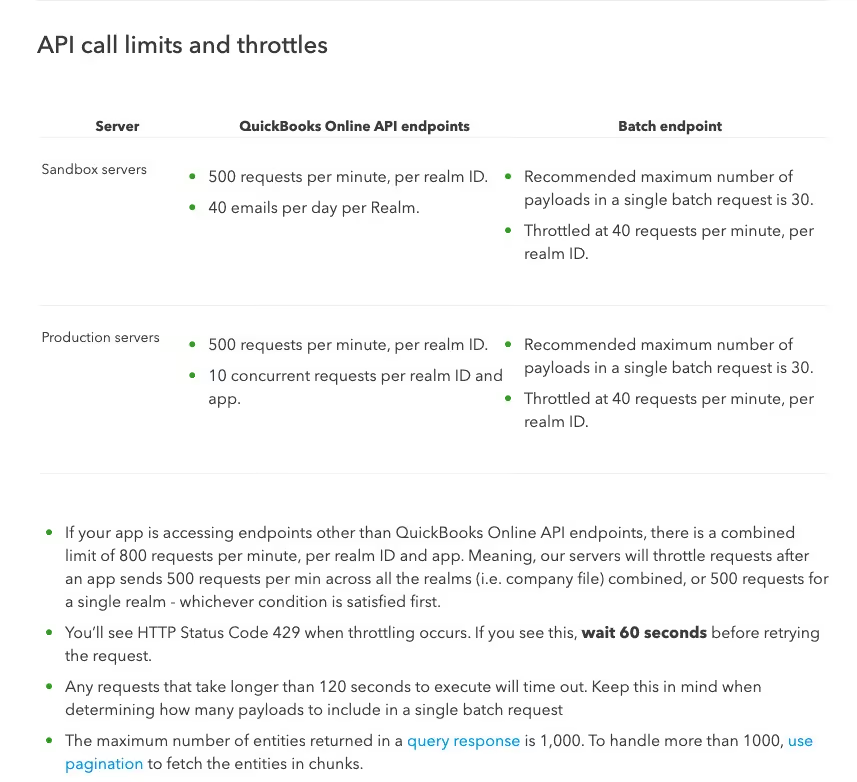
To learn more about QuickBooks Online's API rate limits, visit their documentation here.
Related: How to stop getting rate limited by APIs
Errors to look out for
Some common QuickBooks Online API errors include:
- 120: Authorization Failure
- 500: Unsupported Operation
- 610: Object Not Found
- 2020: Required Param Missing
- 2170: Invalid Enumeration
- 2500: Invalid Reference Id
- 5010: Stale Object Error
- 6000: A business validation error has occurred while processing your request
- 6140: Duplicate Doc Num Error
For more in-depth error code details, you can refer to QuickBooks Online's error code documentation here.
Related: 5 Tips for Writing Great Error Messages
Final thoughts
Many of your customers use other accounting tools, like NetSuite, Xero, or Zoho.
You can offer integrations with any of the accounting systems your clients use by building to Merge’s Accounting Unified API.
To learn more about the API, and Merge’s platform more broadly, you can schedule a demo with one of our integration experts!

Thomas Pauly





But Merge isn’t just a Unified
API product. Merge is an integration platform to also manage customer integrations. gradient text
But Merge isn’t just a Unified
API product. Merge is an integration platform to also manage customer integrations. gradient text
But Merge isn’t just a Unified
API product. Merge is an integration platform to also manage customer integrations. gradient text
But Merge isn’t just a Unified
API product. Merge is an integration platform to also manage customer integrations. gradient text
