

Table of contents


What is a native integration? A look at its pros and cons



Jon Gitlin
As your organization looks to build internal or customer-facing integrations, you’ll have the option of implementing them either in-house (i.e. native integrations) or through a 3rd-party solution.
This decision isn’t so simple and the right solution can vary by organization, as there are a number of inputs to consider.
To help you decide whether to build integrations in-house or outsource their development and maintenance, we’ll go deep on the former and then explore your options in the latter.
What is a native integration?
It’s an API-based integration that’s built and maintained by your engineers. The integration can either be between your internal applications or between your product and one of your customers’ applications.

Related: What API integration support means—and what it looks like
To help clarify this definition, let’s explore how it differs from similar concepts:
What is the difference between native integrations and APIs?
Native integrations are an approach to building integrations, while APIs are endpoints that let you access specific data or functionality from a 3rd-party application.
How are custom and native integrations different?
Custom integrations are bespoke integrations that meet the needs and wants of a specific client, while native integrations are a method of implementing integrations.
How do native and 3rd-party integrations differ?
Native integrations don’t rely on a 3rd-party provider; the engineers themselves are managing all of the work. Third-party integrations, on the other hand, are any integrations that need to be built and/or maintained in a specific platform.
Examples of native integrations
To help crystallize our definition, let’s break down a few common use cases:
Enrich leads as soon as they’re added to your marketing database
Let’s say you use a marketing automation platform, like HubSpot, to collect, engage, and nurture leads.
To help your marketers better understand the leads that come in—so that your marketers can nurture these leads effectively—, you can integrate your marketing automation platform natively with a data enrichment tool, like Clearbit.

Once connected, you can build a flow where any time a new lead comes into your marketing automation platform, the data enrichment tool automatically performs an email lookup to identify key information on the lead (such as their role and department) and their employer (such as the company’s name, industry, size, location, etc.).
Sync your product with clients’ HRIS solutions
Regardless of the product you offer, you need users to get added to it quickly, easily, and without any issues. It’s only then that your clients are likely to adopt your solution and that new hires can discover it early on.
To ensure this happens, you can connect your product natively with your clients’ HRIS solution and build an automated provisioning workflow. More specifically, once an employee is added to the HRIS, they’re automatically added as a user in your product with a certain role (auto-assigning a user’s role depends on the rules a client sets in your application).
Enhance your product’s AI features with integration data
The information provided by customer-facing integrations often comes from comprehensive and up-to-date data sources, like a CRM, a marketing automation platform, an HRIS, a ticketing tool, etc.
Pulling clients’ data from these sources can, as a result, enhance your product’s AI and machine learning features and capabilities for clients.
For example, let’s say you offer a sales automation solution that helps sales teams identify the likelihood that a given opportunity closes.
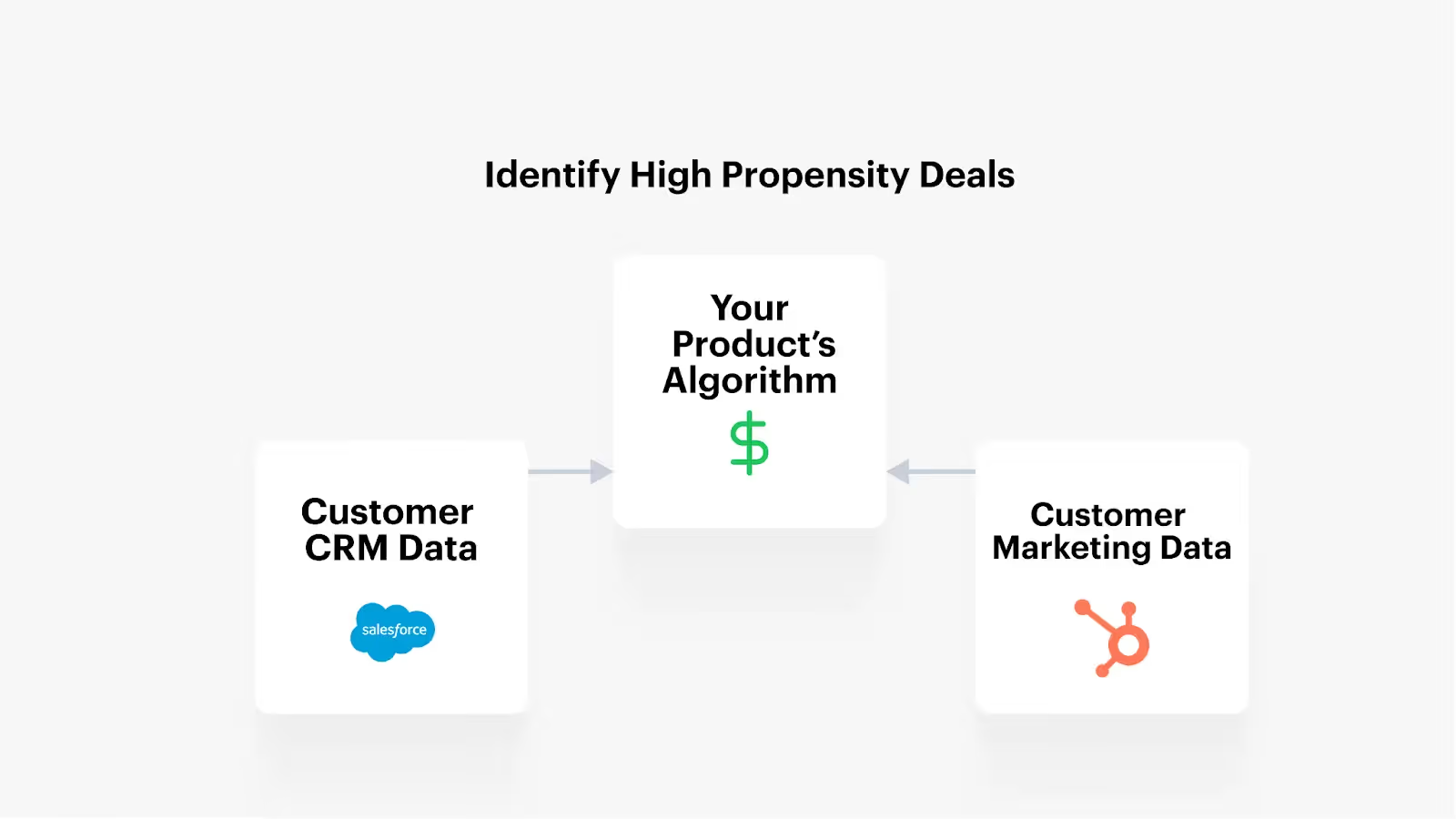
By connecting your clients’ CRM, marketing automation platform, among other applications that store data on prospects and clients, with your product, it can gather a wide range of information on the opportunities that have closed—and those that haven’t.
These insights, in combination with other information, allows your product’s AI recommendation engine to provide more accurate predictions on a given deal over time.
Benefits of native integrations
Here are some reasons to invest in native integrations:
Enables you to avoid an additional 3rd-party
As you likely know all too well, there are several costs associated with investing in a 3rd-party.
There’s, of course, the monetary investment. But there’s also a time investment for evaluating 3rd-party providers, engaging with the chosen vendor on recurring calls, holding renewal conversations, and so on. In addition, there’s a security risk—which is especially pronounced in the integration space, where the vendor can gather and store confidential employee, client, and prospect information.
Native integrations allow you to bypass these costs and risks entirely, saving your team time and potential headaches.
Can suit your current requirements
If you only have a few integrations you want to build or the scope of these builds are relatively shallow, then native integrations can be the best approach. This is especially true if you feel comfortable allocating engineering resources toward your integration projects.
Allows for complete control over performance
Relying on 3rd-party providers to manage your integrations can be risky (although this greatly depends on the vendor you select). Their platform can go down, they can decide to stop offering certain integrations, they can modify integrations in ways that hurt their performance, etc.
Native integrations let you avoid these risks and put all of the control in your engineers’ hands, instead.
Related: SaaS integration examples
Drawbacks of native integrations
Native integrations can also cause significant issues. Here are a few to keep in mind:
Difficult to scale
Connecting to an API and maintaining that connection requires significant time and effort for a select group of engineers. Given this level of resource investment, the prospect of scaling your integrations to the level that you and/or your clients want is likely impossible.
Suboptimal use of engineering resources
The engineers who can build and maintain your API connections are likely also capable of building or enhancing other high-value features for your product as well as addressing issues that are hurting your organization and/or the client experience. In other words, there’s a steep opportunity cost to having these engineers build and maintain integrations, and in many cases the cost exceeds the potential benefits.
Maintaining integrations is a pain
Unfortunately the most time-consuming part of integrations isn't the initial build, it's the long-term maintenance. Oftentimes API response bodies can vary and APIs can return data that looks wildly different from what you have seen before, causing your integration to break and requiring your engineers to reinsert themselves into the code base and make bug fixes.
Related: A guide to maintaining your product integrations
Over-reliant on specific employees
Using native integrations, you’ll likely only have a handful of employees who can build and manage them. If any of these employees decides to leave, they might end up taking valuable information on your integrations with them, which can ultimately cause your team to move slowly—or even be unable to respond—when certain integrations break or need to improve.
3rd-party integrations
After reviewing these pros and cons, you may end up deciding that native integrations aren’t the best solution for your organization. This then begs the question: Which 3rd-party integration platforms should you evaluate and consider?
The answer largely depends on whether you’re looking to build customer-facing or internal integrations. In the case of the latter, you can use task automation tools (e.g. Zapier), an integration platform as a service (e.g. Tray.io), robotic process automation software (e.g. UiPath), among a few other options.
In the case of the former (product integrations), you also have several options:

If you’re looking to build customer-facing integrations, unified API solutions may be the most suitable approach. You’ll still need technical resources to use and maintain the other types of solutions, and they’ll force you to build integrations one at a time—both of which prevent your team from building integrations at scale. A unified, or universal, API solution, in contrast, lets you build to an API once and then access multiple integrations within a software category (e.g. CRM).
But not all universal API solutions are equal. Merge, the leading unified API platform, stands out by letting you offer hundreds of integrations across key software categories, from CRM to file storage to ticketing to accounting. The platform also provides comprehensive common models, features to access and sync custom objects and fields, robust integration management features, enterprise-grade governance and security controls, and much, much more.
Learn more about Merge by scheduling a demo with one of our integration experts.
Jon Gitlin





But Merge isn’t just a Unified
API product. Merge is an integration platform to also manage customer integrations. gradient text
But Merge isn’t just a Unified
API product. Merge is an integration platform to also manage customer integrations. gradient text
But Merge isn’t just a Unified
API product. Merge is an integration platform to also manage customer integrations. gradient text
But Merge isn’t just a Unified
API product. Merge is an integration platform to also manage customer integrations. gradient text
