

Building AI chatbots with RAG: a step-by-step guide



Jon Gitlin
As large language models (LLMs) continue to improve, organizations see increasing value in incorporating AI chatbots into their products.
AI chatbots can now address customer issues effectively; answer employees’ questions with high precision; help employees build robust analytics dashboards quickly—and much more.
The process of building these chatbots, however, isn’t always straightforward.
To help guide you through the process, we’ll break down several steps you should take. But first, let’s align on what an AI chatbot is and why it’s important.
What is an AI chatbot?
It’s a chat interface that leverages RAG to answer users’ questions or take actions on their behalf. It can be used across your product and in immeasurable ways, as long as it can access all of the relevant data.
Related: What is an AI product strategy?
Why businesses need AI chatbots
While the reasons depend on the business and their unique requirements, here are some that apply to many companies:
- Addresses users’ questions quickly: AI chatbots can address prompts in a matter of seconds (if not faster). This is not only a great customer experience but also allows users to tackle tasks and/or get issues resolved quickly (which helps explain why chatbots are often used to improve the customer experience)
- Increases conversion rates on leads: By using AI chatbots to surface leads to the right reps, reps can reach out sooner, which—according to a prominent study—should help them convert leads at a higher rate
- Improves employee engagement: AI chatbots can tackle many repetitive tasks that your employees would otherwise have to perform. This allows your employees to save countless time and focus on the work they’re more likely to enjoy
- Cost savings: Since AI chatbots can complete a wide gamut of tasks effectively, they can lower headcount both now and in the future, saving companies countless money
- Competitive differentiation: Many companies in your space may not have adopted AI chatbots in their product, or at least not in the ways your team is scoping. If you can be the first mover in incorporating AI chatbots for a certain use case, you can earn and maintain a meaningful competitive advantage
The step-by-step process of building an AI chatbot
Here’s a breakdown of each step you’ll need to take.

1. Define your objective
Your objective will be key for executing on the rest of the steps, so it’s critical to establish it at the beginning.
It requires several inputs: the core purpose of your chatbot; the KPI(s) you want it to influence; and the audience you want to use it on (at least initially). You’ll also want to incorporate a goal-setting framework—e.g., SMART—so that the goal is actionable.
For example, if you offer an AI chatbot for employees, your goal can be the following: Improve your customers’ average Net Promoter Score® by at least 5 points, on average, within 3 months.
Related: A guide to setting product objectives
2. Choose a chatbot platform
You’ll need to decide between an open-source chatbot framework, such as Rasa or Botpress, and a cloud-based platform, like Dialogflow, Ema, and AmazonQ.
The best choice depends on a few factors:
- Customizability: If you have highly custom requirements, you may need to use an open-source chatbot framework, as it offers more flexibility in how it can be integrated with applications, the workflows it can support, and more
- Scalability: If you plan to roll out the chatbot to a large audience (or you eventually plan to do so), it may be worth using a cloud-based platform as they handle the infrastructure on your behalf
- Time to market: If your team needs to push the chatbot live as soon as possible, the cloud-based platform will likely be a better choice, as its implementation is likely simpler and easier
- Resources: The process of building and maintaining chatbots can be fairly technical, and your team either may not have the resources on hand to manage this project or can’t afford to allocate them to it. This would force your team to use a cloud-based platform
- Connectivity: If the chatbot needs to be integrated with several applications, it may be worth using a cloud-based platform. These platforms typically offer pre-built connections and may offer additional support for building new connections (e.g., technical teams on their side can add integrations on your behalf).
In short, there’s no one-size-fits-all answer, but you’ll likely want to use a cloud-based platform.
3. Design the conversation flow
Once you’ve picked the solution, you’ll need to craft the conversation path based on all of the user inputs that can come up. You’ll also need to consider potential edge cases in user inputs and how the chatbot should respond to them.
Fortunately, this step is getting increasingly easier with the help of natural language processing (NLP).
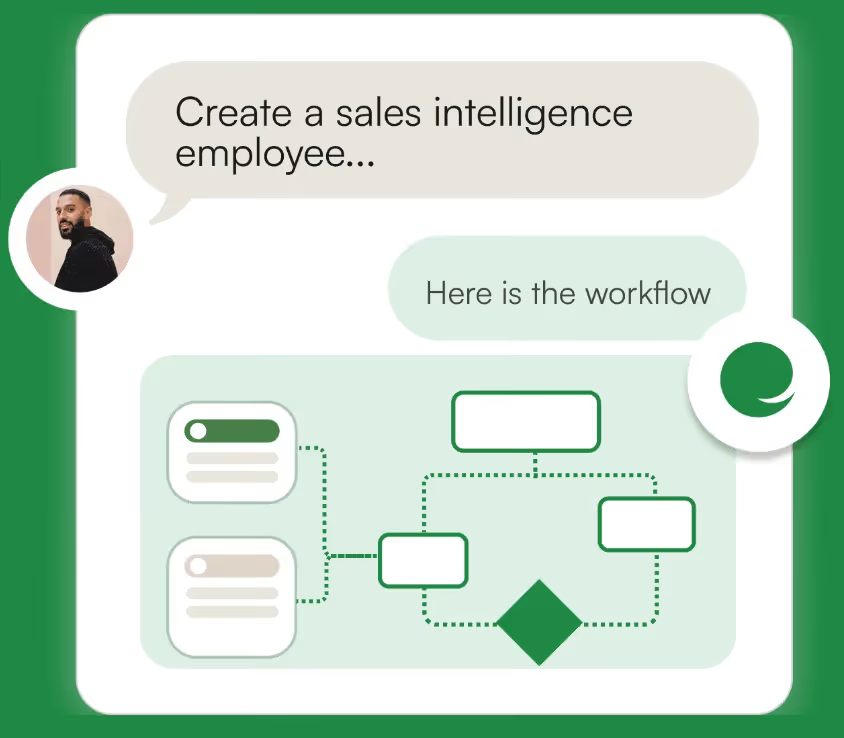
Many tools let you use plain text to describe the workflow you want an AI chatbot to support and the tool can use an LLM to then generate that workflow on your behalf. You can even iterate on it in plain text, helping you land on the most optimal workflow.
4. Train your AI chatbot
Your AI chatbot ultimately needs to access your customers’ latest data to provide personalized and actionable outputs.
For example, it can’t help a customer support rep tackle a specific client issue if it can’t access and interact with the customer support rep’s ticketing system.
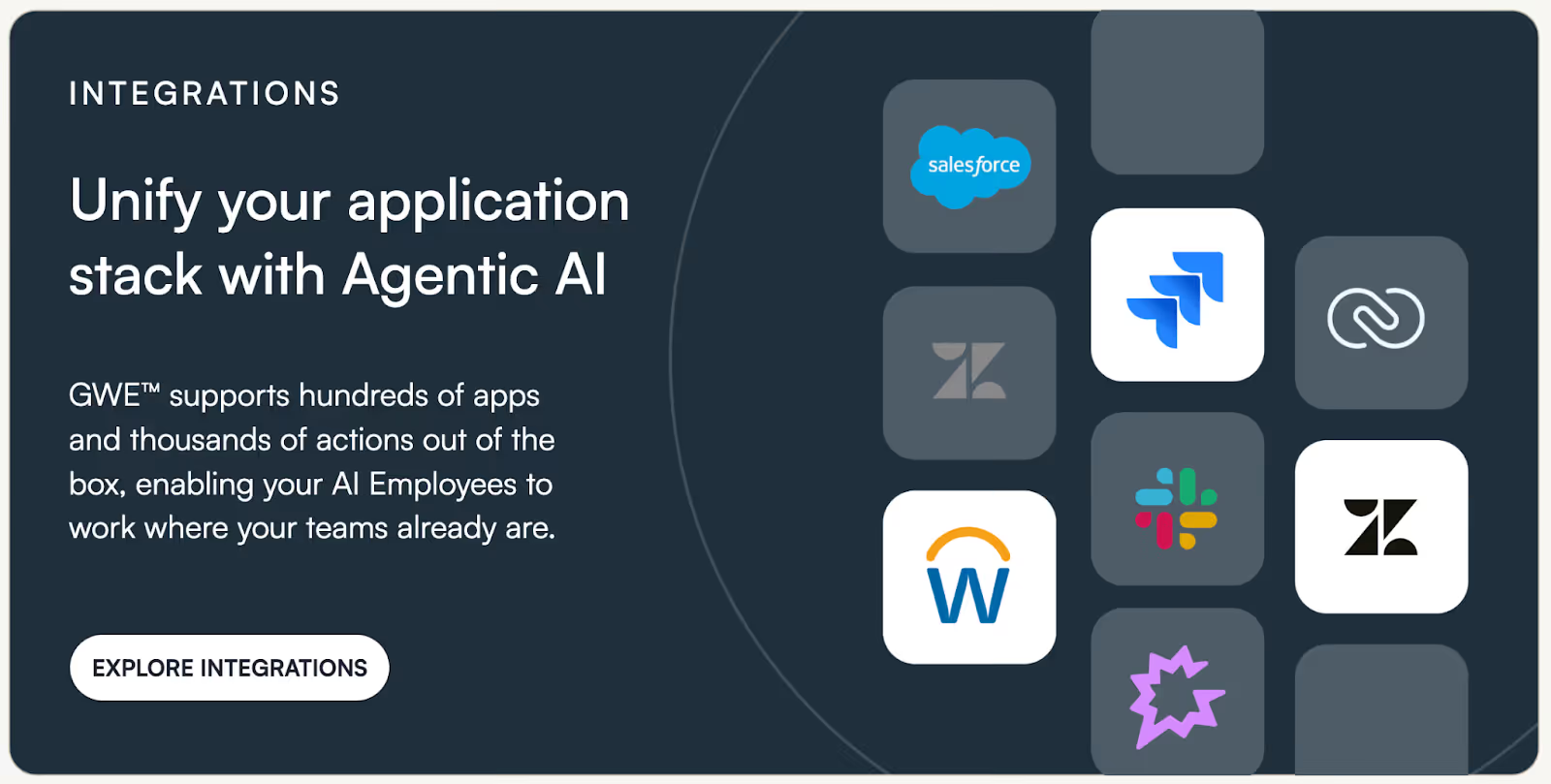
To that end, you’ll need to build API-based integrations (as opposed to file-based integrations, which are slower and error prone) with all of the systems that support your chatbot’s use cases.
You’ll also need to fine tune the chatbot based on user inputs; so while the chatbot may not perform well at the beginning, it should consistently improve.
Related: Ideas for AI products
5. Secure your AI chatbot
The integrations that support your chatbot should include access control levels (ACLs), which ensure that users only access the data that meets their level of permissions in that integrated application.
For example, if a user is asking your chatbot for sensitive business information, the chatbot can determine that that user doesn’t have access to the file that contains the information—leading your chatbot to not share it.
6. Test and monitor the chatbot
Before pushing the chatbot to production, your team should test it with a wide range of inputs, including the edge cases. You should also share it with colleagues who are your target user profiles who haven’t spent as much time working on the chatbot. They can approach it with a fresh pair of eyes and see issues you can’t.
Finally, your team should also monitor the chatbot soon after it goes live as small issues can have a long-term impact on how it gets perceived.
Best practices for creating an AI chatbot
As you build your AI chatbot, it’s worth keeping the following in mind:
- Create a chatbot personality that reflects your brand values. Your chatbot is often the first line of communication for prospects, and your customers and employees will likely interact with it often. As a result, it’s critical that the chatbot interacts with users in a way that reflects your brand’s core values—whether that’s humility, integrity, kindness, and so on
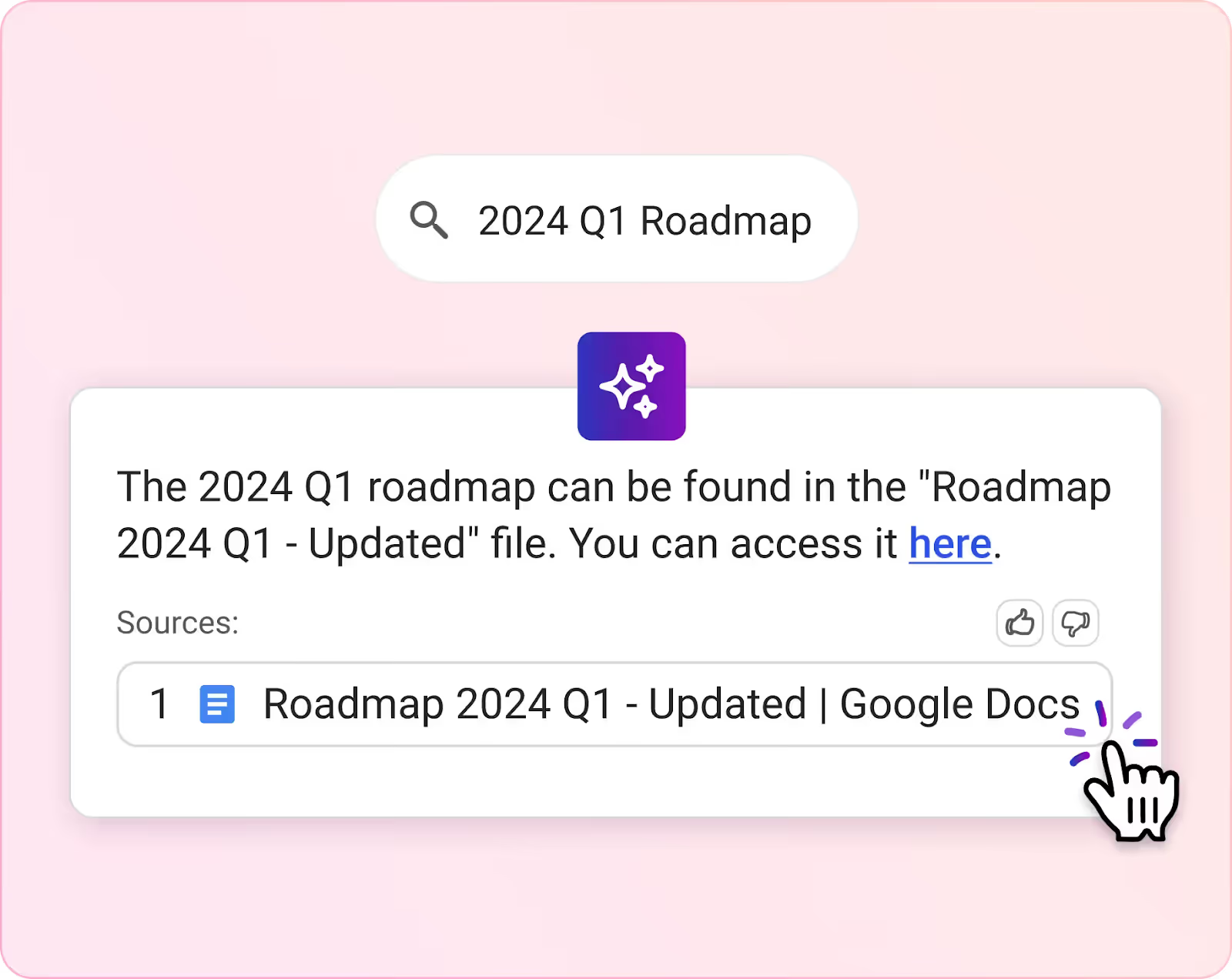
- Provide links to the sources used in its outputs. Whether fair or not, LLMs have gained a reputation for hallucinating, or generating inaccurate outputs.
To give users confidence that your AI chatbot provides accurate information, you can include the sources used in a given output and make it clickable—allowing users to verify the information and learn more.
- Offer suggested prompts by default. Many users may not know what your AI chatbot is capable of. They also might not think of the most valuable ways to use it. To help guide them in the right direction, you can offer suggestions and even provide brief descriptors of what your chatbot can do (this is especially helpful when it’s the user’s first time using your chatbot)
- Use webhooks when possible. Webhooks allow your chatbot to access and use real-time data when generating outputs. This can prove critical for several use cases, from sharing warm leads to sales reps to sharing security incidents
- Revisit your AI chatbot’s performance regularly. Your chatbot’s level of adoption may drop after a few months or even a few years based on the quality and value of its outputs. Noticing when this happens and being able to diagnose and address the root cause on time is critical to providing a best-in-class chatbot over time
- Expand your AI chatbot offerings once your first one succeeds. After you’ve figured out the right process for building AI chatbots, you can explore additional chatbot applications for your product and apply the same process to implement them
- Report on your chatbot’s performance to the C-suite. Your C-suite likely feels pressure from the board of directors to invest in all kinds of AI product features and capabilities. Being able to show your C-suite that your AI chatbot not only exists but is also getting adoption and providing value can help them handle these board conversations and allow you to secure buy-in for additional investments
- Experiment with different LLMs to optimize performance. Depending on the chatbot framework, you may be able to pick and choose the LLM(s) that powers your AI chatbot. When that’s the case, it’s worth trying out a few for anticipated use cases and then moving forward with the one that produces the most reliable, personalized, and high quality outputs.
- Leverage a unified API solution. A unified API solution offers a single, aggregated API to help you add hundreds of integrations. Since your customers’ tech stacks likely vary, and you may need to support different categories of integrations to cover all of your chatbot’s use cases, this can help you take your chatbot to market faster
.avif)
- Feed normalized data to the LLM that powers your chatbot. Normalized data, or data that’s transformed to fit a predefined data model, can be embedded more accurately, as it doesn’t include miscellaneous information. This allows it to be identified for relevant prompts consistently, leading it to be fed to the AI chatbot’s LLM and used in outputs

Related: Best practices for using retrieval-augmented generation
Power best-in-class AI chatbots with Merge
Merge, the leading unified API solution, lets you add hundreds of HRIS, ATS, file storage, ERP, ticketing, and CRM integrations through a single build.
Merge also:
- Normalizes all of the integrated data across its integrations according to its Common Models
- Offers Integration Observability features to help your customer-facing teams manage any integration issues
- Supports webhooks to help your chatbot use real-time data
Learn more about how Merge can support your AI chatbots by scheduling a demo with one of our integration experts.
AI chatbot FAQ
In case you have any more questions, we’ve addressed several more below.
What is an example of a RAG-powered AI chatbot?
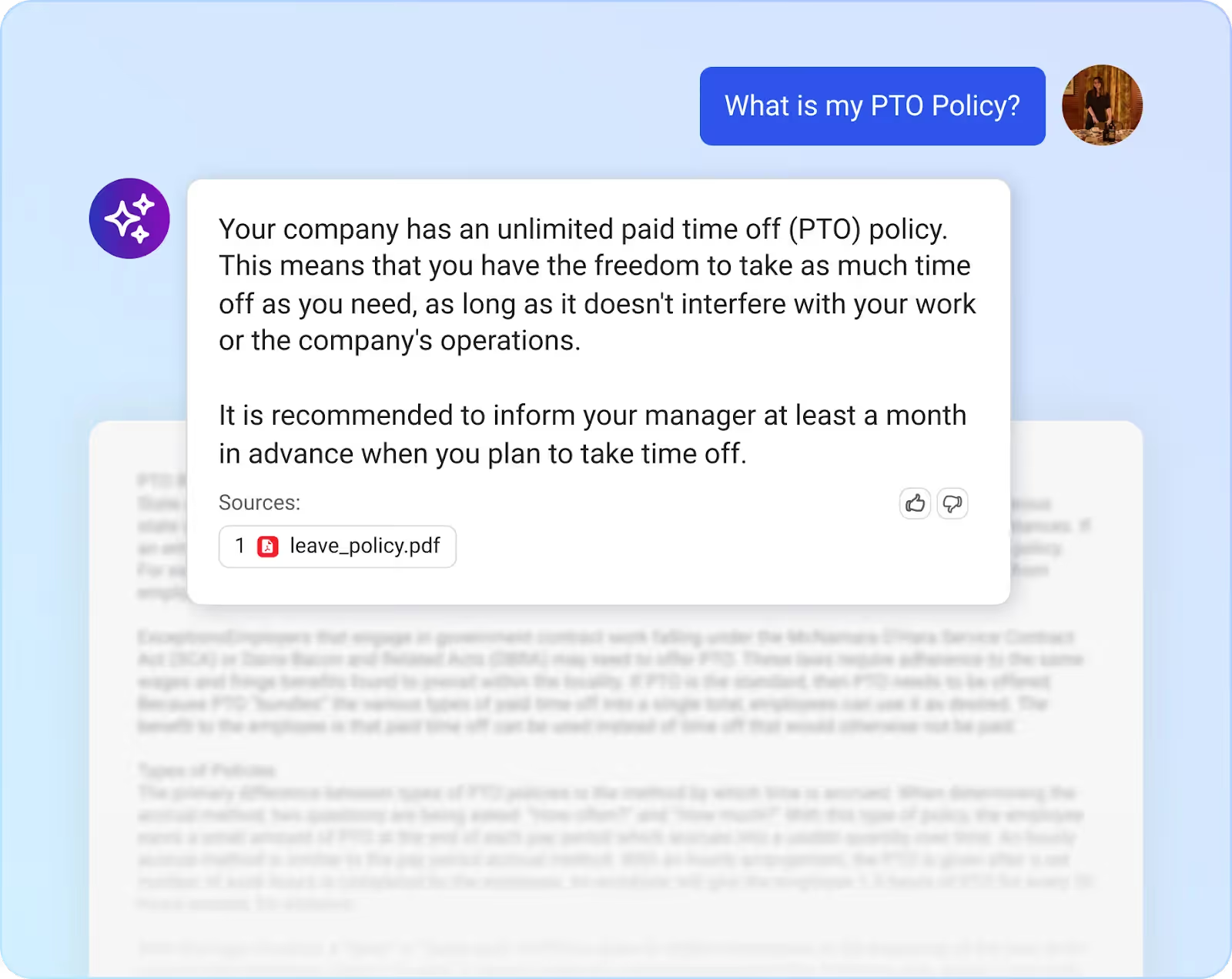
One example comes from Assembly, a comprehensive HR software platform.
They offer DoraAI, an AI chatbot that can answer their customers’ employees’ questions in plain text (using natural language processing) based on the files it has access to. DoraAI can also display the source(s) it used in its answer in case the user wants to learn more.
How much does it cost to build an AI chatbot?
The cost varies depending on the chatbot platform you use, the types of data your chatbot needs, the extent to which customers adopt your chatbot, and more.
Given all these factors, the cost can range anywhere from a few thousand dollars to hundreds of thousands of dollars every year.
When is it worth investing in an AI chatbot?
There’s no “best time.” You might move to build one quickly when customers or prospects request it and/or when your competitors start rolling them out, but it likely comes down to how the chatbot would fit into your product strategy and whether it’s worth prioritizing over other net-new features or product improvements.
Jon Gitlin





But Merge isn’t just a Unified
API product. Merge is an integration platform to also manage customer integrations. gradient text
But Merge isn’t just a Unified
API product. Merge is an integration platform to also manage customer integrations. gradient text
But Merge isn’t just a Unified
API product. Merge is an integration platform to also manage customer integrations. gradient text
But Merge isn’t just a Unified
API product. Merge is an integration platform to also manage customer integrations. gradient text
