

Webflow vs Typedream | 9 Factors to Decide the Best One
10 min
read
Compare Webflow vs Typedream on design, SEO, CMS, and speed. Learn which no-code builder suits your website goals, full control or fast publishing

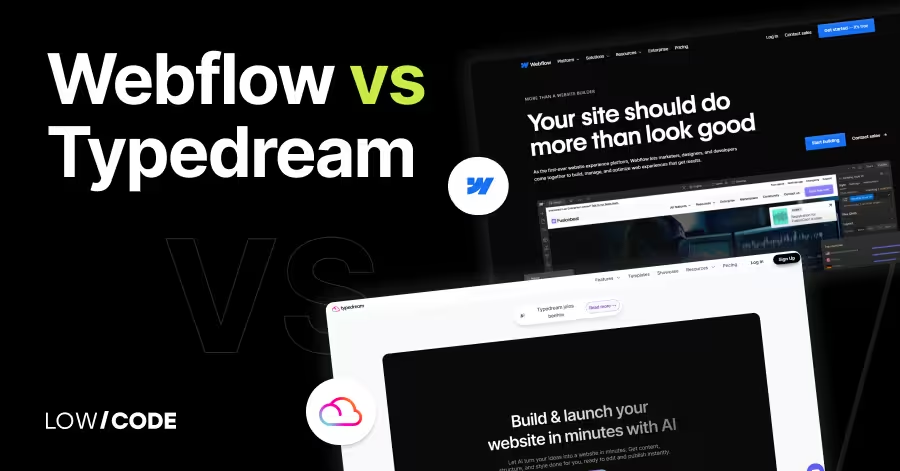
Webflow, used by over 3.5 million designers, gives full design freedom with advanced layout tools and CMS features. Typedream, launched as a Notion-style site builder, is gaining popularity among solo creators and startups for its clean design and simplicity.
Whether you're building a custom site for a client or launching a startup landing page overnight, the choice depends on your goals, time, and tech comfort.
In this guide, we’ll compare them across key areas like design control, CMS, integrations, mobile experience, and ease of use—so you can pick the right tool for your next project.
Quick Comparison Table - Webflow vs Typedream
| Feature | Webflow | Typedream |
|---|---|---|
| Best For | Designers, startups, CMS websites | Creators, founders, fast landing pages |
| Ease of Use | Moderate to hard | Very easy |
| Design Control | Full pixel-level control | Limited, block-based customization |
| CMS Features | Dynamic content, collections | Simple static content editing |
| SEO Tools | Advanced SEO and structured data | Basic SEO support |
| Mobile Design | Manual breakpoints, full control | Auto-responsive templates |
| E-commerce | Built-in e-commerce features | Stripe payments, no full store system |
| Integrations | Zapier, Stripe, Memberstack, Airtable | Stripe, Tally, Typeform, Mailchimp, Calendly |
| Learning Curve | Steep but powerful | Flat and beginner-friendly |
| Feature | Webflow | Typedream |
|---|---|---|
| Best For | Designers, startups, CMS websites | Creators, founders, fast landing pages |
| Ease of Use | Moderate to hard | Very easy |
| Design Control | Full pixel-level control | Limited, block-based customization |
| CMS Features | Dynamic content, collections | Simple static content editing |
| SEO Tools | Advanced SEO and structured data | Basic SEO support |
| Mobile Design | Manual breakpoints, full control | Auto-responsive templates |
| E-commerce | Built-in e-commerce features | Stripe payments, no full store system |
| Integrations | Zapier, Stripe, Memberstack, Airtable | Stripe, Tally, Typeform, Mailchimp, Calendly |
| Learning Curve | Steep but powerful | Flat and beginner-friendly |
1. What’s the core difference between Webflow vs Typedream?
The core difference between Webflow and Typedream is the level of design control and the type of websites they target.
Webflow is made for designers who want pixel-perfect layouts, animations, and advanced CMS features. You can build highly custom websites using a visual editor that mirrors CSS and HTML structure.
Typedream, on the other hand, is a simpler, Notion-style website builder. It’s focused on fast site creation with clean design. You don’t need to know how websites work—just type like in Notion, and it turns your content into a polished site. It’s ideal for personal sites, simple landing pages, or startup MVPs.
If you want deep design freedom and complex layouts, go with Webflow. If you need a clean, fast site with almost no learning curve, Typedream is the better choice. Both are no-code but serve very different users.
2. Ease of use and learning curve
Let’s start with how easy each platform is for beginners and non-designers.
Is Webflow easy for beginners to learn?
Webflow is powerful but not beginner-friendly at first. It uses a visual editor that works like HTML and CSS, which means you need to understand things like containers, padding, and responsiveness. While there’s no coding required, the interface feels like a designer’s tool rather than a simple site builder.
New users may find it confusing, but Webflow University offers detailed tutorials that help you learn quickly. Once you get used to it, Webflow becomes a flexible tool for building professional websites, but it takes time to master if you’re completely new to design tools.
How beginner-friendly is Typedream’s interface?
Typedream is one of the easiest tools for beginners. It feels like writing in Notion—you just type and add blocks. You don’t have to worry about design rules or layout settings. It uses clean templates, so your website looks professional without needing any design experience.
There are no complex menus or settings. Just choose a section like a hero banner or pricing table and fill in your content. It’s great for startups, solo creators, and students who want to launch fast. If you’re not technical and want a simple site builder that just works, Typedream is a perfect fit.
Read more about:
3. Design flexibility and visual control
Now let’s compare how much control each platform gives you over layout and design.
How much creative freedom does Webflow offer?
Webflow offers full control over every pixel on the page. You can customize fonts, colors, spacing, breakpoints, and even animations. Unlike template-based builders, Webflow lets you start from a blank canvas or a design system. You can create complex layouts that adjust across devices, and use flexbox or grid for structure.
You also have the option to embed custom code if needed. This makes Webflow ideal for designers who want their site to look exactly the way they imagine it. It’s more advanced but offers unmatched flexibility for visual design.
Can you customize designs easily in Typedream?
Typedream focuses on simplicity over deep customization. You can change themes, fonts, colors, and layout blocks, but it’s more about picking from pre-designed options rather than editing every detail. You can reorder sections, adjust alignment, and tweak basic settings, but it’s not meant for pixel-level changes.
This is perfect if you want a clean design that looks good by default without the need to micromanage every visual element. It limits freedom but saves time. For most landing pages, personal sites, or startup projects, Typedream’s design tools are more than enough.
4. CMS and content management
Let’s see how each platform handles content updates and dynamic content.
What kind of CMS does Webflow provide?
Webflow has a powerful built-in CMS. You can create custom collections for things like blog posts, team members, products, or events. Each item in a collection can be displayed in dynamic templates with full control over layout. You can filter and sort content visually, and update items through a simple editor.
It also supports rich text, media uploads, and user-defined fields. For marketers, bloggers, or teams that need to manage changing content, Webflow CMS offers strong control without coding. It’s ideal for content-rich websites where design and structure go hand in hand.
How does Typedream handle content updates?
Typedream doesn’t offer a full CMS like Webflow, but it makes content updates simple. You just click on the block and edit the text, images, or links. It’s perfect for static pages like portfolios, bios, or single-product landing pages.
You can’t create dynamic content collections or filter items like in a CMS, but you can update your content directly on the page in seconds. For small websites or pages that don’t change often, this is fast and user-friendly. It’s best for projects where CMS-level flexibility isn’t required.
Read more about:
5. Integrations and eCommerce support
Next, let’s explore how both platforms support external tools and selling products.
What integrations does Webflow support for business needs?
Webflow supports many third-party integrations. You can connect tools like Zapier, Google Analytics, Stripe, Memberstack, Airtable, and more. It also allows you to embed custom code or use Webflow plugins to connect with CRMs, forms, or databases.
For e-commerce, Webflow has built-in store features including product management, carts, checkout, and payments. It’s good for small to medium stores. With Webflow, you can turn your site into a business platform that handles data, payments, and automations—all with a clean front end.
Can Typedream handle payments and third-party tools?
Yes, Typedream supports basic integrations that cover most startup needs. You can connect Stripe for one-time or subscription payments, add forms using Tally or Typeform, and embed Calendly for bookings. It also works with tools like Google Analytics, Mailchimp, and Crisp for live chat.
While it doesn’t have native e-commerce like Webflow, it’s great for selling simple products or services through embedded tools. If your goal is to collect payments or leads without building a full store, Typedream gives you quick, no-fuss options.
6. SEO features and analytics
Now let’s see how both platforms help your site show up on search engines.
How does Webflow help with SEO and performance?
Webflow offers strong SEO features out of the box. You can edit meta titles, descriptions, alt text, slugs, and Open Graph settings. It generates sitemaps automatically and supports 301 redirects. Webflow’s code is clean and fast, which helps with page speed and ranking.
You can also add schema markup and structured data if needed. For performance, Webflow uses global CDN hosting and image optimization. If SEO is a major focus for your site, Webflow gives full control and technical depth for content and marketing teams.
What SEO tools and analytics does Typedream offer?
Typedream includes the basics for SEO and analytics. You can edit meta titles, descriptions, slugs, and alt text for each page. The platform also includes built-in analytics or lets you connect Google Analytics and Facebook Pixel. It ensures fast loading times and clean URLs, which help with search performance.
However, it lacks more advanced features like structured data or page-level schema. Typedream is great for simple SEO setups—like launching a blog or landing page that you want to rank quickly with minimal effort.
This makes Typedream ideal for light organic campaigns, but for websites that require serious backlink growth and domain authority, engaging a link building agency can bridge the gap, helping you earn backlinks for your website and elevate your long-term SEO strategy.
7. Mobile responsiveness and performance
Let’s compare how each tool handles mobile design and speed optimization.
Is Webflow optimized for mobile and page speed?
Yes, Webflow gives you full control over mobile design. You can set breakpoints and adjust how your layout looks on different screen sizes. Elements can be hidden, resized, or reordered based on device. It’s great for creating mobile-first experiences or customizing responsive behavior for specific needs.
Webflow also optimizes assets, serves content through a global CDN, and offers fast-loading pages. But you do need to design each breakpoint carefully. For designers who care about mobile details, Webflow is very capable.
Does Typedream ensure mobile-friendly design by default?
Yes, Typedream templates are fully responsive without any setup. Everything adjusts automatically across desktop, tablet, and mobile views. You don’t need to manage breakpoints or tweak layouts manually.
While you don’t have the same deep control as Webflow, the automatic responsiveness makes it easy to launch mobile-friendly sites. Pages load fast, and images are optimized behind the scenes. For users who want quick results without managing mobile design, Typedream keeps the process simple and smooth.
Read more about:
8. Product maturity and future growth
Now let’s look at how stable and future-proof each platform is.
How established is Webflow as a platform?
Webflow has been around since 2013 and is now one of the most trusted no-code website builders. It powers millions of sites and is used by freelancers, startups, agencies, and enterprise teams. It has a large team, strong funding, and a rich learning community.
Webflow keeps adding features like logic, memberships, and AI tools. It’s considered a long-term platform for professional web development without code. If you want a tool that will grow with your business and skill level, Webflow is a reliable choice.
Is Typedream still evolving as a modern builder?
Yes, Typedream is a newer tool but growing quickly. It was launched to give Notion users a simple way to build websites with good design. It’s less mature than Webflow but adds new features regularly, like Stripe integration, custom domains, and form support.
The team is active and listens to users. It’s ideal for creators, solo founders, and small startups. While it may not yet match Webflow’s depth, it’s evolving fast and works well for modern, content-focused sites.
Read more about:
9. Final verdict – Webflow or Typedream?
Let’s finish by helping you decide which platform fits your project best.
When to choose Webflow over Typedream
Choose Webflow if you need full control over layout, design, and content structure. It’s perfect for designers, marketers, or startups that want custom websites, blogs, or CMS-powered pages. Webflow gives advanced SEO tools, pixel-level editing, and integrations that support business growth.
It takes time to learn but gives you the freedom to build professional, scalable websites without relying on templates. If your project involves multiple pages, animations, custom logic, or unique designs, Webflow is the better fit. It’s a serious tool for serious websites that need flexibility, performance, and modern design.
When to choose Typedream over Webflow
Choose Typedream if your goal is speed, simplicity, and clean design without complexity. It’s ideal for solo founders, students, creators, and small teams who want to launch a landing page, portfolio, or MVP site quickly. Typedream has almost no learning curve. You can connect Stripe, add forms, and publish within hours.
It’s not meant for advanced apps or highly customized layouts, but for clean, fast, and modern websites, it works great. If you want to focus on content, not design tools, Typedream gets the job done without distractions.


Related Articles
- Bubble vs Bravo Studio | 11 Factors to Decide the Best One
- Webflow vs Dorik | 10 Factors to Decide the Best One
- Airtable vs ClickUp | 10 Factors to Decide the Best One
- Bubble vs Wix | 9 Factors to Decide the Best One
- Webflow vs Duda | 9 Factors to Decide the Best One
- Airtable vs Softr | 8 Factors to Decide the Best One
Last updated on
September 3, 2026
.

Jesus is a visionary entrepreneur and tech expert. After nearly a decade working in web development, he founded LOW/CODE Agency to help businesses optimize their operations through custom software solutions.


FAQs
Is Webflow harder to use than Typedream?
Does Typedream support e-commerce?
Can you build blogs on both platforms?
Is Typedream mobile-friendly?
Which is better for SEO?
Can I use Webflow or Typedream without coding?
Related Articles

Webflow
Webflow: A guide to the leading no-code web development platform
Discover Webflow: the no-code website builder for professional websites. Explore features and find insights to make informed decisions with our guide.

Webflow
Website Redesign Agency Red Flags To Watch For
Some red flags from a website redesign agency are easy to miss. Here are the specific warning signs that predict poor project outcomes before you sign anything.
.avif)
Webflow
Comparison
Webflow vs Dorik | 10 Factors to Decide the Best One
Compare Webflow vs Dorik on design control, CMS, SEO, AI tools, and ease of use. Find out which no-code builder fits your website goals in 2025

Comparison
Webflow
Webflow vs Squarespace: 15 Factors You Must Know
Compare Webflow and Squarespace across 15 factors to determine the best platform for your website needs. Explore design, SEO, eCommerce, and more

Why customers trust us for no-code development


