

Quick answer: A reliable Kling 3.0 prompt describes what the viewer should see and hear: the subject, visible action, camera behavior, setting, lighting, and audio. Treat that as a practical checklist, not a rigid official formula. For multi-shot clips, label each shot and give it a time range.
However, trying to figure out this formula by guessing directly inside a video generator burns through expensive credits rapidly. Every time your prompt fails or gets blocked by an aggressive safety filter, you lose money and ruin your creative momentum.
A vague prompt may still produce a striking frame, but it gives Kling fewer clues about motion, continuity, dialogue, and sound. Understanding how AI video credits work makes it easier to reserve paid generations for prompts that are ready to test.
GlobalGPT keeps the planning and generation steps in one workspace. You can use GPT-5.6 Sol to tighten a shot list, create a reference image with a supported image model, and then animate it with Kling 3.0. GlobalGPT lists its Pro plan at $10.8 per month when billed annually; prices and credit rules can change, so check the order page before subscribing.

Table of contents
Kling 3.0 Prompt Guide for Better AI Videos: What Is the “Director’s Mindset”?
The “Director’s Mindset” means writing your text prompt as if you are giving physical instructions to a camera operator and an actor on a real movie set, rather than just describing what a painting looks like.
- Shift away from image-prompt habits: A list such as “beautiful woman, 4K, masterpiece, highly detailed” may describe appearance, but it does not say what changes over time. Add one clear action and one camera instruction.
- Prioritize visible actions: Instead of “a broken glass on the floor,” write “a glass falls from the table and shatters across the floor.” Concrete verbs give the model an event to stage. This Kling AI camera movement guide is useful when choosing the lens behavior around that event.
- Anchor the subject early: Identify the main person or object before adding background detail. That improves the odds that the shot keeps attention on the intended subject, although it cannot guarantee perfect consistency.
How Do You Structure a Strong Kling 3.0 Prompt?
A useful single-shot prompt can follow a five-part spine: Camera + Scene + Subject Action + Look/Lighting + Audio. This is a practical writing framework, not an official Kling-only rule. If you want a longer sequence, switch to labeled shots instead of forcing every instruction into one sentence. The workflow in how to use Kling 3.0 like a pro shows how those choices fit into a complete generation process.
- Start with the camera: State framing and movement, such as “static close-up” or “slow dolly push forward.” Use one main movement per shot unless the transition is essential.
- Set the scene and action: Name the environment, the subject, and what the subject does now: “On a misty Tokyo street, a cyberpunk detective lifts a paper cup and watches the traffic.”
- Finish with look and sound: Add lighting, atmosphere, and audible details that can be depicted: “neon reflections, rainy midnight, distant traffic, rain tapping on the awning.”
- Use as much detail as the shot needs: There is no verified 20-50-word sweet spot. Remove contradictions and decorative filler, but keep details that control timing, dialogue, sound, or continuity.
Single-shot template:
[Camera and framing]. [Subject] [visible action] in [setting]. [Lighting and visual style]. Audio: [dialogue, ambience, and sound effects]. Keep [important continuity details] consistent.Multi-shot template:
Shot 1 (0-2s), [framing/movement]: [subject and action].
Shot 2 (2-5s), [framing/movement]: [next action and dialogue].
Audio: [ambient bed], [specific effects], [speaker and delivery].
Continuity: keep [face/clothes/props/layout/light direction] consistent across both shots.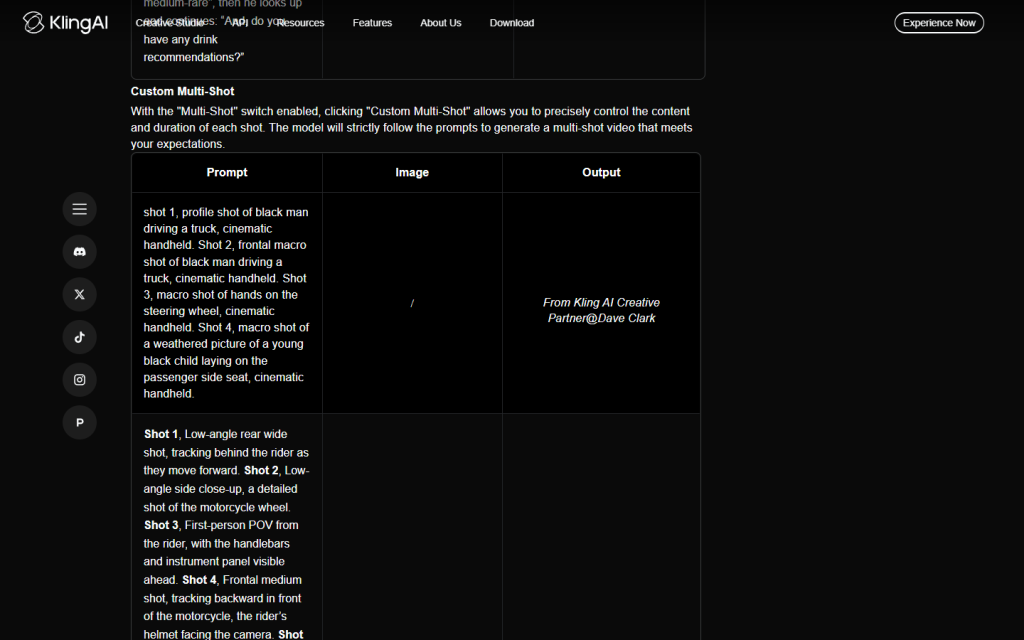
What Are the Best Prompts for Camera Movement and Native Audio?
The best prompts for camera movement use traditional Hollywood terminology like “tracking shot” or “pan,” while native audio is triggered by placing dialogue in quotation marks and describing sound effects.
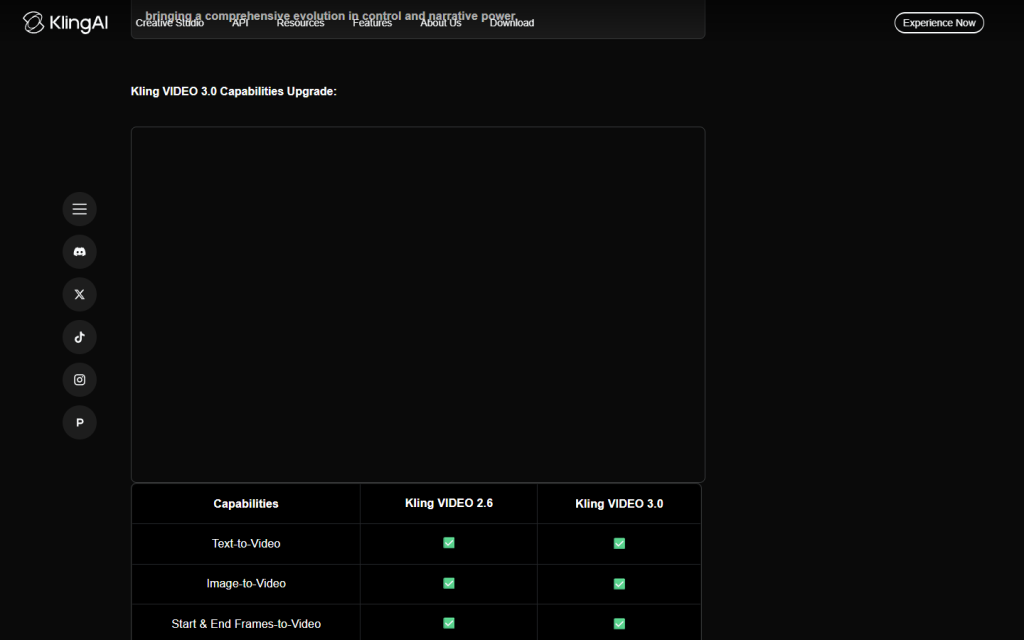
For clearer audio direction, identify the speaker, delivery, ambience, and sound effects. According to the official Kling VIDEO 3.0 guide, VIDEO 3.0 supports native audio and custom multi-shot generation; native audio is not limited to the Omni model.
- Use exact camera terms: “Tracking shot” asks the camera to follow the subject. “Drone flyover” establishes a high aerial view. “Static tripod shot” asks the camera to remain fixed while action happens within the frame.
- Give each shot one job: If you need a wide reveal and an intimate reaction, separate them into Shot 1 and Shot 2. That is clearer than asking for a wide shot and extreme close-up at the same moment.
- Name environmental audio: Add observable sounds such as “heavy footsteps on wet gravel,” “steady rain on canvas,” or “distant thunder.” For texture-led scenes, the same principle applies to a Kling ASMR video workflow.
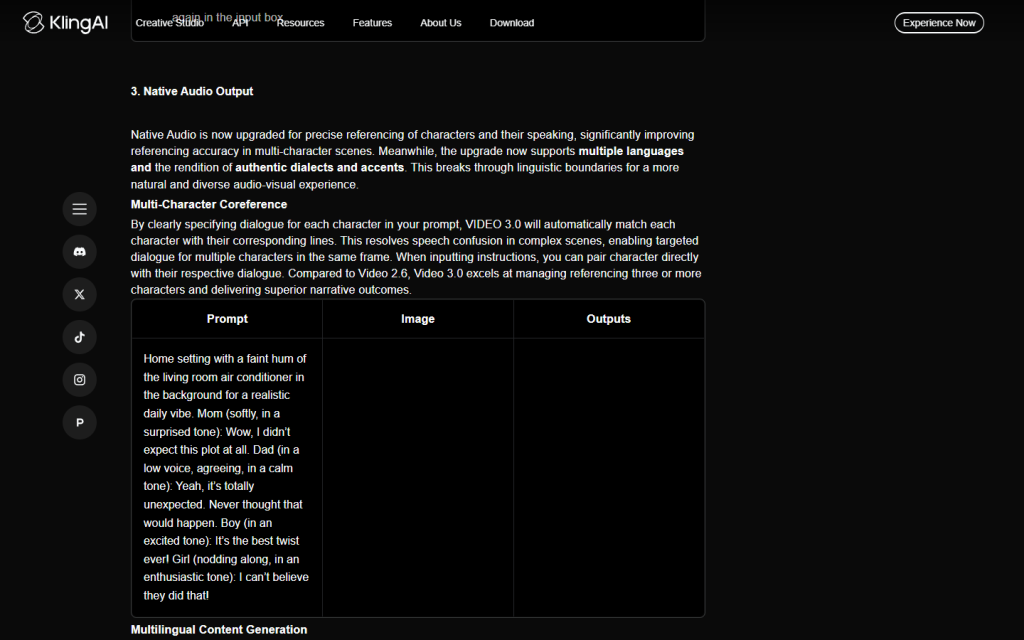
- Assign dialogue to a character: Write the character name, the exact words, and the delivery:
The soldier whispers in a low exhausted voice, "We are finally going home." - Choose a supported dialogue language: Kling’s VIDEO 3.0 guide lists Chinese, English, Japanese, Korean, and Spanish, with several accents or dialects noted for Chinese and English.
Pro-Level Kling 3.0 Prompt Templates (Copy & Paste)
[Action & Dialogue Prompt]
Static close-up shot, a tired soldier in a muddy trench looks up at the sky, rain pouring heavily, he whispers: "We are finally going home," cinematic dark lighting, somber mood.
[Physics & Motion Prompt]
Slow motion tracking shot, a sports car drifting around a sharp mountain corner, tires smoking and throwing gravel toward the lens, bright afternoon sunlight, photorealistic 8K.[Directed Multi-Shot Dialogue Prompt]
Shot 1 (0-2s), static close-up: A tired soldier in a muddy trench looks up slowly as heavy rain runs down his helmet. Shot 2 (2-5s), gentle handheld push-in: he exhales, keeps his gaze on the sky, and whispers in a low exhausted voice, "We are finally going home." Audio: steady rain on canvas, distant thunder, soft fabric movement. Cinematic low-key lighting, somber mood. Keep the same face, uniform, trench layout, and rain direction across both shots.How Do Reference Images Improve AI Video Consistency?
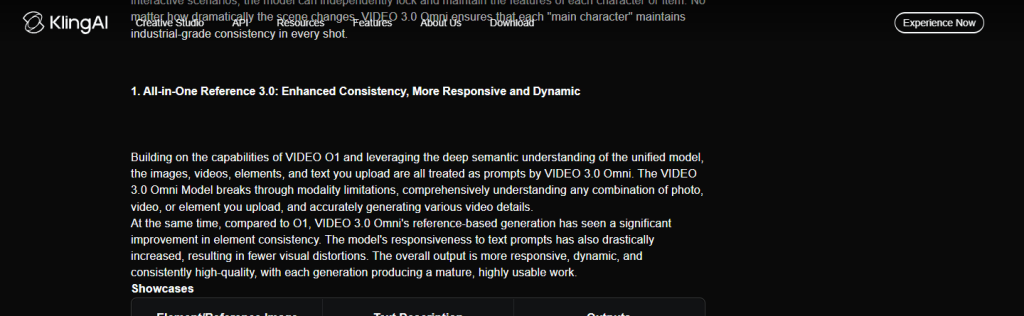
Reference images give Kling a visual starting point for faces, clothing, props, and style. They can improve consistency and reduce repeated visual description, but they do not permanently lock every detail. A strong reference still works best with a focused motion prompt. For more continuity techniques, see this explanation of Kling AI character consistency.
- Remove repeated appearance details: Once a useful character image is attached, spend more of the prompt on action, camera behavior, and sound instead of repeating hair, clothes, and facial features.
- Describe motion that fits the source: A close portrait is suitable for a restrained facial performance; a full-body source gives the model more information for walking or gesture. This Kling image-to-video workflow covers source-image preparation in more detail.
- Restate continuity priorities: If the face, coat, prop, or light direction matters most, name it. References improve the odds of continuity; they do not eliminate morphing or scene drift.
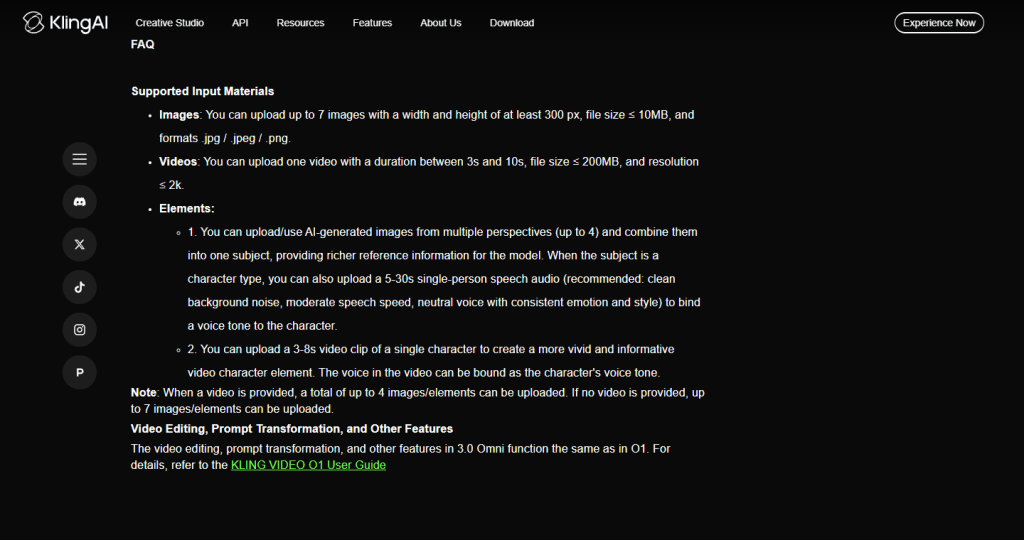
The official VIDEO 3.0 Omni guide lists up to seven images or one 3-10 second video as supported input. When a video is supplied, the guide limits the additional images/elements to four. File-size and minimum-dimension rules also apply, so check the current upload panel before preparing a large batch.
| Input | Best used for | Prompt focus | Main caution |
|---|---|---|---|
| Text only | Concept exploration and scenes without fixed characters | Subject, action, camera, setting, lighting, audio | More visual details must be described |
| Reference image | Known character, object, outfit, or visual style | Motion, camera, performance, sound | Consistency improves but is not guaranteed |
| Reference video in Omni | Motion or continuity cues from an existing clip | What to preserve and what to change | Current duration and companion-input limits apply |
How Can You Build a Multi-Model Workflow to Save Generation Credits?
You can build a multi-model workflow by using a fast text AI to write your script, a high-quality image AI to generate your reference picture, and finally using Kling AI only for the actual animation, drastically reducing wasted credits.
The saving will vary by project, but this order moves inexpensive revisions earlier, before video generation. The same preparation logic appears in this workflow for turning images into cinematic Kling videos.
- Write the shot brief: Ask GPT-5.6 Sol or another capable text model to flag contradictory framing, unclear dialogue ownership, missing transitions, and overloaded shots. Treat the draft as an editor, not an authority on Kling’s current limits.
- Create the reference: Generate or choose an image that clearly shows the subject, clothing, props, and framing needed for the motion.
- Animate in Kling 3.0: Add the reference, then use the prompt mainly for action, camera, timing, and audio. Generate one controlled variation before expanding the scene.
- Review observable failures: Note identity drift, missed actions, wrong camera movement, audio balance, and continuity. Change one cause at a time.

Watch: How to Prompt AI Videos Like a Director
See how professional AI filmmakers use specific cinematic prompts and reference images to control complex camera movements in this deep-dive tutorial:
How Do You Fix Common AI Prompting Mistakes and Hallucinations?
Start by removing conflicting instructions and deciding which failure matters most. Some platforms expose a negative-prompt field and some do not; even when one is available, it can reduce unwanted patterns but cannot force a clean render. If you are comparing model behavior as well as prompts, this Seedance 2.0 vs Kling 3.0 comparison provides useful context.
| Problem | Likely reason | What to try |
|---|---|---|
| Warped framing | The prompt requests incompatible views, such as an extreme close-up and full-body shot at once | Choose one frame size per shot or separate the views into labeled shots |
| Missed action | Too many actions compete in a short duration | Keep one main action beat per shot and move secondary action to the next shot |
| Flat emotion | The prompt names an emotion without showing it | Describe visible behavior such as a trembling hand, lowered gaze, or tears on the cheek |
| Wrong speaker | Dialogue is not assigned clearly | Name the speaker, quote the exact line, and describe delivery |
| Character drift | Appearance details or reference priorities are unclear | Use a clear reference and repeat only the continuity details that matter most |
| Melting background or jitter | Fast motion, camera complexity, or competing scene changes | Simplify motion; if the interface offers negative prompts, describe the specific artifact without expecting a guarantee |
FAQs
What is the best prompt format for Kling 3.0?
The best format is a structured cinematic formula: Camera Movement + Scene Description + Subject Action + Lighting/Atmosphere + Audio/Time markers.
How do I make Kling AI characters talk?
Name the character, put the exact dialogue in quotation marks, and describe how it is spoken. Kling VIDEO 3.0 and VIDEO 3.0 Omni both support native audio; the current VIDEO 3.0 guide lists Chinese, English, Japanese, Korean, and Spanish for dialogue.
How long can a Kling VIDEO 3.0 clip be?
Kling’s current VIDEO 3.0 and VIDEO 3.0 Omni guides list generation durations from 3 to 15 seconds. Available options can depend on the selected mode and platform interface.
What is the difference between Kling VIDEO 3.0 and VIDEO 3.0 Omni?
Both models support native audio and multi-shot workflows. VIDEO 3.0 Omni adds an all-in-one reference workflow that can combine text with images, video, and reusable elements, subject to its current input limits.
How many references can I add to Kling VIDEO 3.0 Omni?
The official Omni guide lists up to seven images or one 3-10 second video. When a video is supplied, up to four additional images or elements can be used. Check the current interface for file-size and dimension requirements.
Why do my Kling AI videos warp or melt?
Videos usually warp because your prompt contains too many instructions, contradictory camera movements, or lacks a stable reference image to anchor the character’s physical details.
Are reference images better than text-only prompts?
Reference images are useful when identity, clothing, props, or visual style must stay recognizable. Text-only prompts remain useful for concept exploration. A reference can improve consistency, but it does not guarantee a perfectly locked character.
Can I use Kling 3.0 through GlobalGPT?
Yes. GlobalGPT has a Kling 3.0 video workspace with reference, native-audio, duration, and resolution controls. Platform pricing and credit rules can change, so confirm the current settings before generating a large batch.
Conclusion
Better Kling 3.0 prompts are less about magic keywords and more about directing observable choices. Define the subject, give each shot a clear action and camera job, assign dialogue, and use references when visual identity matters. A staged workflow can reduce avoidable retries, while a final review should still check continuity, artifacts, and sound. Before publishing client work, also review the current guidance on Kling AI commercial use.




