

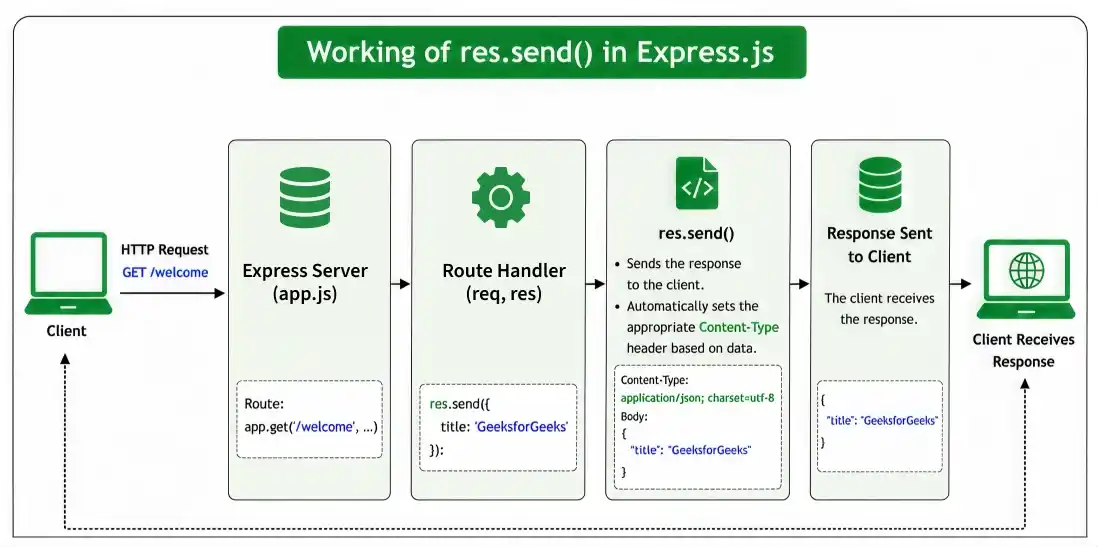
The res.send() function is used to send an HTTP response from the Express server to the client. It can send different types of data, such as strings, objects, arrays, or Buffers, and automatically sets the appropriate Content-Type header based on the response data.
res.send in Express
The res.send() function sends the HTTP response. The body parameter can be a String or a Buffer object or an object or an Array.
Syntax:
res.send( [body] )Parameter: This function accepts a single parameter body that describes the body to be sent in the response. e.g., string, array, object etc.
Returns: Returns the response object (res), allowing method chaining.
Steps to Install the Express Module
Step 1: You can install this package by using this command.
npm install expressStep 2: After installing the express module, you can check your express version in the command prompt using the command.
npm version expressProject Structure:
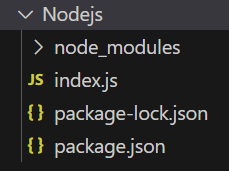
Example 1: This example responds with a JSON object { title: 'GeeksforGeeks' } when the root URL is accessed using res.send() in Express.
const express = require('express');
const app = express();
const PORT = 3000;
app.get('/', (req, res) => {
    res.send({ title: 'GeeksforGeeks' });
});
app.listen(PORT, () => {
    console.log(`Server listening on PORT ${PORT}`);
});
Steps to run the program:
Run the index.js file using the below command:
node index.jsConsole Output:

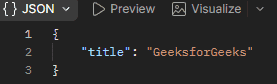
Browser Output: Now open the browser and go to http://localhost:3000/, now check your browser and you will see the following output:
Example 2: This example demonstrates how to use res.send() to send a plain text response to the client.
const express = require("express");
const app = express();
const PORT = 3000;
app.get("/welcome", (req, res) => {
    res.send("Welcome to GeeksforGeeks!");
});
app.listen(PORT, () => {
    console.log(`Server listening on PORT ${PORT}`);
});
Steps to run the program: Run the index.js file using the below command:
node index.jsConsole Output: Now open the browser and go to http://localhost:3000/welcome, now check your console and you will see the following output:
Browser Output: And you will see the following output on your browser screen:

Working of res.send()
- The client sends an HTTP request.
- Express executes the matching route handler.
- res.send() sends the response to the client.
- Express automatically sets the appropriate Content-Type.
- The response is completed and the request-response cycle ends.
Common Use Cases of res.send()
- Sending plain text responses
- Returning JSON objects
- Returning arrays
- Sending HTML content
- Sending API responses
