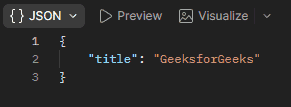
The res.json() function is used to send a JSON response from the Express server to the client. It automatically converts JavaScript objects or arrays into JSON format and sets the Content-Type header to application/json.
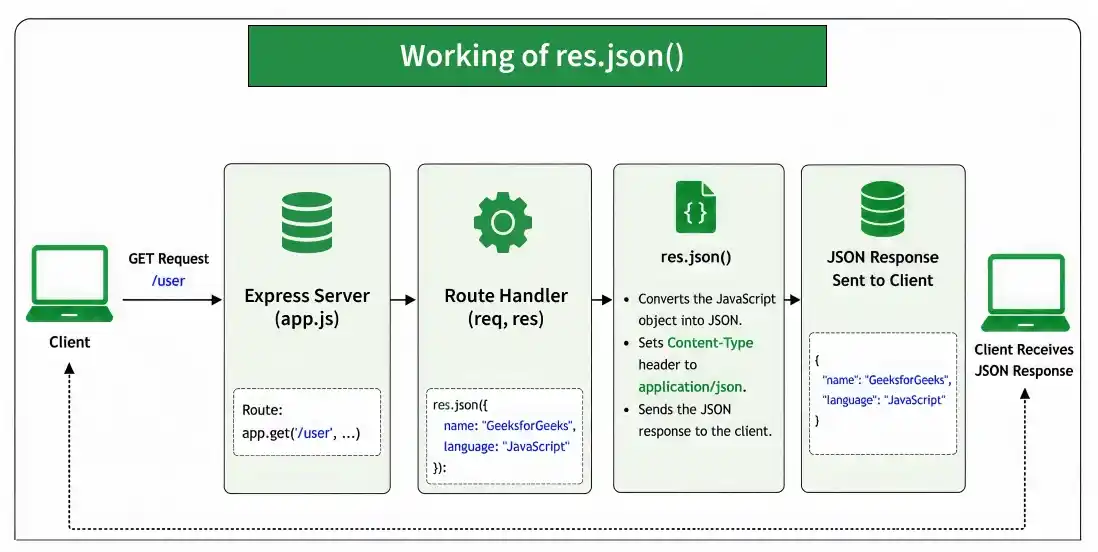
Syntax:
res.json( [body] )Parameters: The body parameter is the body that is to be sent in the response.
Return Value: Returns the response object (res), allowing method chaining.
Steps to Install the Express Module:
Step 1: You can install this package by using this command.
npm install expressStep 2: After installing the express module, you can check your express version in the command prompt using the command.
npm version expressProject Structure:
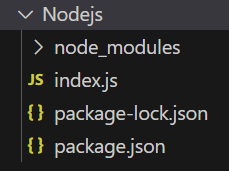
Example 1: Below is the code of res.json() Function implementation.
const express = require("express");
const app = express();
const PORT = 3000;
app.get("/user", (req, res) => {
    res.json({
        name: "GeeksforGeeks",
        language: "JavaScript"
    });
});
app.listen(PORT, () => {
    console.log(`Server listening on PORT ${PORT}`);
});
Steps to run the program:
Run the index.js file using the below command:
node index.jsConsole Output:
Server listening on PORT 3000Browser Output: Now open the browser and go to http://localhost:3000/user, now on your screen you will see the following output:
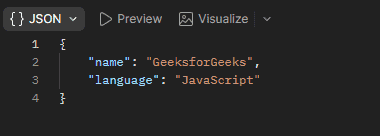
Example 2: Below is the code of res.json() Function implementation.
const express = require('express');
const app = express();
const PORT = 3000;
// Middleware that sends a JSON response
app.use('/', (req, res) => {
    res.json({
        title: "GeeksforGeeks"
    });
});
app.listen(PORT, () => {
    console.log(`Server listening on PORT ${PORT}`);
});
Steps to run the program:
Run the index.js file using the below command:
node index.jsConsole Output:

Browser Output: Now open a browser or send a GET request using Postman http://localhost:3000/, now on your screen you will see the following output: