

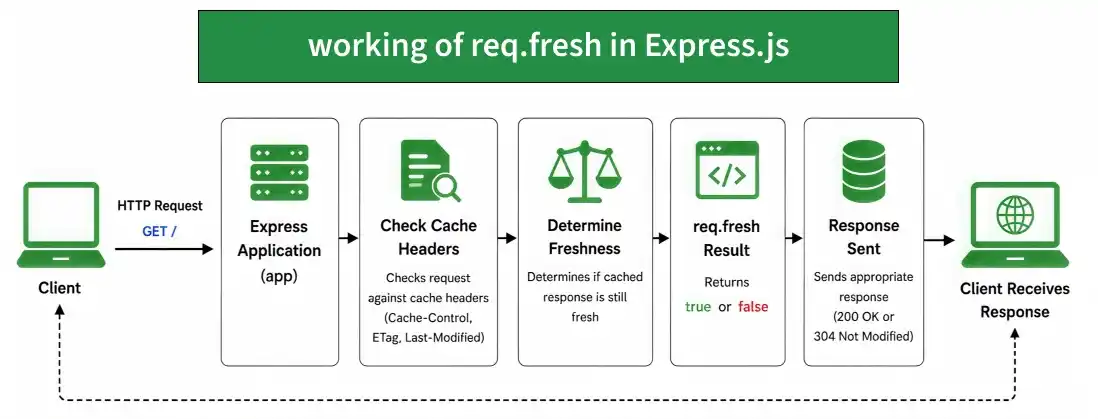
The req.fresh property returns true when the client's cache is considered fresh according to the request and response cache headers. Otherwise, it returns false.
Syntax:
req.freshParameter: No parameter
Return Value: True or False
Installation of the express module:
You can visit the link to Install the express module. You can install this package by using this command.
npm install expressAfter installing the express module, you can check your express version in the command prompt using the command.
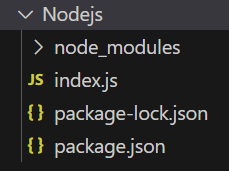
npm version expressAfter that, you can just create a folder and add a file, for example, index.js. To run this file you need to run the following command.
node index.jsProject Structure:
Example 1: Checking Cache Freshness
const express = require('express');
const app = express();
const PORT = 3000;
app.get('/', (req, res) => {
    res.set('Cache-Control', 'public, max-age=60');
    res.set('ETag', '"gfg-123"');
    console.log('Fresh:', req.fresh);
    res.send('GeeksforGeeks');
});
app.listen(PORT, () => {
    console.log(`Server listening on PORT ${PORT}`);
});
Steps to run the program:
Run the index.js file using the below command:
node index.jsOutput:
Console Output:

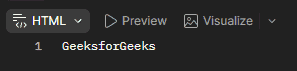
Browser Output:
Now open your browser and go to http://localhost:3000/, now you can see the following output on your browser:
Example 2: Checking Freshness with ETag
const express = require('express');
const app = express();
const PORT = 3000;
app.get('/', (req, res) => {
    res.set('ETag', '"gfg-123"');
    if (req.fresh) {
        res.status(304).end();
    } else {
        res.send('GeeksforGeeks');
    }
});
app.listen(PORT, () => {
    console.log(`Server listening on PORT ${PORT}`);
});
Steps to run the program:
Run the index.js file using the below command:
node index.jsOutput:
Console Output:
Server listening on PORT 3000Browser Output: First make GET request to http://localhost:3000/ now you can see the following output on your browser:
The response contains the following ETag:
ETag: "gfg-123"Now make another GET request to the same URL and add the request header:
Key: If-None-Match, Value: "gfg-123"Console Output:
Fresh: trueBrowser Output:

Working of req.fresh
- The client sends an HTTP request to the Express server.
- Express checks the request against the response's cache-related headers.
- Express determines whether the cached response is still fresh.
- The req.fresh property returns true if the response is considered fresh.
- Otherwise, it returns false.
Use Cases of req.fresh
- Checking whether a cached response is still valid.
- Reducing unnecessary response transfers.
- Supporting HTTP conditional requests.
- Improving performance for cacheable resources.
- Working with ETag and Last-Modified based caching.
