

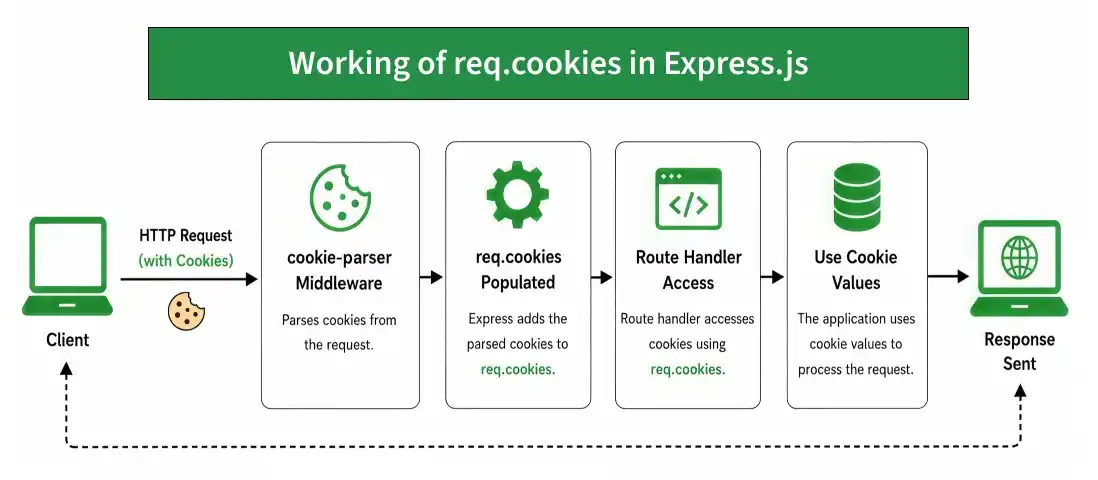
The req.cookies property contains the cookies sent by the client in an HTTP request. It is populated by the cookie-parser middleware and allows Express applications to read cookie values from incoming requests.
Syntax:
req.cookiesParameter: No parameters.
Return Value: Object
Installation of the Express module
You can visit the link to Install the express module. You can install this package by using this command.
npm install express cookie-parserAfter installing the express module, you can check your express version in the command prompt using the command.
npm version expressAfter that, you can just create a folder and add a file, for example, index.js. To run this file you need to run the following command.
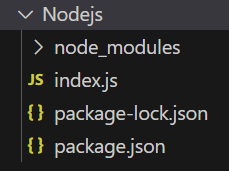
node index.jsProject Structure:
Example 1: Reading a Cookie from the Request
const express = require('express');
const cookieParser = require('cookie-parser');
const app = express();
const PORT = 3000;
app.use(cookieParser());
app.get('/set-cookie', (req, res) => {
    res.cookie('website', 'GeeksforGeeks');
    res.send('Cookie has been set');
});
app.get('/read-cookie', (req, res) => {
    console.log(req.cookies);
    res.send(`Website: ${req.cookies.website}`);
});
app.listen(PORT, () => {
    console.log(`Server listening on PORT ${PORT}`);
});
Steps to run the Program
Run the index.js file using the below command:
node index.jsOutput:
Console Output:
Server listening on PORT 3000Browser Output:
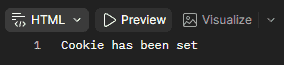
Now first open your browser and go to http://localhost:3000/set-cookie, now you can see the following output on your browser:
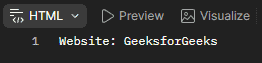
Now open the second link http://localhost:3000/read-cookies on the browser, now you can see the following output:
Final Console Output:

Example 2: Reading Multiple Cookies
const express = require('express');
const cookieParser = require('cookie-parser');
const app = express();
const PORT = 3000;
app.use(cookieParser());
app.get('/set-cookies', (req, res) => {
    res.cookie('name', 'GeeksforGeeks');
    res.cookie('language', 'JavaScript');
    res.send('Cookies have been set');
});
app.get('/read-cookies', (req, res) => {
    console.log(req.cookies);
    res.json(req.cookies);
});
app.listen(PORT, () => {
    console.log(`Server listening on PORT ${PORT}`);
});
Steps to run the Program
Run the index.js file using the below command:
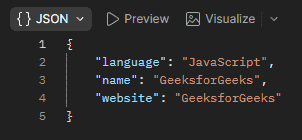
node index.jsBrowser Output: Now open your browser and make a GET request to http://localhost:3000/set-cookies, now you can see the following output on your browser:
Now open the second link http://localhost:3000/read-cookie on the browser, now you can see the following output:
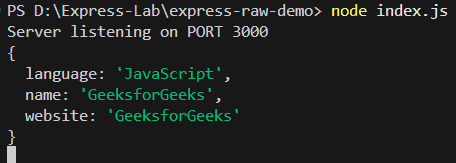
Console Output:
Working of req.cookies
- The client sends an HTTP request containing cookies.
- The cookie-parser middleware parses the cookies.
- Express makes the parsed cookies available through req.cookies.
- The route handler can access individual cookies using their names.
- The application can use these values to process the request.
Use Cases of req.cookies
- Reading user preferences stored in cookies.
- Accessing session-related cookie values.
- Retrieving authentication-related cookie data.
- Managing user-specific settings.
- Reading application-specific cookie values.
