

The req.baseUrl property returns the URL path on which a router instance was mounted. It is useful for determining the mount path of the current router when handling a request.
Syntax:
req.baseUrlParameter: No parameters.
Return Value: String
Installation of the express module:
You can visit the link to Install the express module. You can install this package by using this command.
npm install expressAfter installing the express module, you can check your express version in the command prompt using the command.
npm version expressCreate an index.js file in the project folder and run the application using.
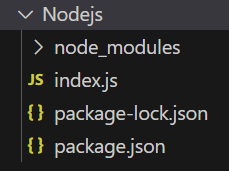
node index.jsProject Structure:
Example 1: Filename: index.js
const express = require('express');
const app = express();
const PORT = 3000;
const user = express.Router();
user.get('/login', (req, res) => {
    console.log(req.baseUrl);
    res.send('User Login Page');
});
app.use('/user', user);
app.listen(PORT, () => {
    console.log(`Server listening on PORT ${PORT}`);
});
Steps to run the program:
Run the index.js file using the below command:
node index.jsOutput:
Console Output:

Browser Output:
Now open your browser and go to http://localhost:3000/user/login, now you can see the following output on your console:
Example 2: Using req.baseUrl with a Nested Router
const express = require('express');
const app = express();
const PORT = 3000;
const user = express.Router();
const profile = express.Router();
profile.get('/details', (req, res) => {
    console.log(req.baseUrl);
    res.send('User Profile');
});
user.use('/profile', profile);
app.use('/user', user);
app.listen(PORT, () => {
    console.log(`Server listening on PORT ${PORT}`);
});
Steps to run the program:
Run the index.js file using the below command:
node index.jsOutput:
Console Output:

Browser Output: Now open your browser and make a GET request to http://localhost:3000/user/profile/details, now you can see the following output on your console:

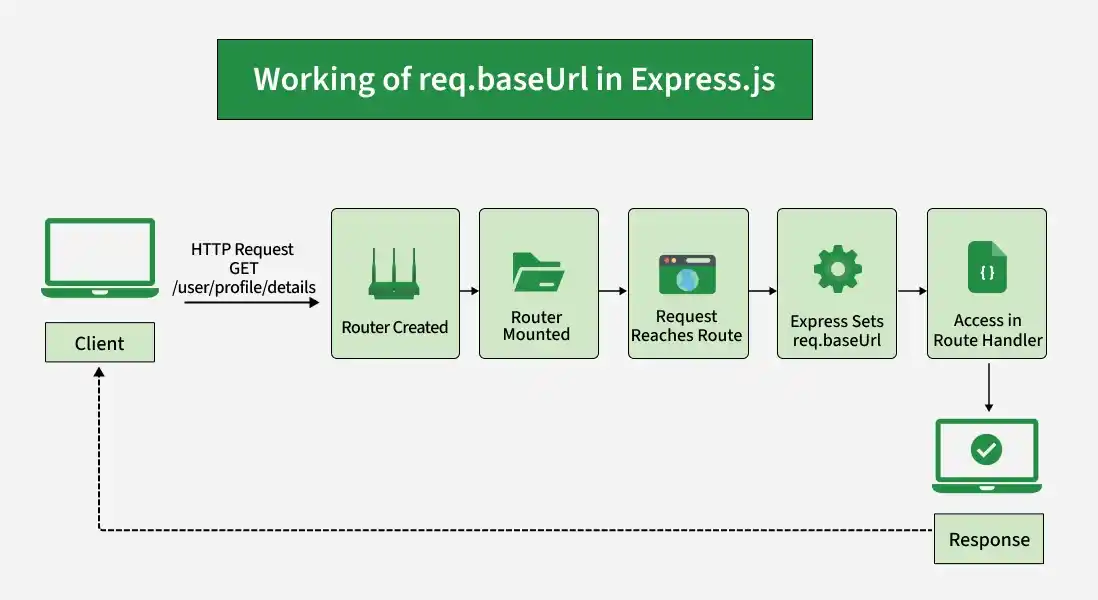
Working of req.baseUrl
- A router is created using express.Router().
- The router is mounted on a path using app.use().
- A request reaches a route defined inside the router.
- Express sets req.baseUrl to the path where that router is mounted.
- The route handler can access this value through req.baseUrl.
Use Cases of req.baseUrl
- Identifying Router Mount Paths: Determine the path where a router is mounted.
- Handling Nested Routers: Identify the base path of nested routers.
- Building Dynamic Routes: Use the router's mount path when constructing URLs dynamically.
- Debugging Routes: Check the router path when troubleshooting routing issues.
- Reusable Routers: Make routers easier to reuse under different mount paths.
