

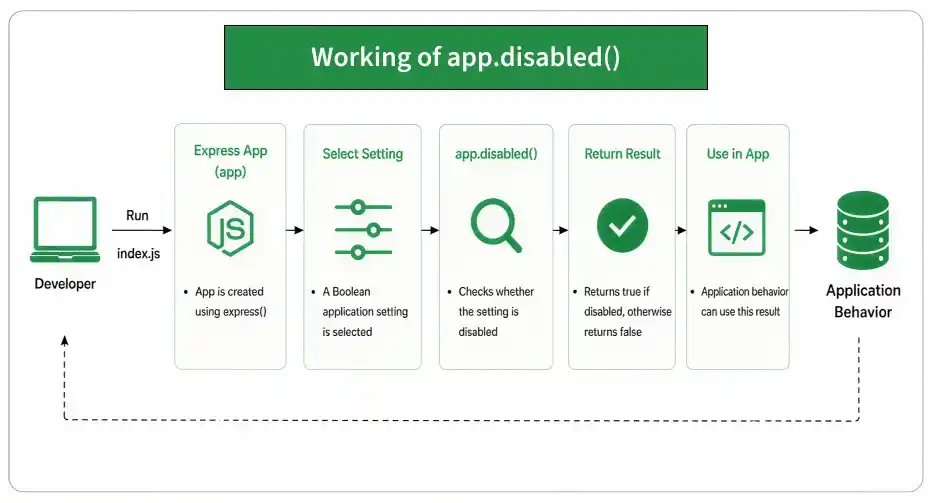
The app.disabled() function checks whether a Boolean setting is disabled in an Express application. It returns true if the specified setting is disabled and false if the setting is enabled.
Syntax:
app.disabled(name)- Parameter: name — the name of the Boolean application setting to check.
- Return Value: Returns a Boolean value (true or false).
Installation of the express module:
You can visit the link to Install the express module. You can install this package by using this command.
npm install expressAfter installing the express module, you can check your express version in the command prompt using the command.
npm version expressAfter that, you can just create a folder and add a file, for example, index.js. To run this file you need to run the following command.
node index.jsProject Structure:
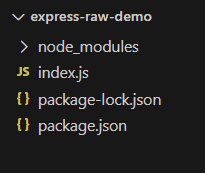
Filename: index.js
const express = require('express');
const app = express();
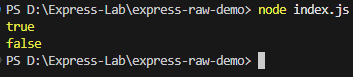
console.log(app.disabled('trust proxy')); // true
app.enable('trust proxy');
console.log(app.disabled('trust proxy')); // false
Steps to run the program:
Run the index.js file using the below command:
node index.jsOutput:
Working of app.disabled()
- An Express application is created using express().
- A Boolean application setting is selected.
- app.disabled() checks whether the setting is disabled.
- It returns true if the setting is disabled.
- Otherwise, it returns false.
Use Cases of app.disabled()
- Checking whether an Express application setting is disabled.
- Verifying settings configured using app.disable().
- Checking whether a setting has been enabled using app.enable().
- Controlling application behavior based on configuration settings.
- Checking Boolean Express application settings before processing requests.
