

Enums allow you to define a set of named constants, making your code more readable, maintainable, and easier to understand.
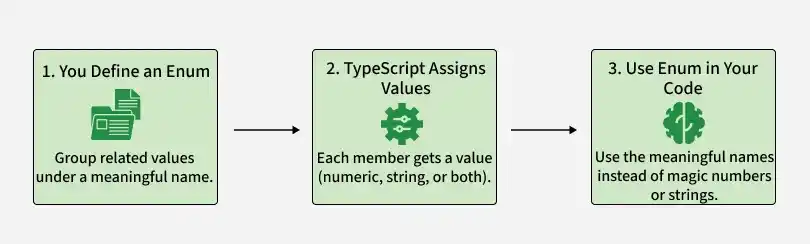
- Replace magic numbers or strings with meaningful names.
- Group related constant values under a single identifier.
- Support numeric, string, and heterogeneous values.
Types of Enums in TypeScript
TypeScript supports the following types of enums:
1. Numeric Enums
Numeric enums assign numeric values to members. By default, the first member starts at 0, and subsequent members are automatically incremented.. Each member of a numeric enum is assigned a numeric value, starting from 0 by default, but you can customize these values as needed.
Default Numeric Enums: In default numeric enums, the first member is assigned the value 0, and each subsequent member is incremented by 1.
enum Direction {
    Up,
    Down,
    Left,
    Right
}

let move: Direction = Direction.Up;
console.log(move);
Output:
0- The first member (Up) is assigned 0 by default.
- Each subsequent member is incremented by 1.
Initialized Numeric Enums: You can assign a specific value to the first member, and subsequent members will auto-increment from that value.
enum Direction {
    Up = 1,
    Down,
    Left,
    Right
}

let move: Direction = Direction.Up;
console.log(move);
Output:
1- Up is initialized to 1.
- Remaining members are automatically incremented.
Fully Initialized Numeric Enums: Each member can be assigned a unique numeric value, independent of its position.
enum Direction {
    Up = 1,
    Down = 3,
    Left = 5,
    Right = 7
}

let move: Direction = Direction.Up;
console.log(move);
Output:
1- Each member is assigned a custom numeric value.
- The values are independent of their declaration order.
2. String Enums
String enums assign string values to enum members, making the values more descriptive and readable.
enum Direction {
    Up = "UP",
    Down = "DOWN",
    Left = "LEFT",
    Right = "RIGHT"
}

let move: Direction = Direction.Up;
console.log(move);
Output:
"UP"- Each member is assigned a string value.
- String enums improve readability and are useful when values need to be meaningful.
3. Heterogeneous Enums
Heterogeneous enums combine numeric and string values in the same enum. Although supported, they are generally discouraged because they reduce consistency and readability.
enum Status {
    Active = 1,
    Inactive = "INACTIVE",
    Pending = 2,
    Cancelled = "CANCELLED"
}

let currentStatus: Status = Status.Active;
console.log(currentStatus);

let cancelledStatus: Status = Status.Cancelled;
console.log(cancelledStatus);
Output:
1
CANCELLED
- The enum contains both numeric and string values.
- Heterogeneous enums are supported but are generally discouraged because they reduce consistency and readability.
Note: In modern TypeScript, string literal unions are often preferred over enums for many use cases because they are simpler, easier to type-check, and integrate well with modern frameworks. Enums remain useful when you need named constants with runtime values.
4. Const Enums
Const enums are compile-time enums whose values are inlined during compilation, reducing the generated JavaScript code and improving performance.
const enum Direction {
    Up,
    Down,
    Left,
    Right
}

let move = Direction.Up;
console.log(move);
Output:
0- Direction.Up is inlined as 0 during compilation.
- No enum object is generated in the compiled JavaScript.
- This reduces the generated code and can improve performance.
