

Website performance and accessibility play a vital role in delivering a smooth and inclusive user experience. Optimizing these aspects not only improves user satisfaction but also boosts search engine rankings and overall website success.
- Improve page loading speed to reduce bounce rates and keep users engaged.
- Ensure accessibility features make content usable for people with disabilities.
- Use browser developer tools to identify performance bottlenecks and accessibility issues efficiently.
Understanding Browser Developer Tools
Browser developer tools, commonly known as DevTools, are essential built-in features available in modern web browsers. They help developers inspect, debug, and optimize websites for better performance and accessibility.
- Enable developers to inspect HTML, CSS, and JavaScript in real time.
- Provide tools for performance monitoring and debugging website issues.
- Support accessibility auditing to create more user-friendly and inclusive websites.
Benefits of Developer Tools
- Quick and efficient: The developer tools are directly accessible on the browsers, meaning developers can edit websites without alternating windows or tabs. Working in a single window enhances the productivity of the developer.
- Functionality: It helps to enhance a website’s functionality. Developers can debug and know what errors exist on the page, test changes and optimize the respective web pages, monitor network activity and performance, and more.
- UI assisting tools: It features a device mode that allows you to simulate how the website will look and behave on different devices and screen sizes. This is useful for checking the responsiveness and compatibility of the website.
Analyzing Website Performance
You can use the following features to analyze your website performance and keep a track of all the bugs and errors. Let's see the individual features to analyze the website performance:
Network Tab:
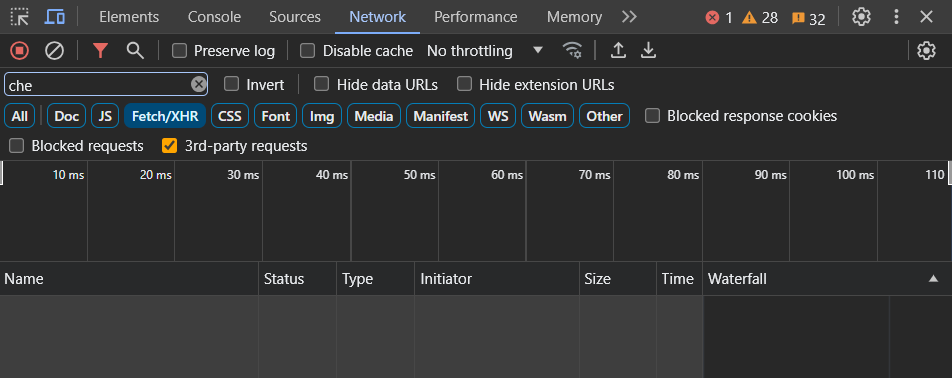
One of the primary features of browser developer tools for analyzing website performance is the Network tab. This tab displays a detailed timeline of all network requests made by the webpage, including resources such as HTML, CSS, JavaScript files, images, and external APIs. By examining this timeline, developers can identify bottlenecks and optimize resource loading to improve page load times.
Performance Tab:
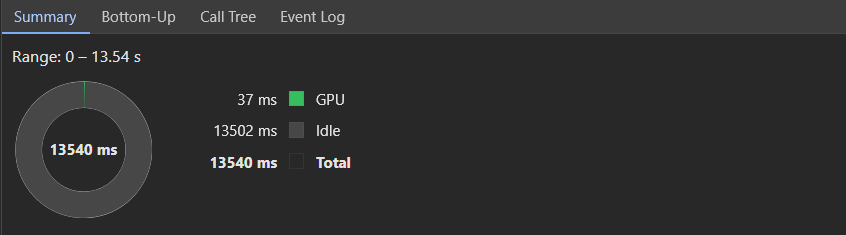
The Performance tab, available in most modern browsers, provides a detailed overview of the webpage's loading and rendering process. It records a timeline of events such as DOMContentLoaded and load events, as well as JavaScript activity and rendering performance.
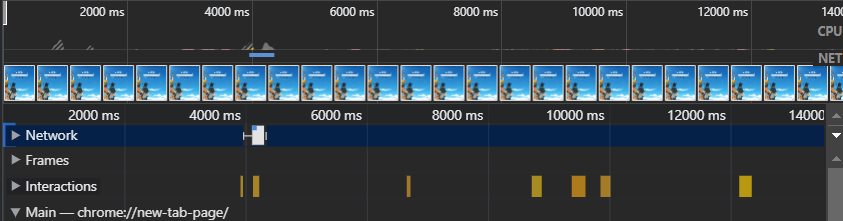
By analyzing this timeline, developers can pinpoint areas where optimization is needed, such as minimizing render-blocking resources or optimizing JavaScript execution.
Audits Tab:
Some browsers offer an Audits tab that allows developers to run automated tests on their website to identify common performance issues. These audits cover various aspects of performance, including JavaScript execution time, CSS and image optimization, and server response times. By addressing the issues highlighted in these audits, developers can significantly improve overall website performance.
Enhancing Website Accessibility
Accessibility Inspector:
Many browser developer tools come with an Accessibility Inspector that allows developers to evaluate the accessibility of their web pages. This tool highlights accessibility issues such as missing alternative text for images, insufficient color contrast, and improperly structured HTML. By fixing these issues, developers can ensure that their websites are accessible to users with disabilities.

Lighthouse:
Lighthouse is a powerful auditing tool built into Google Chrome's developer tools that includes an accessibility audit. It automatically checks for common accessibility issues based on the Web Content Accessibility Guidelines (WCAG) and provides detailed reports on areas for improvement. By running Lighthouse audits regularly, developers can ensure that their websites meet accessibility standards and provide an inclusive user experience.
Keyboard Navigation:
Browser developer tools also allow developers to simulate keyboard navigation, which is essential for testing website accessibility. By navigating through the website using only the keyboard, developers can identify any interactive elements that are not accessible to keyboard users and make the necessary adjustments to ensure full keyboard accessibility.
