

Module Testing is a software testing technique that verifies an individual software module or component independently to ensure it functions correctly according to its design and specified requirements. It helps identify defects early, improves code quality, and ensures each module is ready for integration.
- Tests an individual software module in isolation.
- Detects defects early in the development lifecycle.
- Simplifies debugging and improves software quality.
Example: In an online shopping application, the Login module is tested independently to verify user authentication, input validation, and error handling.
When is Module Testing Performed?
Module Testing is performed after an individual software module is developed and before it is integrated with other modules. It ensures that the module functions correctly before Integration Testing begins.
- After the development of an individual module is completed.
- Before Integration Testing begins.
- After code changes or bug fixes to validate the updated module.
- Before the module is integrated with other system components.
Types of Module Testing
Module Testing can be classified into different types based on the aspect of the module being verified.
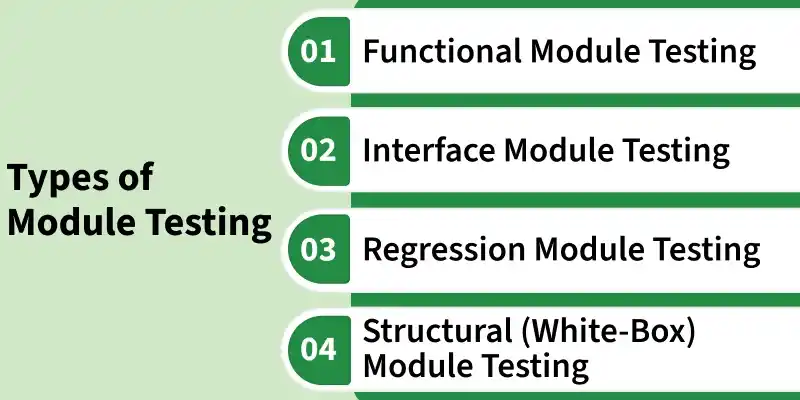
- Functional Module Testing: Verifies that the module performs its intended functions according to the specified functional requirements.
- Structural (White-Box) Module Testing: Verifies the module's internal logic, code paths, conditions, loops, and other implementation details.
- Interface Module Testing: Verifies that the module correctly exchanges data and interacts with dependent modules, APIs, services, or mocked components.
- Regression Module Testing: Verifies that recent code changes, enhancements, or bug fixes have not affected the module's existing functionality.
Stubs and Drivers in Module Testing
Stubs and Drivers are temporary test components used to simulate unavailable modules, allowing an individual module to be tested independently before integration.
- Stub: Simulates the behavior of a called (lower-level) module by returning predefined responses to the module under test.
- Driver: Simulates the calling (higher-level) module by invoking the module under test and supplying the required inputs.
Module Testing Process
The Module Testing process follows a structured sequence of activities to verify that an individual software module functions correctly before integration.
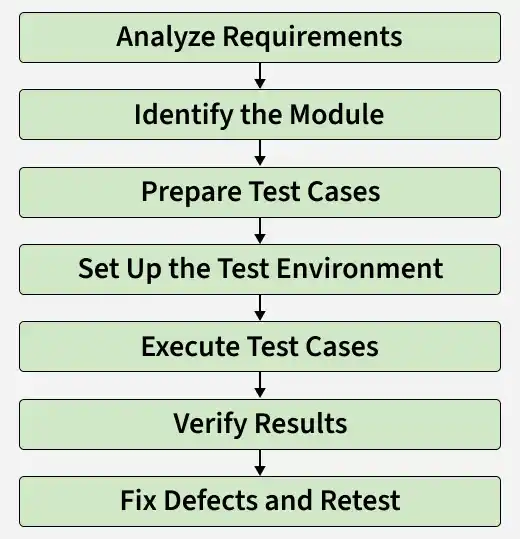
- Analyze Requirements: Study the functional and technical requirements of the module to understand its expected behavior, inputs, outputs, and acceptance criteria.
- Identify the Module: Select the specific module or component to be tested based on the project requirements, functionality, and development priorities.
- Prepare Test Cases: Design test cases that cover functional scenarios, boundary conditions, valid and invalid inputs, and expected outputs to ensure comprehensive test coverage.
- Set Up the Test Environment: Configure the required hardware, software, test data, and testing tools. Use mocks or stubs, if necessary, to isolate the module from dependent components.
- Execute Test Cases: Execute the prepared test cases manually or using automation tools and record the actual test results.
- Verify Results: Compare the actual results with the expected results to confirm that the module functions correctly and satisfies the specified requirements.
- Fix Defects and Retest: Log any defects identified during testing, verify the fixes after implementation, and retest the module to ensure the issues are resolved without introducing new defects.
Entry and Exit Criteria
Entry and Exit Criteria define the conditions that must be satisfied before Module Testing begins and before it is considered complete.
Entry Criteria
- Module development is completed.
- Functional and technical requirements are available.
- Test cases and test data are prepared.
- Test environment is configured and ready.
- Required dependencies, mocks, or stubs are available.
Exit Criteria
- All planned test cases have been executed.
- Critical and high-priority defects are resolved.
- Failed test cases have been retested successfully.
- The module meets the specified functional requirements.
- Test results are reviewed and approved for integration testing.
Module Testing Tools
Various testing frameworks are available to perform Module Testing efficiently by supporting test creation, execution, automation, and result reporting.
- JUnit: A widely used Java testing framework for creating and executing module and unit tests.
- TestNG: A Java testing framework that provides advanced features such as test grouping, parallel execution, and reporting.
- NUnit: A popular testing framework for .NET applications used to write and execute module tests.
- PyTest: A Python testing framework that simplifies writing, organizing, and executing module tests.
- MSTest: Microsoft's built-in testing framework for .NET applications, integrated with Visual Studio.
Advantages of Module Testing
Module Testing provides several benefits by validating individual modules before they are integrated into the complete application.
- Reduces issues during integration testing.
- Enables faster development through independent module testing.
- Supports test automation for quick and repeated validation.
- Improves code maintainability and simplifies future changes.
- Reduces the overall cost of fixing defects.
- Increases confidence before integrating modules into the system.
Limitations of Module Testing
Module Testing focuses on individual modules and cannot identify defects that occur only when multiple modules interact.
- Tests only individual modules, not the complete system.
- Cannot detect issues caused by interactions between modules.
- May require mocks or stubs to simulate dependent components.
- Does not identify system-level performance or security issues.
- Test coverage depends on the quality of the test cases.
- May not uncover defects that appear only after integration.
