

Cookies Manager in Postman is a feature used to view, add, edit, and delete cookies associated with API requests. It helps testers manage cookies when testing APIs that use sessions or cookie-based authentication.
- Allows cookies to be managed for specific domains.
- Helps maintain and test user sessions across API requests.
- Makes it easier to test APIs that depend on cookie-based authentication.
Purpose of Cookies Manager
Cookies Manager in Postman helps testers manage cookies required for API requests and test applications that maintain user sessions through cookies.
- Helps test cookie-based authentication and session management.
- Allows testers to view, add, edit, and delete cookies easily.
- Helps verify how APIs handle cookies during different requests.
Types of Cookies in Postman
Postman does not define separate cookie types specifically for its Cookies Manager. Cookies can instead be classified based on their purpose, lifetime, and security behavior.
- Session Cookies: Remain available for the duration of a session and are generally removed when the session ends.
- Persistent Cookies: Remain stored until their specified expiration time or Max-Age is reached.
- Secure Cookies: Are sent only over HTTPS connections.
- HttpOnly Cookies: Cannot be accessed by client-side scripts.
- SameSite Cookies: Use the SameSite attribute to control whether cookies are sent with cross-site requests.
Opening Cookies Manager
Postman provides the Cookies option to open the Cookies Manager and manage cookies associated with API domains.

- Open Postman and open an API request.
- Click Cookies near the request URL.
- The Manage Cookies window opens.
- Enter a domain name and click Add domain to view or manage cookies for that domain.
Working of Cookies Manager
Cookies Manager in Postman stores and manages cookies associated with API domains. When sending a request, Postman uses applicable cookies based on their attributes and the request URL.
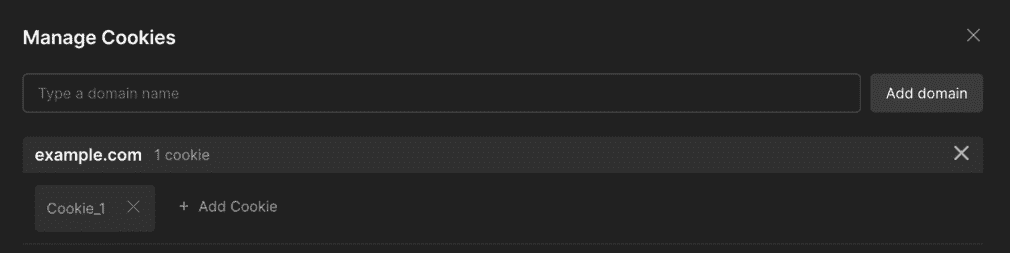
- Stores Cookies: Stores cookies received from server responses or added manually.
- Matches Cookies: Determines which cookies apply to a request based on attributes such as domain and path.
- Sends Cookies: Includes applicable cookies in requests to the matching domain.
- Manages Cookies: Allows users to view, add, edit, and delete cookies.
Adding and Managing Cookies
Postman allows users to add cookies manually and manage existing cookies for a specific domain. This helps testers control cookie data during API testing.
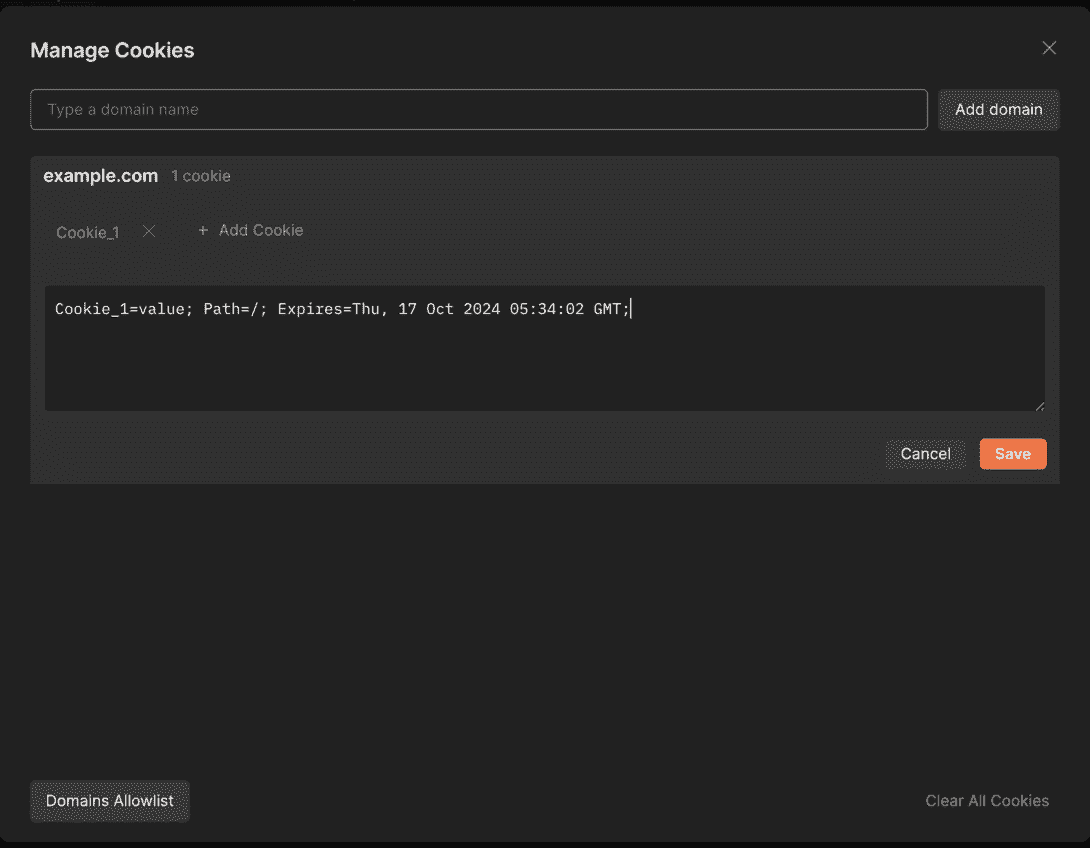
- Adding Cookie: Select a domain, click Add Cookie, and enter the cookie name, value, and required attributes.
- Viewing Cookies: Select a domain in Cookies Manager to view the cookies associated with that domain.
- Editing Cookie: Select an existing cookie, modify its value or attributes, and click Save to apply the changes.
- Deleting Cookie: Select the cookie you want to remove and use the delete option to remove it from the domain.
Cookie Attributes in Postman
Cookie attributes define how, when, and where a cookie is stored and sent with requests in Postman.
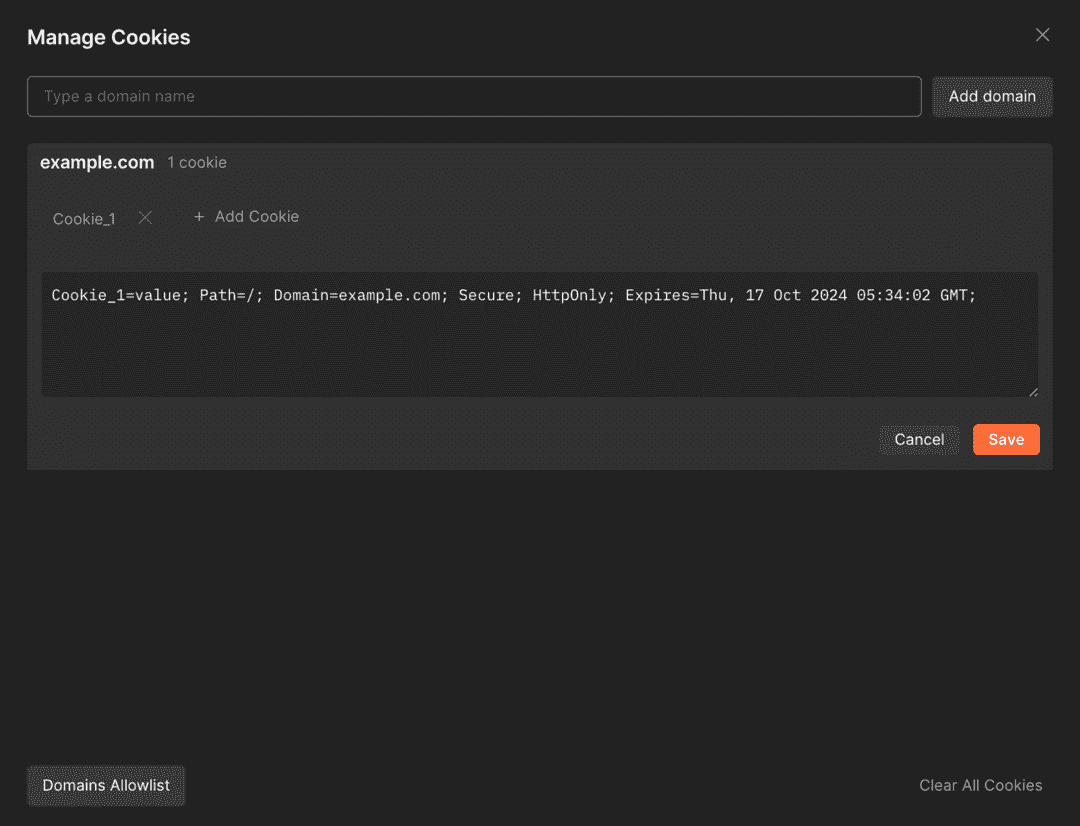
- Name: Identifies the cookie within the specified domain and path.
- Value: Contains the data stored in the cookie.
- Domain: Specifies the domain for which the cookie is applicable.
- Path: Defines the URL path for which the cookie can be sent.
- Expires: Specifies the date and time when the cookie expires.
- Max-Age: Defines how long the cookie remains valid in seconds.
- Secure: Ensures the cookie is sent only over HTTPS connections.
- HttpOnly: Prevents client-side scripts from accessing the cookie.
- SameSite: Controls whether the cookie is sent with cross-site requests.
Cookie-Based Authentication
Cookie-Based Authentication is an authentication method where a server uses a cookie to maintain a user's authenticated session across multiple requests.
- The user logs in with valid credentials, and the server creates an authenticated session.
- The server sends a session cookie to the client in the response.
- The client sends the cookie with subsequent requests to access protected resources.
- The server validates the cookie and identifies the authenticated session or user.
- On logout, the server invalidates the session, and the cookie may be cleared or expire.
Session Management Using Cookies
Session Management Using Cookies is a technique in which cookies help maintain a user's session across multiple requests after successful authentication.
- The server creates a session when the user successfully logs in.
- The server sends a session cookie containing a session identifier to the client.
- The client stores the cookie and sends it with subsequent requests.
- The server uses the session identifier to retrieve and validate the user's session.
- The session ends when the user logs out, the session expires, or the server invalidates it.
Cookies in API Requests
Cookies in API requests are small pieces of data exchanged between the client and server to maintain sessions, store preferences, or support authentication.
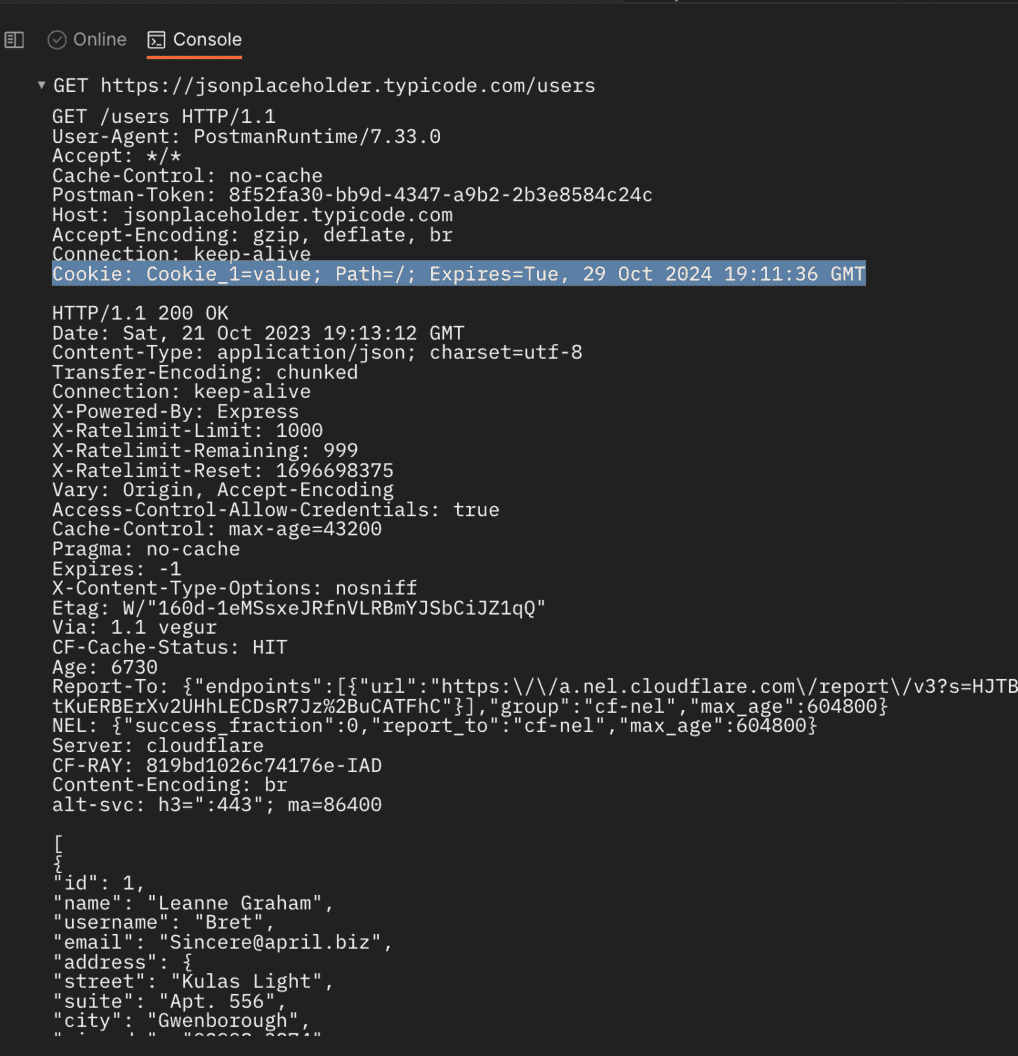
- The server sends cookies to the client through the Set-Cookie response header.
- The client stores applicable cookies and sends them with subsequent requests using the Cookie request header.
- Cookies can maintain authenticated sessions across multiple API requests.
- In Postman, cookies can be viewed and managed using the Cookies Manager.
- Cookie attributes such as Domain, Path, Secure, HttpOnly, and SameSite control when and where cookies can be sent.
Common Issues with Cookies
Common cookie issues in Postman can prevent cookies from being stored, sent, or used correctly during API testing.
- Cookie Not Sent: The cookie may not match the request's domain or path.
- Expired Cookie: An expired cookie is no longer valid for requests.
- Incorrect Attributes: Incorrect Domain, Path, Secure, or SameSite settings can affect cookie behavior.
- Cookie Jar Disabled: Disabling the cookie jar can prevent Postman from storing or sending cookies automatically.
- Authentication Failure: An invalid or expired session cookie can cause authenticated API requests to fail.
Advantages of Cookies Manager
Cookies Manager in Postman provides a convenient way to manage cookies while testing APIs that use sessions, authentication, or user-specific data.
- Allows users to add, view, edit, and delete cookies for specific domains.
- Helps maintain and simulate authenticated user sessions across API requests.
- Makes it easier to verify whether cookies are correctly stored and sent with requests.
- Helps test cookie attributes such as Domain, Path, Secure, HttpOnly, and SameSite.
- Supports debugging of authentication and session-related issues during API testing.
Limitations of Cookies Manager
Cookies Manager in Postman provides useful cookie management features, but it has some limitations when testing APIs.
- Cookie-based authentication can be difficult to test when cookies depend on complex server-side session logic.
- Cookies may not work as expected when Domain, Path, Secure, or SameSite attributes are configured incorrectly.
- Managing cookies manually can become difficult when APIs use multiple cookies or frequently changing session values.
- Cookies are not suitable for every authentication mechanism, such as Bearer Token or API Key authentication.
- Cookie behavior in Postman may differ from that of a real web browser in some scenarios.
