

useLayoutEffect is a React Hook that executes synchronously after React updates the DOM and before the browser repaints the screen. It runs in the same phase as componentDidMount and componentDidUpdate, allowing React to complete certain side effects before the updated UI becomes visible.
- Works as the functional component counterpart of specific class lifecycle methods.
- Supports cleanup logic before the next effect execution or component unmount.
- Executes within React's commit phase rather than after the browser paint.
Syntax:
useLayoutEffect(() => {
    // Side effect logic

    return () => {
        // Cleanup logic (optional)
    };
}, [dependencies]);
Where,
- Side effect logic: The operation to be performed by the hook.
- dependencies: An array of values that determine when the hook runs again.
Approach
React useLayoutEffect is called ton it observes any effects in the dependencies mentioned just like useEffect hook. Instead of blocking the loading it simply updates the UI components given in the setup prop.
- Import the
useLayoutEffectHook from React into the component. - Create the required state, refs, or DOM elements that will be used inside the effect.
- Define the effect logic within the
useLayoutEffectcallback function. - Provide a dependency array to control when the effect should re-execute.
- Optionally return a cleanup function to handle cleanup before re-execution or component unmounting.
Example:
// Filename - App.js

import React, { useLayoutEffect, useState } from "react";

const App = () => {
    const [value, setValue] = useState("GFG");

    useLayoutEffect(() => {
        console.log(
            "UseLayoutEffect is called with the value of ",
            value
        );
    }, [value]);
    setTimeout(() => {
        setValue("GeeksForGeeks");
    }, 2000);

    return (
        <div
            style={{
                textAlign: "center",
                margin: "auto",
            }}
        >
            <h1 style={{ color: "green" }}>{value}</h1> is
            the greatest portal for geeks!
        </div>
    );
};

export default App;
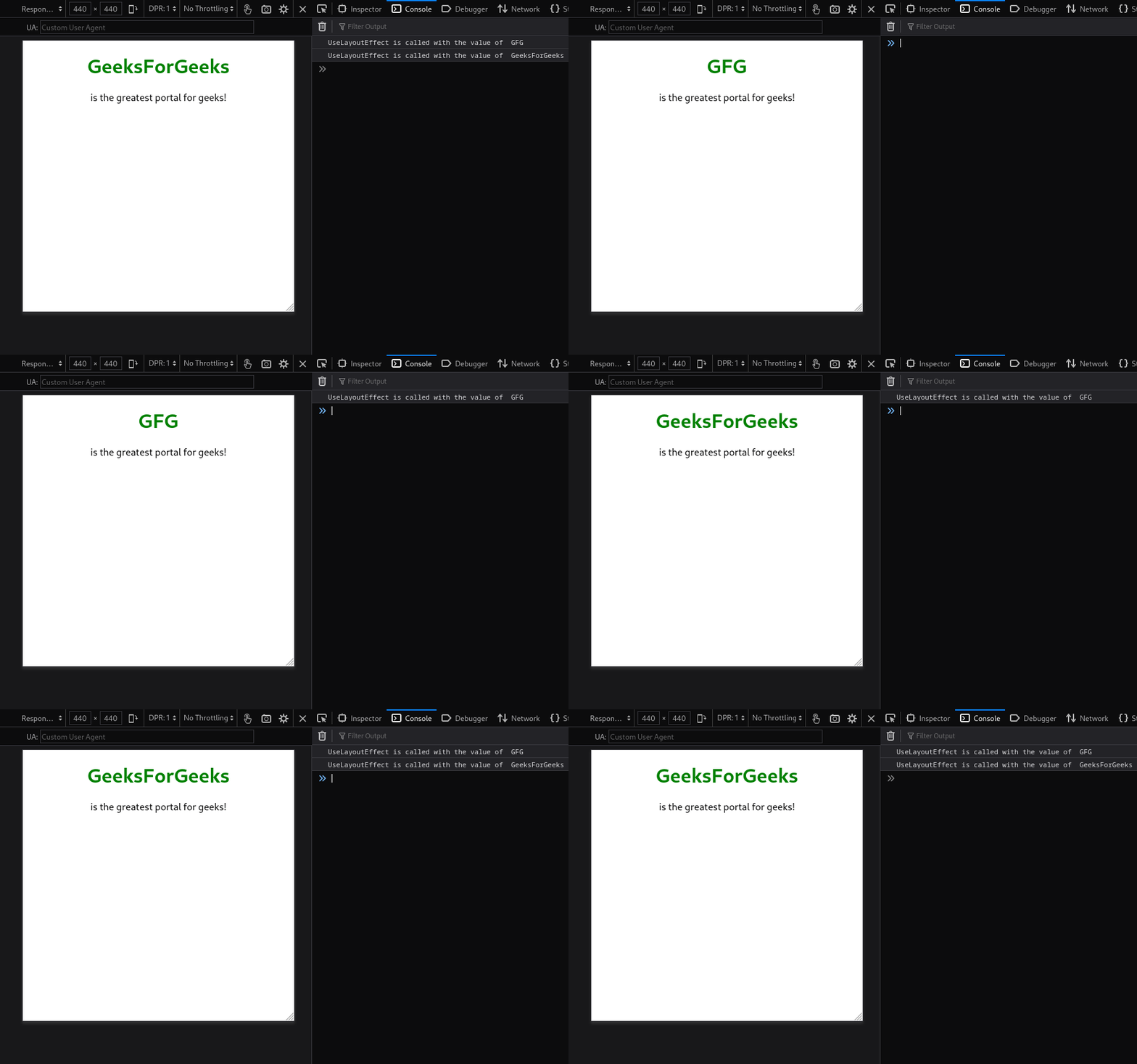
In this code,
- The
valuestate is initialized with"GFG"using theuseStateHook. - The
useLayoutEffectHook runs whenever thevaluestate changes and logs its current value to the console. - After 2 seconds,
setTimeoutupdates the state from"GFG"to"GeeksForGeeks". - The state update triggers a re-render, causing
useLayoutEffectto execute again. - The updated value is displayed inside the
<h1>element on the page.
Output:
Use Cases of useLayoutEffect Hook
- DOM Measurements: Read element dimensions, positions, or layout information immediately after a DOM update.
- Synchronous UI Updates: Apply DOM changes before the browser repaints to maintain visual consistency.
- Third-Party DOM Integrations: Synchronize React components with libraries that directly interact with DOM elements.
