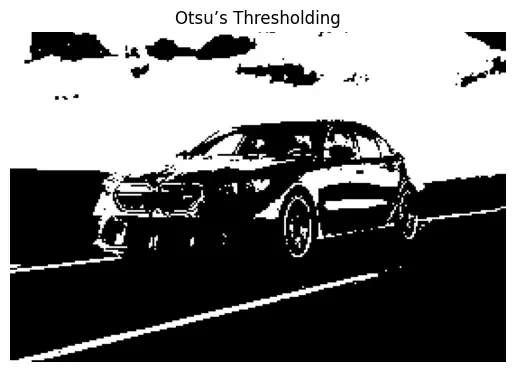
Otsu’s Thresholding is an advanced image segmentation technique used when an image contains two distinct pixel value groups (bimodal distribution). Unlike simple or adaptive thresholding, Otsu’s method automatically calculates the optimal threshold by analyzing the image histogram, making it especially useful when you don’t know in advance the best threshold value.
- OpenCV performs Otsu’s thresholding with the regular cv2.threshold() function, adding the cv2.THRESH_OTSU flag.
- No need to manually specify a threshold value! The function finds it for us.
Step-by-Step Implementation
Step 1: Import libraries and Image Preparation
Sample image can be downloaded from here.
Let's import the required libraries and load our image on which we will perform the operations,
- cv2: Handles image reading, processing and applies thresholding techniques.
- numpy: Supports efficient array operations, enabling fast image data handling.
- matplotlib.pyplot: Displays images and results in Colab notebooks.
import cv2
import numpy as np
import matplotlib.pyplot as plt

image = cv2.imread('input1.jpg')
gray_image = cv2.cvtColor(image, cv2.COLOR_BGR2GRAY)
Step 2: Helper Function
Define the helper function which helps in displaying the images,
def show_image(img, title):
    plt.imshow(img, cmap='gray')
    plt.title(title)
    plt.axis('off')
    plt.show()
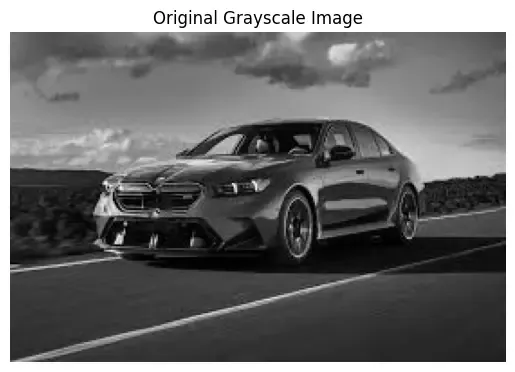
Step 3: Display Original Image
show_image(gray_image, "Original Grayscale Image")
Output:
Step 4: Otsu’s Thresholding
The threshold value is not provided by us, instead, Otsu's method determines it automatically based on the image’s histogram. This makes separation of foreground and background particularly strong on bimodal images.
ret, otsu_thresh = cv2.threshold(
    gray_image, 0, 255, cv2.THRESH_BINARY + cv2.THRESH_OTSU)
print("Calculated Otsu threshold value:", ret)
show_image(otsu_thresh, "Otsu’s Thresholding")
Output: