

Tornado is a lightweight, high-performance Python web framework and asynchronous networking library. It is designed to handle thousands of simultaneous client connections efficiently using non-blocking I/O, making it an excellent choice for building real-time web applications, APIs, chat applications, and other high-concurrency services.
- Asynchronous I/O: Uses non-blocking I/O to efficiently handle thousands of concurrent connections.
- High Performance: Optimized for building fast web applications and backend services with low latency.
- WebSocket Support: Includes built-in support for WebSockets, enabling real-time communication between clients and servers.
- Flexible Request Handling: Uses request handler classes to process different HTTP requests in a clean and organized manner.
- Scalable Architecture: Designed to support applications with high traffic and long-lived network connections.
Installation
Before using Tornado, install it using the following command in the command prompt or terminal:
pip install tornado
Creating First Tornado Application
After installing Tornado, you can create a simple web application that responds to HTTP requests. In Tornado, each URL is mapped to a request handler, which processes the request and returns a response to the client.
import tornado.ioloop
import tornado.web

class HomeHandler(tornado.web.RequestHandler):

    def get(self):
        self.write("Hello, Tornado!")

def make_app():
    return tornado.web.Application([
        (r"/", HomeHandler),
    ])

if __name__ == "__main__":
    app = make_app()
    app.listen(8888)
    print("Server running at http://localhost:8888/")
    tornado.ioloop.IOLoop.current().start()
Output
Open the following URL in your web browser: http://localhost:8888/
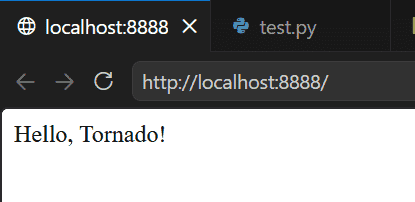
Explanation:
- Creates a HomeHandler class that inherits from tornado.web.RequestHandler.
- The get() method handles HTTP GET requests and returns "Hello, Tornado!".
- Creates the Tornado application using tornado.web.Application().
- Maps the root URL (/) to the HomeHandler using URL routing.
- Starts the web server on port 8888 and begins listening for incoming requests using the Tornado I/O loop.
URL Routing
URL routing connects incoming requests to their corresponding request handlers. Tornado uses the Application class to map URL patterns to handler classes.
import tornado.ioloop
import tornado.web

class AboutHandler(tornado.web.RequestHandler):

    def get(self):
        self.write("Welcome to the About Page")

def make_app():
    return tornado.web.Application([
        (r"/about", AboutHandler),
    ])

if __name__ == "__main__":
    app = make_app()
    app.listen(8888)
    print("Server running at http://localhost:8888/about")
    tornado.ioloop.IOLoop.current().start()
Output
Run the application and open the following URL in your browser: http://localhost:8888/about
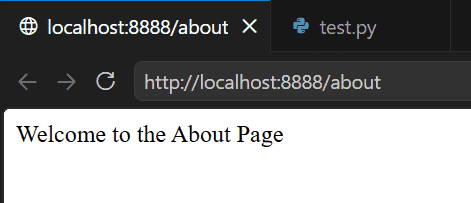
Explanation:
- Creates a request handler named AboutHandler.
- The get() method handles HTTP GET requests.
- Maps the /about URL to the handler.
- Starts the Tornado web server on port 8888.
- Displays the message when the /about URL is accessed.
Returning JSON Response
Tornado can return JSON data directly by passing a Python dictionary to the write() method. This makes it suitable for building RESTful APIs.
import tornado.ioloop
import tornado.web

class ProductHandler(tornado.web.RequestHandler):
    def get(self):
        self.write({
            "id": 101,
            "name": "Laptop",
            "price": 55000
        })

def make_app():
    return tornado.web.Application([
        (r"/product", ProductHandler),
    ])

if __name__ == "__main__":
    app = make_app()
    app.listen(8888)
    print("Server running at http://localhost:8888/product")
    tornado.ioloop.IOLoop.current().start()
Output
Open the following URL in your browser: http://localhost:8888/product
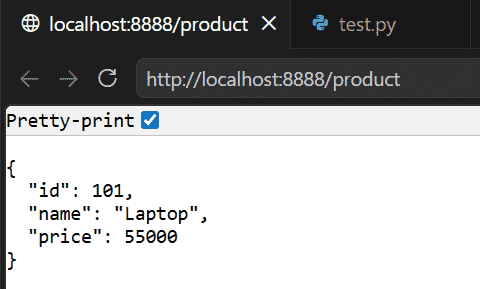
Explanation:
- Creates a request handler named ProductHandler.
- The get() method returns product information as a Python dictionary.
- Tornado automatically converts the dictionary into JSON.
- Starts the web server and serves the response at the /product endpoint.
Applications
- RESTful APIs: Develop fast and scalable backend APIs.
- Real-Time Chat Applications: Build messaging applications using WebSockets.
- Live Dashboards: Display continuously updating analytics and monitoring data.
- Notification Systems: Deliver real-time alerts and updates to connected clients.
- Streaming Applications: Handle long-lived client connections for streaming data.
- IoT Platforms: Process requests from a large number of connected devices.
Advantages
- High Performance: Efficiently handles thousands of concurrent client connections.
- Asynchronous Processing: Uses non-blocking I/O for improved responsiveness.
- Real-Time Communication: Built-in WebSocket support makes it suitable for chat applications and live dashboards.
- Lightweight Framework: Minimal overhead with a clean and flexible architecture.
- Scalable: Suitable for both small applications and high-traffic production systems.
Limitations
- Steeper Learning Curve: Understanding asynchronous programming may take time for beginners.
- Minimal Built-in Features: Does not provide features such as an ORM or admin interface like Django.
- Smaller Ecosystem: Offers fewer third-party extensions than some larger Python web frameworks.
- API-Oriented: Better suited for backend services and APIs than traditional full-stack web applications.
