

The Node.js prompt.get() method is used to take input from users via the command line. It is part of the prompt module and helps create simple interactive programs that respond to user input.
- It reads user input from the terminal.
- It is used to ask for one or more values.
- It is useful for interactive CLI applications.
Syntax:
prompt.get(schema, callback);Where
schema:Defines the input fields or properties to be read.callback:It is a function that handles the result or error.
Return Value: Returns undefined and provides the result via the callback.
Installation Module:
1. You can visit the link to Install this module. You can install this package by using this command.
npm install prompt 2. After that, you can just create a folder and add a file for example, index.js. To run this file you need to run the following command.
node index.jsExample:
var prompt = require('prompt');

// Function call
prompt.start();

// Reading two properties from user ie. name & class
prompt.get(['Name', 'class'], function (err, result) {

  // Printing the result
  console.log('Command-line input received:');
  console.log('Name: ' + result.name);
  console.log('class: ' + result.class);
})
Project Structure:
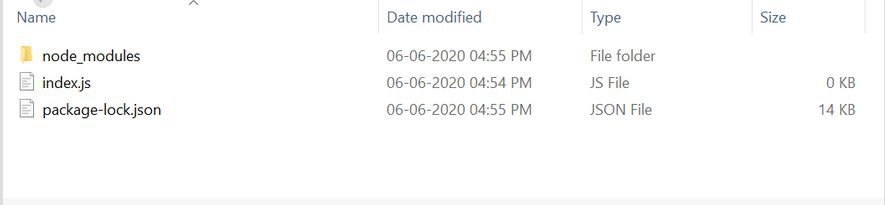
Output:
prompt: name: some-user
prompt: class: 12th
Command-line input received:
name: some-user
class: 12th
Use Cases of prompt.get() Method
- It is used to collect user details like name, email, or password in CLI apps.
- It helps build interactive command-line tools and utilities.
- It is useful for taking configuration input before running a script.
- It can be used in small scripts that require user confirmation or choices.
