

WhatWeb is a Ruby-based web scanner in Kali Linux used to identify website technologies. Key points:
- Purpose: Maps attack surfaces by identifying CMS, servers and libraries.
- Method: Inspects HTTP headers, HTML code, cookies and JavaScript.
- Features: Over 1,800 plugins, adjustable scanning speeds and multiple export formats.
- Modes: Ranges from completely passive (stealthy) to aggressive probing.
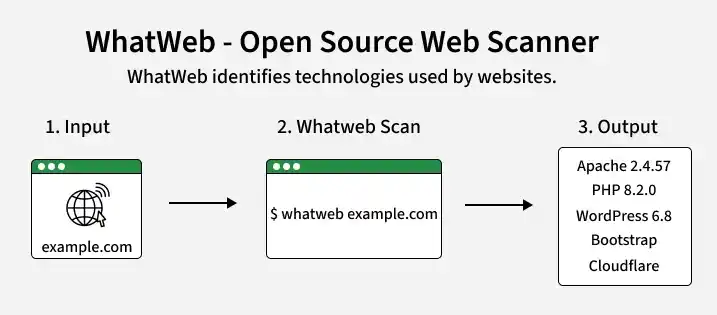
Installation
WhatWeb comes pre-installed in Kali Linux. Verify installation:
whatweb --version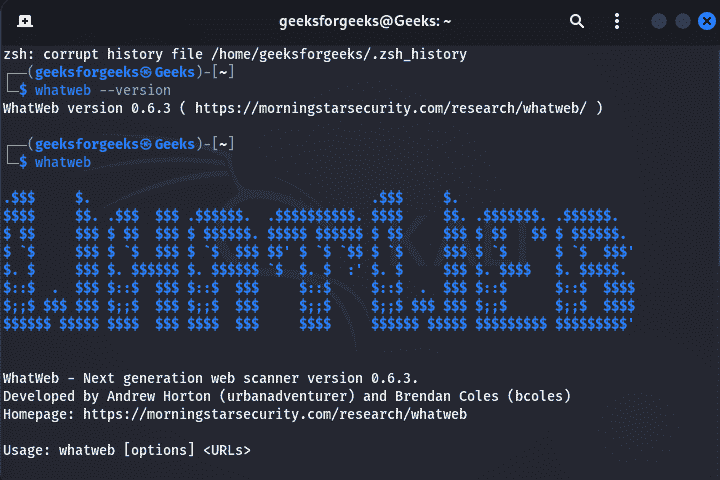
If not installed:
sudo apt update
sudo apt install whatweb
WhatWeb Working
When a target URL is provided, WhatWeb performs fingerprinting by collecting information from web responses.
- It analyzes HTTP response headers, HTML page source, Meta tags, Cookies, JavaScript files, CSS references, Server banners.
- The collected data is compared against built-in fingerprint plugins to identify technologies used by the website.
Commonly Used Commands
Scan a Website:
whatweb https://example.com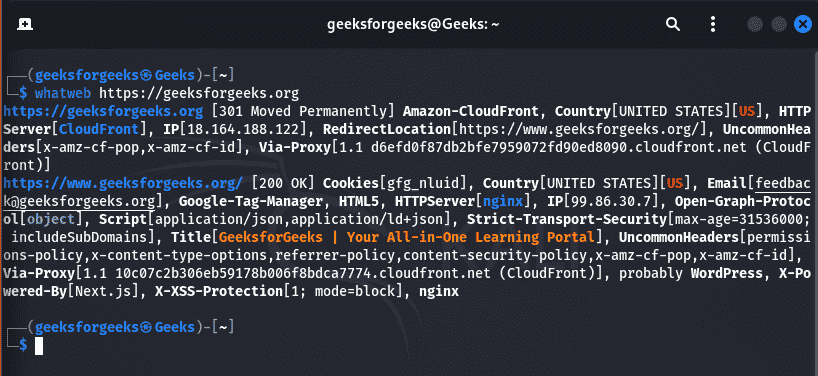
Scan Targets from a File:
whatweb -i targets.txtIncrease Detection Aggressiveness: Aggression levels range from Level 1(Passive detection), Level 2(Moderate requests), Level 3(Aggressive) fingerprinting, Level 4(Maximum detection).
whatweb -a 3 example.com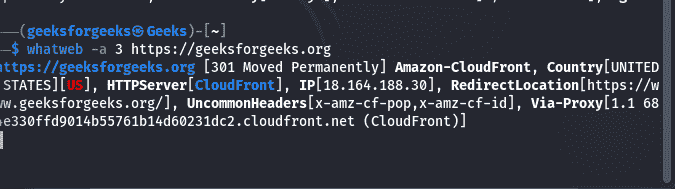
Increase Verbosity: Display detailed fingerprint information.
whatweb -v example.com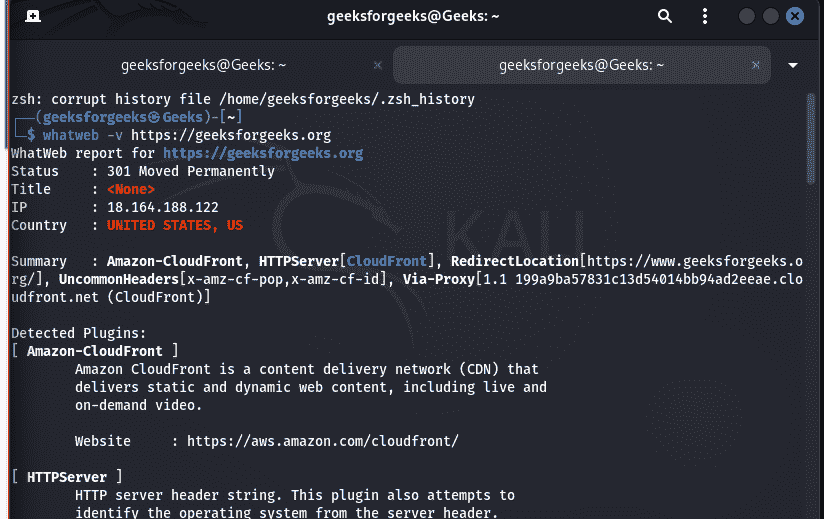
Display Plugin Matches:
whatweb --log-verbose=results.txt example.comOutput in JSON: Useful for automation and reporting.
whatweb --log-json=result.json example.comDetection Plugins
WhatWeb identifies technologies using dedicated plugins. Common plugin categories include: Apache, Nginx, IIS, WordPress, Joomla, Drupal, PHP, ASP.NET, Java, Python, Django, Flask, Laravel, React, Angular, Vue.js, Bootstrap, jQuery, Cloudflare, CDN providers, SSL implementations, Analytics platforms.
Practical Use Cases
- Web Technology Enumeration: Identify technologies before vulnerability assessment.
- Attack Surface Mapping: Understand the software stack exposed by a web application.
- CMS Identification: Determine whether WordPress, Drupal, Joomla or another CMS is in use.
- Framework Detection: Identify backend and frontend frameworks to guide targeted testing.
- Security Assessment Preparation: Collect fingerprinting information for reconnaissance during authorized penetration tests.
- Asset Inventory: Document technologies deployed across organizational web assets.
- Security Auditing: Verify software components to support inventory and compliance reviews.
Limitations
- Performs technology fingerprinting only.
- Does not identify every technology in all cases.
- Fingerprinting accuracy depends on exposed application information.
- Aggressive scanning may generate additional requests to the target.
- Does not perform vulnerability exploitation.
Best Practices
- Obtain authorization before scanning systems.
- Begin with passive detection before using higher aggression levels.
- Save results in JSON or XML for documentation.
- Combine findings with additional reconnaissance tools for broader visibility.
- Review identified technologies manually when results influence later testing.
